Automate Daily Export of Dext Clients to Microsoft 365 Excel
Automatically export your Dext client data to a Microsoft 365 Excel worksheet every day at 10:00 AM, ensuring your records are always up-to-date.
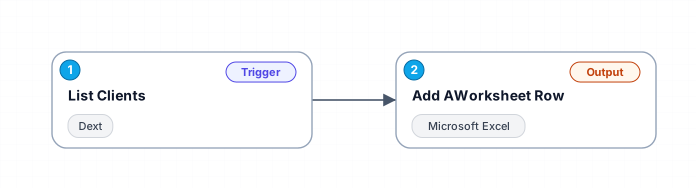
This workflow is designed to streamline the process of transferring client data from Dext to Microsoft 365 Excel. It runs daily at a scheduled time, fetching client details such as ID, name, practice code, provider information, health score, and alert level, and appending them as new rows in a specified Excel worksheet. This automation ensures that your client data is consistently updated and easily accessible for reporting and analysis.
Secure checkout powered by Stripe
Support
How to import this workflow into Make
- 1Purchase or download the workflow to get the Make blueprint JSON file.
- 2In Make, create a new scenario, click the three-dots menu, and choose "Import Blueprint".
- 3Reconnect each module to your own app connections when prompted.
- 4Run the scenario once to verify it, then set your schedule and turn it on.
Related Productivity workflows
- Automate Personal Life Management with Telegram and Google Services$14.99
- Automate Google Sheets Cleanup by Removing Duplicates via Profile URLs$4.99
- Automate Google Sheets with AI-Driven Text Generation in n8n$9.99
- Automated Daily Briefing for Executive Communication Management$14.99
- Automate Salon Bookings with AI, Google Calendar, and Email Confirmations$14.99
- Automate Meeting Scheduling with AI via Telegram$9.99
More from BestWorkflows
Need this deployed? We'll set it up for you.
Our automation experts deploy this workflow in your stack, connect your accounts, and verify it works — or build a custom solution from scratch.