Automate FileMaker Data Entry with N8N for Enhanced Email Marketing
This workflow automates data entry into FileMaker using N8N, streamlining the email marketing process.
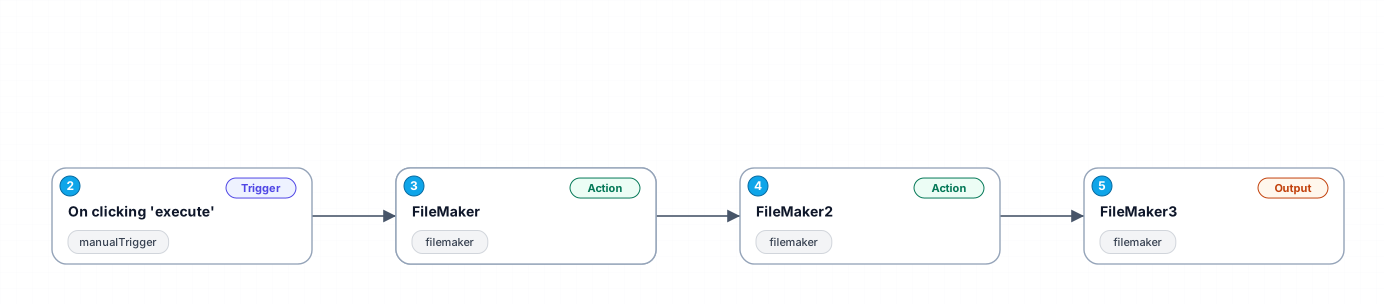
The '0032_Manual_Filemaker_Automate_Triggered' workflow is designed to simplify data management in FileMaker, specifically for email marketing campaigns. By leveraging N8N's automation capabilities, this workflow allows users to automatically create and update records in FileMaker with minimal manual intervention. This not only saves time but also reduces the risk of human error, making it ideal for marketing teams looking to enhance their data accuracy and efficiency.
The workflow begins with a manual trigger that initiates the process when the user clicks 'execute.' It is particularly beneficial for marketing professionals who frequently need to add or edit customer information in FileMaker, as it allows for quick updates without navigating through multiple interfaces.
Each step in the workflow is carefully crafted to ensure seamless data flow. Initially, it captures essential fields such as first and last names, followed by adding the customer's address details. The automation also includes mechanisms to handle responses, ensuring that subsequent actions are based on the information returned from FileMaker, which enhances data integrity.
In summary, this workflow not only streamlines the data entry process but also integrates smoothly with existing marketing systems, making it an invaluable tool for any marketing team aiming to optimize their operations. Use cases include onboarding new leads, updating customer records, and maintaining an organized database for targeted email campaigns.
New buyers can create an account from the cart to unlock a controlled $10 first-purchase credit on eligible orders of $25+.
Related bundle
Lead Generation Machine
8 hand-picked workflows for $49.00.
That is $6.13 each, vs $16.77 for this one alone.
View bundleSecure checkout powered by Stripe
Support
How to import this workflow into n8n
- 1Purchase or download the workflow to get the n8n workflow JSON file.
- 2In your n8n instance, open Workflows and choose "Import from File" (or paste the JSON with Ctrl+V on the canvas).
- 3Open each node marked with a credential warning and connect your own accounts and API keys.
- 4Run the workflow once manually to verify the data flow, then toggle it to Active.
Related Marketing workflows
- Automate UGC Video Creation and Instagram Posting with Google Gemini and Veo 3$9.99
- Automate Lead Generation and Cold Email Outreach$14.99
- Automate Professional Video Ad Creation from Product Images$19.99
- Track SEO Keyword Rankings with Bright Data MCP and GPT-4o AI Analysis$14.99
- Automate Google Maps Data Scraping and Email Discovery for Local Business Outreach$14.99
- Automate AI-Driven Social Media Content for Auto Services$19.99
More from Ivan Volkov
Need this deployed? We'll set it up for you.
Our automation experts deploy this workflow in your stack, connect your accounts, and verify it works — or build a custom solution from scratch.