Automate GitLab Notifications with N8N Workflow
This workflow automates notifications for GitLab events using N8N, enhancing your development process.
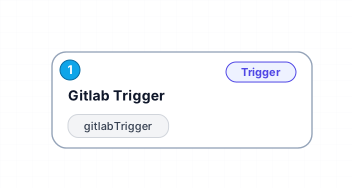
The 'Gitlab Trigger' workflow is designed to integrate seamlessly with GitLab, allowing users to automate responses to various events within their repositories. By utilizing N8N's capabilities, this workflow listens for all specified GitLab events occurring in the 'n8n-docs' repository owned by 'n8n-io'. When an event is triggered, it can initiate a series of automated tasks, streamlining notifications and responses for developers and project managers alike.
One of the key benefits of this workflow is its ability to keep team members informed in real-time about changes and activities within the GitLab repository. Whether it's a new merge request, issue creation, or any other event, stakeholders can receive immediate updates, ensuring that everyone stays on the same page. This enhances collaboration and reduces the likelihood of miscommunication among teams.
Additionally, this workflow can be customized to perform specific actions based on the type of event triggered, such as sending messages to a Slack channel, creating Trello cards, or updating a Google Sheet. This versatility makes it suitable for various use cases, from small teams to larger organizations looking to optimize their development workflows.
In summary, the 'Gitlab Trigger' workflow offers a powerful solution for automating GitLab-related notifications, improving team communication, and increasing overall efficiency in project management. With just a few simple configurations, users can harness the full potential of N8N to enhance their GitLab experience.
New buyers can create an account from the cart to unlock a controlled $10 first-purchase credit on eligible orders of $25+.
Related bundle
YouTube Creator Pipeline
8 hand-picked workflows for $39.00.
That is $4.88 each, vs $15.88 for this one alone.
View bundleSecure checkout powered by Stripe
Support
How to import this workflow into n8n
- 1Purchase or download the workflow to get the n8n workflow JSON file.
- 2In your n8n instance, open Workflows and choose "Import from File" (or paste the JSON with Ctrl+V on the canvas).
- 3Open each node marked with a credential warning and connect your own accounts and API keys.
- 4Run the workflow once manually to verify the data flow, then toggle it to Active.
Related Personal workflows
- SEO Data Analyst Workflow for E-commerce Insights$24.99
- Automated User Management and Data Processing Workflow$15.04
- AI Agent for Intelligent File Interaction in Supabase and Google Drive$19.99
- Automated Meditation Music Video Creation$19.99
- Instagram Reels Automation: Streamlined Content Creation & Publishing$19.99
- AI Powered Company Research Assistant for Competitive Analysis$19.99
More from BestWorkflows
Need this deployed? We'll set it up for you.
Our automation experts deploy this workflow in your stack, connect your accounts, and verify it works — or build a custom solution from scratch.