Automate Icypeas Webhook for Real-time Search Results
This workflow automates the retrieval and processing of search results from Icypeas through a webhook. By leveraging n8n's capabilities, users can set up a real-time listener that captures incoming search results and directs them to their desired ...
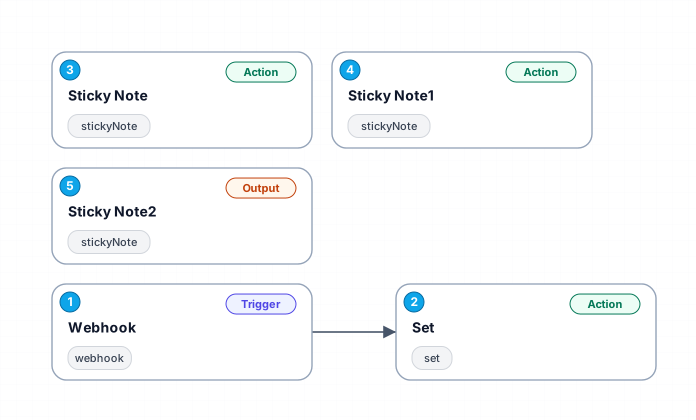
This workflow automates the retrieval and processing of search results from Icypeas through a webhook. By leveraging n8n's capabilities, users can set up a real-time listener that captures incoming search results and directs them to their desired endpoint. The workflow begins with a webhook node that listens for incoming POST requests containing search data, allowing for immediate action based on user queries.
Once the webhook captures the data, it processes the incoming information by extracting essential user details such as email, firstname, and lastname. This data is then prepared for further actions or integrations, ensuring that users can manage their responses efficiently. The design of this workflow caters to those looking to streamline their data handling processes, especially in scenarios where timely responses are critical.
In addition to its core functionality, this workflow includes informative sticky notes that guide users through the setup and integration process. These notes provide vital information on linking the webhook to the Icypeas account, ensuring that users can easily navigate through the necessary steps to activate the workflow successfully. With clear instructions and a user-friendly interface, this automation solution is perfect for enhancing productivity and operational efficiency.
New buyers can create an account from the cart to unlock a controlled $10 first-purchase credit on eligible orders of $25+.
Related bundle
YouTube Creator Pipeline
8 hand-picked workflows for $39.00.
That is $4.88 each, vs $14.99 for this one alone.
View bundleSecure checkout powered by Stripe
Support
How to import this workflow into n8n
- 1Purchase or download the workflow to get the n8n workflow JSON file.
- 2In your n8n instance, open Workflows and choose "Import from File" (or paste the JSON with Ctrl+V on the canvas).
- 3Open each node marked with a credential warning and connect your own accounts and API keys.
- 4Run the workflow once manually to verify the data flow, then toggle it to Active.
Related Personal workflows
- SEO Data Analyst Workflow for E-commerce Insights$24.99
- Automated User Management and Data Processing Workflow$15.04
- AI Agent for Intelligent File Interaction in Supabase and Google Drive$19.99
- Automated Meditation Music Video Creation$19.99
- Instagram Reels Automation: Streamlined Content Creation & Publishing$19.99
- AI Powered Company Research Assistant for Competitive Analysis$19.99
More from Andre Ulrich
Need this deployed? We'll set it up for you.
Our automation experts deploy this workflow in your stack, connect your accounts, and verify it works — or build a custom solution from scratch.