Automate Invoice Creation with Invoice Ninja Trigger
Streamline your invoicing process by automating invoice creation with this Invoice Ninja trigger workflow.
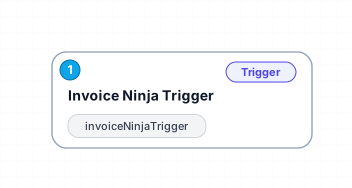
The 'Invoice Ninja Trigger' workflow automates the creation of invoices whenever a new invoice is generated in Invoice Ninja. This efficiency allows businesses to save time and reduce manual entry errors, ensuring that invoicing becomes a seamless part of your operations. With just one trigger node, this workflow integrates directly with Invoice Ninja, making it easy to keep track of invoices without any additional hassle.
This automation is particularly beneficial for freelancers and small business owners who frequently deal with invoicing. Instead of spending hours on creating and sending invoices, this workflow can instantly trigger the process based on specific events, allowing users to focus on more critical tasks, such as client management and project delivery.
The potential use cases for this workflow are vast. Whether you're a service provider who needs to bill clients regularly or a product seller who requires consistent invoicing for sales, this solution is designed to simplify your financial tasks. By automating the invoicing process, you can ensure timely payments and improve cash flow, leading to better financial health for your business.
In summary, the 'Invoice Ninja Trigger' workflow is a valuable asset for anyone looking to enhance productivity in their invoicing processes. By minimizing manual work and maximizing efficiency, this automation helps businesses thrive in a fast-paced environment.
New buyers can create an account from the cart to unlock a controlled $10 first-purchase credit on eligible orders of $25+.
Secure checkout powered by Stripe
Support
How to import this workflow into n8n
- 1Purchase or download the workflow to get the n8n workflow JSON file.
- 2In your n8n instance, open Workflows and choose "Import from File" (or paste the JSON with Ctrl+V on the canvas).
- 3Open each node marked with a credential warning and connect your own accounts and API keys.
- 4Run the workflow once manually to verify the data flow, then toggle it to Active.
Related Productivity workflows
- Automate Personal Life Management with Telegram and Google Services$14.99
- Automate Google Sheets Cleanup by Removing Duplicates via Profile URLs$4.99
- Automate Google Sheets with AI-Driven Text Generation in n8n$9.99
- Automated Daily Briefing for Executive Communication Management$14.99
- Automate Salon Bookings with AI, Google Calendar, and Email Confirmations$14.99
- Automate Meeting Scheduling with AI via Telegram$9.99
More from Andre Ulrich
Need this deployed? We'll set it up for you.
Our automation experts deploy this workflow in your stack, connect your accounts, and verify it works — or build a custom solution from scratch.