Automate Iterable Operations with MCP Server for AI Integration
Deploy a comprehensive MCP server to automate all Iterable operations with AI agents, requiring zero configuration.
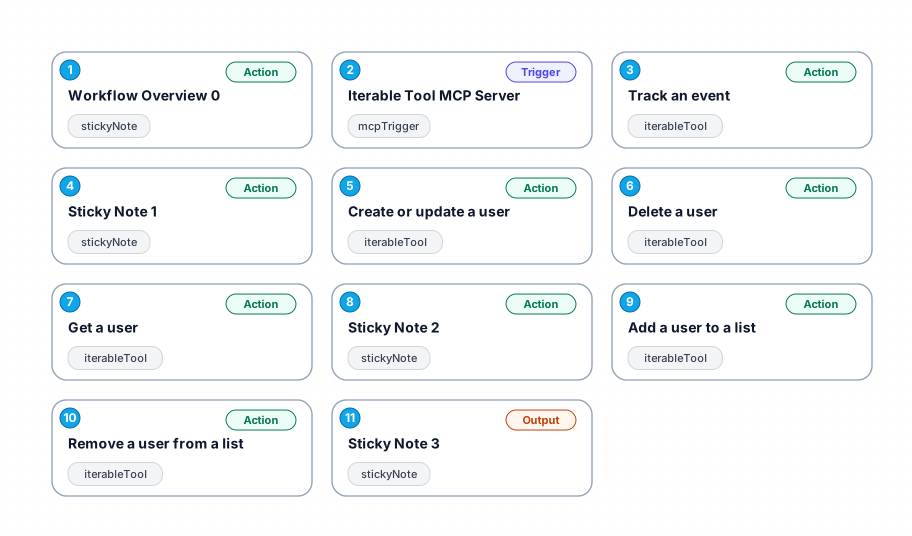
This workflow sets up a complete MCP server that exposes all six Iterable operations to AI agents. It requires no configuration, making it easy to integrate with AI tools. The server handles operations like tracking events, managing users, and updating user lists. It includes built-in AI expressions for parameter handling and utilizes native n8n error management for reliability.
New buyers can create an account from the cart to unlock a controlled $10 first-purchase credit on eligible orders of $25+.
Related bundle
Content Repurposing Engine
8 hand-picked workflows for $29.00.
That is $3.63 each, vs $9.99 for this one alone.
View bundleSecure checkout powered by Stripe
Support
How to import this workflow into n8n
- 1Purchase or download the workflow to get the n8n workflow JSON file.
- 2In your n8n instance, open Workflows and choose "Import from File" (or paste the JSON with Ctrl+V on the canvas).
- 3Open each node marked with a credential warning and connect your own accounts and API keys.
- 4Run the workflow once manually to verify the data flow, then toggle it to Active.
Related AI workflows
- Launch Your First AI-Powered Chatbot with Actionable Tools$9.99
- Automate AI Video Creation and YouTube Upload with Google Sheets$14.99
- Build a WhatsApp Assistant with Memory, Google Suite, Multi-AI, Research, and Imaging$24.99
- Automate Blog Post Creation and Publishing with GPT, Leonardo AI, and WordPress$14.99
- Automate SEO Keyword Generation with ChatGPT from Google Sheets$3.99
- Email Agent$500.99
More from Tyler Reed
Need this deployed? We'll set it up for you.
Our automation experts deploy this workflow in your stack, connect your accounts, and verify it works — or build a custom solution from scratch.