Automate Keap Contact Additions with n8n Workflow
This n8n workflow is designed to automate the process of adding new contacts in Keap whenever a specified event occurs. Leveraging the Keap Trigger node, this workflow detects when a new contact is created and can initiate a series of follow-up ac...
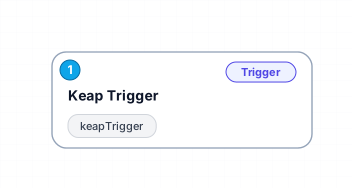
This n8n workflow is designed to automate the process of adding new contacts in Keap whenever a specified event occurs. Leveraging the Keap Trigger node, this workflow detects when a new contact is created and can initiate a series of follow-up actions or integrations with other applications. By automating this process, users can eliminate manual entry, reduce errors, and ensure timely updates to their contact database.
The primary benefit of this workflow lies in its ability to save time and improve data accuracy. Businesses that rely on CRM systems like Keap can greatly enhance their operational efficiency by automating repetitive tasks. For instance, this workflow can be integrated with email marketing tools to automatically add new contacts to mailing lists or trigger welcome emails.
Use cases for this workflow include marketing teams looking to maintain up-to-date contact lists, sales teams needing quick access to new leads, and customer service departments aiming to enhance their follow-up processes. The ability to seamlessly integrate this workflow with other applications further increases its value and flexibility, making it an essential tool for any organization that uses Keap.
Overall, this workflow not only simplifies the management of contacts but also enhances the overall customer experience by ensuring that your team has the most current information readily available. The automation of this process is a strategic investment for those looking to optimize their customer relationship management efforts.
New buyers can create an account from the cart to unlock a controlled $10 first-purchase credit on eligible orders of $25+.
Related bundle
YouTube Creator Pipeline
8 hand-picked workflows for $39.00.
That is $4.88 each, vs $12.99 for this one alone.
View bundleSecure checkout powered by Stripe
Support
How to import this workflow into n8n
- 1Purchase or download the workflow to get the n8n workflow JSON file.
- 2In your n8n instance, open Workflows and choose "Import from File" (or paste the JSON with Ctrl+V on the canvas).
- 3Open each node marked with a credential warning and connect your own accounts and API keys.
- 4Run the workflow once manually to verify the data flow, then toggle it to Active.
Related Personal workflows
- SEO Data Analyst Workflow for E-commerce Insights$24.99
- Automated User Management and Data Processing Workflow$15.04
- AI Agent for Intelligent File Interaction in Supabase and Google Drive$19.99
- Automated Meditation Music Video Creation$19.99
- Instagram Reels Automation: Streamlined Content Creation & Publishing$19.99
- AI Powered Company Research Assistant for Competitive Analysis$19.99
More from QualityWorkflows
Need this deployed? We'll set it up for you.
Our automation experts deploy this workflow in your stack, connect your accounts, and verify it works — or build a custom solution from scratch.