Automate Your Referral Management with N8N Workflow
The 'Assign values to variables using the Set node' workflow automates the assignment of various data types, such as numbers, strings, and booleans, to variables within N8N. This is particularly useful for marketing teams looking to enhance their ...
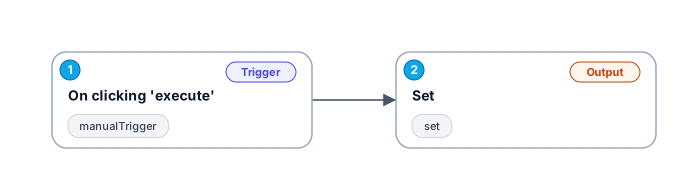
The 'Assign values to variables using the Set node' workflow automates the assignment of various data types, such as numbers, strings, and booleans, to variables within N8N. This is particularly useful for marketing teams looking to enhance their referral management processes by simplifying data handling. By integrating this automation, users can save time on manual data entry and ensure accuracy in their referral tracking.
The workflow begins with a manual trigger, allowing users to execute the process at their convenience. Once initiated, the 'Set' node assigns predefined values to specific variables, which can then be utilized in subsequent nodes for further processing. This eliminates the need for repetitive configurations and reduces the risk of human error.
One of the key benefits of this workflow is its versatility. It can be adapted for various marketing tasks, such as tracking referral sources, managing campaign data, or customizing messaging based on user inputs. By leveraging automation, teams can focus on strategic initiatives rather than mundane tasks, ultimately driving better results in their marketing efforts.
This workflow is ideal for businesses aiming to optimize their referral management systems. Whether you are tracking customer referrals, managing affiliate programs, or simply seeking to improve your data handling efficiency, this N8N workflow provides a robust solution.
New buyers can create an account from the cart to unlock a controlled $10 first-purchase credit on eligible orders of $25+.
Related bundle
Lead Generation Machine
8 hand-picked workflows for $49.00.
That is $6.13 each, vs $13.48 for this one alone.
View bundleSecure checkout powered by Stripe
Support
How to import this workflow into n8n
- 1Purchase or download the workflow to get the n8n workflow JSON file.
- 2In your n8n instance, open Workflows and choose "Import from File" (or paste the JSON with Ctrl+V on the canvas).
- 3Open each node marked with a credential warning and connect your own accounts and API keys.
- 4Run the workflow once manually to verify the data flow, then toggle it to Active.
Related Marketing workflows
- Automate UGC Video Creation and Instagram Posting with Google Gemini and Veo 3$9.99
- Automate Lead Generation and Cold Email Outreach$14.99
- Automate Professional Video Ad Creation from Product Images$19.99
- Track SEO Keyword Rankings with Bright Data MCP and GPT-4o AI Analysis$14.99
- Automate Google Maps Data Scraping and Email Discovery for Local Business Outreach$14.99
- Automate AI-Driven Social Media Content for Auto Services$19.99
More from Divya Grabowski
Need this deployed? We'll set it up for you.
Our automation experts deploy this workflow in your stack, connect your accounts, and verify it works — or build a custom solution from scratch.