Automate Your Social Media: Scheduled Tweet Posting Workflow
This workflow automates the process of posting tweets at scheduled intervals, specifically every 6 hours, while randomizing the exact minutes to make the posting appear more organic and natural. By utilizing the n8n workflow automation tool, users...
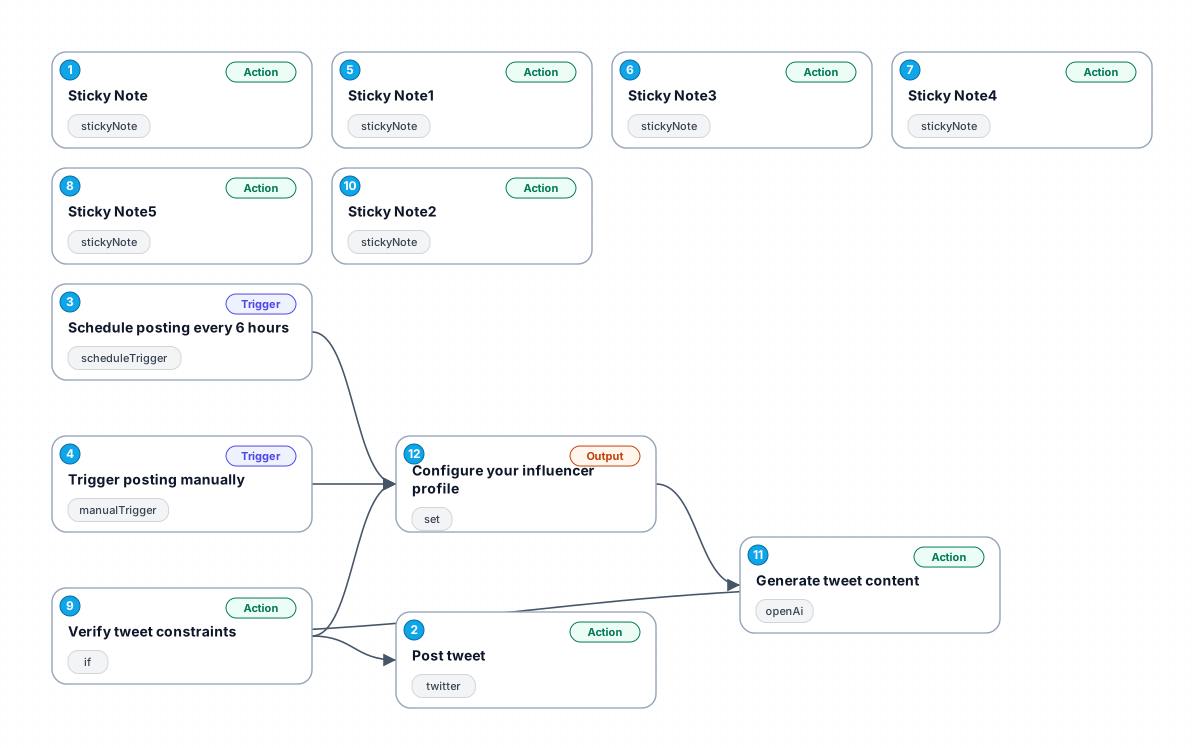
This workflow automates the process of posting tweets at scheduled intervals, specifically every 6 hours, while randomizing the exact minutes to make the posting appear more organic and natural. By utilizing the n8n workflow automation tool, users can configure their social media strategies without the need for constant manual intervention. This not only saves time but also ensures consistent engagement with followers, improving overall social media presence.
The workflow starts with a manual trigger, allowing users to initiate posting whenever they need, followed by a scheduled trigger that handles the automation. Each tweet is generated based on a predefined configuration that takes into account the target niche and writing style. This ensures that the content is relevant to the audience, maximizing the potential for engagement.
Moreover, the workflow includes a validation step to check the generated tweets for length constraints, ensuring that all posts meet platform requirements. This is crucial for maintaining a professional appearance on social media and avoiding any issues related to post rejection due to length.
Overall, this workflow is ideal for individuals and businesses looking to streamline their social media efforts, engage with their audience more effectively, and maintain a regular posting schedule without the stress of manual input.
New buyers can create an account from the cart to unlock a controlled $10 first-purchase credit on eligible orders of $25+.
Related bundle
YouTube Creator Pipeline
8 hand-picked workflows for $39.00.
That is $4.88 each, vs $8.60 for this one alone.
View bundleSecure checkout powered by Stripe
Support
How to import this workflow into n8n
- 1Purchase or download the workflow to get the n8n workflow JSON file.
- 2In your n8n instance, open Workflows and choose "Import from File" (or paste the JSON with Ctrl+V on the canvas).
- 3Open each node marked with a credential warning and connect your own accounts and API keys.
- 4Run the workflow once manually to verify the data flow, then toggle it to Active.
Related Personal workflows
- SEO Data Analyst Workflow for E-commerce Insights$24.99
- Automated User Management and Data Processing Workflow$15.04
- AI Agent for Intelligent File Interaction in Supabase and Google Drive$19.99
- Automated Meditation Music Video Creation$19.99
- Instagram Reels Automation: Streamlined Content Creation & Publishing$19.99
- AI Powered Company Research Assistant for Competitive Analysis$19.99
More from Priya Nasser
Need this deployed? We'll set it up for you.
Our automation experts deploy this workflow in your stack, connect your accounts, and verify it works — or build a custom solution from scratch.