Automate Your Zoom Meetings with N8N: Manual Trigger Setup
The '1159ManualZoomAutomationTriggered' workflow simplifies the process of scheduling Zoom meetings by utilizing a manual trigger in N8N. This automation allows users to initiate a Zoom meeting with just one click, eliminating the need for repetit...
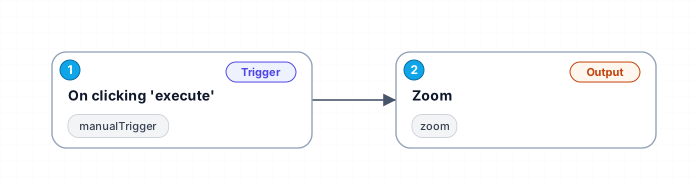
The '1159_Manual_Zoom_Automation_Triggered' workflow simplifies the process of scheduling Zoom meetings by utilizing a manual trigger in N8N. This automation allows users to initiate a Zoom meeting with just one click, eliminating the need for repetitive manual entry of meeting details. By integrating this workflow into your daily routine, you can save valuable time and reduce the potential for errors when creating meetings.
This workflow is particularly beneficial for individuals and teams who frequently schedule meetings and want to ensure that all relevant details are captured accurately. With a user-friendly interface, the manual trigger allows users to execute the workflow on demand, providing flexibility in scheduling without compromising efficiency. Additionally, the integration with Zoom ensures that all meetings are created with the necessary parameters, such as topic and authentication, making it a seamless experience.
Use cases for this workflow include personal scheduling, team collaboration, and project meetings where quick setup is essential. Whether you are a freelancer managing client calls or part of a large organization coordinating team meetings, this automation can enhance productivity and streamline communication. By adopting this workflow, you can focus more on the content of your meetings rather than the logistics of scheduling them, leading to more effective and engaging discussions.
New buyers can create an account from the cart to unlock a controlled $10 first-purchase credit on eligible orders of $25+.
Secure checkout powered by Stripe
Support
How to import this workflow into n8n
- 1Purchase or download the workflow to get the n8n workflow JSON file.
- 2In your n8n instance, open Workflows and choose "Import from File" (or paste the JSON with Ctrl+V on the canvas).
- 3Open each node marked with a credential warning and connect your own accounts and API keys.
- 4Run the workflow once manually to verify the data flow, then toggle it to Active.
Related Personal workflows
- SEO Data Analyst Workflow for E-commerce Insights$24.99
- Automated User Management and Data Processing Workflow$15.04
- AI Agent for Intelligent File Interaction in Supabase and Google Drive$19.99
- Automated Meditation Music Video Creation$19.99
- Instagram Reels Automation: Streamlined Content Creation & Publishing$19.99
- AI Powered Company Research Assistant for Competitive Analysis$19.99
More from Fred Garcia
Need this deployed? We'll set it up for you.
Our automation experts deploy this workflow in your stack, connect your accounts, and verify it works — or build a custom solution from scratch.