Automated Local Datetime Retrieval for Manual Imports
This workflow efficiently retrieves the local datetime upon manual execution, enhancing data import processes.
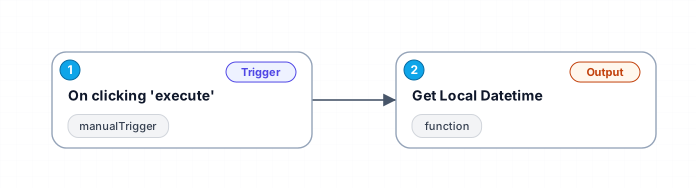
The '1098_Manual_Import_Triggered' workflow is designed to streamline the process of obtaining local datetime information during manual imports. By utilizing a manual trigger, users can execute the workflow at their convenience, initiating a series of automated actions that provide accurate and formatted datetime data. This is particularly beneficial for scenarios where timestamps are critical, such as logging or data entry tasks.
The workflow leverages the powerful moment.js library to handle timezone-specific datetime retrieval. By dynamically fetching the current datetime based on the configured timezone, it ensures that all users, regardless of their location, receive accurate timestamps. The formatted output includes a comprehensive breakdown of the year, month, day, hour, minute, second, and millisecond, along with the complete formatted string for easy integration into various applications.
Use cases for this workflow extend to any situation where a precise local datetime is needed for data processing, reporting, or record-keeping. It simplifies the task of capturing timestamps, reducing errors associated with manual entry and ensuring consistency across datasets. Furthermore, this automation can significantly enhance productivity by allowing users to focus on more strategic tasks rather than repetitive datetime calculations.
Overall, this workflow serves as a valuable tool for individuals and teams looking to optimize their manual import processes while maintaining accuracy and efficiency in datetime management.
New buyers can create an account from the cart to unlock a controlled $10 first-purchase credit on eligible orders of $25+.
Related bundle
YouTube Creator Pipeline
8 hand-picked workflows for $39.00.
That is $4.88 each, vs $7.16 for this one alone.
View bundleSecure checkout powered by Stripe
Support
How to import this workflow into n8n
- 1Purchase or download the workflow to get the n8n workflow JSON file.
- 2In your n8n instance, open Workflows and choose "Import from File" (or paste the JSON with Ctrl+V on the canvas).
- 3Open each node marked with a credential warning and connect your own accounts and API keys.
- 4Run the workflow once manually to verify the data flow, then toggle it to Active.
Related Personal workflows
- SEO Data Analyst Workflow for E-commerce Insights$24.99
- Automated User Management and Data Processing Workflow$15.04
- AI Agent for Intelligent File Interaction in Supabase and Google Drive$19.99
- Automated Meditation Music Video Creation$19.99
- Instagram Reels Automation: Streamlined Content Creation & Publishing$19.99
- AI Powered Company Research Assistant for Competitive Analysis$19.99
More from Zainab Nair
Need this deployed? We'll set it up for you.
Our automation experts deploy this workflow in your stack, connect your accounts, and verify it works — or build a custom solution from scratch.