Automatically Add New Encharge Contacts to MailerLite
Seamlessly transfer new contacts from Encharge to MailerLite, ensuring your mailing lists are always up-to-date.
make
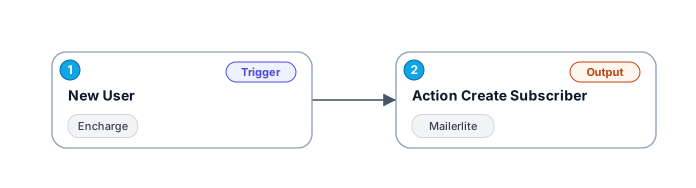
This workflow automates the process of adding new contacts from Encharge to a specified group in MailerLite. Whenever a new person is added in Encharge, their details are checked for an email address. If present, the contact is then added as a subscriber in MailerLite, complete with additional information like name, company, and location details.
Free
Last updated August 22, 2026
30-day money-back guarantee
Instant download
Lifetime updates included
Secure checkout powered by Stripe
Support
How to import this workflow into Make
- 1Purchase or download the workflow to get the Make blueprint JSON file.
- 2In Make, create a new scenario, click the three-dots menu, and choose "Import Blueprint".
- 3Reconnect each module to your own app connections when prompted.
- 4Run the scenario once to verify it, then set your schedule and turn it on.
Related Marketing workflows
- Automate UGC Video Creation and Instagram Posting with Google Gemini and Veo 3$9.99
- Automate Lead Generation and Cold Email Outreach$14.99
- Automate Professional Video Ad Creation from Product Images$19.99
- Track SEO Keyword Rankings with Bright Data MCP and GPT-4o AI Analysis$14.99
- Automate Google Maps Data Scraping and Email Discovery for Local Business Outreach$14.99
- Automate AI-Driven Social Media Content for Auto Services$19.99
More from Pierre Nguyen
Need this deployed? We'll set it up for you.
Our automation experts deploy this workflow in your stack, connect your accounts, and verify it works — or build a custom solution from scratch.