Email & Complaint Automation Workflow
The Email & Complaint Automation Workflow streamlines the process of managing incoming emails and handling complaints through automation. By leveraging AI and Gmail integrations, this workflow categorizes emails into different labels, allowing use...
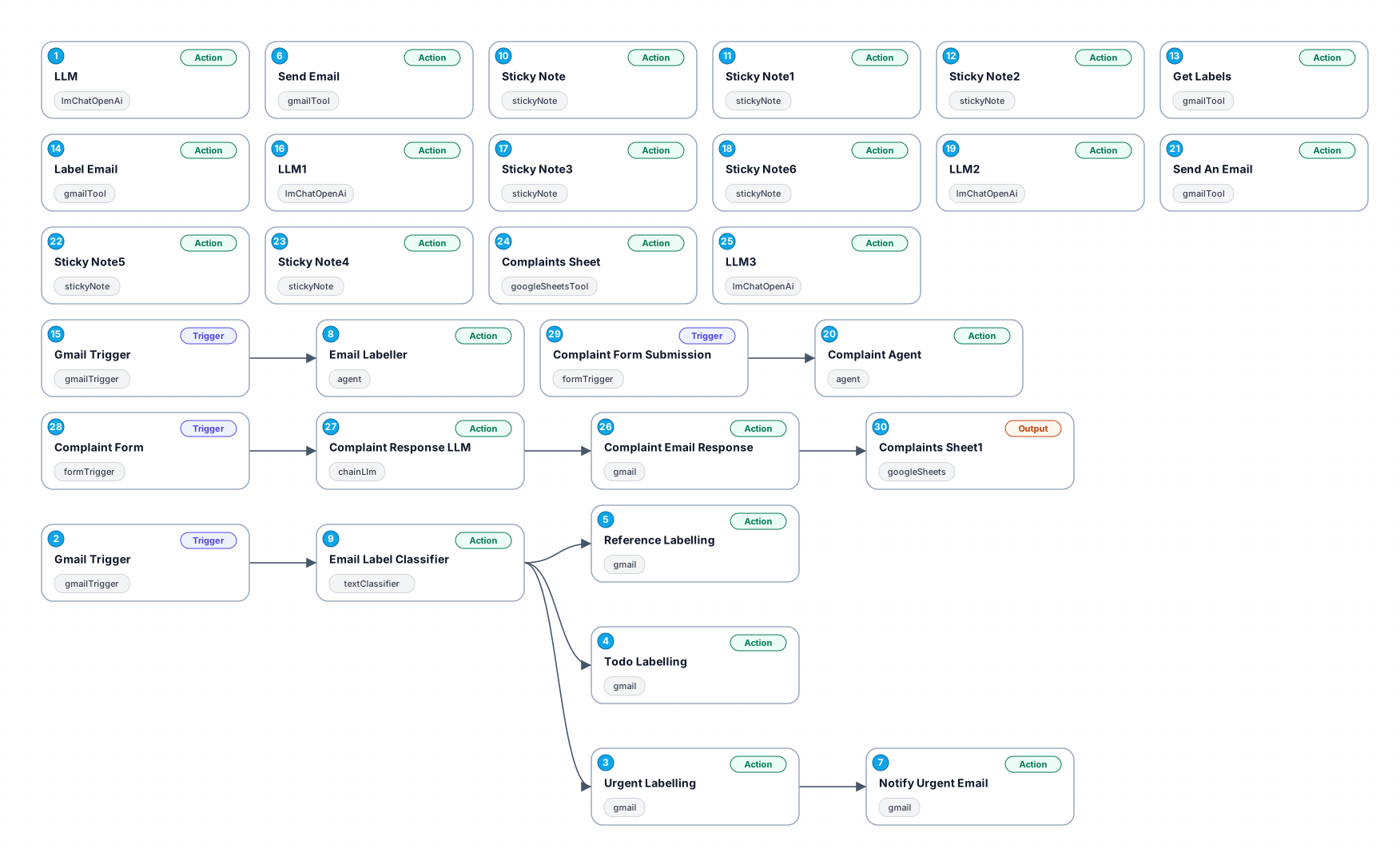
The Email & Complaint Automation Workflow streamlines the process of managing incoming emails and handling complaints through automation. By leveraging AI and Gmail integrations, this workflow categorizes emails into different labels, allowing users to prioritize their responses effectively. This results in increased productivity and better customer service, as complaints are addressed promptly and efficiently.
With the integration of OpenAI's language model, the workflow generates intelligent responses, ensuring that communication remains professional and timely. The ability to label emails as 'urgent', 'to-do', or 'reference' means that users can quickly identify the nature of each email, allowing for a more organized approach to email management.
This workflow is particularly beneficial for businesses that receive a high volume of customer inquiries or complaints, as it allows teams to focus on high-priority tasks while automating routine responses. Additionally, it can be adapted for various industries, making it a versatile tool for enhancing customer relations and operational efficiency.
Overall, this automation not only saves time but also ensures that no important emails are overlooked, thus improving overall satisfaction for both the team and the customers.
New buyers can create an account from the cart to unlock a controlled $10 first-purchase credit on eligible orders of $25+.
Related bundle
YouTube Creator Pipeline
8 hand-picked workflows for $39.00.
That is $4.88 each, vs $19.99 for this one alone.
View bundleSecure checkout powered by Stripe
Support
How to import this workflow into n8n
- 1Purchase or download the workflow to get the n8n workflow JSON file.
- 2In your n8n instance, open Workflows and choose "Import from File" (or paste the JSON with Ctrl+V on the canvas).
- 3Open each node marked with a credential warning and connect your own accounts and API keys.
- 4Run the workflow once manually to verify the data flow, then toggle it to Active.
Related Personal workflows
- SEO Data Analyst Workflow for E-commerce Insights$24.99
- Automated User Management and Data Processing Workflow$15.04
- AI Agent for Intelligent File Interaction in Supabase and Google Drive$19.99
- Automated Meditation Music Video Creation$19.99
- Instagram Reels Automation: Streamlined Content Creation & Publishing$19.99
- AI Powered Company Research Assistant for Competitive Analysis$19.99
More from Jonas Lindberg
Need this deployed? We'll set it up for you.
Our automation experts deploy this workflow in your stack, connect your accounts, and verify it works — or build a custom solution from scratch.