Generate Content Ideas from PDFs with InfraNodus GraphRAG and AI Gap Analysis
This template can be used to **find the content gaps in PDF documents** using the **[InfraNodus knowledge graph](https://infranodus.com) / GraphRAG text representation** and then **generate ideas / questions / AI prompts** that bridge those gaps based on optimizing the knowledge graph's structure. Simply **upload several PDF files** (research papers, corporate or market reports, etc.) and **generate an idea in seconds**. The template is **useful for:** - Generating ideas / questions for research - Generating content ideas based on competitors' discourse - Finding blind spots in any discourse and generating ideas that address them - Avoiding the generic bias of LLM models and focusing on what's important in your particular context ## What are Content Gaps and Knowledge Graphs? Knowledge graphs represent any text as a network: the main concepts are the nodes, their co-occurrences are the connections between them. Based on this representation, we build a graph and apply network science metrics to rank the most important nodes (concepts) that serve as the crossroads of meaning and also the main topical clusters that they connect. Naturally, some of the clusters will be disconnected and will have gaps between them. These are the topics (groups of concepts) that exist in this context (the documents you uploaded) but that are not very well connected. Addressing those gaps can help you see which groups of concepts you could connect with your own ideas. This is exactly what [InfraNodus](https://infranodus.com) does: builds the structure, finds the gaps, then uses the built-in AI to generate research questions and ideas that bridge those gaps.  ## How it works 1) Step 1: First, you **upload your PDF files** using an online web form, which you can run from n8n or even make publicly available. 2) Steps 2-4: The documents are processed using the Code and PDF to Text nodes to **extract plain text** from them. 3) Step 5: This text is then sent to the **InfraNodus GraphRAG** node that creates a knowledge graph, identifies **structural gaps** in this graph, and then uses built-in AI to generate **ideas** or research **questions / prompts** (if you use the InfraNodus question module instead). 4) Step 6: The ideas are then **shown to the user** in the same web form. Optionally, you can hook this template to your own workflow and send the idea / question generated to your own AI model / agent for further processing. If you'd like to sync this workflow to PDF files in a Google Drive folder, you can copy our [Google Drive PDF processing workflow](https://n8n.io/workflows/4486-upload-google-drive-files-to-an-infranodus-graph/) for n8n. ## How to use You need an [InfraNodus GraphRAG API account and key](https://infranodus.com/use-case/ai-knowledge-graphs) to use this workflow. - Create an InfraNodus account - Get the API key at [https://infranodus.com/api-access](https://infranodus.com/api-access) and create a Bearer authorization key. - Add this key into the InfraNodus GraphRAG HTTP node(s) you use in this workflow. - You do not need any OpenAI keys for this to work. Optionally, you can change the settings in Step 4 of this workflow and enforce it to always use the biggest gap it identifies. ## Requirements - An [InfraNodus](https://infranodus.com/use-case/ai-knowledge-graphs) account and API key Note: OpenAI key is not required. You will have direct access to the InfraNodus AI with the API key. ## Customizing this workflow You can use this same workflow with a Telegram bot or Slack (to be notified of the summaries and ideas). You can also hook up automated social media content creation workflows at the end of this template, so you can generate posts that are relevant (covering the important topics in your niche) but also novel (because they connect them in a new way). Check out our **n8n templates** for ideas at [https://n8n.io/creators/infranodus/](https://n8n.io/creators/infranodus/) Also check the **full tutorial** with a **conceptual explanation** at [https://support.noduslabs.com/hc/en-us/articles/20454382597916-Beat-Your-Competition-Target-Their-Content-Gaps-with-this-n8n-Automation-Workflow](https://support.noduslabs.com/hc/en-us/articles/20454382597916-Beat-Your-Competition-Target-Their-Content-Gaps-with-this-n8n-Automation-Workflow) Also check out the **video introduction to InfraNodus** to better understand how knowledge graphs and content gaps work: [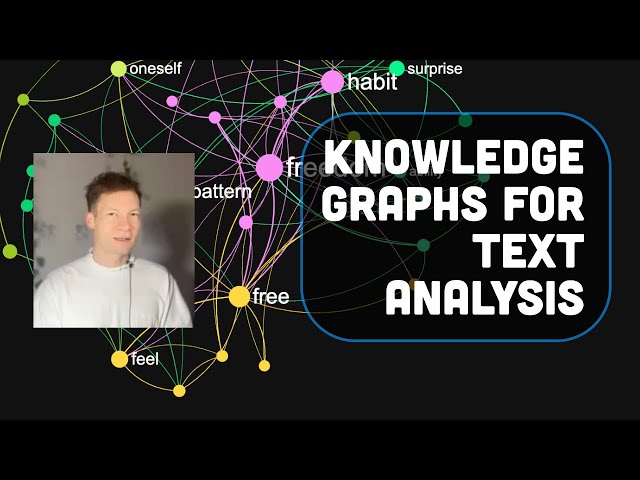](https://www.youtube.com/watch?v=8SAYDf9P7yg) For **support and help** with this workflow, please contact us at [https://support.noduslabs.com](https://support.noduslabs.com)
This template can be used to find the content gaps in PDF documents using the InfraNodus knowledge graph / GraphRAG text representation and then generate ideas / questions / AI prompts that bridge those gaps based on optimizing the knowledge graph's structure.
Simply upload several PDF files (research papers, corporate or market reports, etc.) and generate an idea in seconds. The template is useful for:
- Generating ideas / questions for research
- Generating content ideas based on competitors' discourse
- Finding blind spots in any discourse and generating ideas that address them
- Avoiding the generic bias of LLM models and focusing on what's important in your particular context
What are Content Gaps and Knowledge Graphs?
Knowledge graphs represent any text as a network: the main concepts are the nodes, their co-occurrences are the connections between them. Based on this representation, we build a graph and apply network science metrics to rank the most important nodes (concepts) that serve as the crossroads of meaning and also the main topical clusters that they connect. Naturally, some of the clusters will be disconnected and will have gaps between them. These are the topics (groups of concepts) that exist in this context (the documents you uploaded) but that are not very well connected. Addressing those gaps can help you see which groups of concepts you could connect with your own ideas. This is exactly what InfraNodus does: builds the structure, finds the gaps, then uses the built-in AI to generate research questions and ideas that bridge those gaps.

How it works
- Step 1: First, you upload your PDF files using an online web form, which you can run from n8n or even make publicly available.
- Steps 2-4: The documents are processed using the Code and PDF to Text nodes to extract plain text from them.
- Step 5: This text is then sent to the InfraNodus GraphRAG node that creates a knowledge graph, identifies structural gaps in this graph, and then uses built-in AI to generate ideas or research questions / prompts (if you use the InfraNodus question module instead).
- Step 6: The ideas are then shown to the user in the same web form. Optionally, you can hook this template to your own workflow and send the idea / question generated to your own AI model / agent for further processing. If you'd like to sync this workflow to PDF files in a Google Drive folder, you can copy our Google Drive PDF processing workflow for n8n.
How to use
You need an InfraNodus GraphRAG API account and key to use this workflow.
- Create an InfraNodus account
- Get the API key at https://infranodus.com/api-access and create a Bearer authorization key.
- Add this key into the InfraNodus GraphRAG HTTP node(s) you use in this workflow.
- You do not need any OpenAI keys for this to work.
Optionally, you can change the settings in Step 4 of this workflow and enforce it to always use the biggest gap it identifies.
Requirements
- An InfraNodus account and API key
Note: OpenAI key is not required. You will have direct access to the InfraNodus AI with the API key.
Customizing this workflow
You can use this same workflow with a Telegram bot or Slack (to be notified of the summaries and ideas). You can also hook up automated social media content creation workflows at the end of this template, so you can generate posts that are relevant (covering the important topics in your niche) but also novel (because they connect them in a new way). Check out our n8n templates for ideas at https://n8n.io/creators/infranodus/
Also check the full tutorial with a conceptual explanation at https://support.noduslabs.com/hc/en-us/articles/20454382597916-Beat-Your-Competition-Target-Their-Content-Gaps-with-this-n8n-Automation-Workflow
Also check out the video introduction to InfraNodus to better understand how knowledge graphs and content gaps work:

For support and help with this workflow, please contact us at https://support.noduslabs.com
New buyers can create an account from the cart to unlock a controlled $10 first-purchase credit on eligible orders of $25+.
Related bundle
Content Repurposing Engine
8 hand-picked workflows for $29.00.
That is $3.63 each, vs $14.99 for this one alone.
View bundleSecure checkout powered by Stripe
Support
How to import this workflow into n8n
- 1Purchase or download the workflow to get the n8n workflow JSON file.
- 2In your n8n instance, open Workflows and choose "Import from File" (or paste the JSON with Ctrl+V on the canvas).
- 3Open each node marked with a credential warning and connect your own accounts and API keys.
- 4Run the workflow once manually to verify the data flow, then toggle it to Active.
Related AI workflows
- Launch Your First AI-Powered Chatbot with Actionable Tools$9.99
- Build a WhatsApp Assistant with Memory, Google Suite, Multi-AI, Research, and Imaging$24.99
- Automate AI Video Creation and YouTube Upload with Google Sheets$14.99
- Automate Blog Post Creation and Publishing with GPT, Leonardo AI, and WordPress$14.99
- Automate SEO Keyword Generation with ChatGPT from Google Sheets$3.99
- Email Agent$500.99
More from InfraNodus
Need this deployed? We'll set it up for you.
Our automation experts deploy this workflow in your stack, connect your accounts, and verify it works — or build a custom solution from scratch.