Optimize Your Email Management with Microsoft Outlook AI Assistant
Streamline your email workflow using AI insights to enhance productivity and manage contacts effectively.
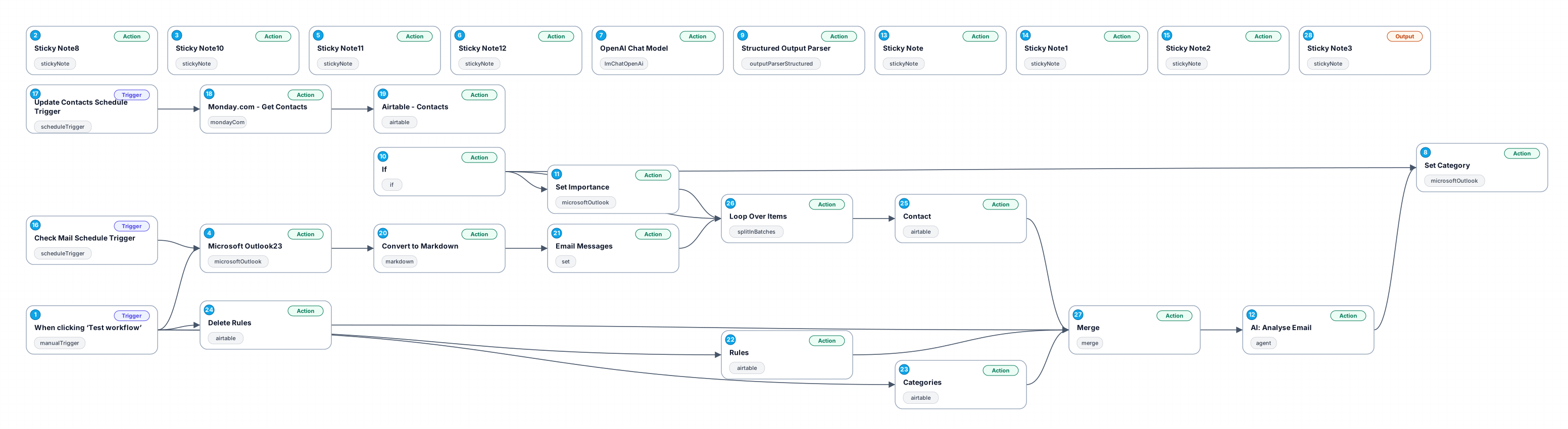
The Microsoft Outlook AI Email Assistant is designed to enhance your email management experience by integrating AI-driven functionalities with Microsoft Outlook. This workflow allows users to automate the retrieval and processing of emails while ensuring that flagged emails or categorized messages are excluded from processing. By leveraging this workflow, individuals can focus on important emails, manage their communications more effectively, and maintain a cleaner inbox.
Benefits of this workflow include the ability to quickly access relevant emails based on defined filters, which saves time and reduces the cognitive load associated with sorting through numerous messages. Additionally, the workflow utilizes sticky notes to provide key insights and reminders directly within the automation interface, ensuring that users have all necessary information at their fingertips.
Use cases for the Microsoft Outlook AI Email Assistant range from personal email management to professional settings where timely responses are crucial. This tool is particularly beneficial for individuals who receive high volumes of emails and need to prioritize their responses based on urgency and importance. By automating these tasks, users can enhance their productivity and ensure that they are always on top of their communications.
Overall, this AI Email Assistant empowers users to take control of their inboxes, streamline their email processing, and ultimately improve their overall email management strategies.
New buyers can create an account from the cart to unlock a controlled $10 first-purchase credit on eligible orders of $25+.
Secure checkout powered by Stripe
Support
How to import this workflow into n8n
- 1Purchase or download the workflow to get the n8n workflow JSON file.
- 2In your n8n instance, open Workflows and choose "Import from File" (or paste the JSON with Ctrl+V on the canvas).
- 3Open each node marked with a credential warning and connect your own accounts and API keys.
- 4Run the workflow once manually to verify the data flow, then toggle it to Active.
Related Personal workflows
- SEO Data Analyst Workflow for E-commerce Insights$24.99
- Automated User Management and Data Processing Workflow$15.04
- AI Agent for Intelligent File Interaction in Supabase and Google Drive$19.99
- Automated Meditation Music Video Creation$19.99
- Instagram Reels Automation: Streamlined Content Creation & Publishing$19.99
- AI Powered Company Research Assistant for Competitive Analysis$19.99
More from BestWorkflows
Need this deployed? We'll set it up for you.
Our automation experts deploy this workflow in your stack, connect your accounts, and verify it works — or build a custom solution from scratch.