RAG Experiment System for Enhanced Document Processing
Automate and optimize your document processing tasks with the RAG Experiment System, leveraging advanced AI integrations.
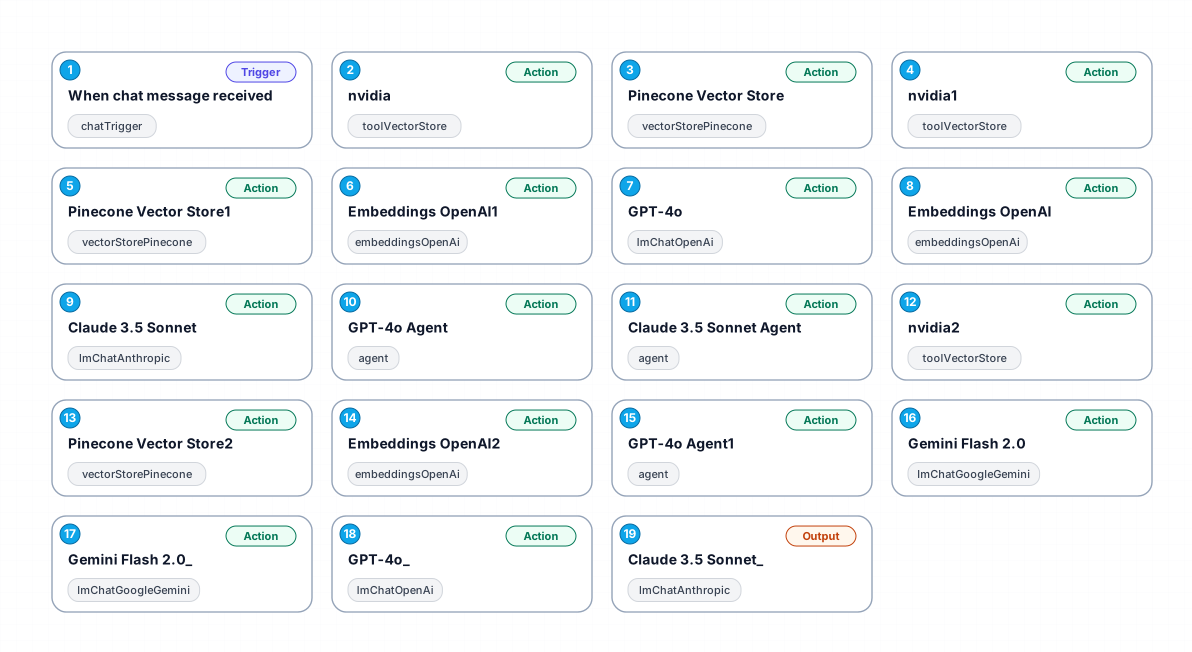
The RAG Experiment System is designed to streamline document processing through a robust automation workflow. By integrating various AI technologies, this workflow allows users to efficiently retrieve and analyze data, thereby enhancing productivity and decision-making capabilities. Users can interact with the system via chat messages, receiving instant updates and insights based on their queries.
This workflow utilizes the power of Pinecone for vector storage, enabling fast and efficient data retrieval. It includes a dedicated tool for accessing information on NVIDIA's earnings report, making it an invaluable resource for financial analysts and investors. The integration of OpenAI's embeddings and language models further enriches the capability of this system, ensuring that the responses are not only accurate but also contextually relevant.
The RAG Experiment System is particularly beneficial for organizations dealing with large volumes of documents and data analysis. By automating these tasks, businesses can save significant time and resources, allowing teams to focus on more strategic activities. Whether it’s for generating reports, conducting market analysis, or simply enhancing communication within teams, this workflow presents a scalable solution.
In summary, the RAG Experiment System stands out as a high-complexity workflow that merges advanced AI and document processing, making it a pivotal tool for enhancing business operations and gaining competitive advantages in the market.
New buyers can create an account from the cart to unlock a controlled $10 first-purchase credit on eligible orders of $25+.
Secure checkout powered by Stripe
Support
How to import this workflow into n8n
- 1Purchase or download the workflow to get the n8n workflow JSON file.
- 2In your n8n instance, open Workflows and choose "Import from File" (or paste the JSON with Ctrl+V on the canvas).
- 3Open each node marked with a credential warning and connect your own accounts and API keys.
- 4Run the workflow once manually to verify the data flow, then toggle it to Active.
Related Productivity workflows
- Automate Personal Life Management with Telegram and Google Services$14.99
- Automate Google Sheets Cleanup by Removing Duplicates via Profile URLs$4.99
- Automate Google Sheets with AI-Driven Text Generation in n8n$9.99
- Automated Daily Briefing for Executive Communication Management$14.99
- Automate Salon Bookings with AI, Google Calendar, and Email Confirmations$14.99
- Automate Meeting Scheduling with AI via Telegram$9.99
More from Vera Cardoso
Need this deployed? We'll set it up for you.
Our automation experts deploy this workflow in your stack, connect your accounts, and verify it works — or build a custom solution from scratch.