Stop and Error Splitout Create Webhook Workflow
This workflow processes structured outputs and integrates with OpenAI's chat model to enhance research capabilities.
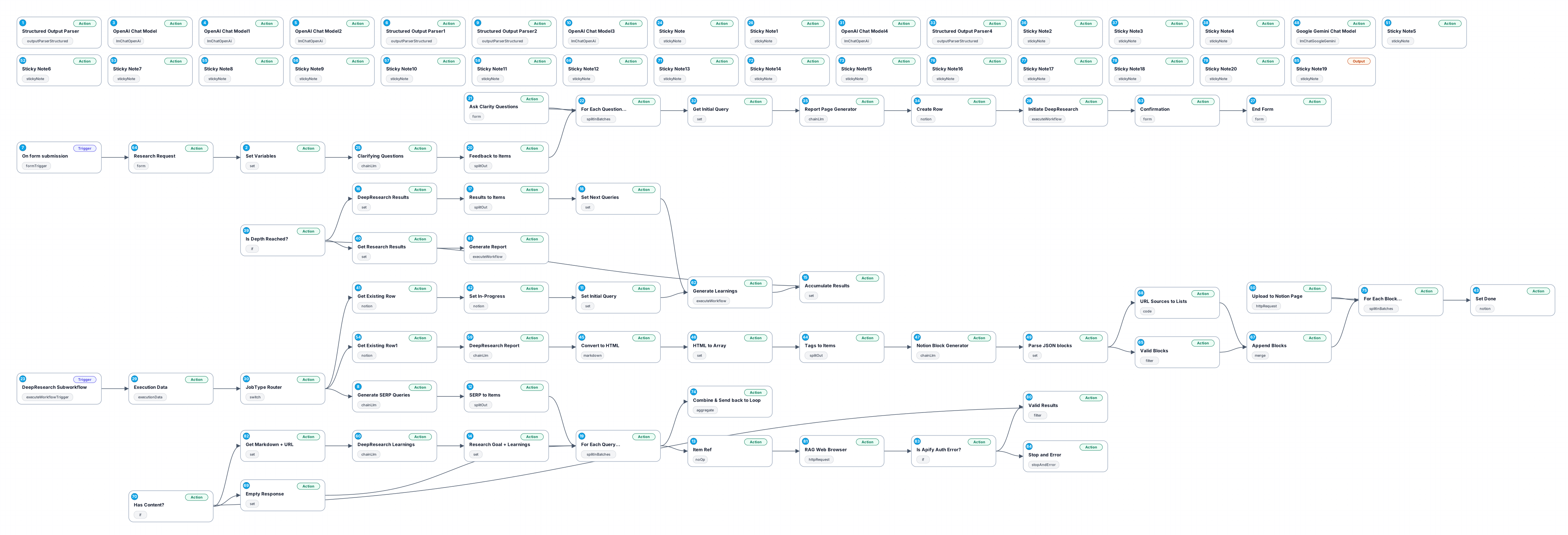
The 'Stop and Error Splitout Create Webhook' workflow is designed to facilitate structured data management and retrieval through an integration with the OpenAI chat model. By utilizing a structured output parser, this workflow enables users to efficiently extract and format learnings and follow-up questions from various input sources. It is particularly useful for researchers and analysts looking to streamline their data collection and analysis process.
The workflow begins with the 'Structured Output Parser' node, which is responsible for taking raw input data and converting it into a structured format based on a predefined schema. This ensures that the output is consistent and easy to work with, allowing users to quickly identify key insights and areas for further inquiry. The parser's configuration allows for a maximum of three learnings and three follow-up questions, making it adaptable to different research needs.
Next, the workflow includes a 'Set Variables' node that dynamically assigns values to various parameters such as 'request_id', 'prompt', 'depth', and 'breadth'. This node enables greater flexibility and customization based on the user's specific input, ensuring that the workflow can adapt to a wide range of scenarios.
Finally, the 'OpenAI Chat Model' node leverages OpenAI's advanced AI capabilities to provide users with intelligent responses to their research queries. This integration allows for enhanced exploration of topics, providing users with deeper insights and more comprehensive understanding based on their structured input.
Overall, this workflow is beneficial for anyone involved in research or data analysis, providing a robust framework for generating structured outputs, setting necessary parameters, and utilizing AI to enhance the depth of research.
New buyers can create an account from the cart to unlock a controlled $10 first-purchase credit on eligible orders of $25+.
Related bundle
YouTube Creator Pipeline
8 hand-picked workflows for $39.00.
That is $4.88 each, vs $9.99 for this one alone.
View bundleSecure checkout powered by Stripe
Support
How to import this workflow into n8n
- 1Purchase or download the workflow to get the n8n workflow JSON file.
- 2In your n8n instance, open Workflows and choose "Import from File" (or paste the JSON with Ctrl+V on the canvas).
- 3Open each node marked with a credential warning and connect your own accounts and API keys.
- 4Run the workflow once manually to verify the data flow, then toggle it to Active.
Related Personal workflows
- SEO Data Analyst Workflow for E-commerce Insights$24.99
- Automated User Management and Data Processing Workflow$15.04
- AI Agent for Intelligent File Interaction in Supabase and Google Drive$19.99
- Automated Meditation Music Video Creation$19.99
- Instagram Reels Automation: Streamlined Content Creation & Publishing$19.99
- AI Powered Company Research Assistant for Competitive Analysis$19.99
More from Adele Grabowski
Need this deployed? We'll set it up for you.
Our automation experts deploy this workflow in your stack, connect your accounts, and verify it works — or build a custom solution from scratch.