Automatically Sync Drip Campaigns with Databox for Performance Insights
This workflow automates the process of listing all your Drip campaigns in Databox, offering a comprehensive overview of their performance metrics.
make
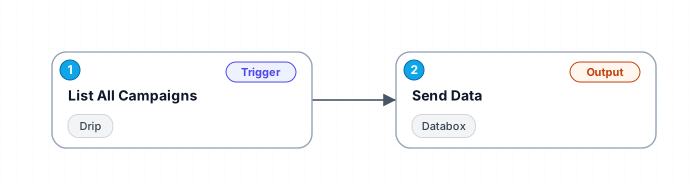
The workflow retrieves a list of all campaigns from Drip, including key performance indicators such as email count, active subscribers, and unsubscribers. This data is then sent to Databox, where it can be visualized and analyzed to track the success of your campaigns.
Free
Last updated September 5, 2026
30-day money-back guarantee
Instant download
Lifetime updates included
Secure checkout powered by Stripe
Support
How to import this workflow into Make
- 1Purchase or download the workflow to get the Make blueprint JSON file.
- 2In Make, create a new scenario, click the three-dots menu, and choose "Import Blueprint".
- 3Reconnect each module to your own app connections when prompted.
- 4Run the scenario once to verify it, then set your schedule and turn it on.
Related Business Intelligence workflows
- Automate Competitor Pricing Monitoring with Bright Data and OpenAI in n8n$14.99
- Automate News Monitoring and Categorization with SerpAPI and OpenAI$9.99
- Automate Daily Stock Market Reports via WhatsApp and Email$9.99
- Analyze traffic sources with Google Analytics reports$2.99
- Automated Investor Intelligence: CrunchBase to Google Sheets Data Harvester$4.99
- Automate Reddit Analysis for Business Insights with AI$14.99
More from Maxim Luong
Need this deployed? We'll set it up for you.
Our automation experts deploy this workflow in your stack, connect your accounts, and verify it works — or build a custom solution from scratch.