Webhook Process Automation for Project Management
The 'Webhook Process Automation for Project Management' workflow is designed to streamline the handling of webhooks within project management tasks. This workflow allows users to initiate independent processes based on webhook triggers, ensuring t...
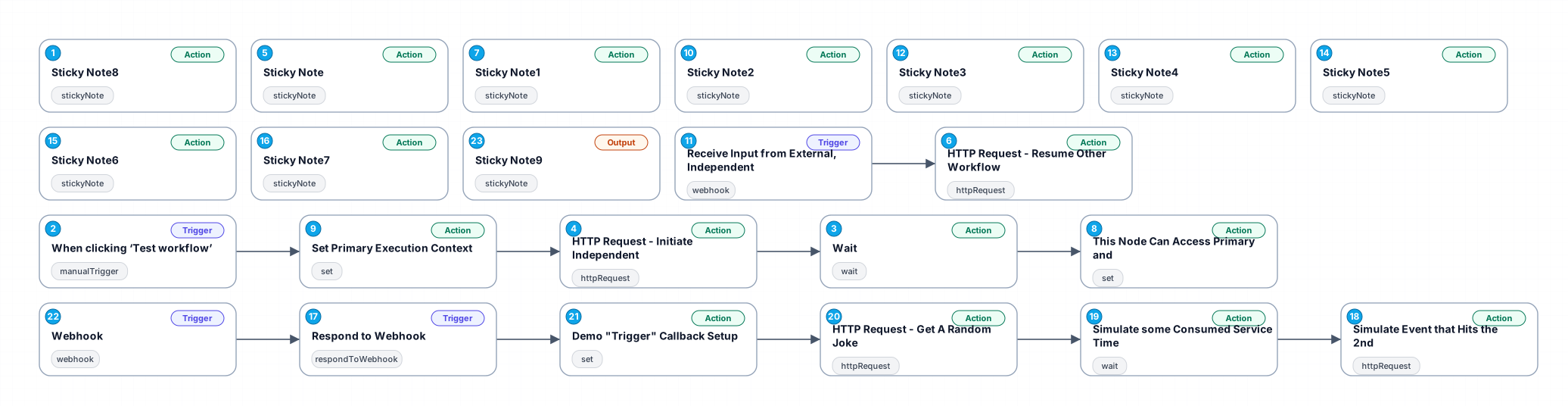
The 'Webhook Process Automation for Project Management' workflow is designed to streamline the handling of webhooks within project management tasks. This workflow allows users to initiate independent processes based on webhook triggers, ensuring that relevant actions are taken automatically when specific events occur. With its ability to manage asynchronous processes, this workflow is particularly beneficial for teams that rely on real-time communication tools like Telegram or similar platforms.
By utilizing this automation, users can significantly reduce the time spent on manual tasks, enabling them to focus on more strategic activities. The workflow effectively captures the necessary context from previous executions and allows for dynamic interaction with external systems, ensuring that project updates are timely and accurate.
Use cases include scenarios where project updates need to be communicated immediately upon receiving specific inputs, such as messages from team members or automated alerts from other software. This workflow promotes efficiency and enhances collaboration among team members.
In summary, the workflow provides a structured approach to managing webhook interactions, offering businesses a way to improve their operational efficiency and responsiveness to changing project needs.
New buyers can create an account from the cart to unlock a controlled $10 first-purchase credit on eligible orders of $25+.
Secure checkout powered by Stripe
Support
How to import this workflow into n8n
- 1Purchase or download the workflow to get the n8n workflow JSON file.
- 2In your n8n instance, open Workflows and choose "Import from File" (or paste the JSON with Ctrl+V on the canvas).
- 3Open each node marked with a credential warning and connect your own accounts and API keys.
- 4Run the workflow once manually to verify the data flow, then toggle it to Active.
Related Productivity workflows
- Automate Personal Life Management with Telegram and Google Services$14.99
- Automate Google Sheets Cleanup by Removing Duplicates via Profile URLs$4.99
- Automate Google Sheets with AI-Driven Text Generation in n8n$9.99
- Automated Daily Briefing for Executive Communication Management$14.99
- Automate Salon Bookings with AI, Google Calendar, and Email Confirmations$14.99
- Automate Meeting Scheduling with AI via Telegram$9.99
More from Amelie Lindgren
Need this deployed? We'll set it up for you.
Our automation experts deploy this workflow in your stack, connect your accounts, and verify it works — or build a custom solution from scratch.