
Hermes Agent Provider Routing: Choosing Which Model Handles Each Request
Control which AI provider handles each request in Hermes Agent via OpenRouter or Nous Portal.

Hermes Agent provider routing is a feature that gives you fine-grained control over which underlying AI provider handles each request when you use OpenRouter or Nous Portal as your LLM provider. By configuring provider routing, an agent can optimize for cost, speed, latency, or enforce specific provider requirements, ensuring that each request is handled by the most appropriate backend.
What It Does
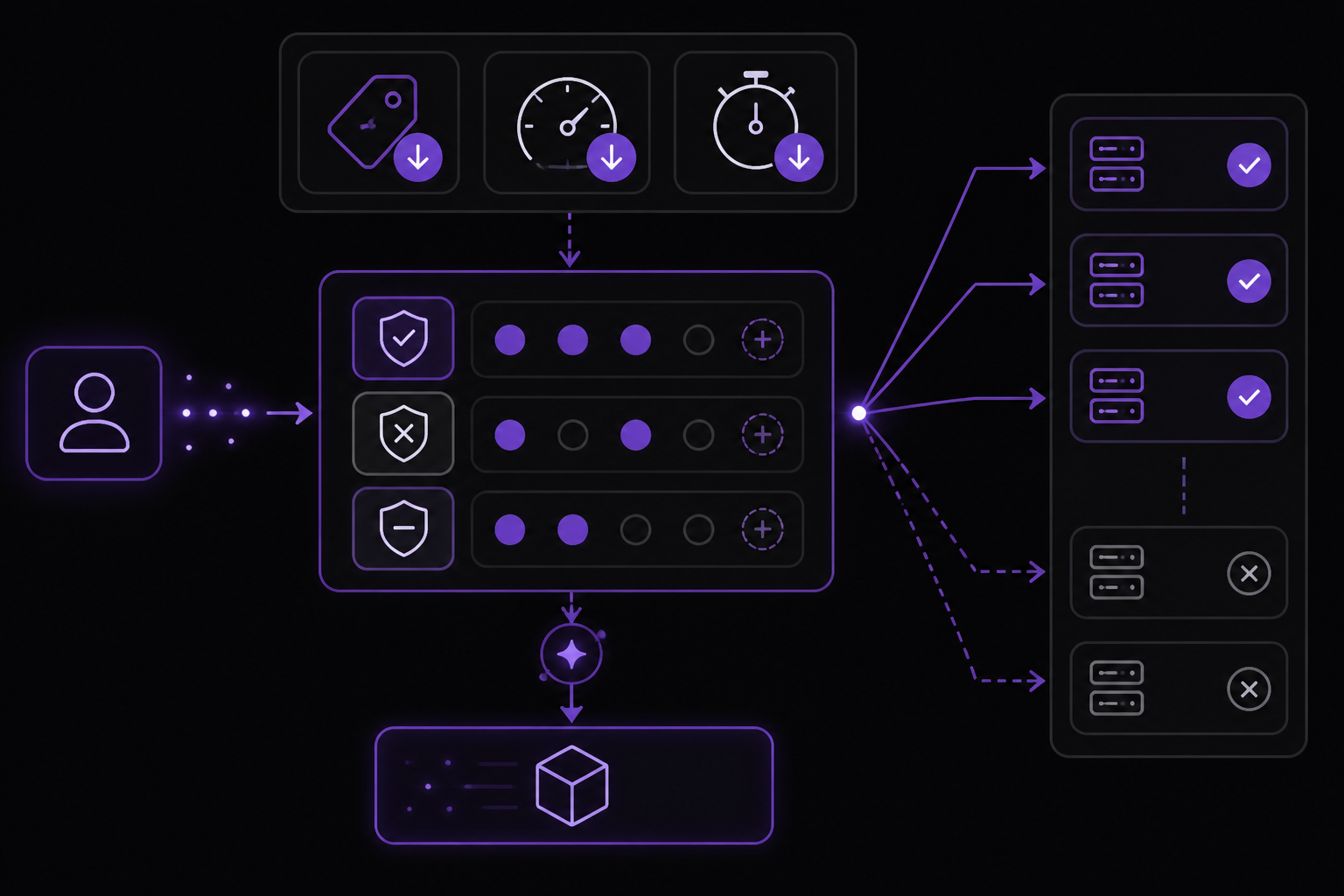
Provider routing in Hermes Agent provides the following concrete capabilities, as documented in the official Hermes Agent documentation:
- Sort providers by cost, throughput, or latency: You can rank available providers by price (cheapest first), throughput (fastest tokens-per-second first), or latency (lowest time-to-first-token first).
- Whitelist specific providers: You can restrict requests to only a set of provider slugs, excluding all others.
- Blacklist specific providers: You can exclude certain providers from ever being used, even if they are the cheapest or fastest.
- Set an explicit priority order: You can define a preferred order of providers, with unlisted providers used as fallbacks.
- Require full parameter support: You can ensure that only providers supporting all parameters in your request (like temperature, top_p, tools) are used, avoiding silent parameter drops.
- Control data collection: You can allow or deny providers from using your prompts for training.
These capabilities are only active when using OpenRouter or Nous Portal as the LLM provider. Direct provider connections (e.g., connecting directly to the Anthropic API) are unaffected by provider routing configuration.
Setup
Provider routing is configured by adding a provider_routing section to your ~/.hermes/config.yaml file. The configuration is loaded at startup in CLI mode, or when the gateway starts in Gateway mode. There is no separate installation step beyond having Hermes Agent installed and configured to use OpenRouter or Nous Portal.
Here is the full configuration block as shown in the official documentation:
provider_routing :
sort : "price" # How to rank providers
only : [ ] # Whitelist: only use these providers
ignore : [ ] # Blacklist: never use these providers
order : [ ] # Explicit provider priority order
require_parameters : false # Only use providers that support all parameters
data_collection : null # Control data collection ("allow" or "deny")
To apply a configuration, edit ~/.hermes/config.yaml and add the provider_routing section with the desired options. The routing preferences are passed to OpenRouter or Nous Portal on agent chat requests and iteration-limit summaries via the extra_body.provider field. (In the OpenAI Python SDK, this is the extra_body argument; in the JSON request, it becomes the top-level provider object.) Auxiliary tasks such as compression and title generation are configured independently under auxiliary.<task>.extra_body.
Configuration Reference
Each option in the provider_routing section controls a specific aspect of routing behavior. The table below summarizes all documented options, their values, and their defaults.
| Option | Description | Values | Default |
|---|---|---|---|
sort | Controls how OpenRouter ranks available providers for your request. | "price", "throughput", "latency" | Not specified (aggregator default) |
only | Whitelist of provider slugs. When set, only these providers will be used. All others are excluded. Use the lowercase slug shown by OpenRouter for each provider. | List of strings (e.g., ["anthropic", "google"]) | Empty list [] |
ignore | Blacklist of provider names. These providers will never be used, even if they offer the cheapest or fastest option. | List of strings (e.g., ["together", "deepinfra"]) | Empty list [] |
order | Explicit priority order. Providers listed first are preferred. Unlisted providers are used as fallbacks. | List of strings (e.g., ["anthropic", "google", "amazon-bedrock"]) | Empty list [] |
require_parameters | When true, OpenRouter will only route to providers that support all parameters in your request (like temperature, top_p, tools, etc.). This avoids silent parameter drops. | Boolean (true or false) | false |
data_collection | Controls whether providers can use your prompts for training. | "allow" or "deny" | null (no preference sent) |
How It Works
Provider routing preferences are passed to OpenRouter or Nous Portal on agent chat requests and iteration-limit summaries via the extra_body.provider field. In the OpenAI Python SDK, this is the extra_body argument; in the JSON request, it becomes the top-level provider object. Auxiliary tasks such as compression and title generation are configured independently under auxiliary.<task>.extra_body.
The routing config is read from config.yaml and passed as parameters when creating the AIAgent. The official documentation shows the following mapping:
providers_allowed ← from provider_routing.only
providers_ignored ← from provider_routing.ignore
providers_order ← from provider_routing.order
provider_sort ← from provider_routing.sort
provider_require_parameters ← from provider_routing.require_parameters
provider_data_collection ← from provider_routing.data_collection
In CLI mode, the configuration is loaded at startup. In Gateway mode, it is loaded when the gateway starts.
Requirements and Limitations
- Provider routing only applies when using OpenRouter or Nous Portal as your LLM provider. It has no effect with direct provider connections (e.g., connecting directly to the Anthropic API).
- The
onlyoption requires the lowercase slug shown by OpenRouter for each provider. The documentation does not specify where to find these slugs, but they are typically available in the OpenRouter provider list. - The
data_collectionoption only works if the provider supports it; not all providers honor this preference. - When no
provider_routingsection is configured (the default), the aggregator uses its own default routing logic, which generally balances cost and availability automatically. - Provider routing is distinct from fallback models. Provider routing controls which sub-providers behind OpenRouter or Nous Portal handle your requests. For automatic failover to an entirely different provider when your primary model fails, see Fallback Providers.
Troubleshooting
The official documentation does not list specific failure modes or error messages for provider routing. However, based on the configuration options, the following common issues may arise:
- Provider not found in
onlylist: If you specify a provider slug that does not exist or is misspelled, OpenRouter may return an error or fall back to no providers. Double-check the slug against the OpenRouter provider list. - Conflicting
onlyandignore: If a provider appears in bothonlyandignore, the behavior is undefined. The documentation does not specify which takes precedence, so avoid listing the same provider in both. require_parametersblocking all providers: If you setrequire_parameters: trueand no provider supports all your request parameters, OpenRouter may return an error. Consider relaxing this option or adjusting your parameters.data_collectionnot working: Not all providers support thedata_collectionflag. If you set it to"deny"and the provider ignores it, your prompts may still be used for training. Check the provider's documentation for data collection policies.
Sources & References
This page was researched from 1 independent source, combined and verified for completeness.
- 1.Provider RoutingOfficial documentation · primary source
The #1 AI Newsletter
The most important ai updates, guides, and fixes — one weekly email.
No spam, unsubscribe anytime. Privacy policy