
OpenClaw macOS App Onboarding: First-Run Setup Guide
Learn how to set up the OpenClaw macOS app on first launch, including choosing the Gateway location, linking an AI backend, granting permissions, and starting the agent. This guide is for new macOS users.
Read this when
- Setting up the macOS app for the first time
- Choosing between a local and a remote Gateway during macOS setup
- Connecting an AI provider from the macOS app
The macOS app's initial launch walks you through several steps: choosing where the Gateway runs, linking a verified AI backend, granting system permissions, and then passing control to the agent's own startup routine. For instructions on using the CLI instead, plus a side-by-side comparison of both approaches, check Onboarding Overview.
Tip
Haven't installed the app yet? Grab OpenClaw for macOS first, then come back to this page to complete the setup.
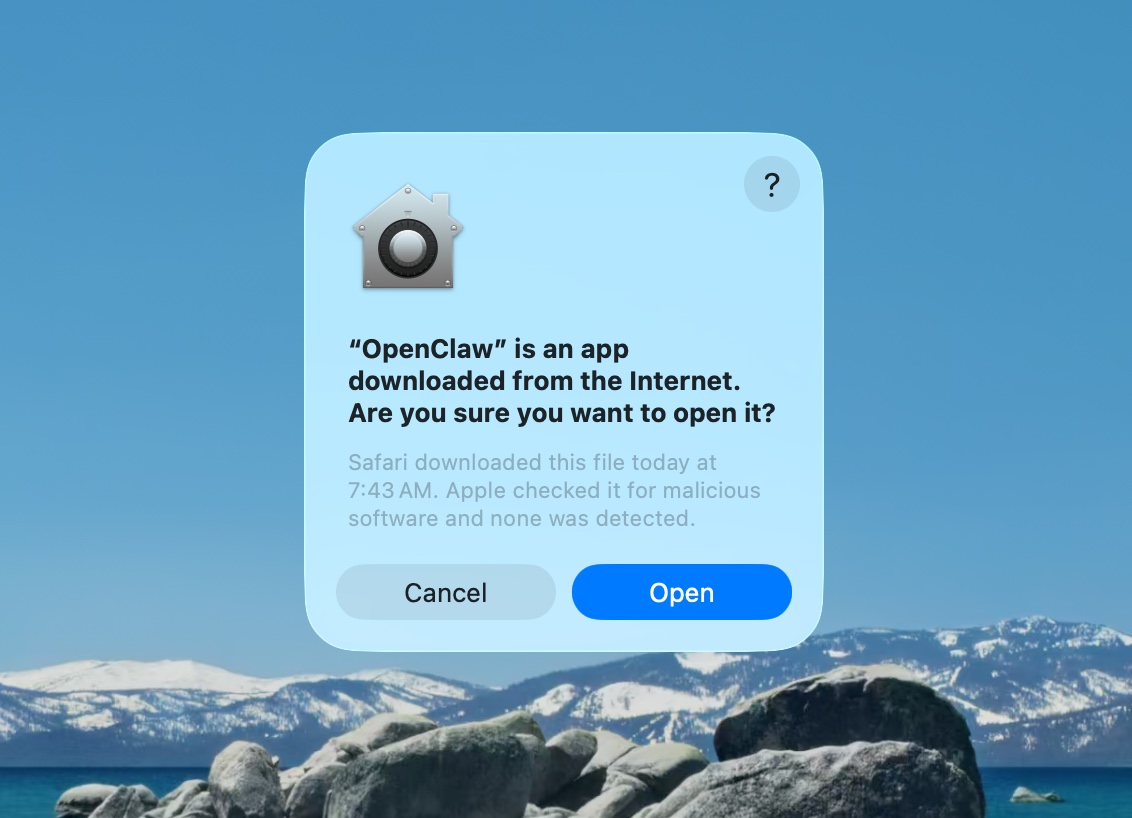
Approve macOS warning
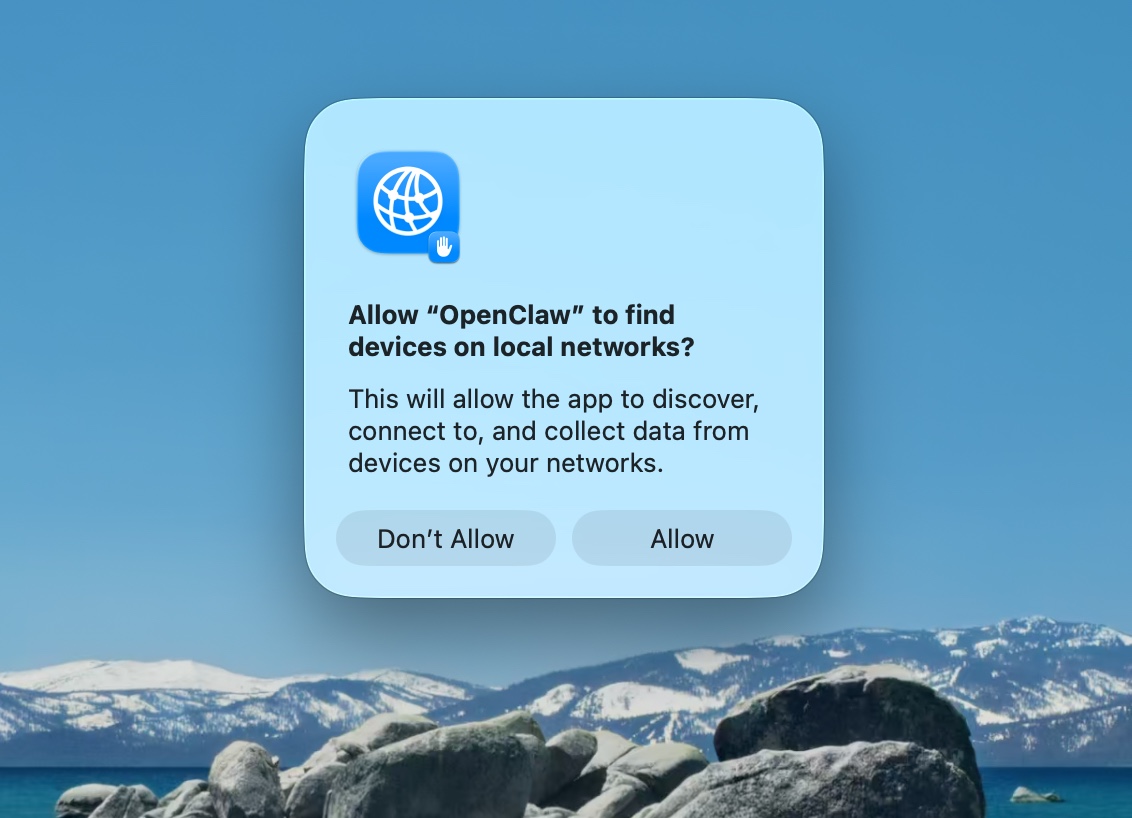
Approve find local networks
Welcome and security notice
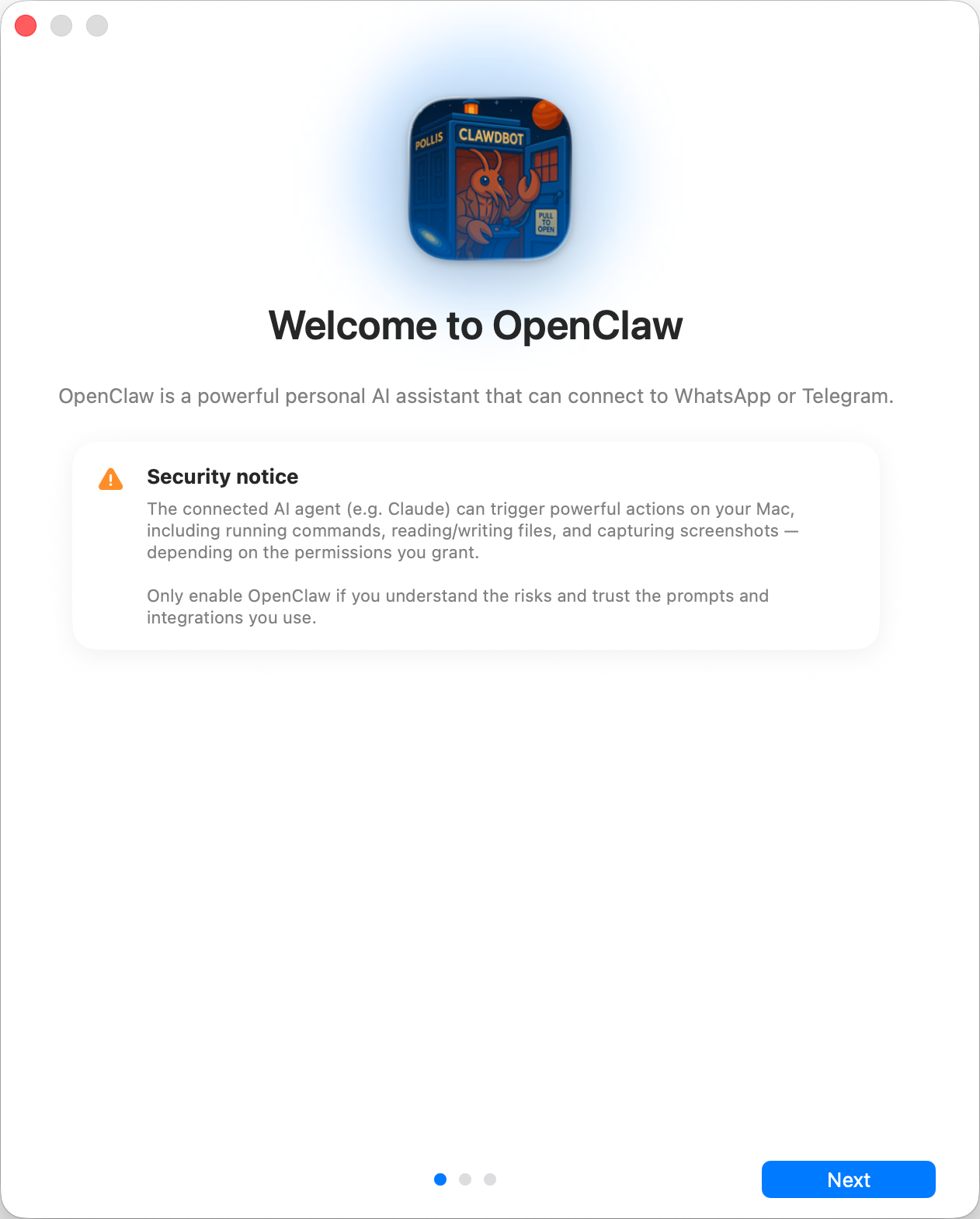
How security trust is modeled:
- Out of the box, OpenClaw acts as a personal agent, meaning a single trusted operator boundary.
- For shared or multi-user environments, tighten things down: separate trust boundaries, restrict tool access to the minimum, and consult Security.
- When onboarding locally, new configs default to
tools.profile: "coding", so fresh installs retain filesystem/runtime tools without the broaderfullprofile. - If hooks, webhooks, or any other untrusted content feeds get enabled, pick a strong modern model tier and enforce strict tool policy and sandboxing.
Local vs Remote
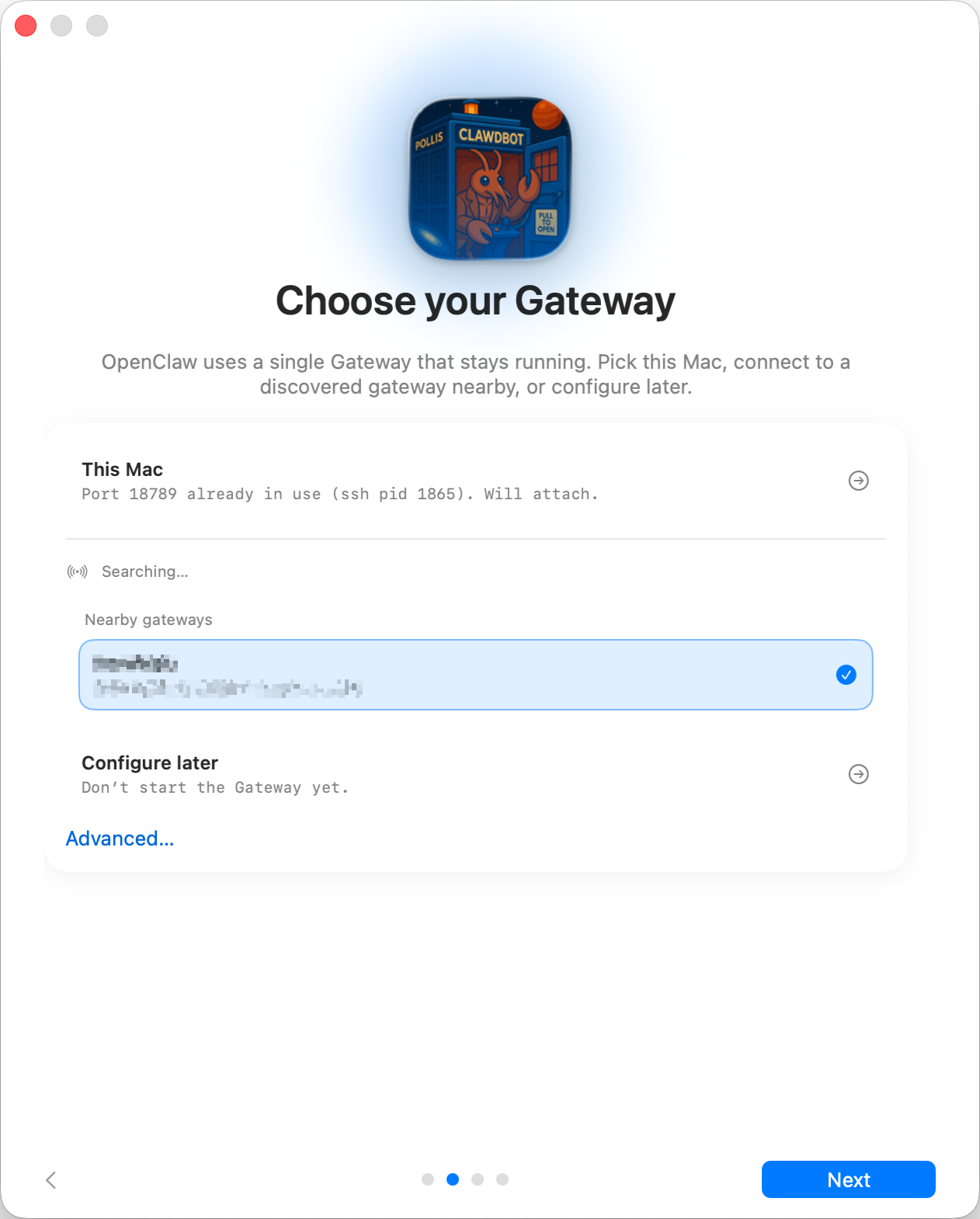
Where should the Gateway live?
- This Mac (Local only): setup writes auth and credentials to the local machine.
- Remote (over SSH/Tailnet): setup does not handle local auth; those credentials have to pre-exist on the gateway host. The remote gateway token field holds the token the macOS app uses to reach that Gateway; any existing
gateway.remote.tokenSecretRef values stay intact until you swap them out. - Configure later: skip configuration entirely and leave the app as-is.
Tip
Gateway auth tip:
- Gateway auth mode is
tokenby default, even for loopback binds, so local WS clients still need to authenticate.- Setting
gateway.auth.mode: "none"allows any local process to connect; only do this on machines you fully trust.- For multi-machine access or non-loopback binds, use a token.
CLI
Local setup installs the global openclaw CLI through npm, pnpm, or bun, with npm tried first. Node stays the recommended runtime for the Gateway itself. Any existing compatible installations get reused rather than replaced.
Connect your AI
If the connected Gateway already has an agent model configured, this page is skipped entirely and the normal agent UI opens instead. OpenClaw and provider setup only run when the Gateway is fresh or incomplete.
Once the Gateway is ready, onboarding scans for AI access you already have: a Claude Code or Codex login, OPENAI_API_KEY / ANTHROPIC_API_KEY, or a tool-capable model with at least 16K of measured effective context already present in a reachable Ollama or LM Studio server. This detection happens on the Gateway host, which includes when the macOS app connects to a Linux Gateway. The best candidate gets tested with a real completion, and only gets saved once it answers; if a test fails, the app automatically tries the next option and explains why the previous one failed. When multiple options surface, you can toggle between them before moving on. Automatic local discovery never fetches or downloads a model.
To use a Claude subscription when the Gateway host lacks a Claude CLI login, execute claude setup-token on any machine that has Claude Code installed, then paste the printed token as Anthropic setup-token under Connect with an API key or token.
Pi and OpenCode installs may appear for context when they can't be chosen as the reusable guided-setup inference route. They're whole-agent harnesses, not setup inference routes; their session integrations need separate runtime and plugin configuration. Gemini CLI and Antigravity aren't offered as detected setup routes.
You can also authenticate through the provider's own OAuth or device-pairing flow. The built-in options cover OpenAI/ChatGPT, OpenRouter, GitHub Copilot, xAI, MiniMax Global and CN, and Chutes. Google is reachable through the supported AI Studio API-key route. The provider list comes from the Gateway's active text-inference provider plugins, not a hardcoded app list, so another provider can opt in without any macOS-specific code.
The manual key/token picker draws from the same provider registry. Every route has the provider supply its starter model and configuration; OpenClaw validates the credential with the same live test before saving its auth profile. Next stays locked until one backend passes, so the first agent chat can't begin without working inference. Once that live check succeeds, OpenClaw becomes available to help configure the rest of the workspace, Gateway, channels, and other optional features. When OpenClaw offers a short list of choices, the app shows native option cards; picking one sends the selection, and Skip for now always leaves the choice optional. OpenClaw also stays accessible later under Settings → OpenClaw.
Import memories (shown when detected)
For a local Gateway, onboarding checks the Mac for memories from supported AI tools: Claude Code auto-memory, Codex consolidated memories, and Hermes memory files. When any show up, this page lists each source with its memory count and lets you import the selected sources into the agent workspace under memory/imports/ for indexed recall. Already-imported files get skipped, and the page never appears when there's nothing to import. Skipping is safe; the dashboard's Memory import page offers the same import later with per-file control.
Permissions
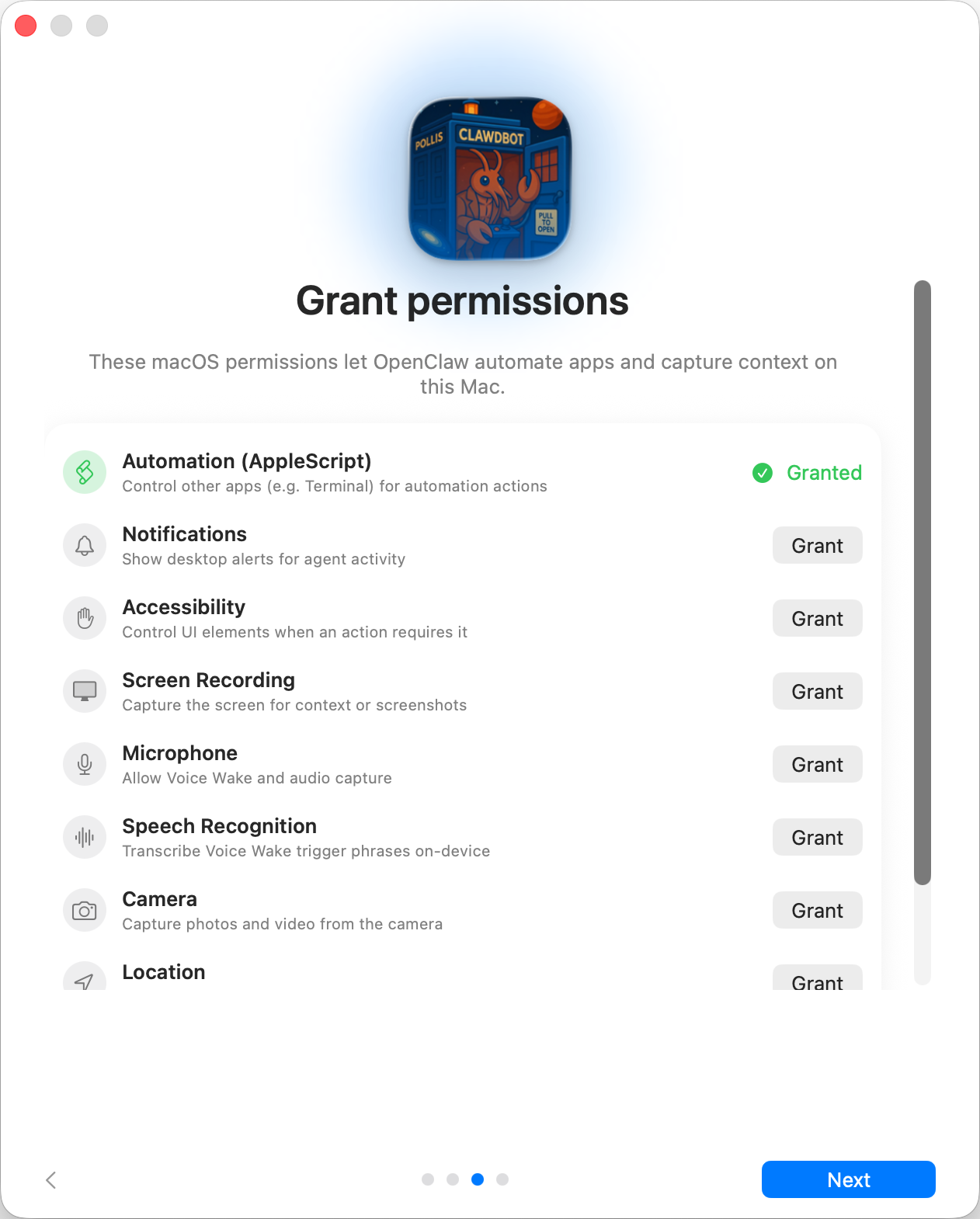
Onboarding requests TCC permissions for: Automation (AppleScript), Notifications, Accessibility, Screen Recording, Microphone, Speech Recognition, Camera, and Location.
Finish
After inference passes, OpenClaw owns the remaining optional setup and can hand you off to the normal agent chat. Finishing the permission walkthrough opens that same chat; the app does not create a workspace or launch a separate agent setup conversation before OpenClaw. See Bootstrapping for what happens on the gateway host during the agent's first real turn.