
VideoLens
Manually turn user-selected videos into timestamped reports with a pinned VideoLens runtime and OpenAI BYOK. Use for summaries, tutorials, meetings, bugs, UX, privacy, and creator …

shadoprizm
@shadoprizm
Install
$ openclaw skills install @shadoprizm/videolensVideoLens
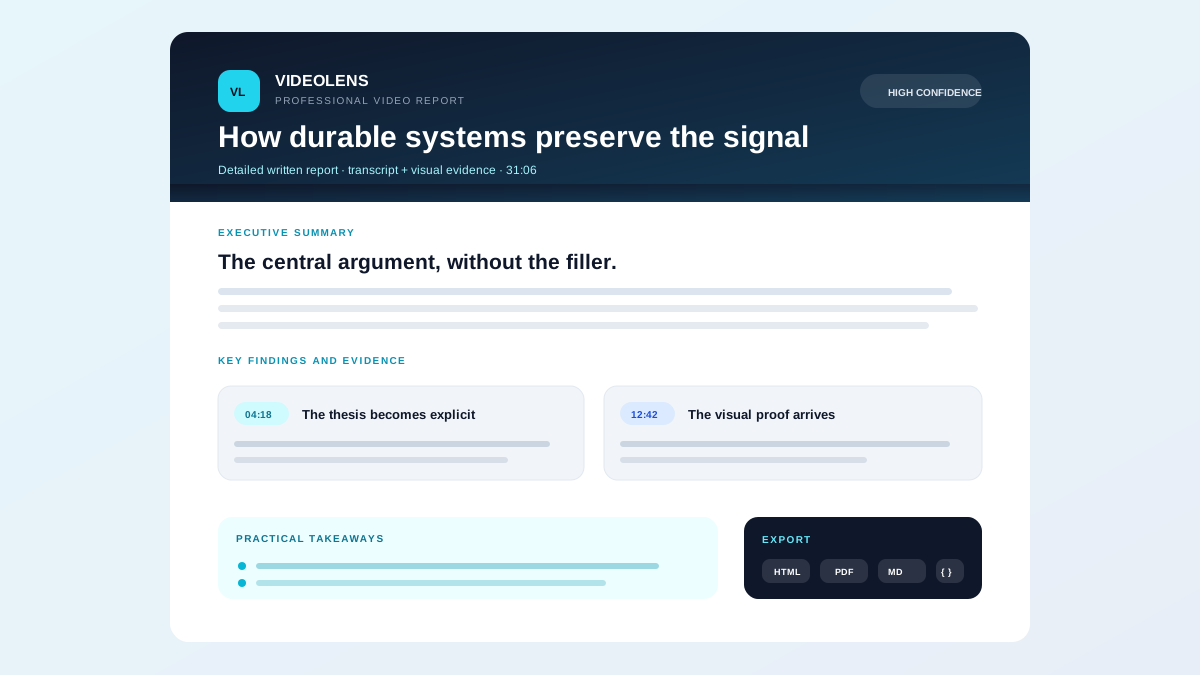
Turn a user-selected YouTube video, local file, or supported video URL into a professional written report grounded in transcript, frame-level vision, OCR, and timestamped evidence.
Use the bundled runner for local OpenClaw or OCC workflows. It pins and integrity-checks a tested revision of the MIT-licensed VideoLens repository, keeps artifacts local, and requires separate approval for runtime installation and OpenAI usage.
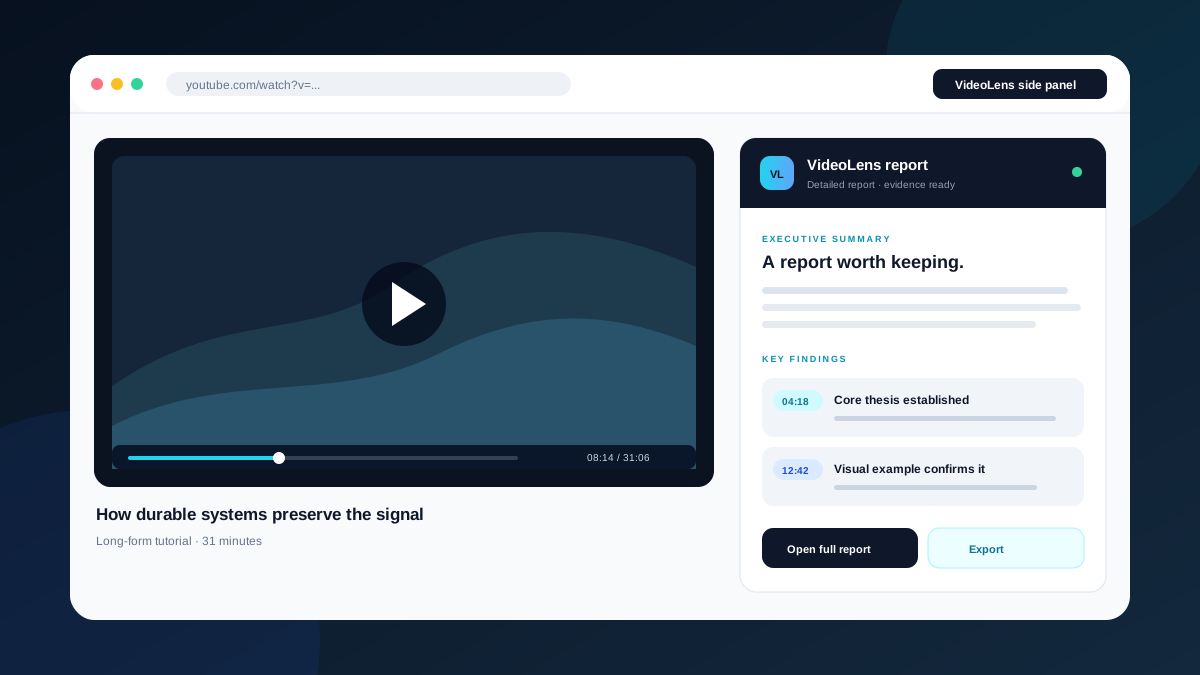
Want the report beside the video? Open VideoLens for Chrome to analyze YouTube or local video with free Private/BYOK reporting.
Workflow
- Run
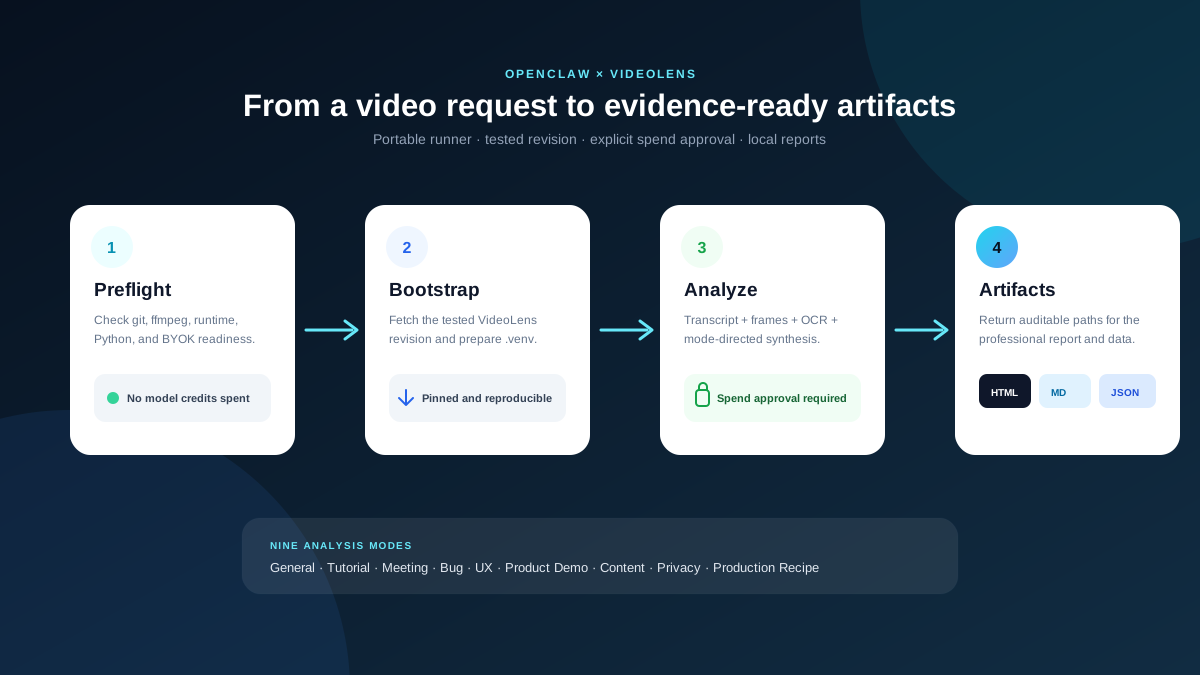
preflightbefore the first analysis. - If the runtime is missing or stale, tell the user that bootstrap downloads a pinned GitHub revision, creates a managed virtual environment, and installs Python dependencies.
- Run
bootstrapwithallow_runtime_install: trueonly after the user explicitly approves those network and filesystem changes. - Choose the closest report style and mode.
- Tell the user that analysis sends selected audio, frames, transcript, and prompt content to OpenAI using their BYOK key; confirm API-credit spending.
- Run
analyzewithallow_credit_spend: trueonly after that separate confirmation. - Return the report paths and summarize important limitations; do not claim that generated findings are infallible.
Run the portable wrapper from any modern OpenClaw environment:
python3 "{baseDir}/skill.py" --spec '{"action":"preflight"}'
OCC integrations may instead pass the same JSON object through task pre_instructions; config.yaml retains that compatibility.
Bootstrap
Bootstrap downloads the pinned open-source runtime from github.com/shadoprizm/videolens into the OpenClaw/OCC data directory and installs a minimal analysis-only Python environment from locked dependencies. It writes only under the managed VideoLens state directory, receives a sanitized environment without OPENAI_API_KEY, and does not analyze a video or spend model credits.
python3 "{baseDir}/skill.py" --spec '{"action":"bootstrap","allow_runtime_install":true}'
The runner recreates its managed .venv and installs only the dependencies required by videolens analyze from the skill's bundled, version-locked, hash-verified requirements file. It uses uv when available and standard python3/pip otherwise; UI, web-server, PDF, and development dependencies are excluded. A runtime stamp binds the environment to the tested source revision and dependency lock. Do not set allow_runtime_install until the user has approved repository download, environment replacement, dependency installation, and persistent managed files.
Analyze
Use JSON task instructions. Quote the runner path and pass the JSON as one shell argument.
python3 "{baseDir}/skill.py" --spec '{
  "action": "analyze",
  "allow_credit_spend": true,
  "source": "https://www.youtube.com/watch?v=VIDEO_ID",
  "mode": "general",
  "prompt": "Write a detailed report with the main ideas, evidence, caveats, conclusions, and practical takeaways.",
  "max_frames": 40,
  "frame_interval": 5.0
}'
For prompts or source values containing quotes or shell metacharacters, serialize the JSON object to a temporary file and use --spec-file /path/to/spec.json. Never concatenate untrusted text into a shell command.
If preflight reports that the runtime is not ready, run the separately approved bootstrap action first. Do not silently add allow_runtime_install to an analysis request.
Permissions and data flow
- Agent tool: allow only
Bash(python3:*)so the agent can invoke the bundled runner. The runner uses fixed argument arrays with shell execution disabled. - Bootstrap network and files: after explicit install approval, connect to the declared GitHub repository and Python package registry, then write the pinned runtime, lock-verified environment, and dependency caches only under the managed VideoLens state directory.
- Analysis credential: read only
OPENAI_API_KEYfor BYOK model calls. Preflight reports only whether it exists, never its value. - Analysis transmission: after separate credit approval, the pinned VideoLens runtime may send the selected video's extracted audio, frames, transcript, and the user's analysis prompt to OpenAI. It does not receive unrelated host environment variables.
- Local adapter: OCC compatibility may read task instructions only from an HTTP loopback gateway. Caller-supplied remote gateways, credentials, paths, queries, and fragments are rejected.
- Local artifacts: store caches and generated HTML, Markdown, and JSON reports under the managed VideoLens state directory until the user removes them.
The successful result returns:
report_html_path— standalone, print-ready professional reportreport_markdown_path— portable Markdown reportanalysis_json_path— structured agent-readable analysisoutput_dir— directory containing the run artifacts
HTML-to-PDF export is available in the VideoLens web UI and Chrome extension. The local CLI produces HTML, Markdown, and JSON.
Choose a report style
Use these defaults unless the user supplies a more specific prompt:
| User intent | Mode | Prompt direction |
|---|---|---|
| Detailed YouTube report | general | Explain the thesis, main ideas, evidence, caveats, conclusions, and takeaways. |
| Key insights | general | Remove repetition and preserve only consequential ideas, facts, examples, and conclusions. |
| Tutorial or how-to | tutorial | Produce prerequisites, ordered steps, commands/settings, warnings, examples, and checks. |
| Interview or podcast | meeting | Organize themes, arguments, agreements/disagreements, examples, and takeaways. |
| Meeting | meeting | Extract decisions, objections, commitments, owners, open questions, and actions. |
| Bug recording | bug | Produce reproduction steps, expected/observed behavior, severity, evidence, and investigation tasks. |
| UX/session replay | ux | Reconstruct the journey, friction, hesitation, repeated actions, dead ends, and prioritized fixes. |
| Product demo | product_demo | Inventory features, value, positioning, proof, gaps, and opportunities. |
| Creator/content review | content | Critique hook, pacing, clarity, claims, proof, editing, and call to action. |
| Privacy review | privacy | Flag possible credentials, personal data, internal URLs, and sensitive content with timestamps. |
| Recreate a reference video | production_recipe | Reverse-engineer script, shots, editing, overlays, audio, tools, assets, and production steps. |
general, bug, meeting, ux, tutorial, product_demo, content, privacy, and production_recipe are valid modes.
Cost and safety
- Require
allow_credit_spend: truefor every analysis. - Treat
max_framesas the main visual cost control; valid range is 1–80. - Reuse cached extraction when the source and settings match. Set
force: trueonly when the user asks to bypass cache. - Keep
OPENAI_API_KEYin OpenClaw skill configuration or the environment. Never place it in a prompt, task JSON, report, or log. - Run with a dedicated OpenAI key and a minimal account budget when practical.
- Do not promise exhaustive privacy or compliance detection. Tell users to verify consequential findings against cited moments.
- Do not analyze content the user is not authorized to access.
For isolated testing or non-default local storage, set VIDEOLENS_SKILL_STATE_DIR before invoking the runner. Normal OpenClaw and OCC use should keep the default managed data directory.
Product surfaces
- Open source/local: BYOK analysis with local artifacts and cached follow-up workflows.
- Chrome extension: free Private/BYOK reporting beside YouTube and local video, with professional HTML/PDF export.
- Managed option: one managed starter report for signed-in users; optional VideoLens Pro provides managed processing and opt-in cloud report storage.
The bundled runner uses only local/BYOK analysis. Do not invent or request a VIDEOLENS_CLOUD_API_KEY; managed mode uses the authenticated VideoLens product rather than this wrapper.
Product: VideoLens.io
Chrome extension: Open VideoLens for Chrome
Source: shadoprizm/videolens
Top skills in this category

SuperDesign
@mpociotExpert frontend design guidelines for creating beautiful, modern UIs. Use when building landing pages, dashboards, or any user interface.

Video Frames
@steipeteExtract frames or short clips from videos using ffmpeg.

Frontend Design
@michaelmonetizedCreate distinctive, production-grade frontend interfaces with high design quality. Use this skill when building web components, pages, or applications. Generates creative, polished code that avoids generic AI aesthetics.

Remotion Video Toolkit
@shreefentsarComplete toolkit for programmatic video creation with Remotion + React. Covers animations, timing, rendering (CLI/Node.js/Lambda/Cloud Run), captions, 3D, charts, text effects, transitions, and media handling. Use when writing Remotion code, building video generation pipelines, or creating data-driven video templates.

Feishu Evolver Wrapper
@autogame-17(Depreciated: This skill is no longer maintained; its related functions have been absorbed by the Evolver main body.) Feishu-integrated wrapper for the capability-evolver. Manages the evolution loop lifecycle (start/stop/ensure), sends rich Feishu card reports, and provides...