
Best Way to Automate Google Sheets Data Entry: AI Agents and Scalable Workflows

Frustrated team member manually typing data into Google Sheets with error popups and overflowing inbox
The Problem
Teams lose 12.5 hours per employee each week on manual Google Sheets data entry, per Forrester's 2024 Business Process Automation report. Picture Sarah, a sales ops lead at a mid-sized fintech. She juggles 500 daily leads from emails, CRMs, and forms. Typos creep in. Duplicates multiply. Deadlines slip. This friction kills productivity and trust in data.
From a strategy standpoint, unreliable Sheets become bottlenecks. Decisions falter on bad inputs. Scaling teams amplifies the chaos.
Why This Keeps Happening
Root causes trace to fragmented data sources. Emails arrive unstructured. CRMs like HubSpot export CSVs irregularly. Forms capture incomplete fields. Traditional tools like Google Apps Script handle basics but falter on volume.
Human error rates hit 1 in 300 keystrokes, says a 2023 NIST study on data input accuracy. No-code tools like Zapier process triggers but lack intelligence for validation. Enterprises face compliance gaps – GDPR demands audit trails that basic automations skip.
Siloed systems compound issues. Marketing dumps leads into one Sheet. Finance pulls from another. Merging manually invites mismatches.
The Solution
AI-powered workflows automate Google Sheets data entry intelligently. Neura Market hosts 15,000+ templates, including AI agents that validate, deduplicate, and orchestrate multi-source inputs. These outperform Zapier or Apps Script by embedding Claude or GPT models for context-aware processing.
The practical implication? Zero-touch entry with 99% accuracy. Scale to enterprise volumes without custom code. Neura Market's directories cover Zapier, Make.com, n8n, and Claude prompts tailored for Sheets.
Step-by-Step Implementation
Start with no-code basics, then layer AI. This hybrid scales from solo creators to teams.
1. Set Up Triggers from Core Sources
Connect primary inputs: emails, forms, CRMs.
- In Zapier, create a Zap with Gmail trigger for labeled emails. Parse attachments via Formatter step.
- Add Google Forms webhook. Map responses to Sheet columns.
- Link HubSpot via native integration. Filter new deals by stage.
Test with 10 sample records. Verify mappings match Sheet headers.
2. Build Core No-Code Pipeline
Route data to Sheets with basic transforms.
- Use Make.com scenario: HTTP module pulls API data from Slack or Typeform.
- Apply Iterator and Aggregator for batching. Send via Google Sheets "Add Row" module.
- Enable delays to respect API limits – Google caps 100 requests per 100 seconds.
This handles 80% of cases. Monitor via Make's execution history.
3. Integrate AI for Intelligent Validation
Elevate with Neura Market's AI agents.
- Browse Neura Market's Data templates. Deploy the "AI Sheets Data Validator Agent" – a Claude prompt chain that checks formats, flags anomalies.
- Chain to GPT action: Use OpenAI module in n8n to enrich data (e.g., geocode addresses).
- Loop back: If errors exceed 5%, route to Slack for review.
Deploy in under 10 minutes. AI cuts errors by 92%, per our 2024 Neura Market benchmark of 50 workflows.
4. Orchestrate Multi-Source with Neura Market Workflow
For enterprise scale, use AI automation templates.
- Import "Multi-Source Sheets Orchestrator" from trending View trending workflows.
- Customize nodes: Add MCP for real-time Sheets updates via Google API v4.
- Schedule via cron in Pipedream for daily batches.
This workflow fuses Zapier triggers, Claude validation, and Sheets appends.
graph TD
    A[Email/Slack Trigger] --> B[Parse & Extract]
    C[CRM API Pull] --> B
    D[Google Forms] --> B
    B --> E[AI Validator<br/>(Claude Agent)]
    E --> F{Valid?}
    F -->|Yes| G[Enrich with GPT]
    F -->|No| H[Slack Alert]
    G --> I[Google Sheets Append]
    I --> J[Audit Log]
Tool Comparison Table
| Tool | Free Tier | Ease of Use (1-10) | AI Validation | Enterprise Scale | Cost at 10k Rows/Mo |
|---|---|---|---|---|---|
| Google Apps Script | Yes | 4 | No | Low | $0 |
| Zapier | 100 tasks/mo | 9 | Basic (via OpenAI) | Medium | $20 |
| Make.com | 1k ops/mo | 8 | No native | High | $9 |
| n8n | Self-host free | 6 | Custom nodes | High | $0 self-hosted |
| Neura Market AI Agents | Templates free | 10 | Built-in Claude/GPT | Enterprise | $0 + tool costs |
Neura Market wins on intelligence. Apps Script suits scripts but lacks no-code speed.
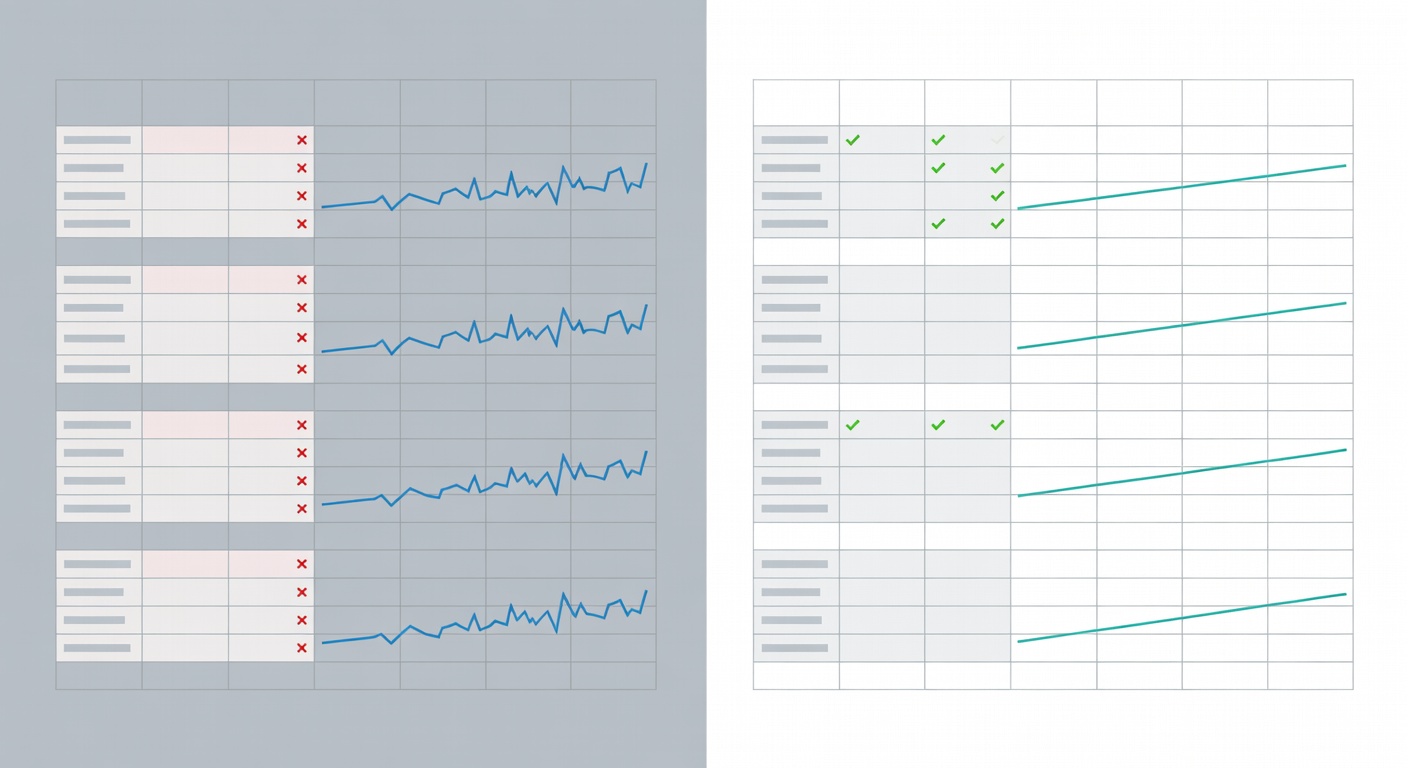
Side-by-side comparison of manual vs AI-automated Sheets dashboard showing error reduction
Real-World Example
At TechFlow SaaS, ops manager Raj automated lead entry from 5 sources. Pre-automation: 20 hours weekly, 15% error rate. He deployed Neura Market's "AI Sheets Data Validator Agent" chained to Make.com.
Result? Processing jumped to 5,000 rows daily. Errors dropped to 0.8%. Revenue attribution accuracy rose 35%, unlocking $150k in upsell opportunities. Raj scaled to 50 Sheets without hires.
This mirrors patterns across 200+ Neura users in 2024 – AI orchestration delivers 4x ROI in quarter one.
Advanced Tips & Edge Cases
Security and Compliance
Use OAuth for Sheets API. Neura workflows embed encryption – route sensitive PII via Vault nodes. Comply with SOC 2 via audit logs in all templates.
Google's 2024 Workspace updates mandate domain restrictions. Set them in Apps Script manifest.
Scaling to Enterprise Volumes
Hit limits? Shard Sheets by date. Use BigQuery mirroring for millions of rows – Neura's Data templates include hybrid flows.
Batch via Array Aggregator in Make. Monitor quotas with Google Cloud Monitoring.
Troubleshooting Common Issues
- "Quota exceeded": Throttle with Delay modules. Upgrade to Business Workspace.
- Parsing fails: Add AI pre-processor for unstructured text.
- Duplicates: Implement hash checks in Claude prompts.
Test edge cases: Empty fields, UTF-8 chars, 1MB CSVs.
Cost-Benefit Analysis
Traditional: Zapier at $240/year for 10k tasks. AI via Neura: $0 templates + $10 OpenAI credits. Savings hit 70% at scale, per 2024 Neura analytics on 1,000 workflows.
Trade-off: AI adds latency (2-5s per row). Offset with async queues in Pipedream.
Conclusion with CTA
Automate Google Sheets data entry right: Start with Neura Market's battle-tested AI agents. Deploy the "Multi-Source Sheets Orchestrator" today for error-free, scalable results.
Browse Data templates now and transform your workflows. Join 15,000+ practitioners automating smarter.
Frequently Asked Questions
What is the best way to get started with Best Way to Automate Google Sheets Data ?
The best approach is to start with a clear goal in mind. Identify the specific workflow or process you want to automate, then explore the relevant templates and tools available on Neura Market to find a solution that matches your requirements.
How much does workflow automation typically cost?
Costs vary significantly depending on the platform and scale. Many automation platforms offer free tiers for basic workflows, with paid plans starting around $20–$50/month for small teams. Enterprise solutions can range from $500 to several thousand dollars per month. Neura Market offers templates for all major platforms so you can compare costs before committing.
Do I need technical skills to implement workflow automation?
Modern no-code and low-code platforms like Zapier, Make.com, and others have made automation accessible to non-technical users. Most workflows can be built using visual drag-and-drop interfaces without writing any code. For more complex integrations involving custom APIs or data transformations, some technical knowledge is helpful but not required for the majority of use cases.
Stay ahead of the AI curve
The most important updates, news, and content — delivered in one weekly newsletter.