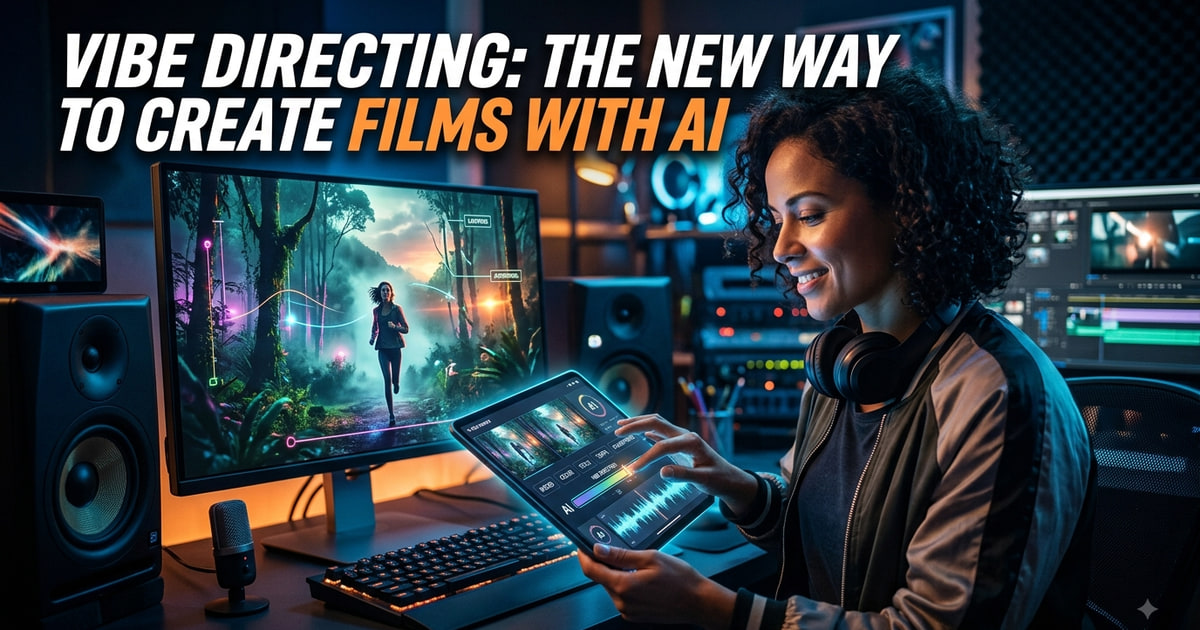
Filmmaking has always involved translating an idea into a series of decisions. A director may not explain every camera movement, lighting adjustment, or performance detail. Instead, they give the crew a sense of what the scene should feel like and let specialists interpret that direction.
AI is making this style of filmmaking more practical in a digital workflow.
Vibe directing is about communicating the feeling, intention, visual language, and creative direction of a scene rather than describing every technical detail. Instead of treating AI like a machine that needs perfectly structured prompts, filmmakers can increasingly interact with it more like a creative collaborator.
That changes the question from "What prompt should I write?" to "What do I want this scene to feel like?"
Stop Prompting Every Detail
Traditional AI video workflows often revolve around detailed prompts.
The creator specifies the character, location, camera, lighting, movement, style, mood, and sometimes even the lens.
That approach can work, but it can also make creative work feel mechanical.
A director does not always speak that way to a cinematographer.
They might say, "Make this feel intimate and uncomfortable. Stay close to the character and let the background disappear."
The cinematographer understands the intention and makes the technical decisions.
Vibe directing applies a similar idea to AI-assisted filmmaking.
Direction Over Description
The creator provides the creative intention, references, and important constraints.
The AI handles more of the execution.
This makes the workflow especially interesting for filmmakers who already think in terms of mood, pacing, performance, and visual storytelling rather than technical prompts.
| Prompt engineering | Vibe directing | |
|---|---|---|
| What you supply | Camera, lens, lighting, style tokens | Intention, references, constraints |
| What the AI supplies | Literal execution of the string | An interpretation of the direction |
| Unit of work | One clip per prompt | A scene inside a project |
| Failure mode | Wrong wording, right idea | Wrong interpretation, fixable with a note |
| Closest analogy | Operating a camera yourself | Briefing a cinematographer |
A Creative Agent Can Become Part of the Crew
This is where Invideo agent fits naturally into the workflow.
Rather than treating every generation as an isolated task, the agent can work with the broader project, helping with scripting, scene planning, visual development, editing, voiceovers, music, and other production tasks.
It also provides access to 200+ AI models, giving creators more flexibility when developing different shots and creative directions. For creators starting with a written concept, it can also support AI animation from script, helping turn a script or narrative idea into visual scenes.
Build Your Own Expert
One of the more useful ideas is the ability to create expert agents for specific roles.
A filmmaker can set up an agent as a DOP, storyboard artist, casting director, creative producer, or another specialist by giving it a role and defining how that role should work.
This changes the workflow from asking one general AI to handle everything to building a virtual crew with different responsibilities.
The agents can also work from shared project information, so a new specialist does not necessarily need the entire film explained from scratch.
Memory Makes Vibe Directing More Practical
A creative direction is rarely decided in one message.
A filmmaker might establish a visual style early in production, change one character detail later, lock a lighting treatment, and then return to the project weeks afterward.
If the AI forgets those decisions, maintaining consistency becomes difficult.
Invideo agent two is designed around persistent project context. It can remember conversations, creative decisions, character information, visual rules, and other project details as the work develops.
The Project Becomes the Source of Truth
Instead of repeatedly writing:
"Use the same character as before, keep the lighting consistent, and follow the visual style we established earlier..."
the filmmaker can work from the established project context.
That makes the interaction feel closer to directing a team that already knows the production.
References Become Part of the Direction
Vibe directing is not only about words.
Filmmakers naturally communicate through references. A still image can explain a lighting treatment. A scene from another film can demonstrate pacing. A piece of footage can show the kind of camera movement the director wants.
AI workflows are becoming better suited to this way of working.
Give the AI Something to Look At
Invideo Agent Two can work with scripts, PDFs, brand books, videos, rough cuts, and uploaded footage.
That means a filmmaker can provide material and explain what matters about it.
For example:
- "Use the lighting from this reference."
- "Keep the character's performance style."
- "Take the camera movement, but not the location."
- "Use this rough cut to understand what has already been completed."
The note becomes as important as the reference itself.
Vibe Directing Changes the Creative Process
The biggest difference is that the creator can spend less time thinking about how to phrase an instruction and more time thinking about the scene itself.
Imagine directing a sequence about a character returning home after years away.
Instead of describing every shot, the filmmaker might establish the feeling:
"It should feel quiet, familiar, but slightly unsettling. The house looks unchanged, but the character doesn't feel like they belong there anymore."
That direction can influence the environment, camera, pacing, lighting, and performance.
The Human Still Makes the Call
Vibe directing does not mean giving AI complete creative control.
The filmmaker still decides what works.
AI can produce an interpretation, but the director needs to evaluate it, provide notes, change the direction, and decide when the scene is finished.
The relationship becomes iterative:
Direction → interpretation → review → adjustment → final shot
That is much closer to filmmaking than simply generating a clip and accepting the first result.
Vibe Directing Works Well for Visual Exploration
One of the biggest benefits is experimentation.
A director can take the same scene and explore several emotional directions.
The first version might feel cold and restrained.
Another could feel warm and nostalgic.
A third might introduce tension through camera movement and lighting.
The underlying story remains the same, but the emotional interpretation changes.
Finding the Film's Visual Language
This can be especially useful during early development.
Before committing to a complete visual style, filmmakers can explore different approaches and see which one feels right.
Once a direction is established, it can become part of the project's creative rules.
Advertising Can Use the Same Approach
Vibe directing is not limited to films.
Advertising often depends on communicating a feeling quickly.
A luxury campaign might need to feel minimal and controlled. A youth-focused campaign might need energy and spontaneity. A technology advertisement could require a clean, futuristic visual language.
Instead of defining every shot independently, the creative team can establish the campaign's overall vibe and develop individual assets from that direction.
One Vibe, Many Deliverables
The same creative direction can then extend across:
- Hero commercials
- Social ads
- Product videos
- Brand films
- Short-form content
- Campaign variations
This can help maintain a consistent identity even when the campaign includes many different pieces of content.
The New Skill Is Knowing What to Say
Vibe directing does not eliminate the need for communication.
It changes what good communication looks like.
The strongest creators may not be the people who write the longest prompts. They may be the ones who can clearly communicate:
- What matters
- What should remain consistent
- What can change
- What the audience should feel
- What should never happen
That is already a major part of directing people.
AI simply creates another environment where those skills matter.
Where Vibe Directing Could Take Filmmaking
As AI systems become better at understanding context, references, and creative intent, filmmaking may become less about manually controlling every production parameter.
Directors could focus more on high-level creative decisions while AI-assisted agents handle parts of the execution.
A filmmaker could establish the world, characters, tone, and visual language, then work with different expert agents to develop scenes.
The process would still involve iteration, editing, and human judgment. But the distance between an idea and a working visual could become much shorter.
Frequently Asked Questions
What is vibe directing? Vibe directing is the practice of communicating the feeling, intention, and visual language of a scene to an AI system instead of specifying every technical parameter. The creator supplies direction and references; the AI handles more of the execution, the same way a cinematographer interprets a director's note.
How is vibe directing different from prompt engineering? Prompt engineering optimises the wording of a single instruction to get one output. Vibe directing works at the level of the project: intention, references, and constraints that persist across shots. Prompting asks "what should I write?"; vibe directing asks "what should this feel like?"
Does vibe directing mean the AI makes the creative decisions? No. The AI produces an interpretation. The filmmaker still evaluates it, gives notes, changes direction, and decides when a scene is finished. The loop is direction → interpretation → review → adjustment → final shot.
Why does persistent memory matter for AI filmmaking? Creative direction is built up over many sessions – a visual style early, a character change later, a lighting treatment locked at the end. If the system forgets those decisions, consistency has to be re-described every time, and the work becomes administration rather than direction.
Does this only apply to films? No. Advertising uses the same approach. A campaign's overall vibe can be established once and then extended across hero commercials, social ads, product videos, brand films, and short-form variations while keeping a consistent identity.
Final Thoughts
Vibe directing represents a different way of thinking about AI filmmaking.
Instead of treating AI as a prompt-driven production tool, creators can approach it more like a creative crew member: provide context, establish the intention, share references, give notes, and refine the result.
Invideo agent, with 200+ AI models, persistent project context, and the ability to create specialised expert agents, fits into this emerging workflow.
The technology handles more of the execution, but the filmmaker remains responsible for the creative direction.
And that may be the most interesting part of vibe directing: you don't have to control every detail to control the vision.
Want the wider picture on project-aware AI crews? Read The Rise of AI Creative Agents in Filmmaking and Advertising, browse the AI agents hub, or explore the workflow marketplace for automations you can run today.
Frequently Asked Questions
What is the best way to get started with Vibe Directing: The New Way to Create Fi?
The best approach is to start with a clear goal in mind. Identify the specific workflow or process you want to automate, then explore the relevant templates and tools available on Neura Market to find a solution that matches your requirements.
How much does workflow automation typically cost?
Costs vary significantly depending on the platform and scale. Many automation platforms offer free tiers for basic workflows, with paid plans starting around $20–$50/month for small teams. Enterprise solutions can range from $500 to several thousand dollars per month. Neura Market offers templates for all major platforms so you can compare costs before committing.
Do I need technical skills to implement workflow automation?
Modern no-code and low-code platforms like Zapier, Make.com, and others have made automation accessible to non-technical users. Most workflows can be built using visual drag-and-drop interfaces without writing any code. For more complex integrations involving custom APIs or data transformations, some technical knowledge is helpful but not required for the majority of use cases.
Some links in this article are affiliate links. If you sign up through them, Neura Market may earn a commission at no extra cost to you.
Stay ahead of the AI curve
The most important updates, news, and content — delivered in one weekly newsletter.
Make the video
InVideo turns a script or a prompt into a finished, publish-ready video. Free plan, no card required.
Try InVideo free