 Perplexity
Back to Blog gemma
gemma
Enter
Why the Script Launches with
 eventsinyourcity
 opensource
 ai
ai devchallenge
 gemma
gemma ai
ai
Gemma 4 on a Tesla T4, Part 2: The Minimum GCE VM and a Script to Drive It
xbill September 22, 2026
0 views
Building the smallest Compute Engine VM that serves Gemma 4 E2B on one Tesla T4, installing the driver and vLLM after boot, and a walkthrough of every option in the shell script that starts, checks and queries the server.
title: "Gemma 4 on a Tesla T4, Part 2: The Minimum GCE VM and a Script to Drive It" published: true description: "Building the smallest Compute Engine VM that serves Gemma 4 E2B on one Tesla T4, installing the driver and vLLM after boot, and a walkthrough of every option in the shell script that starts, checks and queries the server." tags: gemma, vllm, gcp, cuda cover_image: https://raw.githubusercontent.com/xbill9/gemma4-dev/main/gpu-vllm-t4-2b/devto-t4-vm-cover.25debff5.jpg
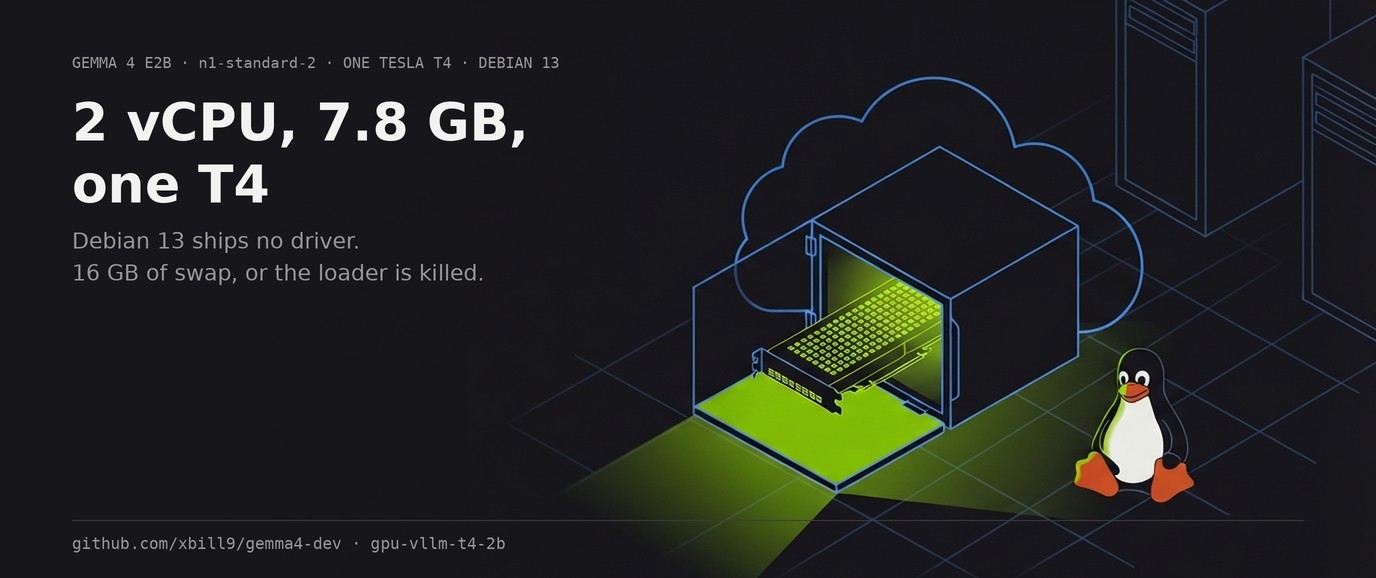
This article provides a step by step deployment guide for Gemma 4 E2B to a Tesla T4 hosted GPU enabled system. A suite of Python MCP tools is built to simplify management of the vLLM hosted deployment. Part 1 measured which checkpoint the card runs fastest; this part builds the machine underneath it, installs the stack after first boot, and walks through vllm-t4, the shell script that owns the host state the MCP tools do not.
github.com/xbill9/gemma4-dev/tree/main/gpu-vllm-t4-2b
| Host | Compute Engine n1-standard-2, us-west2-b — 2 vCPU, 7.8 GB RAM |
| GPU | 1x Tesla T4, Turing, compute capability 7.5, 15360 MiB |
| Image | debian-13-trixie-v20260609, no driver preinstalled |
| Disks | 32 GB pd-ssd boot, 250 GB pd-balanced at /opt1 |
| Software | vLLM 0.29.0, torch 2.13.0+cu130, driver 615.71.09 |
| Result | 362 s from vllm-t4 start to a healthy endpoint, 13371 MiB of 15360 claimed |
Where Do I Start?
Part 1 began with the GPU already working. This part begins with a Google Cloud project and nothing in it.
The work splits in two. Everything before first boot is a single gcloud command whose choices are GPU choices: which zone sells a T4, what a GPU does to the maintenance policy, and how much disk to attach given where the checkpoints land. Everything after first boot is software on a Debian image that ships no NVIDIA driver at all.
At This Point You Should Have…
- A Google Cloud project with billing enabled and the Compute Engine API turned on
- GPU quota in the region you intend to use — T4 GPU quota in that region starts at zero on a new project
gcloudauthenticated locally- A Hugging Face account, for the Gemma checkpoints
What the Machine Is
Read from the instance metadata server and the guest OS on the running VM:
machine-type: n1-standard-2
zone:         us-west2-b
image:        projects/debian-cloud/global/images/debian-13-trixie-v20260609
scheduling:   {"automaticRestart":"TRUE","onHostMaintenance":"TERMINATE","preemptible":"FALSE"}
disks:        [{"deviceName":"debian13","type":"PERSISTENT-SSD"},
               {"deviceName":"persistent-disk-1","type":"PERSISTENT-BALANCED"}]
Tesla T4, 7.5, 15360 MiB, 615.71.09
nproc: 2
MemTotal: 7436 MiB
On Compute Engine the T4 attaches to the N1 machine family, so the host shape is an N1 choice. This one is the smallest N1 that has been used for this work. Two vCPU costs startup time, and 7.8 GB of RAM is the number that decides the swapfile section below.
Creating the VM
The command below is reconstructed from the running VM's own metadata — machine type, zone, image, scheduling policy and both disk types are read back from the instance, and the accelerator from nvidia-smi. Re-running the create call was out of scope for this article.
gcloud compute instances create gemma4-t4 \
  --zone=us-west2-b \
  --machine-type=n1-standard-2 \
  --accelerator=type=nvidia-tesla-t4,count=1 \
  --maintenance-policy=TERMINATE \
  --restart-on-failure \
  --image-project=debian-cloud \
  --image-family=debian-13 \
  --boot-disk-size=32GB \
  --boot-disk-type=pd-ssd \
  --create-disk=name=gemma4-t4-data,size=250GB,type=pd-balanced,auto-delete=no
Three flags in there are about the GPU.
The Maintenance Policy Is Forced
--maintenance-policy=TERMINATE is required on any instance with an attached GPU. Compute Engine live-migrates ordinary VMs during host maintenance and cannot migrate one with a GPU, so the API rejects the default MIGRATE policy. The metadata confirms what the instance ended up with:
{"automaticRestart":"TRUE","onHostMaintenance":"TERMINATE","preemptible":"FALSE"}
Pairing it with --restart-on-failure means maintenance stops the VM and brings it back. The server process does not come back with it, and neither does the swapfile — there is a reboot checklist at the end of this article for that reason.
Two Disks, Because the Checkpoints Do Not Fit on One
The boot disk is 32 GB and the model cache goes on a second 250 GB disk mounted at /opt1:
NAME     SIZE TYPE MOUNTPOINT
sda       32G disk
├─sda1  31.9G part /
├─sda14    3M part
└─sda15  124M part /boot/efi
sdb      250G disk /opt1
A bf16 E2B checkpoint is 10.2 GB and the QAT build is 8.3 GB, so both together are most of a 32 GB root disk before pip has unpacked a CUDA torch wheel. Splitting them keeps the root disk for the OS and puts every multi-gigabyte write on the larger, cheaper volume. ~/.cache is a symlink to /opt1/cache, so Hugging Face downloads land there without any environment variable.
The data disk is mounted from /etc/fstab and survives a reboot:
UUID=8bd96fe8-e301-41d9-8ccc-8123ce89c4a8 /opt1 ext4 discard,defaults,nofail 0 2
Measure Disk Per Path, Never Once
Mounted on    1B-blocks        Avail
/           33570021376   8450138112
/tmp         3898789888   3897544704
/opt1      263086084096 200857059328
Three filesystems, and the two multi-gigabyte writes an install makes land on different ones. /tmp is its own 3.9 GB filesystem, which is where pip unpacks wheels, and a CUDA torch plus its NVIDIA runtime dependencies do not fit in it. A single df / reports the wrong answer for all three writes.
After Boot: the Driver
The Debian 13 image carries no NVIDIA driver. nvidia-smi does not exist on a fresh boot. The driver comes from NVIDIA's own CUDA repository for Debian 13:
/etc/apt/sources.list.d/cuda-debian13-x86_64.list:
deb [signed-by=/usr/share/keyrings/cuda-archive-keyring.gpg] https://developer.download.nvidia.com/compute/cuda/repos/debian13/x86_64/ /
sudo apt-get install -y linux-headers-$(uname -r)
wget https://developer.download.nvidia.com/compute/cuda/repos/debian13/x86_64/cuda-keyring_1.1-1_all.deb
sudo dpkg -i cuda-keyring_1.1-1_all.deb
sudo apt-get update
sudo apt-get install -y nvidia-driver
What that pulls in:
linux-headers-7.1.8+deb13-cloud-amd64   7.1.8-1~bpo13+1
nvidia-driver                           615.71.09-2
nvidia-driver-cuda                      615.71.09-2
nvidia-kernel-open-dkms                 615.71.09-2
nvidia-kernel-support                   615.71.09-2
The kernel module is the open variant and DKMS compiles it against the running kernel, so the matching linux-headers package has to be installed first. The running kernel here is 7.1.8+deb13-cloud-amd64 and its headers come from backports, so the headers install gets its own line ahead of the driver.
Reboot, then check:
$ nvidia-smi --query-gpu=name,compute_cap,memory.total,driver_version --format=csv
name, compute_cap, memory.total [MiB], driver_version
Tesla T4, 7.5, 15360 MiB, 615.71.09
Compute capability 7.5 is Turing, and it is the number that governs everything in Part 1: no bfloat16 datapath, no fp8, and a 64 KiB shared-memory ceiling per block that the Triton attention kernel has to be clamped to fit.
The Swapfile Is Part of the Deploy
7.8 GB of RAM, and the VM ships with no swap. vLLM is killed by the kernel while staging E2B weights without some, which reads as a crash with no traceback.
sudo fallocate -l 16G /opt1/swapfile
sudo chmod 600 /opt1/swapfile
sudo mkswap /opt1/swapfile
sudo swapon /opt1/swapfile
The swapfile lives on the data disk, so the file itself persists. /etc/fstab has no swap line, so a reboot leaves the file in place and disabled. While serving the QAT build, 3592 MiB of the 16 GB is in use.
Python, and Where Packages Land
There are two interpreters on this host and the default is the one with no room:
python3             -> pyenv 3.12.13, site-packages on /        8.45 GB free
/usr/bin/python3.13 -> user site at /opt1/pyuser            200.86 GB free
The MCP server runs under python3. vLLM runs under /usr/bin/python3.13 with PYTHONUSERBASE=/opt1/pyuser, which puts its packages on the large disk. A relocated user site is the same interpreter's own site directory on a different filesystem, so site-packages stays system-wide and no virtualenv is involved.
Installing vLLM
Both redirections below are load-bearing on this host — one for where packages land, one for where pip unpacks them:
PYTHONUSERBASE=/opt1/pyuser PIP_CACHE_DIR=/opt1/pipcache TMPDIR=/opt1/tmp \
  /usr/bin/python3.13 -m pip install --user --break-system-packages -U \
  --upgrade-strategy eager \
  --extra-index-url https://download.pytorch.org/whl/cu130 vllm
vLLM pins torch to an exact version, so this moves torch with it. Installing torch with --no-deps skips cuDNN and the NVIDIA runtime wheels, and import torch then fails on libcudnn.so.9.
torch        2.13.0+cu130
transformers 5.17.0
triton       3.7.1
vllm         0.29.0
The published cu130 wheels carry sm_75, so Turing needs no source build. make arch asks the interpreter for the list instead of reading the directory.
The Turing Clamp
Gemma 4 mixes two attention widths — 256 in its sliding-window layers, 512 in its global layers — and vLLM forces its Triton backend for that mix. At width 512 the kernel asks for more shared memory than a Turing block allows. make patch clamps the tile sizes in the installed vLLM:
✅ **Patched**, in the site-packages this host's `python3` imports.

__FILE__/opt1/pyuser/lib/python3.13/site-packages/vllm/v1/attention/ops/triton_unified_attention.py
CLAMP PRESENT
OCCURRENCES 1
Reinstalling or upgrading vLLM reverts it, because the patch edits a file in site-packages and pip replaces that file. Re-run make verify-patch after any vLLM change.
Enter vllm-t4
At this point the host is ready and the remaining job is running the server. The rig's tpu.env holds every serving value, and the MCP tools cover capacity, architecture and patching. Three things are neither rig config nor MCP concerns: the swapfile, launching a process that outlives the shell, and waiting for the endpoint to answer.
~/bin/vllm-t4 owns those three. Every serving value it passes to vLLM is read out of the rig's tpu.env at call time and none is spelled in the script:
rigval() {
  sed -n "s/^$1=//p" "$rig/tpu.env" | tail -1
}
tpu.env is a dotenv file whose comments are prose, so sourcing it would both fail as shell and drag TMPDIR and PYTHONUSERBASE into the calling shell. Reading one key at a time keeps the file authoritative without importing it.
Why the Script Launches with nohup
make serve runs python3 -c "asyncio.run(server.start_vllm_server())". asyncio terminates the child subprocess when that short-lived interpreter exits, so the engine is gone about a second after launch, having written nothing to the log. The Part 1 sweep was started under the long-lived MCP server process, where the parent stays alive.
vllm-t4 start launches with nohup and disown from bash, and writes the same run/vllm.pid and run/vllm.log that the rig's own status and stop tools read, so the script and the MCP tools agree about what is running.
The Options
| Command | What it does |
|---|---|
vllm-t4 start | Enable swap, confirm the clamp, launch detached, wait for /health, print status |
vllm-t4 start nowait | The same, returning as soon as the process is up |
vllm-t4 stop | make stop — SIGTERM to the pid, VRAM released on exit |
vllm-t4 status | make status — serving or not, plus claimed VRAM |
vllm-t4 query | make query — one chat completion against the endpoint |
vllm-t4 log | tail -f on run/vllm.log |
vllm-t4 swap | Create and enable the swapfile, without starting anything |
Four environment variables override the defaults:
| Variable | Default | Use |
|---|---|---|
VLLM_T4_RIG | $HOME/gemma4-dev/gpu-vllm-t4-2b | Point at a different rig directory |
VLLM_T4_SWAPFILE | /opt1/swapfile | Put swap on another volume |
VLLM_T4_SWAPSIZE | 16G | Size it differently |
VLLM_T4_WAIT | 1800 | Seconds to wait for /health |
start Runs Three Guards Before It Launches
Each guard costs less than the failure it prevents.
Swap, because the engine is killed during weight loading without it and the kernel log is the only place that says so. ensure_swap creates the file if it is absent, enables it if it exists, and reports when it is already on.
The clamp, because an unpatched engine spends minutes loading and then dies with an out-of-resources error that gets attributed to configuration. The check matches the verifier's positive string and refuses on anything else:
case $out in
  *'✅ **Patched**'*) echo "$prog: Turing clamp confirmed" ;;
  *) echo "$out" >&2
     die "the Turing clamp is not confirmed -- run 'make -C $rig patch'" ;;
esac
A verifier that cannot import vLLM at all answers neither way, so a whitelist of known-bad strings would admit every unknown-bad one. Matching the single good answer fails closed.
The config, because an empty value from tpu.env becomes an empty CLI argument. Every key is checked for a value and PYTHON_BIN for executability before anything launches.
A Full Start
$ vllm-t4 start
vllm-t4: swap already on: /opt1/swapfile (16777212 KB)
vllm-t4: Turing clamp confirmed
vllm-t4: starting google/gemma-4-E2B-it-qat-w4a16-ct on 127.0.0.1:8000
vllm-t4: pid 17215, log /home/xbill_glitnir_com/gemma4-dev/gpu-vllm-t4-2b/run/vllm.log
vllm-t4: waiting up to 1800s for http://127.0.0.1:8000/health
     0s  VRAM 0 MiB, 0 %
    75s  VRAM 0 MiB, 0 %
    90s  VRAM 1093 MiB, 10 %
   105s  VRAM 9005 MiB, 10 %
   166s  VRAM 9301 MiB, 0 %
   181s  VRAM 8403 MiB, 0 %
   241s  VRAM 13371 MiB, 0 %
   347s  VRAM 13371 MiB, 0 %
vllm-t4: healthy after 362s -- http://127.0.0.1:8000
✅ Serving at http://127.0.0.1:8000 (pid 17215).

VRAM 13371 MiB, 15360 MiB, 0 %
VRAM is printed beside the clock because for the first minutes a compiling engine and a dead one look identical from outside, and claimed device memory is what tells them apart. The shape of that column is the startup: nothing for 75 seconds while Python imports and the weights are read off disk, 9005 MiB once the weights are resident, a dip to 8403 while the engine profiles, then 13371 when the KV cache is allocated.
What the Engine Allocated
The same start, in run/vllm.log:
non-default args: {'host': '127.0.0.1', 'model': 'google/gemma-4-E2B-it-qat-w4a16-ct', 'dtype': 'float16', 'max_model_len': 16384, 'gpu_memory_utilization': 0.9, 'max_num_seqs': 8}
Casting torch.bfloat16 to torch.float16.
Using MarlinLinearKernel for CompressedTensorsWNA16
Model loading took 8.02 GiB memory and 88.981559 seconds
Available KV cache memory: 4.66 GiB
GPU KV cache size: 519,681 tokens, Maximum concurrency for 16,384 tokens per request: 31.72x
init engine (profile, create kv cache, warmup model) took 61.77 s (compilation: 2.59 s)
Casting torch.bfloat16 to torch.float16 is the checkpoint's stored dtype meeting --dtype float16 from tpu.env. Turing has no bfloat16 datapath, so PyTorch would upconvert regardless; setting the flag makes the conversion a decision with a record.
Compilation took 2.59 s here against 112.77 s on the first start of this stack, because torch.compile caches its artifacts under ~/.cache and that cache is warm. A first start on a fresh VM pays the full compile, and on 2 vCPU it is the largest single item in the wall clock.
status and query
$ vllm-t4 status
✅ Serving at http://127.0.0.1:8000 (pid 17215).

VRAM 13371 MiB, 15360 MiB, 0 %
$ vllm-t4 query
{
    "model": "google/gemma-4-E2B-it-qat-w4a16-ct",
    "choices": [{"message": {"role": "assistant",
      "content": "A TPU, or Tensor Processing Unit, is a specialized type of integrated circuit designed to significantly accelerate the mathematical operations central to training and running machine learning models, particularly those involving matrix multiplications."},
      "finish_reason": "stop"}],
    "system_fingerprint": "vllm-0.29.0-9a66a08c",
    "usage": {"prompt_tokens": 18, "total_tokens": 56, "completion_tokens": 38}
}
That target posts to /v1/chat/completions. Raw /v1/completions returns an empty string on an instruction-tuned checkpoint, so an empty result there means the wrong endpoint was called.
Querying It Directly
The server is the standard OpenAI-compatible one, on 127.0.0.1:8000:
$ curl -fsS http://127.0.0.1:8000/v1/models
{"object":"list","data":[{"id":"google/gemma-4-E2B-it-qat-w4a16-ct","object":"model",
 "owned_by":"vllm","root":"google/gemma-4-E2B-it-qat-w4a16-ct","max_model_len":16384}]}
curl -fsS http://127.0.0.1:8000/v1/chat/completions \
  -H 'Content-Type: application/json' \
  -d '{"model":"google/gemma-4-E2B-it-qat-w4a16-ct",
       "messages":[{"role":"user","content":"Name the four inner planets, comma separated."}],
       "temperature":0,"max_tokens":64}'
Mercury, Venus, Earth, Mars
usage: {'prompt_tokens': 18, 'total_tokens': 26, 'completion_tokens': 8}
Streaming works the same way, with "stream": true:
chunks: 16
data: {"object":"chat.completion.chunk","choices":[{"delta":{"role":"assistant","content":""}}]}
data: {"object":"chat.completion.chunk","choices":[{"delta":{"content":"1"}}]}
...
data: [DONE]

assembled: 1, 2, 3, 4, 5
Prometheus metrics are on /metrics, which is the route to per-request counters without a benchmark tool:
vllm:num_requests_running{engine="0",model_name="google/gemma-4-E2B-it-qat-w4a16-ct"} 0.0
vllm:prompt_tokens_total{...} 53.0
vllm:generation_tokens_total{...} 49.0
The model id in every request body has to match what /v1/models reports, which is MODEL_NAME from tpu.env. Serving the bf16 build for an A/B means overriding MODEL_NAME and MODEL_SAFETENSORS_BYTES in the environment, and the id in the request body changes with it.
What Each Subcommand Refuses
$ vllm-t4 start                                  # one is already running
vllm-t4: already running (pid 14977) -- 'vllm-t4 status', or 'vllm-t4 stop' first   [exit 1]

$ vllm-t4 bogus
usage: vllm-t4 [start|stop|status|query|log|swap] [nowait]                          [exit 2]

$ vllm-t4 swap                                   # already enabled
vllm-t4: swap already on: /opt1/swapfile (16777212 KB)                              [exit 0]

$ VLLM_T4_RIG=/nonexistent vllm-t4 status
vllm-t4: rig not found: /nonexistent (set VLLM_T4_RIG)                              [exit 1]
If the engine dies during the wait, the script prints the last 20 log lines and points at the kernel log, because a memory kill leaves no traceback in vLLM's own output:
if [ -z "`running_pid`" ] ; then
  echo "$prog: the engine died during startup; last 20 log lines:" >&2
  tail -20 "$rig/run/vllm.log" >&2
  echo "$prog: if there is no traceback, check 'dmesg -T | grep -i oom'" >&2
Stopping
$ vllm-t4 stop
✅ Sent SIGTERM to vLLM (pid 14977). VRAM is released on exit.

The T4 stays attached and the VM stays billed — stopping the server is not releasing capacity here.
VRAM returns to 0 MiB, 15360 MiB within seconds. Swap is left enabled, since it costs nothing idle and the next start needs it.
The VM and its attached T4 bill by the hour whether vLLM runs or not. gcloud compute instances stop gemma4-t4 --zone us-west2-b stops the instance charge and keeps both disks, which keep billing at the much lower storage rate. Deleting the instance with auto-delete=no on the data disk leaves the 250 GB of checkpoints for the next VM.
After a Reboot
Three things come back on their own and one does not.
| Survives a reboot | |
|---|---|
/opt1 data disk | 🟢 in /etc/fstab |
| NVIDIA driver | 🟢 DKMS module, loads at boot |
| Turing clamp | 🟢 a file in site-packages |
/opt1/swapfile | ❌ the file persists, the swapon does not |
vllm-t4 start re-enables swap every time, so the checklist after a reboot is one command. Adding a swap line to /etc/fstab makes it survive on its own.
Summary
The goal of this article was to build the smallest Compute Engine VM that serves Gemma 4 E2B on one Tesla T4, deploy the stack after first boot, and document the script that runs it. The key to the solution was keeping the rig's tpu.env authoritative for every serving value and giving the script only the three things that are host state: the swapfile, a detached launch, and waiting for the endpoint. The measured results were:
- 🟢 362 s from
vllm-t4 startto a healthy endpoint on a warm compile cache, 13371 MiB of 15360 claimed - 🟢 8.02 GiB of weights and 4.66 GiB of KV cache, giving 519,681 tokens and 31.72x concurrency at 16,384 tokens per request
- 🟢 One
gcloudcommand, one apt repository for the driver, one pip install, one patch - ⚠️
--maintenance-policy=TERMINATEis required for an attached GPU, and stops the VM during host maintenance - ⚠️ 7.8 GB of host RAM needs a 16 GB swapfile, and the
swapondoes not survive a reboot - ❌ A single
dfreports the wrong free space for all three writes the install makes
One Tesla T4 on one n1-standard-2 VM in us-west2-b, Debian 13, vLLM 0.29.0 on torch 2.13.0+cu130, driver 615.71.09. The start timing is a single run on a warm torch.compile cache; a first start on a fresh VM pays the full compilation, which was 112.77 s on this host. The gcloud compute instances create command is reconstructed from the running instance's metadata and was not re-executed. Throughput figures for the two checkpoints are in Part 1.
The strategy for using MCP for Tesla T4 deployment and benchmarking was validated with an incremental step by step approach.
Comments
More Blog
View alleventsinyourcityClaude on Google Cloud workshop | NYC | 9/30
On Wednesday, September 30, Anthropic and Google Cloud are co-hosting a hands-on developer workshop...
J
Jen HarveyopensourceBuilding File4Base: The Modern, Open-Source Alternative to old file bases (Powered by Antigravity)
For decades, platforms like Claris FileMaker, Microsoft Access, and 4D enabled businesses to build...
M
Mario EzquerroaiThis video is about how this video was made
This video (the script, the voice timings, the source code, the storyboard, the briefs the subagents...
P
Peter Kim FrankdevchallengeCongrats to the Summer Bug Smash Winners!
We are thrilled to announce the winners of DEV's Big Summer Bug Smash powered by Sentry! This...
J
JemgemmaRunning a Jev-Style Decision Model on One TPU v6e: What Fits, What It Costs, and What Changes From a GPU
Gemma 4 E2B, E4B, 12B and a 26B-A4B fp8 build read by their label probabilities with vLLM on one TPU v6e chip, checked against the same read on an NVIDIA L4 and against Jev 1.13.0's published results. What fits one chip, how to read labels when vLLM on TPU returns only the top 32 log-probabilities, speed, cost, and why no 31B loads today.
X
xbillaiEquip your agent with Google Cloud best practices using google-cloud-developer plugin
Coding agents in your terminal can scaffold microservices in seconds. But what happens when your...
R
Remigiusz SamborskiReady-made automations for this
Workflows from the Neura Market marketplace related to this Perplexity resource
- Automate SEO-Optimized Blog Creation with GPT-4, Perplexity AI & Multi-Language Supportn8n · $24.99 · Related topic
- Automate SEO Blog Content Creation with GPT-4, Perplexity AI, and WordPressn8n · $24.99 · Related topic
- Automate SEO Blog Creation + Social Media with GPT-4, Perplexity, and WordPressn8n · $24.99 · Related topic
- Auto-Generate SEO Blog Posts with Perplexity, GPT, Leonardo & WordPressn8n · $14.99 · Related topic