 Perplexity
Back to Blog gemma
gemma
 eventsinyourcity
 opensource
 ai
ai devchallenge
 gemma
gemma ai
ai
A 4 GB Laptop GPU vs a 6-Core CPU on Gemma 4, Re-Measured in ABBA Order: 4.1x
xbill September 22, 2026
0 views
Gemma 4 E2B q4_0 served by llama.cpp on one laptop, CPU-only and on a GTX 1650 Ti, rebuilt on CUDA 13.4 and re-measured in CPU, GPU, GPU, CPU order with a temperature gate. The card takes decode by 4.14x, and run order moves the answer by about 2%.
title: "A 4 GB Laptop GPU vs a 6-Core CPU on Gemma 4, Re-Measured in ABBA Order: 4.1x" published: true series: local description: "Gemma 4 E2B q4_0 served by llama.cpp on one laptop, CPU-only and on a GTX 1650 Ti, rebuilt on CUDA 13.4 and re-measured in CPU, GPU, GPU, CPU order with a temperature gate. The card takes decode by 4.14x, and run order moves the answer by about 2%." tags: gemma, llamacpp, cuda, benchmarking cover_image: https://raw.githubusercontent.com/xbill9/gemma4-dev/main/docs/cpu-vs-1650ti-abba/devto-cover.78380332.jpg
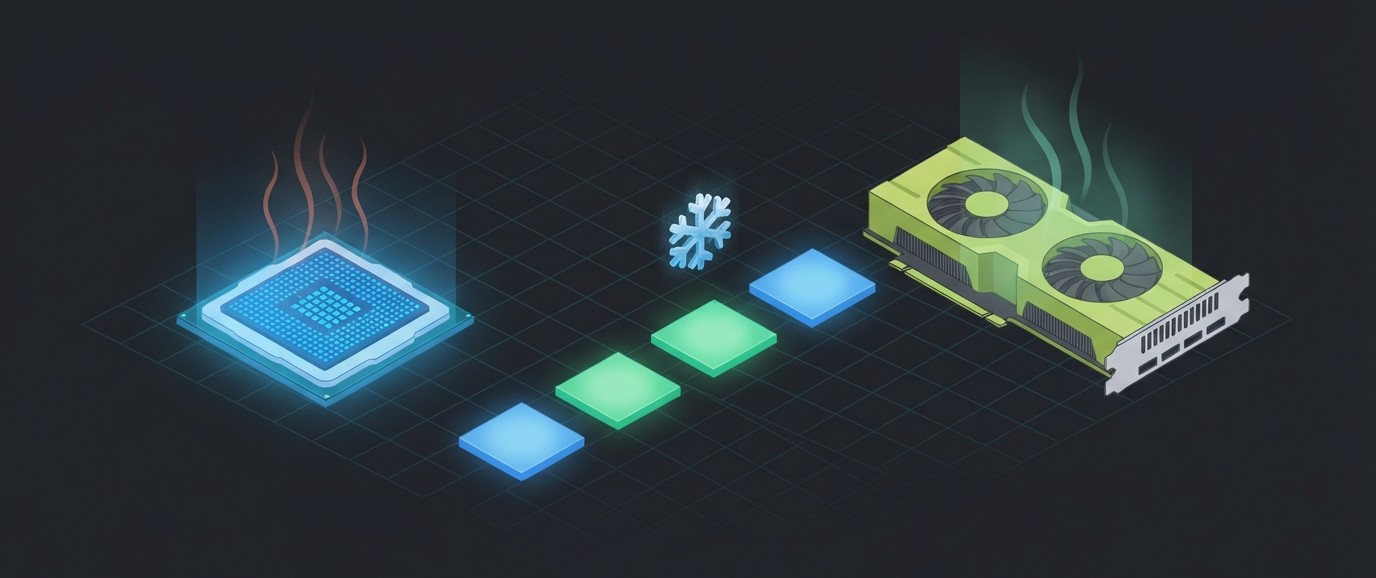
This article provides a step by step guide to measuring a laptop GPU against the CPU in the same chassis for serving Gemma 4 E2B through llama.cpp, with both builds on a fresh Debian sid toolchain and the passes run in ABBA order so heat cannot pick the winner. A suite of Python MCP tools is built to simplify management of the llama.cpp hosted deployment.
https://github.com/xbill9/gemma4-dev
The GTX 1650 Ti decodes 4.14x faster than the i7-10750H it shares a chassis with, prefills 3.42x faster and finishes requests 3.62x faster end to end. Running the two devices in one order and then the other moves that decode ratio from 4.09x to 4.17x, so a single-order benchmark on this laptop is off by about 2%.
What Is Being Measured?
The same 3.35 GB quantization-aware GGUF, google/gemma-4-E2B-it-qat-q4_0-gguf, served by llama-server twice on one laptop: once on the CPU, once on the GPU. Both builds come from one llama.cpp commit and the two command lines differ by one flag.
An earlier run of this comparison is published as A 4 GB Laptop GPU Beats a 12-Core CPU by 4.3x on Gemma 4. This one re-measures it after the laptop moved to Debian sid, with three changes: a newer llama.cpp commit built on gcc 16.2 and CUDA 13.4, thread flags set for this CPU's real core count, and a run order that cancels thermal drift.
At This Point You Should Have…
- An NVIDIA GPU with a CUDA driver — here a GTX 1650 Ti with Max-Q Design, driver 615.71.09
- The CUDA toolkit —
nvcc13.4 here cmakeand a host compiler CUDA accepts — gcc 16.2.0 here- Python 3.10 or newer, the system
python3, no virtualenv - The repository cloned, with
local-llamacpp-1650ti-2b-q4_0/andlocal-llamacpp-cpu-2b-q4_0/side by side - Claude Code, or any MCP client that speaks stdio
The Laptop
| Machine | Lenovo Yoga 9 15IMH5 |
| CPU | Intel Core i7-10750H, 6 cores / 12 threads, AVX2 |
| GPU | GeForce GTX 1650 Ti with Max-Q Design, 4096 MiB, compute capability 7.5 |
| OS | Debian GNU/Linux forky/sid, kernel 7.2.6 |
| Compiler | gcc 16.2.0 |
| CUDA | 13.4 (V13.4.92) |
| llama.cpp | f95b0d9, build 318 |
The CPU and the Max-Q card sit under one cooling system, which is why the run order below matters.
Step 1 — Check the Toolchain Still Supports the Card
A distribution upgrade can move the compiler past what CUDA accepts, and a CUDA upgrade can drop old GPUs. Both were close here.
$ nvidia-smi --query-gpu=name,compute_cap,memory.total,driver_version --format=csv
name, compute_cap, memory.total [MiB], driver_version
NVIDIA GeForce GTX 1650 Ti with Max-Q Design, 7.5, 4096 MiB, 615.71.09

$ nvcc --list-gpu-arch
compute_75
compute_80
compute_86
...
The card is compute capability 7.5, and compute_75 is the first entry CUDA 13.4 lists. This laptop's GPU is the oldest architecture the current toolkit still builds for.
$ gcc --version
gcc (Debian 16.2.0-3) 16.2.0

$ grep -n 'later than 16' /usr/local/cuda/include/crt/host_config.h
137:#error -- unsupported GNU version! gcc versions later than 16 are not supported! ...
CUDA 13.4 accepts gcc up to 16, and sid ships 16.2.
Step 2 — Build Both Devices From One Commit
Each rig's Makefile carries its own build target. The GPU build targets only this card's architecture, sm_75; the CPU build turns every GPU backend off.
# local-llamacpp-1650ti-2b-q4_0
cmake -S ~/llama.cpp -B ~/llama.cpp/build -DGGML_CUDA=ON -DCMAKE_CUDA_ARCHITECTURES=75 -DGGML_NATIVE=ON -DCMAKE_BUILD_TYPE=Release
cmake --build ~/llama.cpp/build --config Release -j6 --target llama-server llama-bench

# local-llamacpp-cpu-2b-q4_0
cmake -S ~/llama.cpp -B ~/llama.cpp/build-cpu -DGGML_CUDA=OFF -DGGML_VULKAN=OFF -DGGML_NATIVE=ON -DCMAKE_BUILD_TYPE=Release
cmake --build ~/llama.cpp/build-cpu --config Release -j6 --target llama-server llama-bench
Both binaries report the same commit and compiler:
$ ~/llama.cpp/build/bin/llama-server --version
version: 0.4.1-dev (build 318, commit f95b0d9)
built with GNU 16.2.0 for Linux x86_64

$ ~/llama.cpp/build-cpu/bin/llama-server --version
version: 0.4.1-dev (build 318, commit f95b0d9)
built with GNU 16.2.0 for Linux x86_64
And only one of them can see the card:
$ ~/llama.cpp/build/bin/llama-server --list-devices
Available devices:
  CUDA0: NVIDIA GeForce GTX 1650 Ti with Max-Q Design (3732 MiB, 3671 MiB free)

$ CUDA_VISIBLE_DEVICES= ~/llama.cpp/build-cpu/bin/llama-server --list-devices
Available devices:
  (none)
🔎 Tip: Always Give the CUDA Build a Job Count
cmake --build -j with no number starts every CUDA source file at once. llama.cpp has about 188 of them, each nvcc forks cicc and cudafe++, and a 15 GiB laptop runs out of memory. At -j6 the full CUDA build peaked at 4.0 GiB and never touched swap, so the limit costs nothing. Both Makefiles pass -j$(BUILD_JOBS) with a default of 6.
After a compiler or CUDA upgrade, delete the build directory before configuring. A stale CMakeCache.txt keeps the old compiler, and /usr/local/cuda is a symlink, so the cached path looks current.
Step 3 — Serve One Device at a Time on the Same Port
Both devices serve on 127.0.0.1:8080, so the endpoint, the prompts and the benchmark script stay fixed while the device changes underneath. The flags match except for -ngl, the number of layers offloaded to the GPU:
llama-server -m gemma-4-E2B_q4_0-it.gguf --host 127.0.0.1 --port 8080 \
  -ngl {0|99} -c 8192 -ctk f16 -ctv f16 -fa 1 -t 6 -tb 12 --parallel 1 --metrics
-t 6 -tb 12 matches the CPU's six physical cores and twelve threads, and both devices get it. GPU decode barely responds to thread count, so matching them costs the GPU nothing and removes one difference between the two runs.
For the GPU side there is a small wrapper, llamacpp-1650ti, that reads these values out of the rig's tpu.env, starts the server in the background and checks which device answered:
$ llamacpp-1650ti start
llamacpp-1650ti: starting /home/xbill/models/gemma-4-E2B-it-qat-q4_0/gemma-4-E2B_q4_0-it.gguf on 127.0.0.1:8080 (-ngl 99)
llamacpp-1650ti: pid 88166, log /home/xbill/gemma4-dev/local-llamacpp-1650ti-2b-q4_0/run/llama-server.log
llamacpp-1650ti: waiting up to 180s for http://127.0.0.1:8080/health
     0s  VRAM 3 MiB, 0 %
llamacpp-1650ti: healthy after 2s -- http://127.0.0.1:8080
llamacpp-1650ti: device=gpu · pid=88166 · -ngl 99 · mapped: ggml-cuda, libcublas, libcuda, libcudart · /home/xbill/llama.cpp/build/bin/llama-server

$ llamacpp-1650ti stop
llamacpp-1650ti: sent SIGTERM to pid 88166; VRAM is released on exit
The wrapper refuses to start if anything already holds the port, and refuses to stop the CPU build if that is what holds it.
Step 4 — Read the Device Off the Running Process
Both devices answer the same URL with the same JSON, so the HTTP response cannot say which one produced it. The rigs' attest.py reads it from /proc instead: /proc/<pid>/exe for the binary, /proc/<pid>/maps for the GPU libraries it has loaded, /proc/<pid>/cmdline for the real -ngl. The benchmark script refuses to start if the answer is the wrong device, and writes it at the top of every log:
arm: device=cpu · pid=72478 · -ngl 0 · /home/xbill/llama.cpp/build-cpu/bin/llama-server
arm: device=gpu · pid=74308 · -ngl 99 · mapped: ggml-cuda, libcublas, libcuda, libcudart · /home/xbill/llama.cpp/build/bin/llama-server
maps is used because llama.cpp loads its CUDA backend at runtime, where ldd does not see it. Each report also records the SHA-256 of the executable that ran: 9c88c7821fcc11a6… for the CPU build and 9f2a8b0b6ed5365d… for the GPU build, the same on both passes of each.
The MCP servers expose the same check as a tool, so an agent that starts a server can confirm what it started before it measures anything.
Step 5 — Run in ABBA Order With a Temperature Gate
Each device gets two passes, in the order CPU, GPU, GPU, CPU. Each device then has one early pass and one late pass, so a slow drift in the laptop's temperature over the session affects both equally. Before every pass the script waits at least 120 seconds and until the CPU package is at or below 50 °C and the GPU at or below 45 °C.
13:20:12 pkg=38C gpu=36C throttle=35105 START cpu pass1
13:27:57 pkg=85C gpu=52C throttle=44709 END cpu pass1 rc=0
13:30:00 pkg=45C gpu=40C throttle=44730 START gpu pass1
13:32:12 pkg=79C gpu=56C throttle=45150 END gpu pass1 rc=0
13:34:15 pkg=42C gpu=39C throttle=45150 START gpu pass2
13:36:26 pkg=78C gpu=55C throttle=48034 END gpu pass2 rc=0
13:38:29 pkg=41C gpu=39C throttle=48060 START cpu pass2
13:46:31 pkg=82C gpu=53C throttle=67346 END cpu pass2 rc=0
throttle is the CPU package's cumulative thermal-throttle counter. CPU pass 1 added 9,604 events, the two GPU passes 420 and 2,879, and CPU pass 2 added 19,279. A CPU pass takes about eight minutes and a GPU pass about two.
Each pass is the same sweep: four prompt lengths by two output lengths, three repeats per cell, one request at a time.
python3 sweep.py --base http://127.0.0.1:8080/v1 --out <run>/passN --rig <rig> --expect-device <cpu|gpu>
The Result
Each figure is the mean of the two passes' per-cell medians. Decode is the token rate measured off the response stream; TTFT is time to first token.
| in tok | out tok | CPU decode | GPU decode | GPU lead | CPU TTFT ms | GPU TTFT ms | GPU lead |
|---|---|---|---|---|---|---|---|
| 94 | 32 | 18.31 | 71.89 | 3.93x | 1084 | 381 | 2.84x |
| 94 | 128 | 17.96 | 71.57 | 3.98x | 1171 | 385 | 3.04x |
| 516 | 32 | 17.06 | 70.61 | 4.14x | 5528 | 1608 | 3.44x |
| 516 | 128 | 17.19 | 70.35 | 4.09x | 5527 | 1610 | 3.43x |
| 998 | 32 | 16.10 | 69.25 | 4.30x | 11071 | 3242 | 3.41x |
| 998 | 128 | 16.77 | 69.38 | 4.14x | 11057 | 3246 | 3.41x |
| 1959 | 32 | 16.14 | 68.52 | 4.25x | 23118 | 6497 | 3.56x |
| 1959 | 128 | 16.37 | 68.22 | 4.17x | 22718 | 6496 | 3.50x |
Medians over the eight cells: decode 4.14x, prefill 3.42x, end to end 3.62x.
Decode stays nearly flat on both devices across a 21x range of prompt length (94 to 1959 tokens), from 18.31 down to 16.14 tok/s on the CPU and from 71.89 down to 68.22 on the GPU, while TTFT grows in proportion to the prompt on both. Decode reads the model once per token and is limited by memory bandwidth; prefill does arithmetic over the whole prompt. The GPU wins both, by different margins, and the prefill margin grows with the prompt from 2.84x to 3.56x.
Is the Difference Bigger Than the Noise?
By an order of magnitude. The decode ratio stays between 3.93x and 4.30x in every cell. The noise is the drift between a device's two passes:
| decode drift, pass 1 to pass 2 | worst cell | |
|---|---|---|
| GPU | median +0.6%, range 0.0% to +1.3% | — |
| CPU | median -1.1%, range -9.3% to +0.1% | 998 in / 32 out: 16.89 → 15.32 |
Within a pass, the three repeats of a cell spread by at most 1.14% on the GPU. On the CPU they spread by at most 2.69% in pass 1 and 14.05% in pass 2, which had twice the throttle events. CPU time to first token also rose in pass 2, by up to 7.4% at the longest prompt, while the GPU's moved by at most 0.9%.
All of the measurable noise in this comparison comes from the CPU, and it tracks heat.
What Is Run Order Worth?
Each ordering can be read on its own. CPU pass 1 against GPU pass 1 is the CPU-first design; GPU pass 2 against CPU pass 2 is GPU-first.
| order | decode ratio | prefill ratio |
|---|---|---|
| CPU first, then GPU | 4.09x | 3.38x |
| GPU first, then CPU | 4.17x | 3.47x |
| ABBA, both | 4.14x | 3.42x |
Running the CPU first understates the GPU's lead, because the CPU pass runs while the laptop is still cool and the GPU pass inherits its heat. On this laptop the effect is about 2% of the ratio. ABBA order removes it for the cost of one extra pass per device.
🔎 Tip: Count Tokens, Not Stream Chunks
llama.cpp can put more than one token in a streamed chunk, so a decode rate computed from chunk timing undercounts. Recomputed as completion tokens over the measured decode time, the rates read 16.77-20.27 tok/s on the CPU and 69.87-79.58 on the GPU, and the median ratio stays at 4.14x. Both devices run the same server code, so the undercount cancels in the ratio. It does not cancel when comparing either absolute figure against a different server.
🔎 Tip: Confirm the Prompt Cache Stayed Cold
llama-server reuses the key/value cache for a prompt prefix it has seen, which makes time to first token look faster than prefill really is. Each prompt starts with a unique prefix, and --metrics exposes a counter that confirms it:
cpu pass1: llamacpp:prompt_tokens_total 28553 llamacpp:prompt_tokens_cached_total 0
cpu pass2: llamacpp:prompt_tokens_total 28553 llamacpp:prompt_tokens_cached_total 0
gpu pass1: llamacpp:prompt_tokens_total 28553 llamacpp:prompt_tokens_cached_total 0
gpu pass2: llamacpp:prompt_tokens_total 28553 llamacpp:prompt_tokens_cached_total 0
None of the 28,553 prompt tokens in any pass came from the cache.
Compare and Contrast
| 🥇 GTX 1650 Ti | 🥈 i7-10750H | |
|---|---|---|
| Decode, single stream | 68.22-71.89 tok/s | 16.10-18.31 tok/s |
| Time to first token, 1959-token prompt | 6.5 s | 22.7-23.1 s |
| Pass-to-pass drift | ≤1.3% | up to 9.3% |
| Throttle events per pass | 420 and 2,879 | 9,604 and 19,279 |
| Pass length | about 2 minutes | about 8 minutes |
So, Which One?
The GPU, for any interactive use of this model on this laptop. It is about four times faster on every prompt length measured, it is steadier, and it heats the shared package far less than the CPU does for the same work.
The CPU build is still worth keeping: it serves the same model at 16-18 tok/s when the card is busy or absent. It is also the device to benchmark with the most care, because its numbers move with the laptop's temperature.
How Does This Compare With the Earlier Run?
The earlier run measured 4.27x decode and 3.63x prefill. Three things changed at once — the llama.cpp commit (c6824a9 to f95b0d9), the thread flags (-t 4 -tb 8 to -t 6 -tb 12) and the run order — so the difference between the two results cannot be assigned to any one of them. The more-threads explanation fits the direction, since CPU time to first token fell and the prefill ratio narrowed with it, but this run does not isolate it.
Summary
The goal of this article was to re-measure a 4 GB laptop GPU against the 6-core CPU in the same chassis for serving Gemma 4 E2B, after a toolchain upgrade and with thermal drift controlled. The key to the solution was ABBA ordering with a temperature gate, identical flags on both devices apart from -ngl, and reading the serving device from /proc on every pass. The results were:
- 🟢 GPU decode is 4.14x the CPU, 3.93x to 4.30x across every cell
- 🟢 GPU prefill is 3.42x, growing with prompt length; end to end is 3.62x
- 🟢 The GTX 1650 Ti still builds and runs on CUDA 13.4 with gcc 16.2, as the oldest architecture that toolkit supports
- ⚠️ Run order is worth about 2% of the ratio here: 4.09x CPU-first against 4.17x GPU-first
- ⚠️ The CPU carries all of the measurable noise, up to 9.3% between passes and 14% within one, and it follows the throttle count
- ❌ The earlier 4.27x and this 4.14x cannot be compared directly, because commit, threads and order all changed together
Scope: one laptop, one GGUF, llama.cpp f95b0d9 built twice with gcc 16.2 and CUDA 13.4, eight paired cells, two passes per device in ABBA order, three repeats per cell per pass, one request at a time, prompt cache verified cold, page cache warm throughout.
The strategy for using MCP for local accelerator comparison was validated with an incremental step by step approach.
References
- Repository: https://github.com/xbill9/gemma4-dev
- GPU rig: https://github.com/xbill9/gemma4-dev/tree/main/local-llamacpp-1650ti-2b-q4_0
- CPU rig: https://github.com/xbill9/gemma4-dev/tree/main/local-llamacpp-cpu-2b-q4_0
- Run report: https://github.com/xbill9/gemma4-dev/blob/main/local-llamacpp-1650ti-2b-q4_0/benchmarks/runs/2026-09-22-paired-sweep-1650ti/REPORT.md
- Earlier run: A 4 GB Laptop GPU Beats a 12-Core CPU by 4.3x on Gemma 4
- Model: https://huggingface.co/google/gemma-4-E2B-it-qat-q4_0-gguf
- llama.cpp: https://github.com/ggml-org/llama.cpp
Comments
More Blog
View alleventsinyourcityClaude on Google Cloud workshop | NYC | 9/30
On Wednesday, September 30, Anthropic and Google Cloud are co-hosting a hands-on developer workshop...
J
Jen HarveyopensourceBuilding File4Base: The Modern, Open-Source Alternative to old file bases (Powered by Antigravity)
For decades, platforms like Claris FileMaker, Microsoft Access, and 4D enabled businesses to build...
M
Mario EzquerroaiThis video is about how this video was made
This video (the script, the voice timings, the source code, the storyboard, the briefs the subagents...
P
Peter Kim FrankdevchallengeCongrats to the Summer Bug Smash Winners!
We are thrilled to announce the winners of DEV's Big Summer Bug Smash powered by Sentry! This...
J
JemgemmaRunning a Jev-Style Decision Model on One TPU v6e: What Fits, What It Costs, and What Changes From a GPU
Gemma 4 E2B, E4B, 12B and a 26B-A4B fp8 build read by their label probabilities with vLLM on one TPU v6e chip, checked against the same read on an NVIDIA L4 and against Jev 1.13.0's published results. What fits one chip, how to read labels when vLLM on TPU returns only the top 32 log-probabilities, speed, cost, and why no 31B loads today.
X
xbillaiEquip your agent with Google Cloud best practices using google-cloud-developer plugin
Coding agents in your terminal can scaffold microservices in seconds. But what happens when your...
R
Remigiusz SamborskiReady-made automations for this
Workflows from the Neura Market marketplace related to this Perplexity resource
- Automate SEO-Optimized Blog Creation with GPT-4, Perplexity AI & Multi-Language Supportn8n · $24.99 · Related topic
- Automate SEO Blog Content Creation with GPT-4, Perplexity AI, and WordPressn8n · $24.99 · Related topic
- Automate SEO Blog Creation + Social Media with GPT-4, Perplexity, and WordPressn8n · $24.99 · Related topic
- Auto-Generate SEO Blog Posts with Perplexity, GPT, Leonardo & WordPressn8n · $14.99 · Related topic