
Back to Blog googleadk
 ai
ai googlecloud
 discuss
 agents
 agenticarchitect
 ai
ai
Building a Multimodal Cross Cloud Live Agent with ADK, Azure ACA, and Gemini CLI
xbill April 3, 2026
0 views
Leveraging the Google Agent Development Kit (ADK) and the underlying Gemini LLM to build cross cloud...
title: Building a Multimodal Cross Cloud Live Agent with ADK, Azure ACA, and Gemini CLI published: true series: Azure date: 2026-04-03 19:36:29 UTC tags: googleadk,python,geminicli,azureaca canonical_url: https://xbill999.medium.com/building-a-multimodal-cross-cloud-live-agent-with-adk-azure-aca-and-gemini-cli-d76a73daa54f
Leveraging the Google Agent Development Kit (ADK) and the underlying Gemini LLM to build cross cloud apps with the Python programming language deployed to the Azure Container App service.

Aren’t There a Billion Python MCP Demos?
Yes there are.
Python has traditionally been the main coding language for ML and AI tools. The goal of this article is to provide a minimal viable basic working MCP stdio server that can be run locally without any unneeded extra code or extensions.
What Is Python?
Python is an interpreted language that allows for rapid development and testing and has deep libraries for working with ML and AI:
Python Version Management
One of the downsides of the wide deployment of Python has been managing the language versions across platforms and maintaining a supported version.
The pyenv tool enables deploying consistent versions of Python:
GitHub - pyenv/pyenv: Simple Python version management
As of writing — the mainstream python version is 3.13. To validate your current Python:
admin@ip-172-31-70-211:~/gemini-cli-azure$ python --version
Python 3.13.12
Azure Container App Service
Azure Container Apps (ACA) is a fully managed, serverless platform designed for running containerized applications and microservices without managing underlying infrastructure. Built on Azure Kubernetes Service (AKS), it offers built-in autoscaling (including to zero), traffic splitting for blue/green deployments, and Dapr integration, making it ideal for event-driven, API, and background processing workloads.
https://azure.microsoft.com/en-us/products/container-apps
Why would I want Gemini CLI with Azure? Isn’t that a Google Thing?
Yes- Gemini CLI leverages the Google Cloud console and Gemini models but it is also open source and platform agnostic. Many applications are already cross-cloud so this enables familiar tools to be run natively on Microsoft Azure.
Azure Container App Configuration
To configure your Azure Service with the base system tools- this article provides a reference:
MCP Development with Python, and Azure Container Apps
Gemini CLI
If not pre-installed you can download the Gemini CLI to interact with the source files and provide real-time assistance:
npm install -g @google/gemini-cli
Testing the Gemini CLI Environment
Once you have all the tools and the correct Node.js version in place- you can test the startup of Gemini CLI. You will need to authenticate with a Key or your Google Account:
gemini

admin@ip-172-31-70-211:~/gemini-cli-azure$ gemini

▝▜▄ Gemini CLI v0.33.1
    ▝▜▄
   ▗▟▀ Logged in with Google /auth
  ▝▀ Gemini Code Assist Standard /upgrade

? for shortcuts
──────────────────────────────────────────────────────────────────────────────────────────────────────────────────────────────────────────────
 shift+tab to accept edits 3 GEMINI.md files | 1 MCP server
──────────────────────────────────────────────────────────────────────────────────────────────────────────────────────────────────────────────
 > Type your message or @path/to/file
──────────────────────────────────────────────────────────────────────────────────────────────────────────────────────────────────────────────
 ~/.../gemini-cli-azure (main*) no sandbox (see /docs) /model Auto (Gemini 3) | 239.8 MB
Node Version Management
Gemini CLI needs a consistent, up to date version of Node. The nvm command can be used to get a standard Node environment:
Docker Version Management
The Azure CLI tools need current version of Docker. If your environment does not provide a recent docker tool- the Docker Version Manager can be used to downlaod the latest supported Docker:
Azure CLI
The Azure CLI provides a command line tool to directly access Azure services from your current environment. Full details on the CLI are available here:
Azure Command-Line Interface (CLI) documentation
Agent Development Kit
The Google Agent Development Kit (ADK) is an open-source, Python-based framework designed to streamline the creation, deployment, and orchestration of sophisticated, multi-agent AI systems. It treats agent development like software engineering, offering modularity, state management, and built-in tools (like Google Search) to build autonomous agents.
The ADK can be installed from here:
This seems like a lot of Configuration!
Getting the key tools in place is the first step to working across Cloud environments. For a deeper dive- a project with a similar setup can be found here:
Deploying ADK Agents on Azure ACA (Azure Container Apps)
Where do I start?
The strategy for starting multimodal real time cross cloud agent development is a incremental step by step approach.
The agents in the demo are based on the original code lab:
Way Back Home - Building an ADK Bi-Directional Streaming Agent | Google Codelabs
First, the basic development environment is setup with the required system variables, and a working Gemini CLI configuration.
Then, a minimal ADK Agent is built with the visual builder. Next — the entire solution is deployed to Google Cloud Run.
Setup the Basic Environment
At this point you should have a working Python environment and a working Gemini CLI installation. All of the relevant code examples and documentation is available in GitHub. This repo has a wide variety of samples- but this lab will focus on the ‘level_3-lightsail’ setup.
The next step is to clone the GitHub repository to your local environment:
cd ~
git clone https://github.com/xbill9/gemini-cli-azure
cd level_3-aca
Then run init.sh from the cloned directory.
The script will attempt to determine your shell environment and set the correct variables:
source init.sh
If your session times out or you need to re-authenticate- you can run the set_env.sh script to reset your environment variables:
source set_env.sh
Variables like PROJECT_ID need to be setup for use in the various build scripts- so the set_env script can be used to reset the environment if you time-out.
Verify The ADK Installation
To verify the setup, run the ADK CLI locally with Agent1:
xbill@penguin:~/gemini-cli-azure/level_3-aca/backend/app$ adk run biometric_agent
Log setup complete: /tmp/agents_log/agent.20260402_203152.log
To access latest log: tail -F /tmp/agents_log/agent.latest.log
/home/xbill/.local/lib/python3.13/site-packages/google/adk/cli/cli.py:204: UserWarning: [EXPERIMENTAL] InMemoryCredentialService: This feature is experimental and may change or be removed in future versions without notice. It may introduce breaking changes at any time.
  credential_service = InMemoryCredentialService()
/home/xbill/.local/lib/python3.13/site-packages/google/adk/auth/credential_service/in_memory_credential_service.py:33: UserWarning: [EXPERIMENTAL] BaseCredentialService: This feature is experimental and may change or be removed in future versions without notice. It may introduce breaking changes at any time.
  super(). __init__ ()
Running agent biometric_agent, type exit to exit.
[user]:
Deploying to Azure Container Apps
The first step is to refresh the Azure credentials in the current build environment:
xbill@penguin:~/gemini-cli-azure/level_3-aca$ az login
Run the deploy version on the local system:
 > make deploy
✦ I will execute make deploy, which builds the Docker image and deploys it to Azure Container Apps, creating the
  necessary resource groups, container registry, and environment as defined in deploy.sh. 0.0s 0.0s
You can validate the final result by checking the messages:
✦ The deployment to Azure Container Apps was successful. You can access the application at the following URL:

  https://biometric-scout-app.agreeablebeach-34887419.canadaeast.azurecontainerapps.io
Once the container is deployed- you can then get the endpoint:
✦ The endpoint for your Azure Container App is:
  biometric-scout-app.agreeablebeach-34887419.canadaeast.azurecontainerapps.io
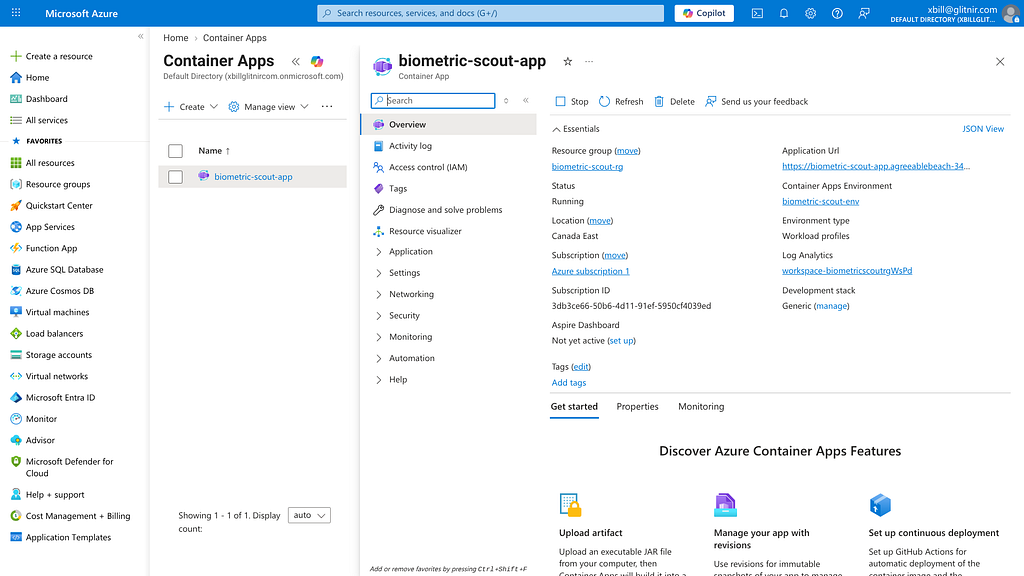
The service will be visible in the Azure console:
Running the Web Interface
Start a connection to the deployed app:
biometric-scout-app.agreeablebeach-34887419.canadaeast.azurecontainerapps.io
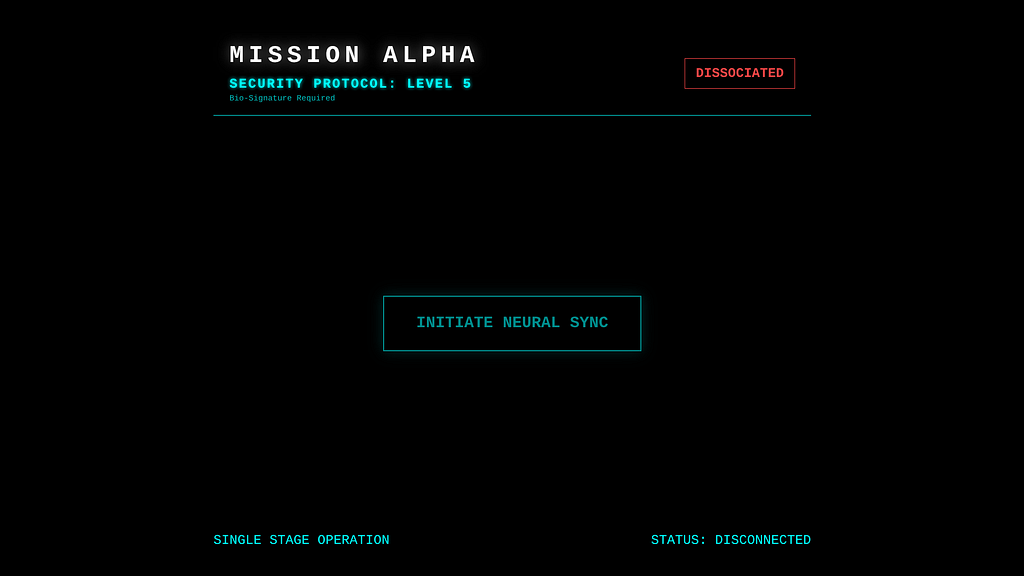
Then connect to the app :
Then use the Live model to process audio and video:
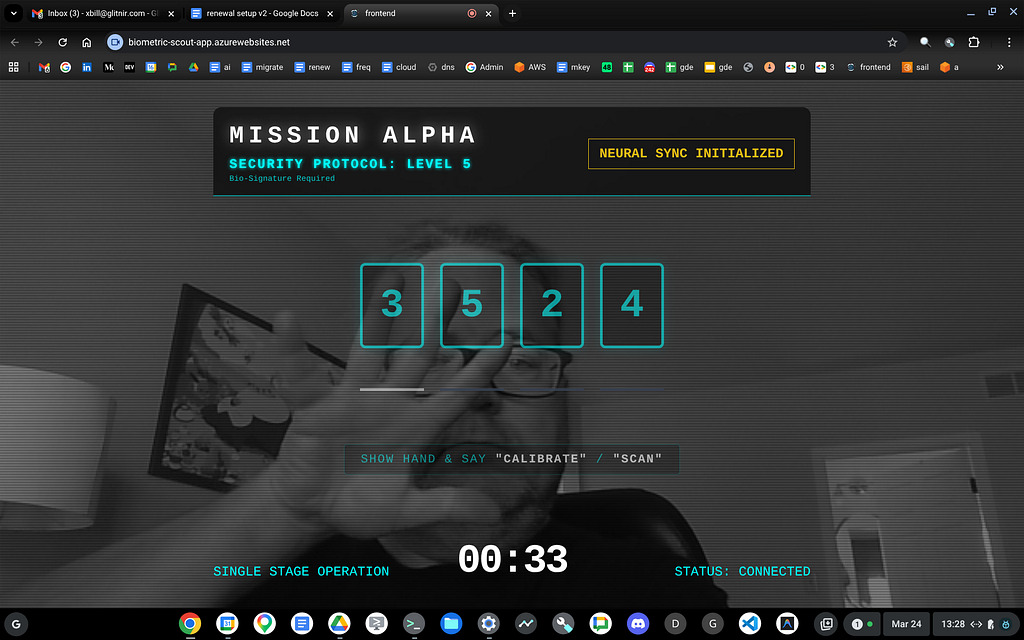
Finally — complete the sequence:
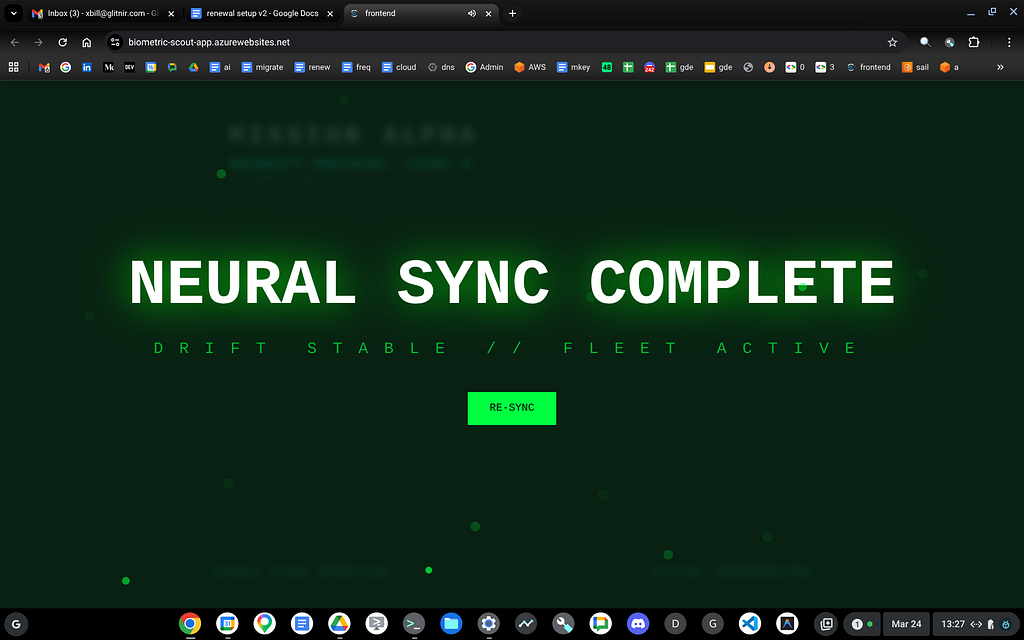
Summary
The Agent Development Kit was used to enable a multi-modal agent using the Gemini Live Model. This Agent was tested locally with the CLI and then deployed to Azure Container App services. This approach validates that cross cloud tools can be used — even with more complex agents.
Comments
More Blog
View allaiContext bankruptcy: The case for strategic forgetting for AI Agents
Most of us have seen a coding agent fail to complete a task we know it can do. We just don't...
J
James O'ReillygooglecloudParallel Compliance Engine: Drive-to-Sheets Multi-Agent Orchestration
When building Generative AI applications, developers often encounter a massive bottleneck: sequential...
A
Aryan IranidiscussIs It Ethical to Post and Ask About Circuits on Dev.to?
I’ve been thinking about sharing some electronic circuit posts on Dev.to — small circuits, DIY...
C
codebunny20agentsThe One-Click Exporter: AI Studio Antigravity, Probed to Its Limits
What nobody tells you about exporting your multi-agent prototype to a local workspace. Every...
L
leslysandraagenticarchitectGuarding the till while autonomous data agents do the digging
Autonomous agents are genuinely good at answering messy business questions. Give one an LLM and a set...
S
Sireesha PulipatiaiReturn on Attention: Why AI Code Reviews Are Wearing Us Out
PR volume went up, ticket quality didn't, and the gap got filled with LLMs on both sides of the review: bots reviewing, bots replying, bots occasionally arguing with bots about priorities that only existed in a teammate's head. Our CEO named the actual problem, and it's bigger than code review.
C
christineReady-made automations for this
Workflows from the Neura Market marketplace related to this Stable Diffusion resource
- Automate Video Narration with Multimodal AI Integrationn8n · $19.99 · Related topic
- AI Agent Blueprint for Streamlined Website Developmentn8n · $19.99 · Related topic
- Leveraging Vector Databases for Enhanced AI Agent Analysisn8n · $16.9 · Related topic
- Seamlessly Narrate Videos with Multimodal AI and OpenAIn8n · $16.29 · Related topic