
Back to Blog firebase
 ai
ai googlecloud
 discuss
 agents
 agenticarchitect
 ai
ai
Get Started with Firebase AI Logic + Flutter: Build A Simple Caption Generator
Samuel Adekunle April 15, 2026
0 views
This will be a continuation from the last article on Genkit Dart for Flutter Developers; you can...
This will be a continuation from the last article on Genkit Dart for Flutter Developers; you can check it out here.
WHAT IS FIREBASE AI LOGIC?
Firebase AI Logic (previously known as Vertex AI in Firebase) is Google’s official way to give your Flutter (iOS, Android, and web) apps direct, secure access to the latest Gemini models.
Today, we will build a simple app with Firebase AI Logic. We will learn how to use Firebase AI Logic with Gemini models in real Flutter apps.
To get started, create a new Firebase project or use an existing one. Once you have your Firebase project set up, you also need to connect it to your Flutter project. Under project categories on Firebase → AI services → AI Logic → Get started (Gemini Developer API — Vertex AI Gemini API), we’ll continue with the Gemini Developer API
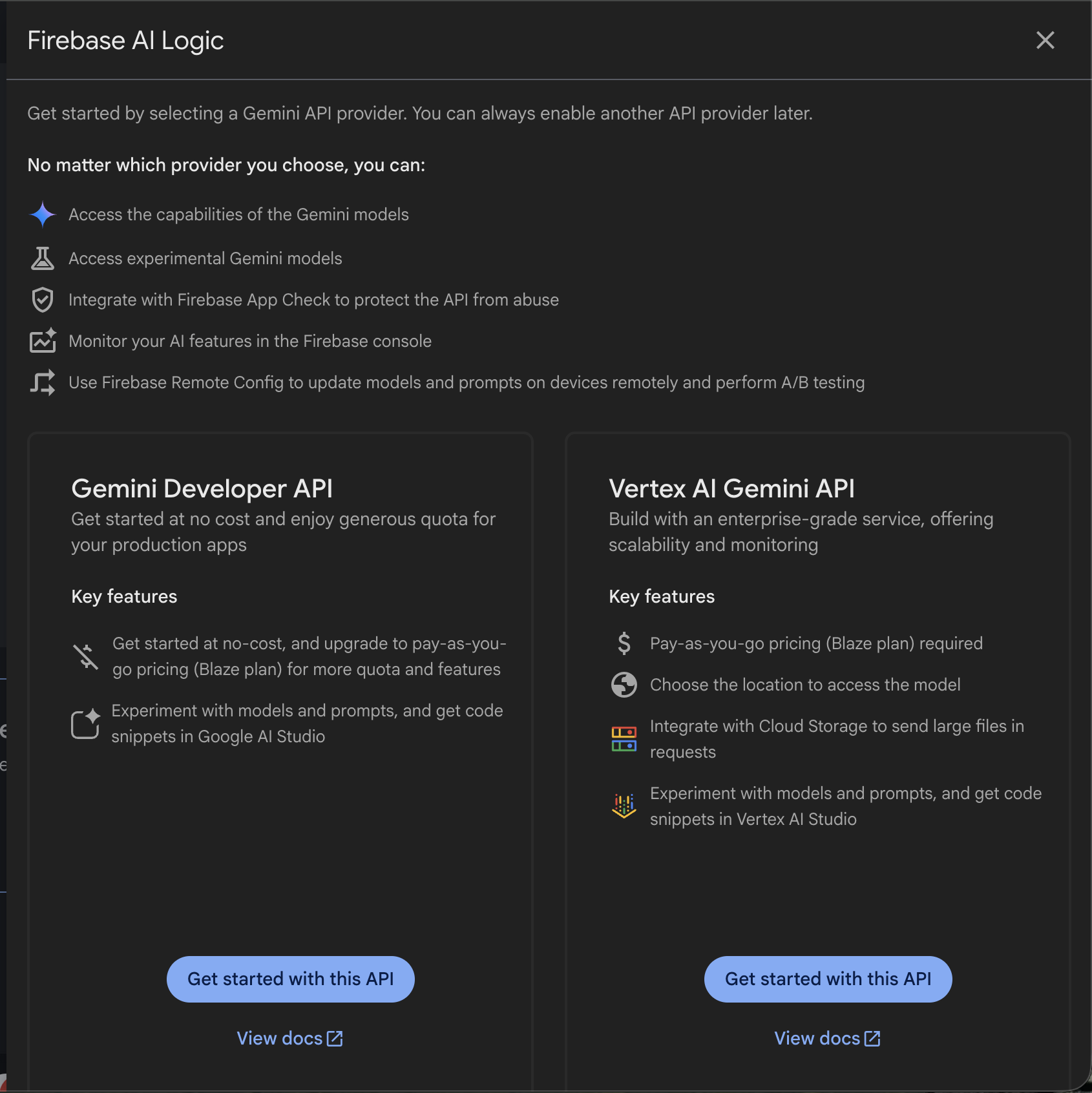
That’s all for the setup.
QUICK SETUP IN FLUTTER
flutter pub add firebase_ai
You must added firebase_core package
In main.dart
void main() async {
  await Firebase.initializeApp(options: DefaultFirebaseOptions.currentPlatform);

  runApp(const MyApp());
}
Then we can create a new file caption_generator.dart
void _generateCaption() async {
    if (_captionController.text.isEmpty) {
      ScaffoldMessenger.of(context).showSnackBar(
        const SnackBar(
          content: Text('Please enter a description to generate a caption.'),
        ),
      );
      return;
    }
    try {
      setState(() => _isGenerating = true);

      final model = FirebaseAI.googleAI().generativeModel(
        model: 'gemini-3.1-flash-lite-preview',
        generationConfig: GenerationConfig(
          maxOutputTokens: 50,
          temperature: 0.7,
        ),
        systemInstruction: Content.system(
          'You generate concise captions that are catchy and engaging, suitable for social media posts or advertisements.'
          'Do not use markdown, bullet points, headings, code blocks, or JSON.',
        ),
      );

      final response = await model.generateContent([
        Content.text(_captionController.text),
      ]);

      setState(() => _generatedCaption = response.text!);
    } catch (e) {
      print('Error generating caption: $e');
      ScaffoldMessenger.of(
        context,
      ).showSnackBar(SnackBar(content: Text('Error generating caption: $e')));
    } finally {
      setState(() => _isGenerating = false);
    }
  }
{% github techwithsam/ai_content_generator %}
BEST PRACTICES FOR PRODUCTION
- Always use App Check + Firebase Auth — never trust the client blindly
- Start with Flash models for speed and cost, upgrade to Pro only when you need heavy reasoning
- Keep prompts in Remote Config so you can iterate without redeploying the app
- Cache frequent responses in Firestore to save cost and latency Monitor usage in Firebase console — set budgets early
- For complex multi-step workflows or heavy tool use, consider moving logic to Genkit on the backend instead of doing everything client-side
There you have it — Firebase AI Logic lets Flutter developers finally build real full-stack AI apps without leaving the Dart ecosystem.
If this article helped you even a little, smash that clap button and subscribe so you don’t miss the next deep-dive.
Lastly, if you’re serious about mastering AI tools like this, join my free Flutter + AI newsletter. Every week, I share the exact prompts, workflows, and early access to new agent skills that I test before they hit YouTube. Completely free, no spam. https://techwithsam.dev/newsletter — I’d love to see you there!
Thanks for reading, Flutter fam.
See you in the next one — peace! ✌️
Samuel Adekunle Tech With Sam https://youtube.com/@techwithsam
Comments
More Blog
View allaiContext bankruptcy: The case for strategic forgetting for AI Agents
Most of us have seen a coding agent fail to complete a task we know it can do. We just don't...
J
James O'ReillygooglecloudParallel Compliance Engine: Drive-to-Sheets Multi-Agent Orchestration
When building Generative AI applications, developers often encounter a massive bottleneck: sequential...
A
Aryan IranidiscussIs It Ethical to Post and Ask About Circuits on Dev.to?
I’ve been thinking about sharing some electronic circuit posts on Dev.to — small circuits, DIY...
C
codebunny20agentsThe One-Click Exporter: AI Studio Antigravity, Probed to Its Limits
What nobody tells you about exporting your multi-agent prototype to a local workspace. Every...
L
leslysandraagenticarchitectGuarding the till while autonomous data agents do the digging
Autonomous agents are genuinely good at answering messy business questions. Give one an LLM and a set...
S
Sireesha PulipatiaiReturn on Attention: Why AI Code Reviews Are Wearing Us Out
PR volume went up, ticket quality didn't, and the gap got filled with LLMs on both sides of the review: bots reviewing, bots replying, bots occasionally arguing with bots about priorities that only existed in a teammate's head. Our CEO named the actual problem, and it's bigger than code review.
C
christineReady-made automations for this
Workflows from the Neura Market marketplace related to this Stable Diffusion resource
- AI-Driven Handbook Generator with Multi-Agent Orchestrationn8n · $24.99 · Related topic
- Viral Bigfoot Vlog Video Generator with Veo 3n8n · $19.99 · Related topic
- YouTube to Blog Post Generator: Automate Content Creationn8n · $19.99 · Related topic
- 3D Product Video Generator from 2D Image for E-Commerce Successn8n · $19.99 · Related topic