
Back to Blog gemini
 ai
ai googlecloud
 discuss
 agents
 agenticarchitect
 ai
ai
Building a Multimodal Agent with the ADK, AWS Fargate, and Gemini Flash Live 3.1
xbill April 18, 2026
0 views
Leveraging the Google Agent Development Kit (ADK) and the underlying Gemini LLM to build Agentic apps...
title: Building a Multimodal Agent with the ADK, AWS Fargate, and Gemini Flash Live 3.1 series: AWS tags: geminicli,multimodal,aws,awsfargate
Leveraging the Google Agent Development Kit (ADK) and the underlying Gemini LLM to build Agentic apps using the Gemini Live API with the Python programming language deployed to Amazon Fargate.

Aren’t There a Billion Python ADK Demos?
Yes there are.
Python has traditionally been the main coding language for ML and AI tools. The goal of this article is to provide a minimal viable basic working ADK streaming multi-modal agent using the latest Gemini Live Models.
In the Spirit of Mr. McConaughey’s “alright, alright, alright”
So what is different about this lab compared to all the others out there?
This is one of the first implementations of the latest Gemini 3.1 Flash Live Model with the Agent Development Kit (ADK). The starting point for the demo was an existing Code lab- which was updated and re-engineered with Gemini CLI.
The original Codelab- is here:
Way Back Home - Building an ADK Bi-Directional Streaming Agent | Google Codelabs
What Is Python?
Python is an interpreted language that allows for rapid development and testing and has deep libraries for working with ML and AI:
Python Version Management
One of the downsides of the wide deployment of Python has been managing the language versions across platforms and maintaining a supported version.
The pyenv tool enables deploying consistent versions of Python:
GitHub - pyenv/pyenv: Simple Python version management
As of writing — the mainstream python version is 3.13. To validate your current Python:
python --version
Python 3.13.13
Amazon Fargate
AWS Fargate is a serverless, pay-as-you-go compute engine for containers that works with Amazon Elastic Container Service (ECS) or Elastic Kubernetes Service (EKS). It eliminates the need to manage, patch, or scale underlying EC2 virtual machines. Fargate automatically allocates, scales, and manages compute infrastructure, allowing developers to focus solely on designing and operating applications.
Details are here:
Serverless Compute - AWS Fargate - AWS
More information on Fargate is available here:
Architect for AWS Fargate for Amazon ECS
Gemini Live Models
Gemini Live is a conversational AI feature from Google that enables free-flowing, real-time voice, video, and screen-sharing interactions, allowing you to brainstorm, learn, or problem-solve through natural dialogue. Powered by the Gemini 3.1 Flash Live model , it provides low-latency, human-like, and emotionally aware speech in over 200 countries.
More details are available here:
Gemini 3.1 Flash Live Preview | Gemini API | Google AI for Developers
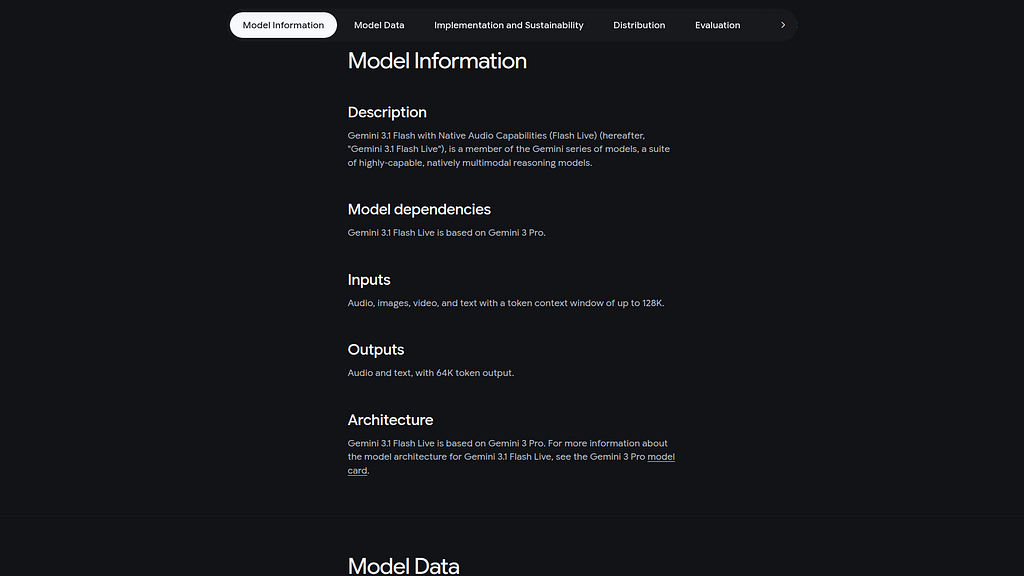
The Gemini Live Models bring unique real-time capabilities than can be used directly from an Agent. A summary of the model is also available here:
https://deepmind.google/models/model-cards/gemini-3-1-flash-live/
Gemini CLI
If not pre-installed you can download the Gemini CLI to interact with the source files and provide real-time assistance:
npm install -g @google/gemini-cli
Testing the Gemini CLI Environment
Once you have all the tools and the correct Node.js version in place- you can test the startup of Gemini CLI. You will need to authenticate with a Key or your Google Account:
▝▜▄ Gemini CLI v0.33.1
    ▝▜▄
   ▗▟▀ Logged in with Google /auth
  ▝▀ Gemini Code Assist Standard /upgrade no sandbox (see /docs) /model Auto (Gemini 3) | 239.8 MB
Node Version Management
Gemini CLI needs a consistent, up to date version of Node. The nvm command can be used to get a standard Node environment:
Agent Development Kit
The Google Agent Development Kit (ADK) is an open-source, Python-based framework designed to streamline the creation, deployment, and orchestration of sophisticated, multi-agent AI systems. It treats agent development like software engineering, offering modularity, state management, and built-in tools (like Google Search) to build autonomous agents.
The ADK can be installed from here:
Where do I start?
The strategy for starting multimodal real time agent development is a incremental step by step approach.
First, the basic development environment is setup with the required system variables, and a working Gemini CLI configuration.
Then, a minimal ADK Agent is built and tested locally. Next — the entire solution is deployed to Amazon ECS Express.
Setup the Basic Environment
At this point you should have a working Python environment and a working Gemini CLI installation. All of the relevant code examples and documentation is available in GitHub. This repo has a wide variety of samples- but this lab will focus on the ‘gemini31-ecsexpress’ setup.
The next step is to clone the GitHub repository to your local environment:
cd ~
git clone https://github.com/xbill9/gemini-cli-aws
cd gemini31-fargate
Then run init.sh from the cloned directory.
The script will attempt to determine your shell environment and set the correct variables:
xbill@penguin:~/gemini-cli-aws/gemini31-fargate$ source init.sh
Environment setup complete.
GOOGLE_GENAI_USE_VERTEXAI=false
GOOGLE_CLOUD_PROJECT=aisprint-491218
GOOGLE_CLOUD_LOCATION=us-central1
If your session times out or you need to re-authenticate- you can run the set_env.sh script to reset your environment variables:
source set_env.sh
Variables like PROJECT_ID need to be setup for use in the various build scripts- so the set_env script can be used to reset the environment if you time-out.
Build the User Interface
The front end files provide the user interface:
xbill@penguin:~/gemini-cli-aws/gemini31-fargate$ make frontend
cd frontend && npm install && npm run build

up to date, audited 219 packages in 800ms

49 packages are looking for funding
  run `npm fund` for details

1 high severity vulnerability

To address all issues, run:
  npm audit fix

Run `npm audit` for details.

> [email protected] build
> vite build

vite v7.3.1 building client environment for production...
✓ 33 modules transformed.
dist/index.html 0.46 kB │ gzip: 0.29 kB
dist/assets/index-xOQlTZZB.css 21.60 kB │ gzip: 4.54 kB
dist/assets/index-DZmIx3HW.js 214.58 kB │ gzip: 67.45 kB
✓ built in 1.18s
Test The User Interface
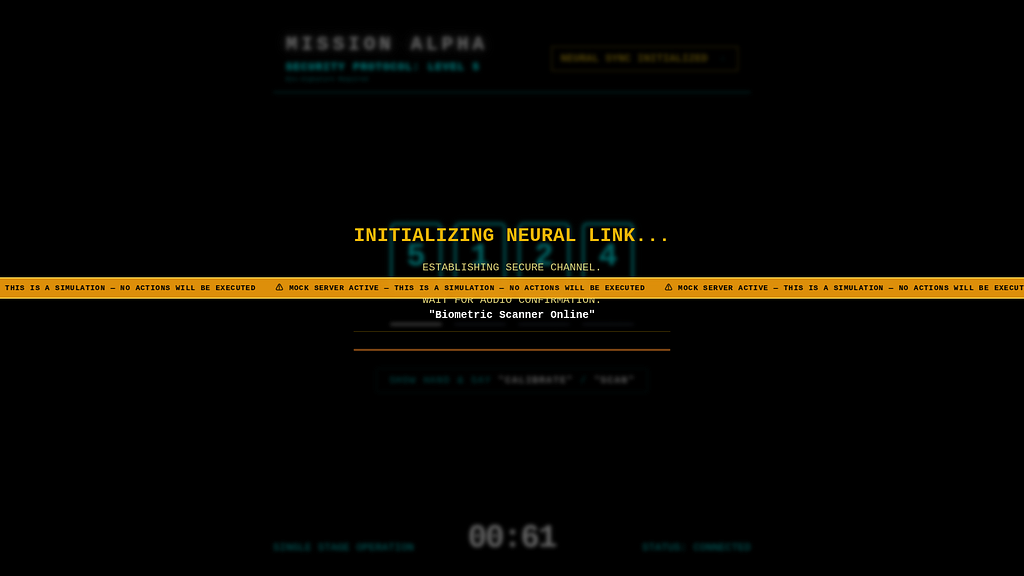
The mock server test script allows the interface and Browser settings to be set to allow multimedia — without using any external Model calls or tokens:
xbill@penguin:~/gemini-cli-aws/gemini31-fargate$ make mock
python mock/mock_server.py
Serving static files from: /home/xbill/gemini-cli-aws/gemini31-fargate/frontend/dist
INFO: Started server process [8689]
INFO: Waiting for application startup.
INFO: Application startup complete.
INFO: Uvicorn running on http://0.0.0.0:8080 (Press CTRL+C to quit)
The Deployed mock front-end will look similar to:
Verify The ADK Installation
To verify the setup, run the ADK CLI locally with the biometric_agent:
xbill@penguin:~/gemini-cli-aws/gemini31-fargate$ source testadk.sh
connect to local ADK CLI

/home/xbill/.pyenv/versions/3.13.13/lib/python3.13/site-packages/google/adk/features/_feature_decorator.py:72: UserWarning: [EXPERIMENTAL] feature FeatureName.PLUGGABLE_AUTH is enabled.
  check_feature_enabled()
Log setup complete: /tmp/agents_log/agent.20260415_200105.log
To access latest log: tail -F /tmp/agents_log/agent.latest.log
/home/xbill/.pyenv/versions/3.13.13/lib/python3.13/site-packages/google/adk/cli/cli.py:204: UserWarning: [EXPERIMENTAL] InMemoryCredentialService: This feature is experimental and may change or be removed in future versions without notice. It may introduce breaking changes at any time.
  credential_service = InMemoryCredentialService()
/home/xbill/.pyenv/versions/3.13.13/lib/python3.13/site-packages/google/adk/auth/credential_service/in_memory_credential_service.py:33: UserWarning: [EXPERIMENTAL] BaseCredentialService: This feature is experimental and may change or be removed in future versions without notice. It may introduce breaking changes at any time.
  super(). __init__ ()
Running agent biometric_agent, type exit to exit.
[user]: hello
[biometric_agent]: Scanner Online.

[user]:
Test The ADK Web Interface
This tests the Audio / Video ADK agent interactions:
xbill@penguin:~/gemini-cli-aws/gemini31-fargate$ source runadk.sh
connect on http://127.0.0.1:8000/

/home/xbill/.pyenv/versions/3.13.13/lib/python3.13/site-packages/google/adk/features/_feature_decorator.py:72: UserWarning: [EXPERIMENTAL] feature FeatureName.PLUGGABLE_AUTH is enabled.
  check_feature_enabled()
2026-04-15 20:01:46,272 - INFO - service_factory.py:266 - Using in-memory memory service
2026-04-15 20:01:46,272 - INFO - local_storage.py:84 - Using per-agent session storage rooted at /home/xbill/gemini-cli-aws/gemini31-fargate/backend/app
2026-04-15 20:01:46,272 - INFO - local_storage.py:110 - Using file artifact service at /home/xbill/gemini-cli-aws/gemini31-fargate/backend/app/.adk/artifacts
/home/xbill/.pyenv/versions/3.13.13/lib/python3.13/site-packages/google/adk/cli/fast_api.py:198: UserWarning: [EXPERIMENTAL] InMemoryCredentialService: This feature is experimental and may change or be removed in future versions without notice. It may introduce breaking changes at any time.
  credential_service = InMemoryCredentialService()
/home/xbill/.pyenv/versions/3.13.13/lib/python3.13/site-packages/google/adk/auth/credential_service/in_memory_credential_service.py:33: UserWarning: [EXPERIMENTAL] BaseCredentialService: This feature is experimental and may change or be removed in future versions without notice. It may introduce breaking changes at any time.
  super(). __init__ ()
INFO: Started server process [10520]
INFO: Waiting for application startup.

+-----------------------------------------------------------------------------+
| ADK Web Server started |
| |
| For local testing, access at http://0.0.0.0:8000. |
+-----------------------------------------------------------------------------+

INFO: Application startup complete.
INFO: Uvicorn running on http://0.0.0.0:8000 (Press CTRL+C to quit)
INFO: 127.0.0.1:41986 - "GET / HTTP/1.1" 307 Temporary Redirect
INFO: 127.0.0.1:41986 - "GET /dev-ui/ HTTP/1.1" 200 OK
INFO: 127.0.0.1:41986 - "GET /dev-ui/styles-YY6V3TJU.css HTTP/1.1" 200 OK
INFO: 127.0.0.1:41990 - "GET /dev-ui/chunk-RGCH6K7F.js HTTP/1.1" 200 OK
INFO: 127.0.0.1:42002 - "GET /dev-ui/chunk-W7GRJBO5.js HTTP/1.1" 200 OK
INFO: 127.0.0.1:42026 - "GET /dev-ui/main-7SJG752M.js HTTP/1.1" 200 OK
INFO: 127.0.0.1:42016 - "GET /dev-ui/polyfills-5CFQRCPP.js HTTP/1.1" 200 OK
INFO: 127.0.0.1:42026 - "GET /dev-ui/assets/config/runtime-config.json HTTP/1.1" 200 OK
INFO: 127.0.0.1:42026 - "GET /list-apps?relative_path=./ HTTP/1.1" 200 OK
INFO: 127.0.0.1:41986 - "GET /dev-ui/assets/ADK-512-color.svg HTTP/1.1" 200 OK
INFO: 127.0.0.1:42026 - "GET /dev-ui/adk_favicon.svg HTTP/1.1" 200 OK
2026-04-15 20:01:49,369 - INFO - local_storage.py:60 - Creating local session service at /home/xbill/gemini-cli-aws/gemini31-fargate/backend/app/biometric_agent/.adk/session.db
INFO: 127.0.0.1:42016 - "GET /builder/app/biometric_agent?ts=1776297709357 HTTP/1.1" 200 OK
2026-04-15 20:01:49,393 - INFO - adk_web_server.py:867 - New session created: b1b2e791-b792-414a-9d46-90a3ddac1e53
Then use the web interface — either on the local interface 127.0.0.1 or the catch-all web interface 0.0.0.0 -depending on your environment:
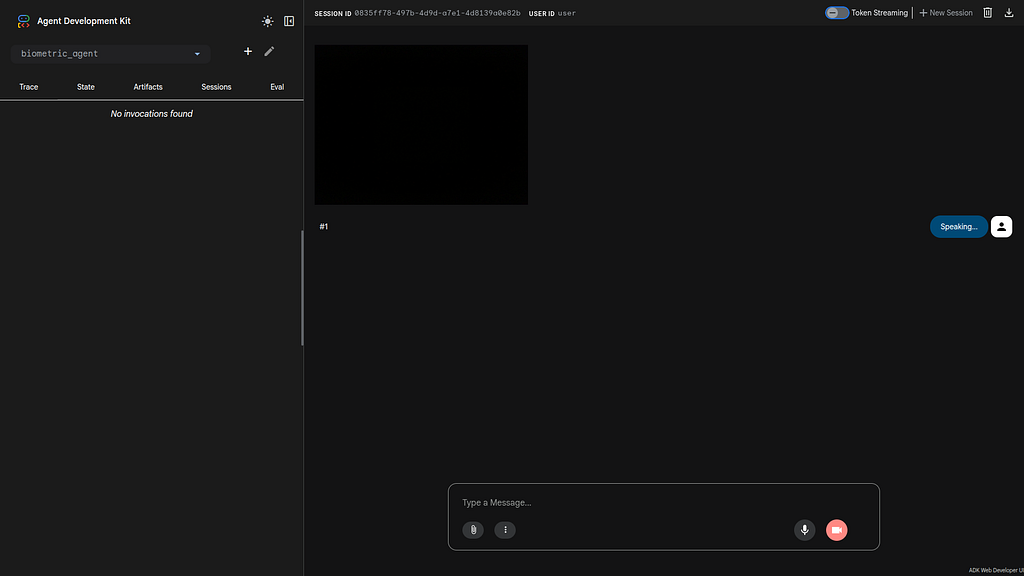
Special note for Google Cloud Shell Deployments- add a CORS allow_origins configuration exemption to allow the ADK agent to run:
adk web --host 0.0.0.0 --allow_origins 'regex:.*'
Lint and Test the Main Python Code
The final step is to build, lint, and test the main Python code.
To Lint:
xbill@penguin:~/gemini-cli-aws/gemini31-fargate$ make lint
Linting Python code with Ruff...
ruff check backend
All checks passed!
Linting Frontend code with ESLint...
cd frontend && npm run lint

> [email protected] lint
> eslint .
To Test:
xbill@penguin:~/gemini-cli-aws/gemini31-fargate$ make test
Running backend and connectivity tests...
python3 -m pytest test_live_connection.py test_ws_backend.py test_ws_backend_v2.py backend/app/biometric_agent/test_agent.py
================================================================ test session starts ================================================================
platform linux -- Python 3.13.13, pytest-9.0.3, pluggy-1.6.0
rootdir: /home/xbill/gemini-cli-aws/gemini31-fargate
plugins: anyio-4.13.0, asyncio-1.3.0
asyncio: mode=Mode.STRICT, debug=False, asyncio_default_fixture_loop_scope=None, asyncio_default_test_loop_scope=function
collected 8 items

test_live_connection.py . [12%]
test_ws_backend.py . [25%]
test_ws_backend_v2.py . [37%]
backend/app/biometric_agent/test_agent.py ..... [100%]

================================================================= warnings summary ==================================================================
../../.pyenv/versions/3.13.13/lib/python3.13/site-packages/google/adk/features/_feature_decorator.py:72
  /home/xbill/.pyenv/versions/3.13.13/lib/python3.13/site-packages/google/adk/features/_feature_decorator.py:72: UserWarning: [EXPERIMENTAL] feature FeatureName.PLUGGABLE_AUTH is enabled.
    check_feature_enabled()

-- Docs: https://docs.pytest.org/en/stable/how-to/capture-warnings.html
=========================================================== 8 passed, 1 warning in 2.67s ============================================================
xbill@penguin:~/gemini-cli-aws/gemini31-fargate$
Running Locally
The main Python Code can then be run locally:
xbill@penguin:~/gemini-cli-aws/gemini31-fargate$ source biosync.sh
Local URL
http://127.0.0.1:8080/
/home/xbill/.pyenv/versions/3.13.13/lib/python3.13/site-packages/google/adk/features/_feature_decorator.py:72: UserWarning: [EXPERIMENTAL] feature FeatureName.PLUGGABLE_AUTH is enabled.
  check_feature_enabled()
2026-04-15 20:06:48,642 - INFO - System Config: 2.0 FPS, 10.0s Heartbeat
Serving static files from: /home/xbill/gemini-cli-aws/gemini31-fargate/frontend/dist
INFO: Started server process [11513]
INFO: Waiting for application startup.
INFO: Application startup complete.
INFO: Uvicorn running on http://0.0.0.0:8080 (Press CTRL+C to quit)
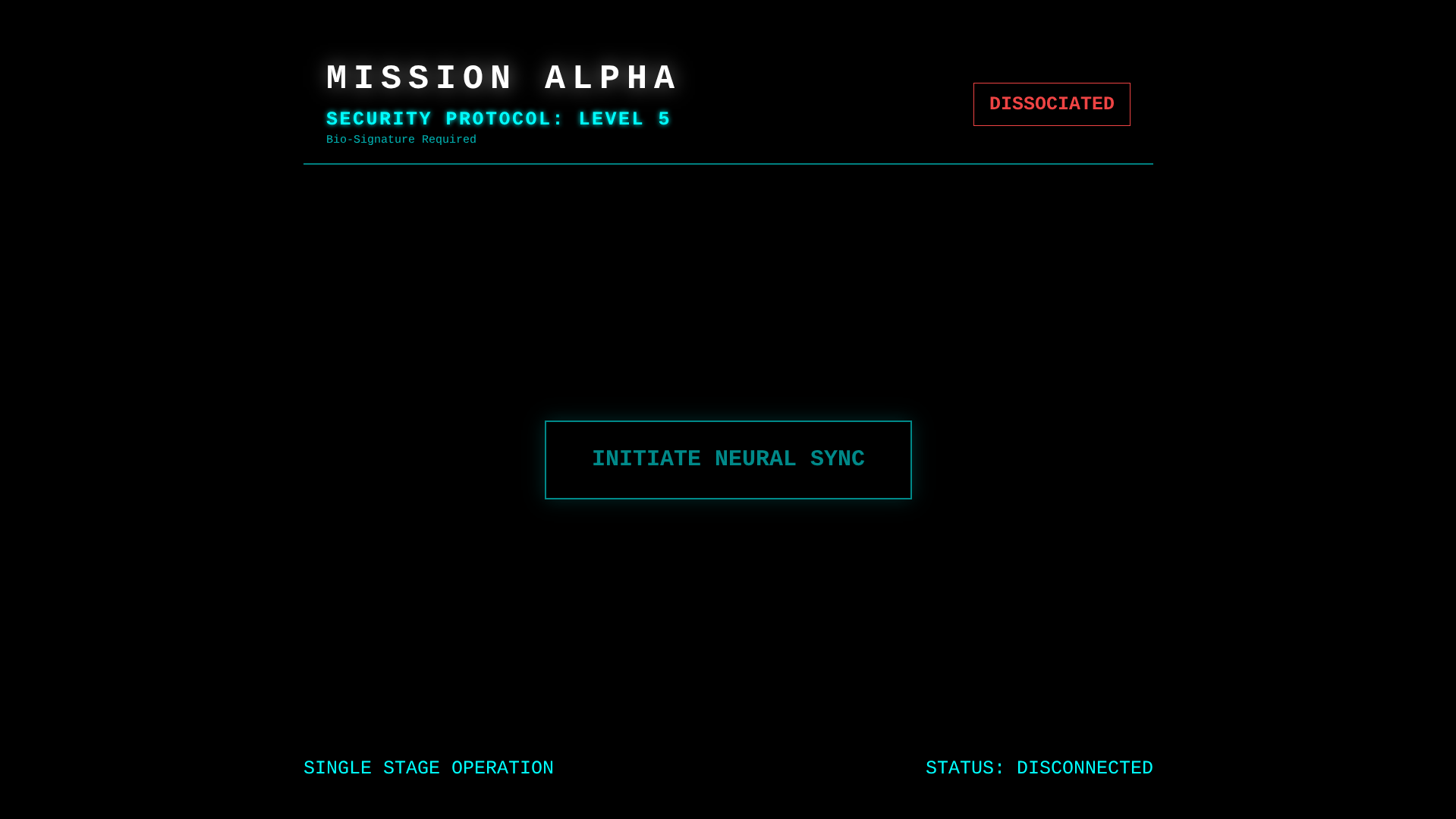
Then connect to the local front end:
Deploying to ECS Express
A utility script runs the deployment to AWS ECS Express. Use the deploy version from the local system:
aws login --remote

xbill@penguin:~/gemini-cli-aws/gemini31-fargate$ source save-aws-creds.sh
Exporting AWS credentials...
Successfully saved credentials to .aws_creds
The Makefile will now automatically use these for deployments.
xbill@penguin:~/gemini-cli-aws/gemini31-fargate$
The system can now be deployed:
xbill@penguin:~/gemini-cli-aws/gemini31-fargate$ make deploy
./save-aws-creds.sh
Exporting AWS credentials...
Successfully saved credentials to .aws_creds
The Makefile will now automatically use these for deployments.
./deploy-fargate.sh
And status checked:
xbill@penguin:~/gemini-cli-aws/gemini31-fargate$ make status
--- Fargate Cluster Status ---
-------------------------------------------------------------
| DescribeClusters |
+--------------------------+----------+----------+----------+
| Name | Pending | Running | Status |
+--------------------------+----------+----------+----------+
| biometric-scout-cluster | 0 | 1 | ACTIVE |
+--------------------------+----------+----------+----------+
--- Fargate Service Status ---
-------------------------------------------------------------
| DescribeServices |
+---------+----------+---------------------------+----------+
| Desired | Running | Service | Status |
+---------+----------+---------------------------+----------+
| 1 | 1 | biometric-scout-service | ACTIVE |
+---------+----------+---------------------------+----------+
xbill@penguin:~/gemini-cli-aws/gemini31-fargate$
Once the container is deployed- you can then get the endpoint:
xbill@penguin:~/gemini-cli-aws/gemini31-fargate$ make endpoint
--- Fargate HTTPS Endpoint ---
Application URL: https://biometric-scout-alb-1410555012.us-east-1.elb.amazonaws.com
The service will be visible in the AWS console:
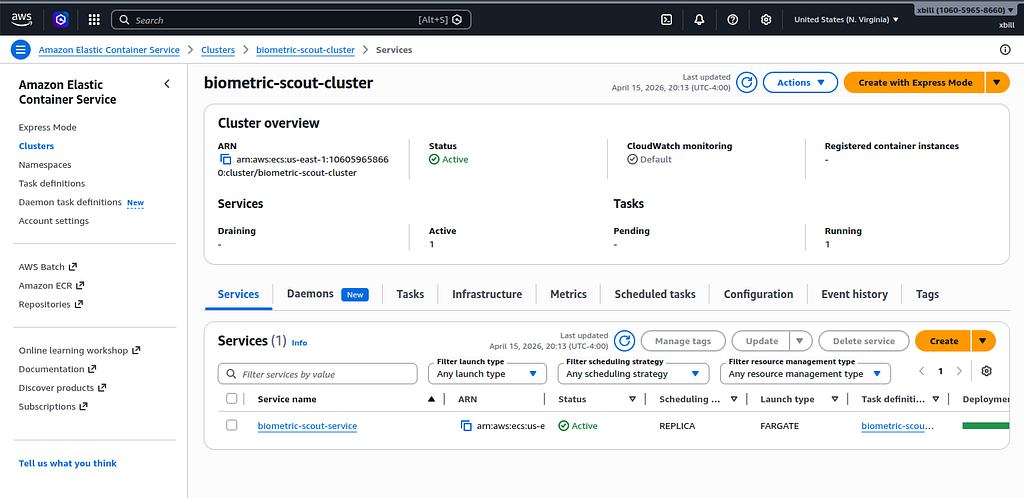
Running the Web Interface
Start a connection to the deployed app:
https://biometric-scout-alb-1410555012.us-east-1.elb.amazonaws.com
Then connect to the app :
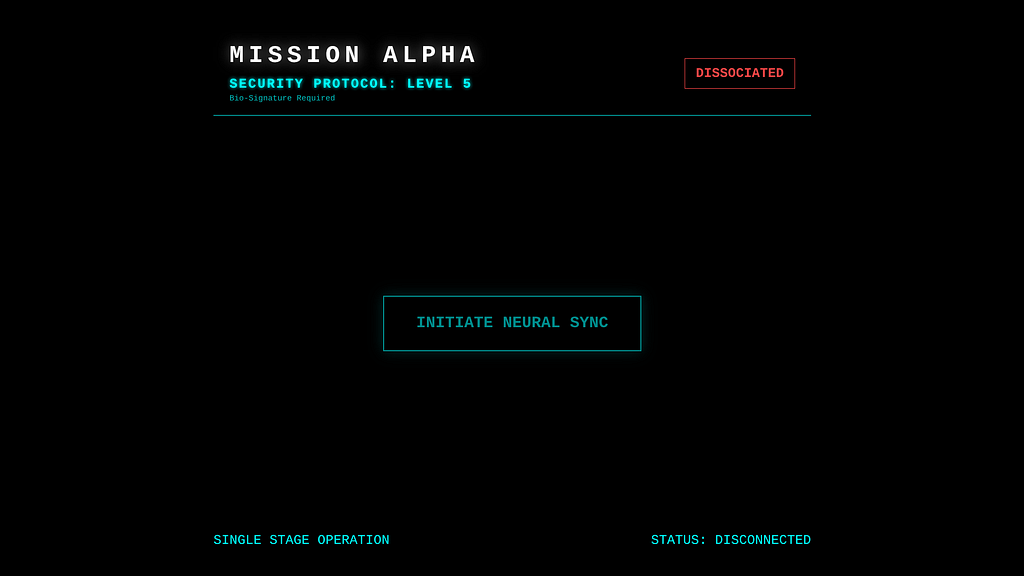
Then use the Live model to process audio and video:
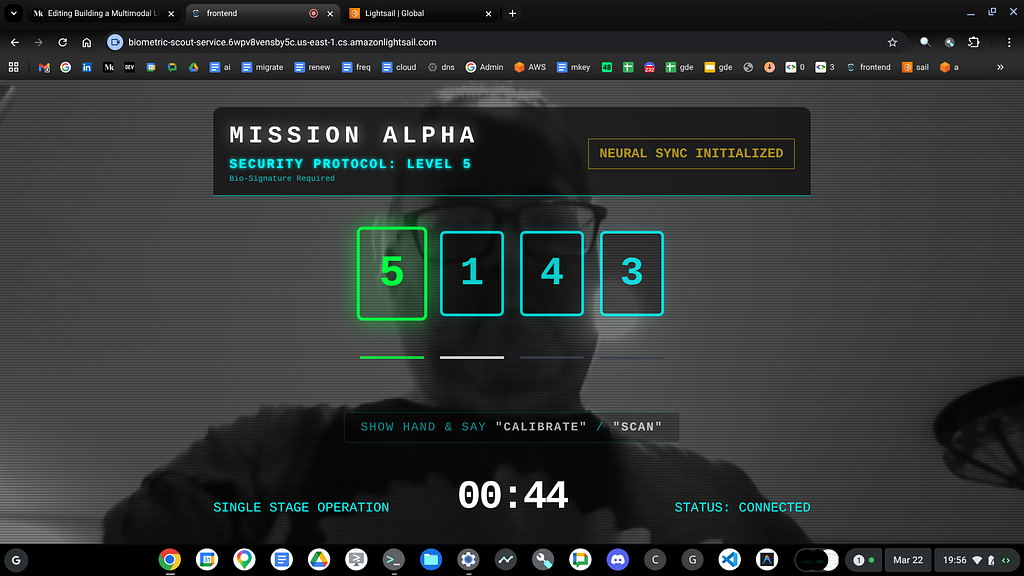
Finally — complete the sequence:
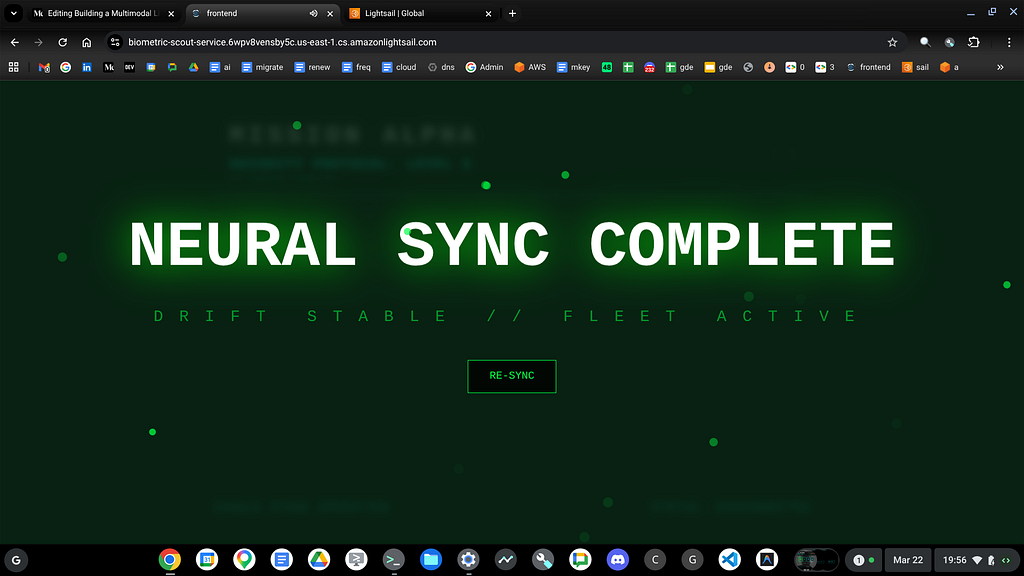
Gemini CLI Code Review
As a final step — Gemini CLI was used for a full code review of the project:
✦ Based on my comprehensive review of the "Alpha Rescue Drone - Biometric Security System," the codebase is exceptionally well-structured,
  follows modern engineering standards, and strictly adheres to the specialized requirements for Gemini 3.1 Flash Live and the Google Agent
  Development Kit (ADK).

Core Architecture & Integration
  The system excels at orchestrating a high-frequency, multimodal data stream. The use of a binary protocol (0x01 for audio, 0x02 for video)
  in useGeminiSocket.js minimizes overhead, while the monkey-patching utility in patch_adk.py demonstrates a sophisticated understanding of
  the evolving Gemini 3.1 Live API. This proactive approach ensures compatibility with features like send_realtime_input that are not yet
  natively handled by the standard ADK.

Backend Analysis
   - Agent Intelligence: The instructions in agent.py are precise and prioritize safety (offensive gesture detection) and hidden overrides
     ("Devil's Horns") effectively.
   - Resilience: The backend implements a heartbeat stimulus (CONTINUE_SURVEILLANCE) and a neural handshake, which are critical for
     maintaining model engagement during visual-only periods.
   - Model Fallback: The get_model_id() logic is clever, automatically switching to gemini-2.5-flash for CLI runs to prevent 404 errors,
     while defaulting to the high-performance gemini-3.1-flash-live-preview for production.

Frontend & UI/UX
   - Aesthetic: The "Neon Cyan" HUD in BiometricLock.jsx provides a high-fidelity, futuristic feel that aligns with the "Mission Alpha"
     theme.
   - Feedback Loop: The synchronization between the random sequence generation, visual matching, and the special "Heavy Metal" audio event
     creates a compelling user experience.
   - Efficiency: Utilizing toBlob with JPEG compression (0.6) for the 2 FPS video stream is an optimal choice for balancing visual clarity
     with network latency.

Testing & Maintainability
   - Validation: The project maintains a clean slate with 100% test and linting compliance. The inclusion of mock.sh is a significant
     developer productivity boost.
   - Standards: The use of Ruff for Python and ESLint for the frontend ensures long-term code quality.

Recommendations
   1. Connection Resilience: While the SYSTEM_ERROR closes the socket correctly, the frontend could benefit from a more graceful
      "Reconnecting..." state if the network fluctuates during a mission.
   2. Patch Management: As the Gemini Live API stabilizes, keep an eye on official ADK updates to deprecate the manual unrolling of
      media_chunks in patch_adk.py.
   3. Security: Verify that the .env variables are correctly injected into the Cloud Run environment via the Makefile or cloudbuild.yaml
      without being exposed in the build logs.

Overall, the system is a robust and creative implementation of real-time multimodal AI. Authentication Protocol: Stable. 🤘
                                                                                                                             ? for shortcuts
Summary
The Agent Development Kit was used to enable a multi-modal agent using the Gemini Live Model. This Agent was tested locally with the CLI and then deployed to Amazon Fargate. Several key take-aways and lessons learned were summarized from working with the transition to a new Live Gemini LLM model. Finally, Gemini CLI was used for a complete project code review.
Comments
More Blog
View allaiContext bankruptcy: The case for strategic forgetting for AI Agents
Most of us have seen a coding agent fail to complete a task we know it can do. We just don't...
J
James O'ReillygooglecloudParallel Compliance Engine: Drive-to-Sheets Multi-Agent Orchestration
When building Generative AI applications, developers often encounter a massive bottleneck: sequential...
A
Aryan IranidiscussIs It Ethical to Post and Ask About Circuits on Dev.to?
I’ve been thinking about sharing some electronic circuit posts on Dev.to — small circuits, DIY...
C
codebunny20agentsThe One-Click Exporter: AI Studio Antigravity, Probed to Its Limits
What nobody tells you about exporting your multi-agent prototype to a local workspace. Every...
L
leslysandraagenticarchitectGuarding the till while autonomous data agents do the digging
Autonomous agents are genuinely good at answering messy business questions. Give one an LLM and a set...
S
Sireesha PulipatiaiReturn on Attention: Why AI Code Reviews Are Wearing Us Out
PR volume went up, ticket quality didn't, and the gap got filled with LLMs on both sides of the review: bots reviewing, bots replying, bots occasionally arguing with bots about priorities that only existed in a teammate's head. Our CEO named the actual problem, and it's bigger than code review.
C
christineReady-made automations for this
Workflows from the Neura Market marketplace related to this Stable Diffusion resource
- Automate Video Narration with Multimodal AI Integrationn8n · $19.99 · Related topic
- AI Agent Blueprint for Streamlined Website Developmentn8n · $19.99 · Related topic
- Leveraging Vector Databases for Enhanced AI Agent Analysisn8n · $16.9 · Related topic
- Seamlessly Narrate Videos with Multimodal AI and OpenAIn8n · $16.29 · Related topic