
Back to Blog rust
rust
 ai
ai googlecloud
 discuss
 agents
 agenticarchitect
 ai
ai
Deploying a Rust A2A Agent to Google Cloud Run
xbill May 18, 2026
0 views
Leveraging the Gemini CLI and the underlying Gemini LLM to build A2A Agent Applications with the Rust...
title: Deploying a Rust A2A Agent to Google Cloud Run published: true series: Rust date: 2026-05-18 03:02:39 UTC tags: rust,gemini,googlecloudrun,a2aprotocol canonical_url: https://medium.com/google-cloud/deploying-a-rust-a2a-agent-to-google-cloud-run-b4767a441d3c
Leveraging the Gemini CLI and the underlying Gemini LLM to build A2A Agent Applications with the Rust programming language. The A2A Rust Agent application was debugged and validated locally. Then- the entire solution is deployed to Google Cloud Run.

Rust A2A? Isn’t that a Python Thing?
The bulk of A2A Agents are in Python. The A2A protocol is language independent.
Python has traditionally been the main coding language for ML and AI tools. The goal of this article is to provide a test bed for building, debugging, and deploying cross language applications.
So is this the Real Deal(TM)?
So what is different about this lab compared to all the others out there?
This is one of the first deep dives into a Rust A2A agent leveraging the standard Rust crates.
What is Rust?
Rust is a high performance, memory safe, compiled language:
Rust provides memory safe operations beyond C/C++ and also can provide exceptional performance gains as it is compiled directly to native binaries.
Rust Setup
Instructions to install Rust are available here:
For a Linux like environment the command looks like this:
curl — proto ‘=https’ — tlsv1.2 -sSf https://sh.rustup.rs | sh
Rust also depends on a working C compiler and OpenSSL setup. For a Debian 12 system — install the basic tools for development:
sudo apt install build-essential
sudo apt install libssl-dev
sudo apt install pkg-config
sudo apt-get install libudev-dev
sudo apt install make
sudo apt install git
Gemini CLI
If not pre-installed you can download the Gemini CLI to interact with the source files and provide real-time assistance:
npm install -g @google/gemini-cli
Testing the Gemini CLI Environment
Once you have all the tools and the correct Node.js version in place- you can test the startup of Gemini CLI. You will need to authenticate with a Key or your Google Account:
▝▜▄ Gemini CLI v0.33.1
    ▝▜▄
   ▗▟▀ Logged in with Google /auth
  ▝▀ Gemini Code Assist Standard /upgrade no sandbox (see /docs) /model Auto (Gemini 3) | 239.8 MB
Where do I start?
The strategy for starting Rust A2A development is a incremental step by step approach.
First, the basic development environment is setup with the required system variables, and a working Gemini CLI configuration.
Then, a Rust A2A agent is built, debugged, and tested locally.
Setup the Basic Environment
At this point you should have a working Python environment and a working Gemini CLI installation. All of the relevant code examples and documentation is available in GitHub.
The next step is to clone the GitHub repository to your local environment:
cd ~
git clone https://github.com/xbill9/a2a-hello-world
cd a2a-hello-world
cd poly-rust
Then run init.sh from the cloned directory.
The script will attempt to determine your shell environment and set the correct variables:
source init.sh
If your session times out or you need to re-authenticate- you can run the set_env.sh script to reset your environment variables:
source set_env.sh
Variables like PROJECT_ID need to be setup for use in the various build scripts- so the set_env script can be used to reset the environment if you time-out.
Rust A2A Libraries
There are several crates that provide A2A support. This project uses the a2a-rs crate:
crates.io: Rust Package Registry
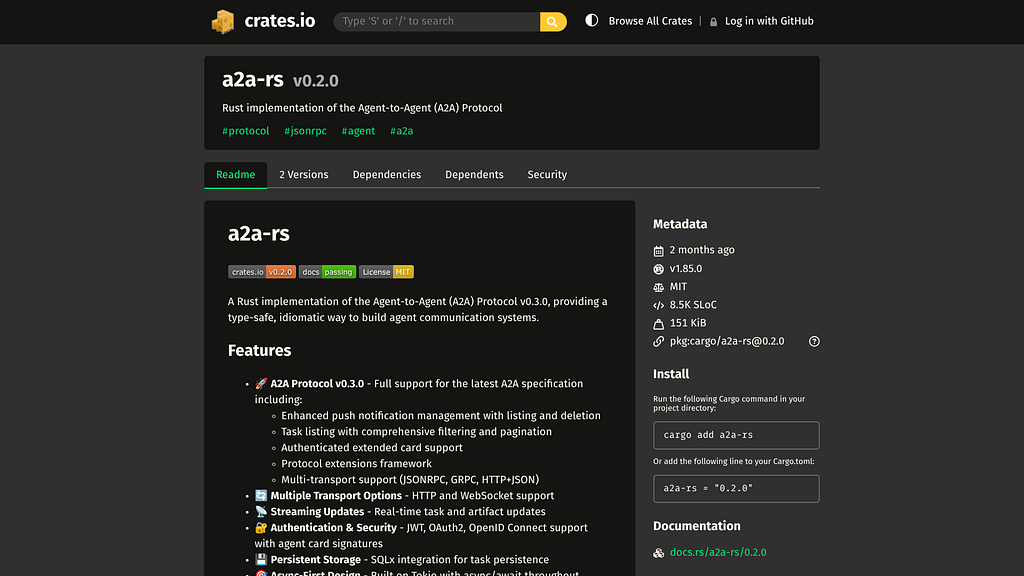
Here is a sample Cargo.TOML:
[dependencies]
tokio = { version = "^1.37.0", features = ["full"] }
anyhow = "1.0.86"
a2a-rs = { version = "0.1.0", features = ["full"] }
futures = "0.3"
async-trait = "0.1.80"
Minimal System Information Tool Build
The first step is to build the basic tool directly with Rust. This allows the tool to be debugged and tested locally before adding the MCP layer.
First build the tool locally:
xbill@penguin:~/a2a-hello-world/poly-rust$ make
Building the Rust project...
    Finished `dev` profile [unoptimized + debuginfo] target(s) in 0.28s
then lint check the code:
xbill@penguin:~/a2a-hello-world/poly-rust$ make lint
Linting code...
    Finished `dev` profile [unoptimized + debuginfo] target(s) in 0.29s
Checking formatting...
and run local tests:
1 make test

  The output confirms that the tests are being picked up and passing:

   1 running 2 tests
   2 test tests::test_simple_agent_handler_creation ... ok
   3 test tests::test_task_creation ... ok
   4
   5 test result: ok. 2 passed; 0 failed; 0 ignored; 0 measured; 0 filtered out; finished in
     0.00s
The last step is to build the production version:
xbill@penguin:~/a2a-hello-world/poly-rust$ make release
Building Release...
    Finished `release` profile [optimized] target(s) in 0.21s
xbill@penguin:~/a2a-hello-world/poly-rust$
The A2A server can be started locally:
xbill@penguin:~/a2a-hello-world/poly-rust$ make start
Starting the A2A Rust server on port 8080...
   Compiling a2a-server-rust v0.2.0 (/home/xbill/a2a-hello-world/poly-rust)
    Finished `dev` profile [unoptimized + debuginfo] target(s) in 0.93s
     Running `target/debug/a2a-server-rust`
🚀 Starting A2A Rust Server
==============================
🌐 Starting HTTP server on 0.0.0.0:8080...
🔗 HTTP server listening on http://0.0.0.0:8080
2026-05-17T20:45:52.176751Z INFO main ThreadId(01) start{server.address=0.0.0.0:8080 server.has_auth=false}: a2a_rs::adapter::transport::http::server: Starting HTTP server
2026-05-17T20:45:52.176972Z INFO main ThreadId(01) start{server.address=0.0.0.0:8080 server.has_auth=false}: a2a_rs::adapter::transport::http::server: HTTP server listening on 0.0.0.0:8080
Check The Local Agent Status
The project has a target to verify that the A2A server started:
xbill@penguin:~/a2a-hello-world/poly-rust$ make status
--- Project Configuration ---
Project ID: comglitn
Service: a2a-server-rust
Region: us-central1

--- Service Status ---
Local (8080): ONLINE (A2A Rust Agent)
A2A Inspector
The A2A Inspector provides a tool to verify A2A operations.
Background information is here:
Announcing the A2A Inspector: A UI tool for A2A protocol development
GitHub Repo is here:
GitHub - a2aproject/a2a-inspector: Validation Tools for A2A Agents
Verify The Local A2A Installation
Start the A2A Inspector and use localhost:8080:
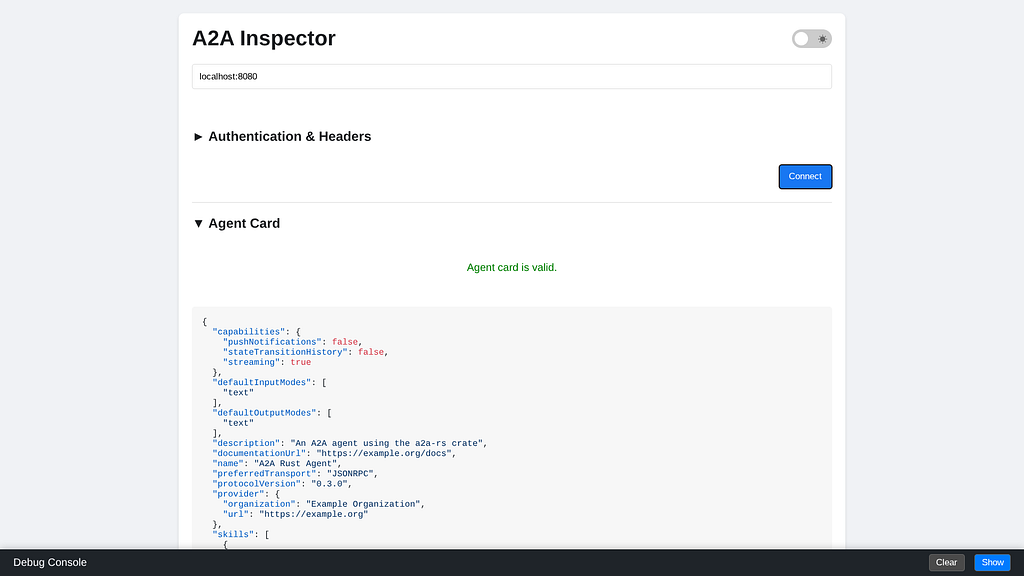
You should see the details of the Agent Card:
{
  "capabilities": {
    "pushNotifications": false,
    "stateTransitionHistory": false,
    "streaming": true
  },
  "defaultInputModes": [
    "text"
  ],
  "defaultOutputModes": [
    "text"
  ],
  "description": "An A2A agent using the a2a-rs crate",
  "documentationUrl": "https://example.org/docs",
  "name": "A2A Rust Agent",
  "preferredTransport": "JSONRPC",
  "protocolVersion": "0.3.0",
  "provider": {
    "organization": "Example Organization",
    "url": "https://example.org"
  },
  "skills": [
    {
      "description": "Echoes back the user's message",
      "examples": [
        "Echo: Hello World"
      ],
      "id": "echo",
      "inputModes": [
        "text"
      ],
      "name": "Echo Skill",
      "outputModes": [
        "text"
      ],
      "tags": [
        "echo",
        "respond"
      ]
    }
  ],
  "url": "http://0.0.0.0:8080",
  "version": "1.0.0"
}
Test the Local A2A Connection Locally
This step tests the A2A agent interactions with a test script:
xbill@penguin:~/a2a-hello-world/poly-rust$ make card
Fetching local agent card...
{
    "name": "A2A Rust Agent",
    "description": "An A2A agent using the a2a-rs crate",
    "url": "http://0.0.0.0:8080",
    "provider": {
        "organization": "Example Organization",
        "url": "https://example.org"
    },
    "version": "1.0.0",
    "protocolVersion": "0.3.0",
    "preferredTransport": "JSONRPC",
    "documentationUrl": "https://example.org/docs",
    "capabilities": {
        "streaming": true,
        "pushNotifications": false,
        "stateTransitionHistory": false
    },
    "defaultInputModes": [
        "text"
    ],
    "defaultOutputModes": [
        "text"
    ],
    "skills": [
        {
            "id": "echo",
            "name": "Echo Skill",
            "description": "Echoes back the user's message",
            "tags": [
                "echo",
                "respond"
            ],
            "examples": [
                "Echo: Hello World"
            ],
            "inputModes": [
                "text"
            ],
            "outputModes": [
                "text"
            ]
        }
    ]
}
xbill@penguin:~/a2a-hello-world/poly-rust$
So What Just Happened?
The Rust A2A agent was started locally. This agent provided a standard A2A agent card. Then, test scripts performed a A2A skills call against the locally running Rust A2A server. Because the A2A server in Rust provides standard tools- the A2A inspector could connect. The actual implementation language of the A2A code does not matter — as long as standard services are exposed.
Deploy to Google Cloud Run
Once the Agent has been validated and tested locally- the solution can be deployed to Google Cloud Run. Run the deploy target in the Makefile:
xbill@penguin:~/a2a-hello-world/poly-rust$ make deploy
Submitting build to Google Cloud Build...
Creating temporary archive of 2877 file(s) totalling 1.6 GiB before compression.
After the Cloud build finishs- you can check the status of the build:
Step #1: Already have image (with digest): gcr.io/cloud-builders/gcloud
Step #1: Deploying container to Cloud Run service [a2a-server-rust] in project [comglitn] region [us-central1]
Step #1: Deploying...
Step #1: Setting IAM Policy.............done
Step #1: Creating Revision....................................................done
Step #1: Routing traffic.....done
Step #1: Done.
Step #1: Service [a2a-server-rust] revision [a2a-server-rust-00003-8vv] has been deployed and is serving 100 percent of traffic.
Step #1: Service URL: https://a2a-server-rust-1056842563084.us-central1.run.app
Finished Step #1
PUSH
DONE
--------------------------------------------------------------------------------------------------------------------
ID CREATE_TIME DURATION SOURCE IMAGES STATUS
97f585da-538b-44cb-ac66-dc6ec59b6729 2026-05-18T02:44:23+00:00 9M38S gs://comglitn_cloudbuild/source/1779072007.831696-05e1368e282b4d199a1f4f7b25492a98.tgz - SUCCESS
Once the build is done — you can check the status:
xbill@penguin:~/a2a-hello-world/poly-rust$ make status
--- Project Configuration ---
Project ID: comglitn
Service: a2a-server-rust
Region: us-central1

--- Service Status ---
Local (8080): ONLINE (A2A Rust Agent)
Remote (Cloud): ONLINE (A2A Rust Agent) - https://a2a-server-rust-fgasxpwzoq-uc.a.run.app
xbill@penguin:~/a2a-hello-world/poly-rust$
and get the endpoint:
xbill@penguin:~/a2a-hello-world/poly-rust$ make endpoint
https://a2a-server-rust-fgasxpwzoq-uc.a.run.app
xbill@penguin:~/a2a-hello-world/poly-rust$
Verify the Cloud Run Service
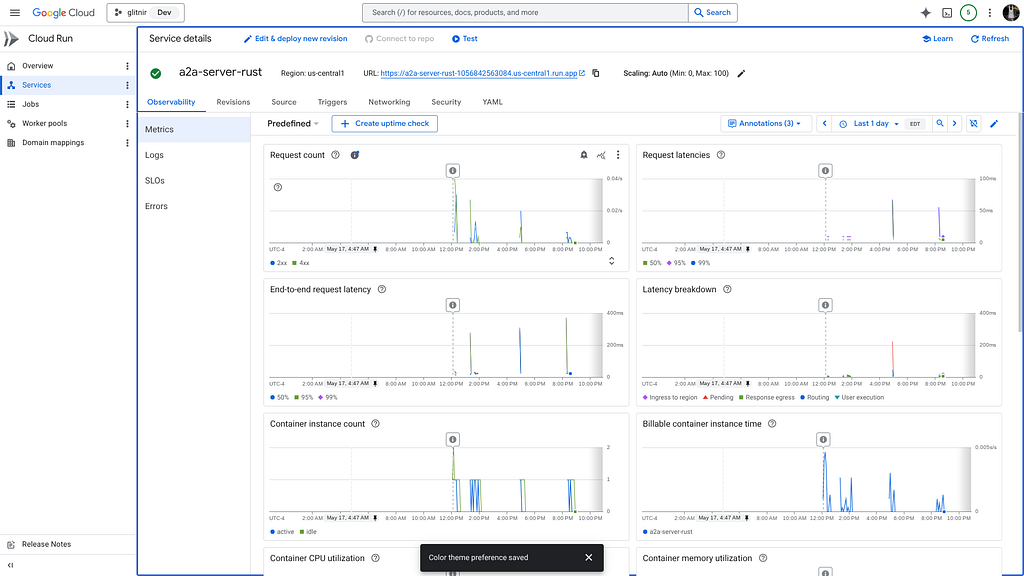
The Rust A2A service will be visible from the Cloud Run setup in Google Cloud:
Testing Cloud Run Deployment
The Makefile has several tools for validating the remote A2A server.
First — you can get the remote Agent card:
xbill@penguin:~/a2a-hello-world/poly-rust$ make card-remote
Fetching remote agent card...
{
    "name": "A2A Rust Agent",
    "description": "An A2A agent using the a2a-rs crate",
    "url": "http://0.0.0.0:8080",
    "provider": {
        "organization": "Example Organization",
        "url": "https://example.org"
    },
    "version": "1.0.0",
    "protocolVersion": "0.3.0",
    "preferredTransport": "JSONRPC",
    "documentationUrl": "https://example.org/docs",
    "capabilities": {
        "streaming": false,
        "pushNotifications": false,
        "stateTransitionHistory": false
    },
    "defaultInputModes": [
        "text"
    ],
    "defaultOutputModes": [
        "text"
    ],
    "skills": [
        {
            "id": "echo",
            "name": "Echo Skill",
            "description": "Echoes back the user's message",
            "tags": [
                "echo",
                "respond"
            ],
            "examples": [
                "Echo: Hello World"
            ],
            "inputModes": [
                "text"
            ],
            "outputModes": [
                "text"
            ]
        }
    ]
}
and run a basic test:
xbill@penguin:~/a2a-hello-world/poly-rust$ make a2a-remote
Running remote A2A echo test...
🚀 Testing A2A Echo Skill at https://a2a-server-rust-fgasxpwzoq-uc.a.run.app
💬 Sending message: 'Hello from the test program!'
✅ Received echo: 'Echo: Hello from the test program!'
🌟 Success! The echo skill is working correctly.
xbill@penguin:~/a2a-hello-world/poly-rust$
Crates.io
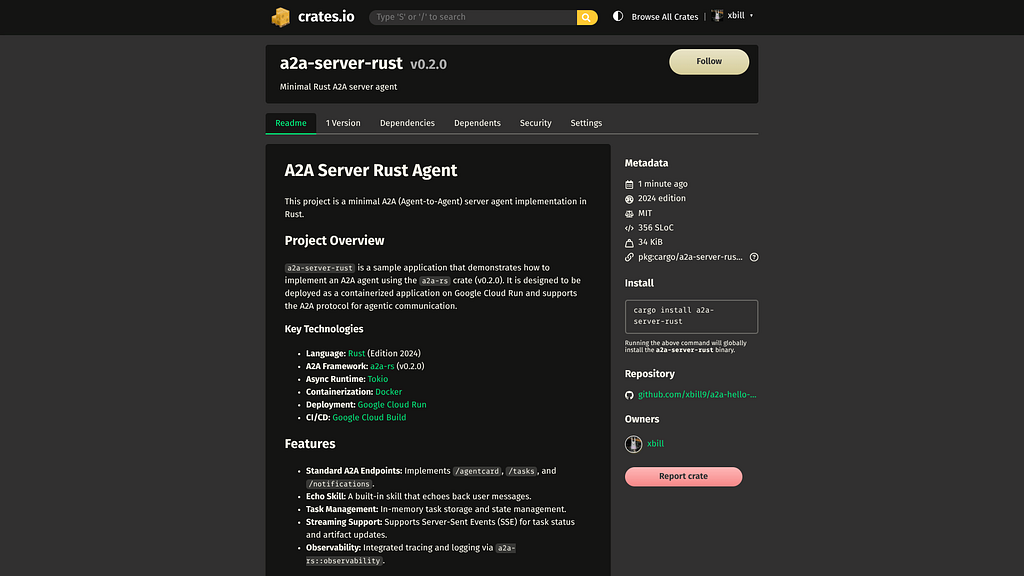
The full package is available on GitHub and crates.io:
crates.io: Rust Package Registry
Summary
A complete A2A server was built using Rust. Basic validation was done with the A2A inspector. Next, test scripts was built that directly called the Rust A2A server. Finally, the complete solution was deployed to Google Cloud Run.
Comments
More Blog
View allaiContext bankruptcy: The case for strategic forgetting for AI Agents
Most of us have seen a coding agent fail to complete a task we know it can do. We just don't...
J
James O'ReillygooglecloudParallel Compliance Engine: Drive-to-Sheets Multi-Agent Orchestration
When building Generative AI applications, developers often encounter a massive bottleneck: sequential...
A
Aryan IranidiscussIs It Ethical to Post and Ask About Circuits on Dev.to?
I’ve been thinking about sharing some electronic circuit posts on Dev.to — small circuits, DIY...
C
codebunny20agentsThe One-Click Exporter: AI Studio Antigravity, Probed to Its Limits
What nobody tells you about exporting your multi-agent prototype to a local workspace. Every...
L
leslysandraagenticarchitectGuarding the till while autonomous data agents do the digging
Autonomous agents are genuinely good at answering messy business questions. Give one an LLM and a set...
S
Sireesha PulipatiaiReturn on Attention: Why AI Code Reviews Are Wearing Us Out
PR volume went up, ticket quality didn't, and the gap got filled with LLMs on both sides of the review: bots reviewing, bots replying, bots occasionally arguing with bots about priorities that only existed in a teammate's head. Our CEO named the actual problem, and it's bigger than code review.
C
christineReady-made automations for this
Workflows from the Neura Market marketplace related to this Stable Diffusion resource
- Automate HR Job Applications with AI-Powered Evaluationn8n · $19.99 · Related topic
- Leveraging Vector Databases for Enhanced AI Agent Analysisn8n · $16.9 · Related topic
- Comprehensive MQTT Topic Monitor for IoT Applicationsn8n · $19.99 · Related topic
- Comprehensive VIN Decoder Workflow for Automotive Applicationsn8n · $6.48 · Related topic