
Back to Blog googlecloud
 ai
ai googlecloud
 discuss
 agents
 agenticarchitect
 ai
ai
Building with the Developer Knowledge API and Antigravity CLI
xbill June 8, 2026
0 views
Enabling The Developer API support with MCP to streamline Google Cloud Development ...
title: Building with the Developer Knowledge API and Antigravity CLI published: true series: agy date: 2026-06-08 17:14:59 UTC tags: googlecloud,mcps,antigravitycli,agents canonical_url: https://medium.com/google-cloud/building-with-the-developer-knowledge-api-and-antigravity-cli-36ef94901108
Enabling The Developer API support with MCP to streamline Google Cloud Development
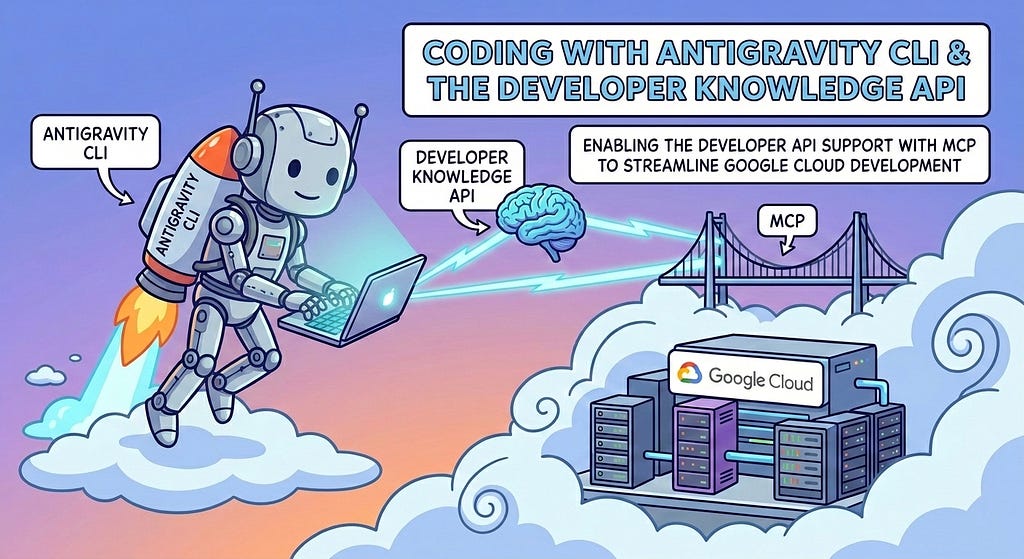
Deja Vu — What is Old is New!
This paper is a re-visiting of the original Developer Knowedge API installation with Gemini CLI:
Coding with Gemini CLI and the Developer Knowledge API
What is this Tutorial Trying to Do?
The goal of the tutorial is to use Antigravity CLI as a MCP client for secure access to the MCP enabled Developer Knowledge API to enhance the quality of the context window.
What is the Developer Knowledge API?
The Developer Knowledge API is a service provided by Google that offers programmatic, machine-readable access to Google’s public developer documentation. Announced in February 2026, it is specifically designed to provide current and authoritative documentation to AI-powered development tools and workflows, ensuring they have access to the latest information.
Announcement details are available here:
Introducing the Developer Knowledge API and MCP Server
So how does this Secret Sauce work? Hold the Pickles? Hold the Lettuce?
The Developer Knowledge MCP server is an online real-time tool that can work directly with Antigravity CLI. Conceptually- the MCP server provides access to a single source of truth for Google Products and Documentation.
The full product page is available here:
Developer Knowledge API | Google for Developers
So what else can it do? Does it slice? Does it dice?
There are few initial setup steps to enable the MCP server. A good starting point is here:
Connect to the Developer Knowledge MCP server | Google for Developers
Initial Environment Setup
The environment is meant to be run from a Bash like shell. You can run this from a Linux VM, ChromeOS Linux VM, Firebase Studio environment, or any environment that provides a basic shell.
Google Cloud CLI
The Google Cloud CLI provides direct access to Cloud Tools from your local environment. The basic setup instructions are here:
Quickstart: Install the Google Cloud CLI | Google Cloud SDK | Google Cloud Documentation
Antigravity CLI
Antigravity CLI is the follow-on successor to Gemini CLI- the terminal driven, agent assisted coding tool.
Full details on installing Antigravity CLI are here:
Getting Started with Antigravity CLI
Testing the Antigravity CLI Environment
Once you have all the tools in place- you can test the startup of Antigravity CLI.
You will need to authenticate with a Google Cloud Project or your Google Account:
agy
This will start the interface:
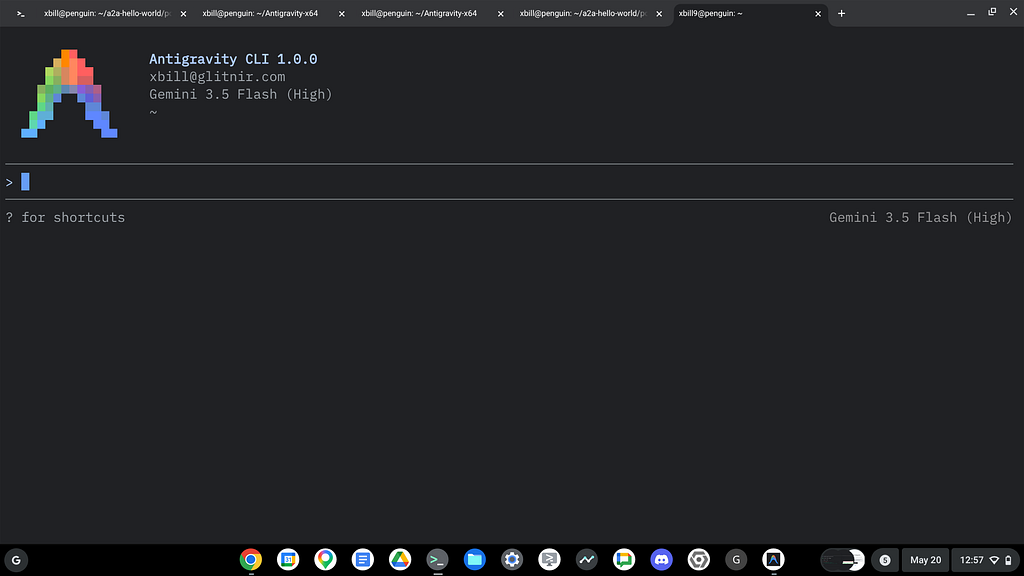
Show me some Skills!
A deeper dive for Agent skills is available in this codelab:
How to use AI Agent Skills (with Antigravity CLI and Agent Skills for Firebase) | Google Codelabs
Clone the Repo and Get the Sample Scripts
Now that the Antigravity CLI has been validated from the base shell — you can clone the GitHub Repo with support scripts:
cd ~
git clone https://github.com/xbill9/knowledge-api-agy
Then run init.sh from the cloned directory. The script will attempt to determine your shell environment and set the correct variables:
cd knowledge-api-agy
source init.sh
If your session times out or you need to re-authenticate- you can run the set_env.sh script to reset your environment variables:
cd knowledge-api-agy
source set_env.sh
Variables like PROJECT_ID need to be setup for use in the various scripts- so the set_env script can be used to reset the environment if you time-out.
What Did I just Do!?
The basic environment setup is done in the init.sh script. This script enables the APIS, generates an API key and sets environment variables.
You can use Antigravity CLI to validate:
> what does @[init.sh] do?

● Read(/root/knowledge-api-agy/init.sh) (ctrl+o to expand)

▸ Thought for 1s, 504 tokens
  Initiating Project Identification
  The init.sh script is the main setup utility used to configure a Google Cloud Project for the Google
  Developer Knowledge MCP server.

  Here is a breakdown of what the script does step-by-step:

  1. Sets the GCP Project ID: Prompts you for a Google Cloud project ID (defaulting to the contents of
  ~/project_id.txt if it exists) and saves it back to that file.
  2. Sources Environment Variables: Runs source ./set_env.sh to configure the active project environment and sets
  the default compute region to us-central1 .
  3. Enables Required APIs: Automatically enables the necessary Google Cloud services:
      • Vertex AI ( aiplatform.googleapis.com )
      • Compute Engine ( compute.googleapis.com )
      • Developer Knowledge API ( developerknowledge.googleapis.com )
      • API Keys API ( apikeys.googleapis.com )
  4. Enables the MCP Server: Runs the gcloud beta services mcp enable command for the Developer Knowledge service.
  5. Configures the API Key:
      • Searches for or creates a dedicated API key named "DK API Key" .
      • Restricts the API key specifically to the Developer Knowledge API ( developerknowledge.googleapis.com ) for
      security.
      • Retrieves the raw API key string and exports it as DK_API_KEY .
  6. Updates Local Configuration: Generates/updates the mcp_config.json file with the server URLs and authenticates
  headers using the newly generated key.
  7. Performs Environment & Credential Checks: Identifies whether the script is running in Cloud Shell, on a VM, or
  locally. If running locally and Application Default Credentials (ADC) are not set, it prompts you to log in via
  gcloud auth application-default login .
After initial setup- the set_env.sh refreshes the variables:
> what does @[set_env.sh] do?
      • Searches for or creates a dedicated API key named "DK API Key" .
● Read(/root/knowledge-api-agy/set_env.sh) (ctrl+o to expand)

  The set_env.sh helper script exports common Google Cloud environment variables to your current shell session.
  It is designed to be sourced (i.e. source ./set_env.sh ).

  Here is a summary of what the script does:

  1. Checks Authentication: Verifies that your gcloud CLI is logged in. If not, it warns you to run gcloud auth
  login and exits early.
  2. Configures the GCP Project: Reads the project ID from your project file (default: ~/project_id.txt ) and sets
  it as your active gcloud project.
  3. Exports Core Google Cloud Variables:
      • PROJECT_ID & GOOGLE_CLOUD_PROJECT : The ID of your GCP Project.
      • PROJECT_NUMBER : The numeric ID of your GCP Project.
      • SERVICE_ACCOUNT_NAME : The default Compute Engine service account name for the project.
      • GOOGLE_CLOUD_LOCATION & REGION : The deployment region (defaults to us-central1 ).
  4. Exports Application & Auth Tokens:
      • ID_TOKEN : Generates a Google identity token using gcloud auth print-identity-token .
      • GOOGLE_GENAI_USE_VERTEXAI : Set to "TRUE" to route Google GenAI SDK calls through Vertex AI.
      • SHORT_SHA : The current short git commit hash (or "none" if outside a git repo) for versioning/tagging
      builds.
      • DK_API_KEY : Fetches and exports the restricted API key string for the Developer Knowledge API if the key
      exists.
How does Antigravity CLI use this?
The Developer Knowledge API is built in to the local .agents/mcp_config.json :
{
  "mcpServers": {
    "google-dev-knowledge": {
      "httpUrl": "https://developerknowledge.googleapis.com/mcp",
      "serverUrl": "https://developerknowledge.googleapis.com/mcp",
      "headers": {
        "X-Goog-Api-Key": "$DK_API_KEY"
      }
    }
  }
}
That was a lot of Setup! What next?
After your base environment has been configured- fire up Antigravity CLI to verify access to the Knowledge API MCP server:
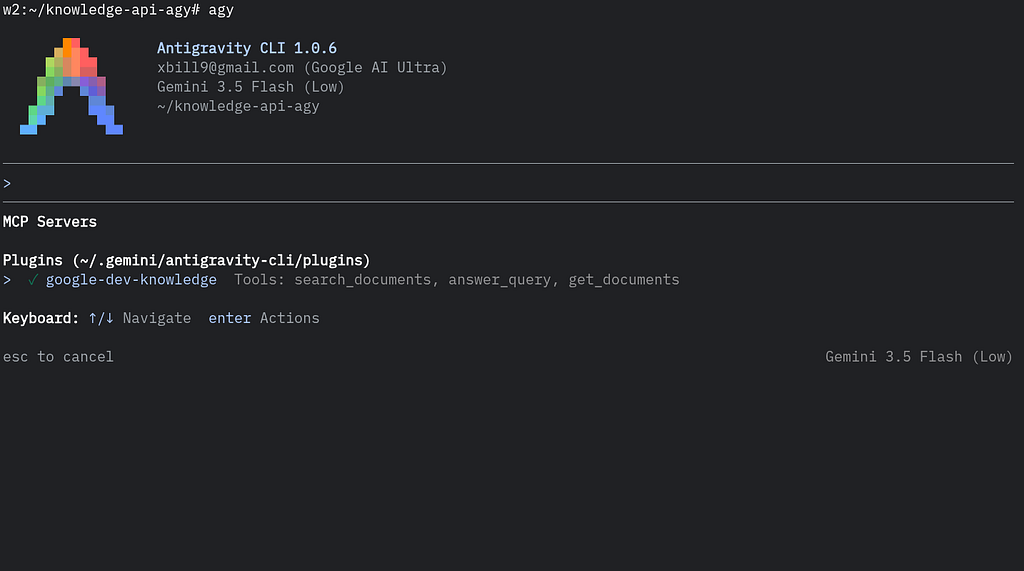
The API server exposes standard MCP tools:
/mcp list

MCP Servers

Plugins (~/.gemini/antigravity-cli/plugins)
> ✓ google-dev-knowledge Tools: search_documents, answer_query, get_documents

Keyboard: ↑/↓ Navigate enter Actions
Put this thing to Work!
Once the MCP server is available — it can be used directly with the current context in Antigravity CLI:
> use the developer knowledge API - what are the gcloud commands to create a google cloud bucket?

● ListDir(/root/.gemini/antigravity-cli/mcp/google-dev-knowledge)
● Read(/root/.gemini/antigravity-cli/mcp/google-dev-knowledge/answer_query.json)
● google-dev-knowledge/answer_query(Answer query with knowledge API) (ctrl+o to expand)

MCP
──────────────────────────────────────────────────────────────────────────────────────────────────────────────────────

  answer_query (server: google-dev-knowledge)

Do you want to proceed?
  1. Yes
  2. Yes, and always allow 'google-dev-knowledge/answer_query' in this conversation
> 3. Yes, and always allow 'google-dev-knowledge/answer_query' (Persist to settings.json)
  4. No
  5. No, and always deny 'google-dev-knowledge/answer_query' in this conversation
  6. No, and always deny 'google-dev-knowledge/answer_query' (Persist to settings.json)

 According to the official Google Developer Knowledge API, here are the gcloud commands and options for creating
  a Google Cloud Storage bucket:

  ### 1. Basic Bucket Creation

  To create a standard bucket with a globally unique name and uniform bucket-level access (recommended for
  security):

    gcloud storage buckets create gs://BUCKET_NAME/ --uniform-bucket-level-access

  • BUCKET_NAME : Must be globally unique and contain only lowercase letters, numbers, dashes ( - ), underscores (
  _ ), and dots ( . ).
  ──────
  ### 2. Advanced Creation Options

  You can configure location, default storage class, and specialized features by appending flags:

  • Specify Location: Set where the bucket's data is stored (e.g., US , us-east1 ):
    gcloud storage buckets create gs://BUCKET_NAME --location=BUCKET_LOCATION

  • Enable Hierarchical Namespace: Enables structured folders (cannot be enabled after creation). This also
  requires enabling uniform bucket-level access:
    gcloud storage buckets create gs://BUCKET_NAME --location=BUCKET_LOCATION --uniform-bucket-level-access --
  enable-hierarchical-namespace

  • Specify Storage Class: Set the default class (e.g., STANDARD , NEARLINE , COLDLINE , ARCHIVE ):
    gcloud storage buckets create gs://BUCKET_NAME --default-storage-class=STORAGE_CLASS

  • Zonal Storage: For zonal-specific placements:
    gcloud storage buckets create gs://BUCKET_NAME --location=BUCKET_LOCATION --placement=BUCKET_ZONE --default-
  storage-class=RAPID --enable-hierarchical-namespace --uniform-bucket-level-access

  • Explicit Project Scoping: Link the bucket to a specific project:
    gcloud storage buckets create gs://BUCKET_NAME --project=PROJECT_ID

  ──────
  ### Common Flags Reference

   Flag | Description
  -----------------------------------|-----------------------------------------------------------------------------
    --location | The geographic region or multi-region.
    --uniform-bucket-level-access | Uniformly manages permissions at the bucket level (security best practice).
    --enable-hierarchical-namespace | Enables true directory/folder layouts (immutable after creation).
    --default-storage-class | Sets the default storage tier for uploaded files.
    --project | Targets a specific Google Cloud project.
the Knowledge API MCP server can even get a bit Meta!
> what is the Google Developer Knowledge API?

● google-dev-knowledge/answer_query(Query Developer Knowledge API) (ctrl+o to expand)

  According to the Google Developer Knowledge API (retrieved directly via the API itself), it is a programmatic
  interface providing machine-readable access to Google's official public developer documentation.

  It acts as the canonical source to integrate Google's technical documentation into third-party tools, IDEs, and
  AI
  workflows.

  ### Key Capabilities

  • Search: Find relevant page URIs and content snippets based on queries.
  • Retrieve: Fetch full developer documentation pages structured in Markdown format.
  • Grounded Generation: Synthesize answers to technical questions that are directly grounded in Google's official
  docs (preventing hallucinations).
  ──────
  ### Scope of the Corpus

  The API covers a broad range of Google developer domains:

  • Google Cloud: GCP services ( docs.cloud.google.com ), Firebase, and Apigee.
  • Platforms & Languages: Android, Chrome, Go, TensorFlow, and Web.dev.
  • Developer APIs: Google AI ( ai.google.dev ), Gemini, Ads, Search, Maps, and YouTube.
  • Data Freshness: The index is updated every 24 to 48 hours to ensure documentation is always current.
  ──────
  ### Integration and Access

  • API Endpoint: developerknowledge.googleapis.com
  • Authentication: Uses Google Cloud API Keys (restricted to the Developer Knowledge API) or OAuth credentials.
  • Model Context Protocol (MCP): It supports MCP, enabling AI agents and LLMs to interact with Google's
  documentation as a tool to assist developers with troubleshooting, code generation, and finding best practices.
Summary
The Developer Knowledge API server was configured in a local environment. A sample setup script — init.sh was provided to provide the local development environment with the necessary system variables and APIS to interact with the remote server securely via MCP. This connection was tested and validated with the local copy of Antigravity CLI. Several Google Cloud specific questions were presented and Antigravity CLI used the MCP server to enhance the information in the current context.
Comments
More Blog
View allaiContext bankruptcy: The case for strategic forgetting for AI Agents
Most of us have seen a coding agent fail to complete a task we know it can do. We just don't...
J
James O'ReillygooglecloudParallel Compliance Engine: Drive-to-Sheets Multi-Agent Orchestration
When building Generative AI applications, developers often encounter a massive bottleneck: sequential...
A
Aryan IranidiscussIs It Ethical to Post and Ask About Circuits on Dev.to?
I’ve been thinking about sharing some electronic circuit posts on Dev.to — small circuits, DIY...
C
codebunny20agentsThe One-Click Exporter: AI Studio Antigravity, Probed to Its Limits
What nobody tells you about exporting your multi-agent prototype to a local workspace. Every...
L
leslysandraagenticarchitectGuarding the till while autonomous data agents do the digging
Autonomous agents are genuinely good at answering messy business questions. Give one an LLM and a set...
S
Sireesha PulipatiaiReturn on Attention: Why AI Code Reviews Are Wearing Us Out
PR volume went up, ticket quality didn't, and the gap got filled with LLMs on both sides of the review: bots reviewing, bots replying, bots occasionally arguing with bots about priorities that only existed in a teammate's head. Our CEO named the actual problem, and it's bigger than code review.
C
christineReady-made automations for this
Workflows from the Neura Market marketplace related to this Stable Diffusion resource
- Streamline Your Travel Plans with LINE Assistant and Google Integrationn8n · $19.52 · Related topic
- Streamline Your Travel Plans with Strava and Google Gemini Automationn8n · $4.31 · Related topic
- Streamlined Data Extraction and Summarization with Google Trendsn8n · $18.87 · Related topic
- Streamline Your Zoom Meetings with Secure Automated Stripe Paymentsn8n · $12.99 · Related topic