
Back to Blog systemdesign
 ai
ai googlecloud
 discuss
 agents
 agenticarchitect
 ai
ai
Frontend System Design: Designing a Collaborative Whiteboard
Harsha Attray June 11, 2026
0 views
A walkthrough of designing a real-time collaborative whiteboard from a blank page to a production-ready architecture.
title: "Frontend System Design: Designing a Collaborative Whiteboard" description: "A walkthrough of designing a real-time collaborative whiteboard from a blank page to a production-ready architecture." tags: ["systemdesign","webdev","frontend","javascript"] cover_image: https://dev-to-uploads.s3.amazonaws.com/uploads/articles/vts0qk2dyobzbr92lxoh.png published: true canonical_url: https://harshat.space/articles/system-design-a-frontend-engineer-s-deep-dive
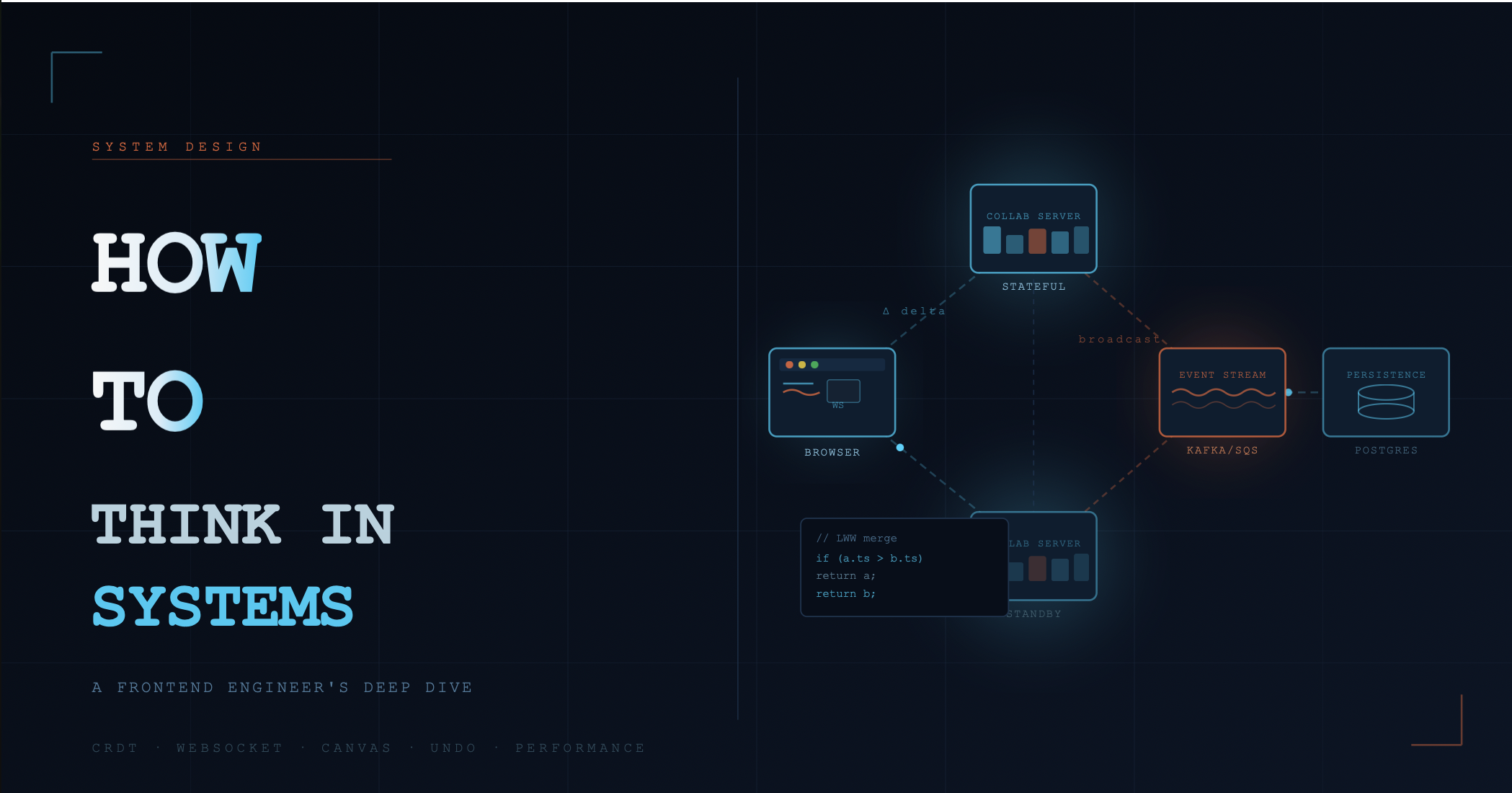
In general, most of the discussions around System Design are backend heavy, involving Databases, Microservices , Load Balancers and what not. But in this write up I'll try to give a point of view from the other end of the spectrum . As a frontend engineer, you are the one actually closest to the user and the decisions you make or fail to make are instrumental in deciding whether the system is even worth building .
*This article will be like a design session that is documented *. Like we do in a System Design discussion, we'll take one non-trivial product and reason through it from first principles. Our use-case for today : A Realtime Collaborative Whiteboard Tool , think of it as Figma's multiplayer canvas or Miro , I feel this would be complex enough to cover quite a bit of what we are trying to address here.
The Art Of Scoping
Quite a few people treat this part as a trivial formality, it's not ! Every ambiguity you leave here will lead to a pathway translating to an architectural decision made by accident later on. Three fundamental categories need to be addressed over here .
Functional Requirements - This answers "what the system does". Lets answer these targeting our use-case.
Users can create and join shared whiteboard sessions
Multiple users can draw simultaneously: shapes, freehand strokes, text, images.
Changes from one user appear on all other users screens in real time.
Sessions are persisted — you can close and reopen a whiteboard.
Users can undo/redo their own actions.
Cursors of other users are visible with their names.
Non-Functional Requirements - This addresses "*How well the system does it *". Let's see what this entails
Latency: Remote cursor updates should feel live — ≤ 50ms perceived lag.
Consistency: Two users drawing simultaneously should not corrupt each other's work.
Scale: A single session could have up to 50 concurrent users; a product might have 100,000 concurrent sessions.
Availability: 99.9% uptime.
Offline resilience: A user losing connection briefly should not lose their work.
**Constraints - **What you cannot change falls in this bucket , like existing infra, team size , timeline ..etc
Clarifying Questions (Ask these before designing)
- Is this collaborative in real time, or last-write-wins async? → Real time. Why It Matters? Determines WebSocket vs polling vs SSE
- Do we need version history / time travel? → Not in v1, but design for it. Why It Matters? Determines if your op log needs to be a full event store
- What's the data model for a "shape"? → Vector-based (not raster). **Why It Matters? **Raster = pixel manipulation; vector = SVG path math
- Do we care about mobile? → Desktop browser only for now. **Why It Matters? **Pointer events vs touch events; different performance budgets
High-Level Architecture
Now that the scope is completely determined , let's start visualizing the high level architecture, the rule of thumb here is to sketch the major data flows before we start diving into the components. This forces us to think about what moves when and why before we commit to any implementation detail.
Browser (User A)
    │
    │  WebSocket / CRDT delta
    ▼
Collaboration Server (Stateful, one per session)
    │
    ├──► Broadcast to User B, C, D (same session)
    │
    └──► Event stream (Kafka/SQS)
              │
              ▼
        Persistence Worker
              │
              ▼
        Document Store (shapes)
        + Object Store (images)
        + Cache (session state)
One of the key decisions here is that the collaboration server is STATEFUL, It holds the live in-memory session state , this is fundamentally different from a REST API server and has major implications for deployment, failover, and horizontal scaling. Now let's answer the why's first.
**Why Stateful? - **WebSocket connections are long-lived — you need a place to route all users in a session to the same process . Broadcasting requires knowing which connections belong to which session . In-memory state makes cursor/ephemeral updates sub-millisecond — no DB round trip
**The Tradeoff - **Horizontal scaling is harder — you can't just spin up more servers arbitrarily, Session failover requires persisting enough state to reconstruct from DB. Sticky sessions (consistent hash routing by sessionId) are required in front of the server tier
Data Modeling — The Load-Bearing Wall
Now this is a part where if we underinvest or get it wrong , we're inviting the dreaded refactor loop forever. Our data model defines and determines everything downstream, our sync protocol, API shape, undo semantics, query patterns and so on. It would be wise to invest significant time here before we even proceed to write a single line of implementation.
The Shape Document
Every element on the canvas is a Shape:
type ShapeType = 'rectangle' | 'ellipse' | 'line' | 'path' | 'text' | 'image';

interface Shape {
  id: string;           // UUID, client-generated
  sessionId: string;
  type: ShapeType;

  // Geometry (all values are floats in canvas-space coordinates)
  x: number;
  y: number;
  width: number;
  height: number;
  rotation: number;     // radians

  // Style
  fill: string | null;           // CSS color or null
  stroke: string | null;
  strokeWidth: number;
  opacity: number;               // 0–1

  // For paths: serialized SVG path data
  pathData?: string;

  // For text
  text?: string;
  fontSize?: number;
  fontFamily?: string;

  // For images
  assetId?: string;              // reference to object store

  // Ownership & ordering
  createdBy: string;             // userId
  zIndex: number;                // render order

  // CRDT metadata (explained later)
  vectorClock: Record<string, number>;
  lamportTimestamp: number;
  isDeleted: boolean;            // soft delete for CRDT tombstoning
}
The Session Document
interface Session {
  id: string;
  name: string;
  ownerId: string;
  createdAt: number;

  // Viewport bounds are NOT stored server-side — they're per-user client state
  // shapes are stored separately (indexed by sessionId)

  collaborators: Array<{
    userId: string;
    role: 'owner' | 'editor' | 'viewer';
    joinedAt: number;
  }>;
}
Design decision: Shape documents are stored flat, not nested inside the session document. This allows efficient partial updates — you never have to re-write a 500KB session blob to update a single shape's x position.
Real-Time Sync — The Core Engineering Challenge
Here comes the fun part, after sculpting our data models its time to solve something that lies at the very core of what we are building. To be honest Real-time collaboration is genuinely hard and figuring this out takes some sort of wrestling around. Let's break it down step by step.
The Problem: Concurrent Edits
Ok so we've got our fancy app running and User A moves a rectangle to position x = 100 , now User B gets adventurous and moves the same rectangle to position x=200 . Both the operations were valid when they started ! Now, decision time!! what does the canvas show ? Congratulations fair reader you've reached the elusive Operational Transformation (OT) vs CRDT fork in the road.
**Option A: Operational Transformation (OT) : ** In this, the operations are transformed against concurrent operations to preserve intent , well what does that even mean ? I wouldn't want to delve deep into this since this would take us completely out of scope of the main discussion but here's a short explanation for OT so you get a gist.
Consider this document:
"Hello World"s
User A deletes "World" at position 6. User B inserts "Beautiful " at position 6. Both operations start from the same state — neither knows about the other.
If you apply them blindly in order, B's insert lands in the wrong place. OT fixes this by adjusting B's position to account for what A already did — so both users' intentions survive.
Naive:       "Hello Beautiful "     ❌  (World is gone)
With OT:     "Hello Beautiful World" ✅  (both edits preserved)
The server sees both operations, picks an order, and transforms whichever arrived second so it still makes sense given the first.
In an Operational Transformation **, **the server must be the arbiter, since it serializes all operations. Operational Transformation works well for text , but implementing 2D canvas operations is quite complex here.
** Option B: CRDTs (Conflict-free Replicated Data Types): Offers **Mathematical data structures that always merge without conflicts. . This needs no server arbitration for the merge to be completed, infact any two states can be merged ! CRDTs are better for offline first and peer to peer scenarios , and in our case , for the whiteboard we use a Last-Write-Wins (LWW) Register per shape property.
Looking at both the options we have at hand , its clear as day that for our use case CRDTs are the best and just in-case you still need to know why ? Here goes :CRDTs are easier to reason about for 2D spatial data, they enable local-first architecture (edits work offline) and the merges are associative, commutative, and idempotent , basically you can re-apply any delta safely.
** The CRDT Model for Shape Properties**
For each property of a shape (x, y, width, fill, etc.), we maintain a LWW(Last-Write-Wins) Register:
interface LWWValue<T> {
  value: T;
  timestamp: number;   // Lamport clock
  authorId: string;    // tiebreaker
}

// For a shape's x-position:
// { value: 100, timestamp: 42, authorId: 'user-A' }
// vs
// { value: 200, timestamp: 41, authorId: 'user-B' }
// → timestamp 42 wins → x = 100
// Tie? → lexicographic authorId comparison (deterministic tiebreak)
The Delta Protocol
Instead of sending full shape state over the wire, we send deltas — only what changed:
// What travels over the WebSocket:
interface ShapeDelta {
  type: 'shape:update' | 'shape:create' | 'shape:delete';
  sessionId: string;
  shapeId: string;
  authorId: string;
  lamportTs: number;

  // Only the fields that changed, with their LWW metadata
  patch: Partial<Record<keyof Shape, LWWValue<unknown>>>;
}

// Example: User dragged a shape
{
  type: 'shape:update',
  sessionId: 'sess-123',
  shapeId: 'shape-abc',
  authorId: 'user-A',
  lamportTs: 57,
  patch: {
    x: { value: 340, timestamp: 57, authorId: 'user-A' },
    y: { value: 210, timestamp: 57, authorId: 'user-A' }
  }
}
This is efficient: dragging a shape sends ~200 bytes per frame, not the full 1KB shape object.
The Frontend Architecture - Finally!
Ok we've traversed through the difficult part modeling data and figured out the suitable realtime sync mechanism, now let's get frontend specific. We'll again divide this into digestible sections, so here we go!
The Rendering Pipeline
Amidst all this we shouldn't forget that the whiteboard we're building is a Canvas application and not a DOM application and using React for individual shapes screams of mistake especially when the shapes are approximately 500 ! React reconciliation during a drag event will nuke your frame rate!
User Input Events (pointer, keyboard)
        │
        ▼
  Input Handler Layer
  (normalizes events, applies coordinate transforms)
        │
        ▼
  Editor State Store (Zustand / custom atom store)
  ┌─────────────────────────────────────────┐
  │  shapes: Map<id, Shape>                 │
  │  selectedIds: Set<id>                   │
  │  viewport: { x, y, scale }             │
  │  collaborators: Map<userId, CursorState>│
  └─────────────────────────────────────────┘
        │
        ▼
  Render Engine (Canvas 2D or WebGL)
  ┌─────────────────────────────────────────┐
  │  requestAnimationFrame loop             │
  │  Dirty-region tracking                  │
  │  Z-index sorted draw calls              │
  └─────────────────────────────────────────┘
        │
        ▼
  <canvas> element
Key insight: React manages the shell (toolbar, modals, panels). The canvas content is managed imperatively via a useEffect-mounted render loop. They are separate worlds.
The Coordinate System
Next up! The coordinate system, suffice to say every canvas app needs a clean coordinate system abstraction
interface Viewport {
  x: number;        // canvas offset from origin
  y: number;
  scale: number;    // zoom level (1 = 100%)
}

// Convert screen (pixel) coords to canvas (world) coords:
function screenToCanvas(
  screenX: number,
  screenY: number,
  viewport: Viewport
): { x: number; y: number } {
  return {
    x: (screenX - viewport.x) / viewport.scale,
    y: (screenY - viewport.y) / viewport.scale,
  };
}

// Convert canvas (world) coords to screen (pixel) coords:
function canvasToScreen(
  canvasX: number,
  canvasY: number,
  viewport: Viewport
): { x: number; y: number } {
  return {
    x: canvasX * viewport.scale + viewport.x,
    y: canvasY * viewport.scale + viewport.y,
  };
}
Something that needs to be drilled down into our heads is that every pointer event must be transformed through screenToCanvas before being applied to shape geometry. Ignoring this is the prime source of bugs in canvas apps.
Hit Testing (Selection)
Ok now another question that begs to be answered, how do you know which shape the user has clicked ? You can't use DOM events on a <canvas>.
function hitTest(
  canvasPoint: { x: number; y: number },
  shapes: Shape[],  // z-index sorted, highest first
): Shape | null {
  // Iterate in reverse z-order (topmost first)
  for (let i = shapes.length - 1; i >= 0; i--) {
    const shape = shapes[i];
    if (pointInShape(canvasPoint, shape)) return shape;
  }
  return null;
}

function pointInShape(pt: { x: number; y: number }, shape: Shape): boolean {
  // Axis-aligned bounding box (AABB) fast check first:
  if (
    pt.x < shape.x || pt.x > shape.x + shape.width ||
    pt.y < shape.y || pt.y > shape.y + shape.height
  ) return false;

  // For rotated shapes: transform point into local shape space
  if (shape.rotation !== 0) {
    const cx = shape.x + shape.width / 2;
    const cy = shape.y + shape.height / 2;
    const cos = Math.cos(-shape.rotation);
    const sin = Math.sin(-shape.rotation);
    const localX = cos * (pt.x - cx) - sin * (pt.y - cy) + cx;
    const localY = sin * (pt.x - cx) + cos * (pt.y - cy) + cy;
    return (
      localX >= shape.x && localX <= shape.x + shape.width &&
      localY >= shape.y && localY <= shape.y + shape.height
    );
  }
  return true;
}
This is for simpler shapes , but for paths and complex polygons, we can use a ray-casting algorithm or a spatial index (R-tree) for performance at scale.
State Synchronization Architecture
The next most important part to discuss is the state architecture. Just as an overview imagine that the state is divided into three layers, The Ephemeral State, Committed State and Persisted State. Now this gives us a strong enough mental model to visualize and implement the separation of states according to these layers on a granular level.
The Three Layers of State
┌─────────────────────────────────────────────┐
│  Layer 1: Ephemeral State                   │
│  (cursors, hover, selection, in-progress    │
│   drag — never persisted)                   │
│  Transport: WebSocket only, no DB           │
├─────────────────────────────────────────────┤
│  Layer 2: Committed State                   │
│  (shapes that have been confirmed by the    │
│   local CRDT store)                         │
│  Transport: WebSocket + written to DB       │
├─────────────────────────────────────────────┤
│  Layer 3: Persisted State                   │
│  (the source of truth, in the database)     │
│  Transport: REST API (initial load)         │
└─────────────────────────────────────────────┘
Ok then Why separate ephemeral state? you may ask. Because cursor positions update at 60fps per user and broadcasting them to the DB would be downright bonkers!! These live only in memory in the collaboration server
Optimistic Updates
When a user draws a shape, it must appear immediately on their canvas before the server roundtrip and this ladies and gentlemen is Optimistic Rendering
function handleShapeCreate(newShape: Shape) {
  // 1. Immediately add to local state (optimistic)
  editorStore.addShape(newShape);

  // 2. Send delta to server
  wsClient.send({
    type: 'shape:create',
    sessionId: currentSession.id,
    shapeId: newShape.id,
    authorId: currentUser.id,
    lamportTs: clock.tick(),
    patch: shapeToPatch(newShape),
  });

  // Server will broadcast back to other clients.
  // When we receive our own delta echoed back, we ignore it
  // (de-duped by shapeId + lamportTs).
}
Reconnection and State Reconciliation
Ok now the user's are running amok on your brilliant canvas but then a user's WebSocket drops and reconnects:
Client                        Server
  │                             │
  │── JOIN session-123 ────────►│
  │   + lastKnownSeq: 1042      │
  │                             │
  │◄── CATCH_UP deltas ─────────│
  │    (seqs 1043 → 1089)       │
  │                             │
  │  [Client merges deltas into │
  │   local CRDT store]         │
  │                             │
  │◄── LIVE stream resumes ─────│
The server stores an append-only operation log per session (last N minutes, or last M operations). Reconnecting clients request deltas since their last seen sequence number. This is cheap to implement and avoids sending the entire session state on reconnect
How To Undo/Redo 🤔
That's the question and it's quite complex , coz Undo in a collaborative context is not the same as a global generic Undo . What we need here is a per-user, selective undo , basically you can only Undo your own actions without affecting others' work.
The Command Pattern
Treat every user action as a Command **, **a reversible unit of work! that's the trick.
interface Command {
  id: string;
  type: string;
  authorId: string;
  timestamp: number;
  execute(): void;
  undo(): void;
}

class MoveShapeCommand implements Command {
  constructor(
    private shapeId: string,
    private fromX: number, private fromY: number,
    private toX: number, private toY: number,
    private store: EditorStore,
  ) {}

  execute() {
    this.store.updateShape(this.shapeId, { x: this.toX, y: this.toY });
  }

  undo() {
    this.store.updateShape(this.shapeId, { x: this.fromX, y: this.fromY });
  }
}
Undo Stack Management
class HistoryManager {
  private undoStack: Command[] = [];
  private redoStack: Command[] = [];

  execute(command: Command) {
    command.execute();
    this.undoStack.push(command);
    this.redoStack = [];  // Clear redo on new action

    // Sync the delta to the server
    wsClient.send(commandToDelta(command));
  }

  undo() {
    const command = this.undoStack.pop();
    if (!command) return;
    command.undo();
    this.redoStack.push(command);

    // Send inverse delta to server
    wsClient.send(commandToInverseDelta(command));
  }

  redo() {
    const command = this.redoStack.pop();
    if (!command) return;
    command.execute();
    this.undoStack.push(command);
    wsClient.send(commandToDelta(command));
  }
}
Edge case: Consider a scenario where User A undoes a move and User B has already built on top of that shape's new position , what happens then ? The good ol' CRDT merge handles this by treating theUndo as just another LWW delta. It might look weird visually, but it won't corrupt data. This is an intentional UX tradeoff Figma does the same.
Performance Architecture
Finally! we've reached the stage where we can talk about performance architecture. I've split this into two sections again and will try to keep it brief. Lets go!
The Rendering Performance Budget
Now imagine, at 60fps, we have 16.7ms per frame and what time do you have to complete your render loop ? <8ms so that you still have enough room for your browser to implement it's compositing, can you imagine ??!
Here's the breakdown :
| Task | Budget |
|---|---|
| Process incoming WS deltas | ~1ms |
| Update dirty shape positions | ~1ms |
| Hit-test if mouse is over canvas | ~1ms |
| Clear and redraw dirty regions | ~4ms |
| Draw selection handles/cursors | ~1ms |
| Total | ~8ms |
Viewport Culling
Basically prevent the users from drawing outside of the viewport.
function getVisibleShapes(
  shapes: Shape[],
  viewport: Viewport,
  canvasWidth: number,
  canvasHeight: number
): Shape[] {
  const minX = -viewport.x / viewport.scale;
  const minY = -viewport.y / viewport.scale;
  const maxX = minX + canvasWidth / viewport.scale;
  const maxY = minY + canvasHeight / viewport.scale;

  return shapes.filter(s =>
    s.x + s.width >= minX &&
    s.x <= maxX &&
    s.y + s.height >= minY &&
    s.y <= maxY
  );
}
Now imagine again , at 10,000 shapes and while being zoomed out , what'll happen? You won't need to draw all the 10,000 shapes , so it'll drastically reduce your draw calls from 10,000 to maybe 200.
The Backend —A Brief, But Critical Context 🦾
You don't need to design the entire backend as a frontend engineer, but you need to know enough to have intelligent conversations about it. Let's address a few things here.
Collaboration Server Design
- Stateful per session: Each session's live state is held in memory on one server.
- Sticky sessions: All clients in a session connect to the same server (via consistent hashing on sessionId).
- Failover: If a server crashes, clients reconnect. The new server loads state from the database and replays the operation log.
Database Schema (Simplified)
A very basic overview of prospective DB schema is as follows :
-- Sessions
CREATE TABLE sessions (
  id UUID PRIMARY KEY,
  name TEXT,
  owner_id UUID,
  created_at TIMESTAMPTZ DEFAULT NOW()
);

-- Shapes (flat table, not nested in session)
CREATE TABLE shapes (
  id UUID PRIMARY KEY,
  session_id UUID REFERENCES sessions(id),
  shape_data JSONB,          -- Full shape state
  vector_clock JSONB,        -- CRDT metadata
  updated_at TIMESTAMPTZ,
  is_deleted BOOLEAN DEFAULT FALSE
);
CREATE INDEX ON shapes(session_id, is_deleted);

-- Operation log (for reconnection catch-up)
CREATE TABLE session_ops (
  seq BIGSERIAL,
  session_id UUID,
  op_data JSONB,
  created_at TIMESTAMPTZ DEFAULT NOW(),
  PRIMARY KEY (session_id, seq)
);
API Surface
A brief overview of what the APIs would look like :
# Session management
POST   /api/sessions           → Create session
GET    /api/sessions/:id       → Load session + shapes
DELETE /api/sessions/:id       → Archive session

# Assets (images)
POST   /api/assets             → Upload image, get assetId
GET    /api/assets/:id         → Fetch image

# Real-time
WS     /ws?session=:id&token=:t  → WebSocket connection
Key reminder : The WebSocket protocol carries all real-time traffic. The REST API is only used for initial load and persistence operations that don't need real-time semantics.
Edge Cases and Failure Modes 💡
Now anyone can draw a happy-path diagram, But let's play out the following scenarios
What happens when...
**...a user's connection is slow? We can **Throttle cursor broadcasts client-side to max 20 updates/sec per user , maybe use binary encoding (MessagePack) instead of JSON for WS messages to cut bandwidth ~40%. We can implement back-pressure: if the server's send buffer for a client exceeds a threshold, drop cursor updates (ephemeral) but queue shape updates (committed).
**...a session has 50 concurrent users all drawing? **Each user emits ~20 deltas/sec. 50 users × 20 = 1,000 messages/sec hitting the server. The server must fan out to 49 other clients. 1,000 × 49 = 49,000 sends/sec. This is workable but requires efficient WS server (Node.js with uWS or a Go server). We should consider batching, basically collect deltas in a 16ms window, send one batch per frame per client.
**...the browser tab goes into the background? Immediately **requestAnimationFrame pauses but you still receive WS messages. We should buffer incoming deltas and when the tab becomes active, apply them all and re-render. We should use document.visibilitychange to pause cursor emission it's pointless when hidden.
**...the user pastes a 10MB image? Rule of thumb, **never send it over the WebSocket , instead upload to object store first, show a local placeholder immediately and upload in background and then we can replace with permanent URL. We should compress client-side before upload (canvas-based resize to max 2560px, JPEG at 85%).
**...two users delete the same shape simultaneously? **Both send shape:delete deltas. The delete is idempotent in the CRDT and applying it twice has the same result. The tombstone (isDeleted: true) propagates. The result : No conflict.
Closing Thoughts: The Meta-Skill
This article has been going on and on endlessly and props to you for reading it through to the end , now content aside , do you notice the structure of the thinking ? Let me summarize :
Clarify before designing — requirements are not given, they're negotiated.
Name your tradeoffs - every design decision has a cost. State it explicitly
Model your data first - The data model is the load-bearing wall of a system
Think in failure modes - The happy path is easy. The failures define the real design
Own the full stack conversation - you don't have to implement the backend, but you must understand it well enough to make good frontend decisions.
The whiteboard problem is a microcosm. Every product you build has the same structure: a data model, a sync protocol, a rendering strategy, a failure taxonomy. The names change. The thinking doesn't.
Comments
More Blog
View allaiContext bankruptcy: The case for strategic forgetting for AI Agents
Most of us have seen a coding agent fail to complete a task we know it can do. We just don't...
J
James O'ReillygooglecloudParallel Compliance Engine: Drive-to-Sheets Multi-Agent Orchestration
When building Generative AI applications, developers often encounter a massive bottleneck: sequential...
A
Aryan IranidiscussIs It Ethical to Post and Ask About Circuits on Dev.to?
I’ve been thinking about sharing some electronic circuit posts on Dev.to — small circuits, DIY...
C
codebunny20agentsThe One-Click Exporter: AI Studio Antigravity, Probed to Its Limits
What nobody tells you about exporting your multi-agent prototype to a local workspace. Every...
L
leslysandraagenticarchitectGuarding the till while autonomous data agents do the digging
Autonomous agents are genuinely good at answering messy business questions. Give one an LLM and a set...
S
Sireesha PulipatiaiReturn on Attention: Why AI Code Reviews Are Wearing Us Out
PR volume went up, ticket quality didn't, and the gap got filled with LLMs on both sides of the review: bots reviewing, bots replying, bots occasionally arguing with bots about priorities that only existed in a teammate's head. Our CEO named the actual problem, and it's bigger than code review.
C
christineReady-made automations for this
Workflows from the Neura Market marketplace related to this Stable Diffusion resource
- Generate Collaborative Handbooks with GPT-4o: Multi-Agent Orchestration and Human Reviewn8n · $18.54 · Related topic
- Provide Real-time Updates for Notion Databases via Webhooks with Supabasen8n · Free · Related topic
- Build AI Agents with Think-Plan-Act Architecture Using Llama-4 Reasoningn8n · Free · Related topic
- Extract Business Leads from Google Maps with Dumpling AI to Google Sheetsn8n · Free · Related topic