
Back to Blog agents
 ai
ai googlecloud
 discuss
 agents
 agenticarchitect
 ai
ai
Building Agentic Memory with the Best of Oracle’s AI Database
Jack Herrington June 15, 2026
0 views
Vector embeddings and JSON duality views: the whole DIY memory stack in one schema. I’ve been...
title: Building Agentic Memory with the Best of Oracle’s AI Database published: true date: 2026-05-28 23:46:13 UTC tags: aiagent,aimemory,agenticmemory,ai canonical_url:
Vector embeddings and JSON duality views: the whole DIY memory stack in one schema.
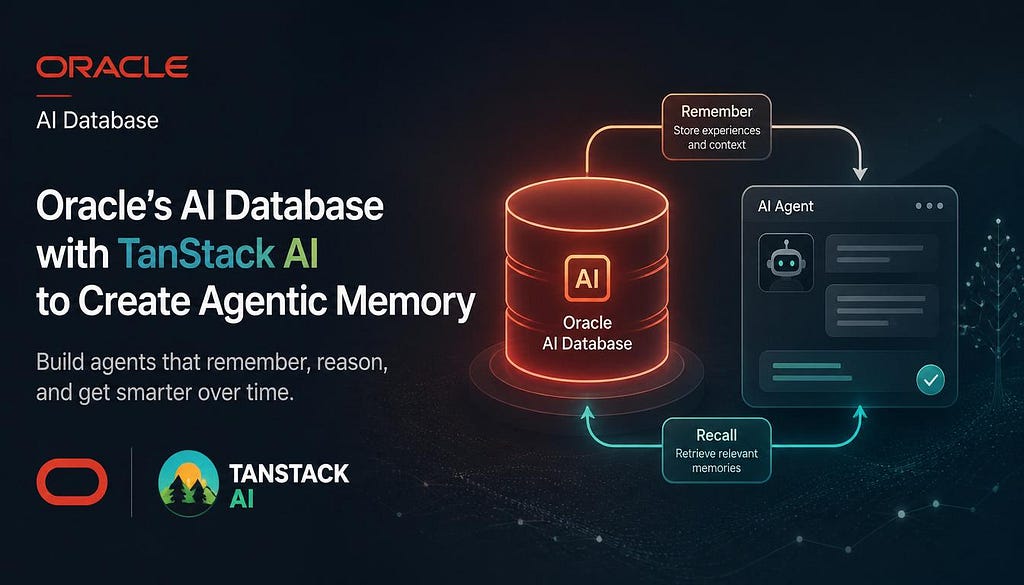
I’ve been working on agentic memory for TanStack AI lately, and the more I poked at it, the more I started to think the DIY version doesn’t have to be the painful one. Let me show you what I mean.
Here is a scenario, I open a chat app with memory turned off and type “I like sushi.” The model says something polite. Then I ask “What should I have for dinner?” and because the sushi line is still in the chat history, the model says “How about sushi?” That makes sense. This is just “episodic memory”. The memory that contains just this conversation..
Now if I do a refresh. New chat, empty history. I ask “What should I have for dinner?” and the model gives me a generic dinner answer. It doesn’t remember anything about me. My love of sushi isn’t in the “episodic memory”.
Now if I turn memory on. “I like sushi.” Over in the memory panel, one fact gets retained: the “user likes sushi”. Now I can refresh and get a new chat, and ask “What should I have for dinner?” And before the model answers, the memory system runs a recall, finds the sushi fact, and quietly injects it into the system prompt. This time the model says “How about sushi?”, even though it’s a brand new session. That’s because we’ve retained the fact (i.e. “user likes sushi”) in “application memory”.
That’s what memory adds. Durable facts that survive across sessions. The rest of this post is about how I built the storage layer for it inside Oracle AI Database (26ai) , with native vector embeddings and JSON Relational Duality Views doing the heavy lifting.
What is a memory system, really
At its core, a memory system has just three jobs.
Recall runs before the turn starts. The idea is that you take the user’s input, search for facts that look relevant to it, and inject those into the system prompt so the model can use them.
Retain runs after the turn ends. This time you take the whole chat transcript, run an LLM over it to pull out atomic facts, and then store them in the database for next time.
Tools are optional. Some engines also expose memory operations as model-callable tools, so during a conversation the LLM itself can decide that something is worth remembering and call a tool to store it (or look up something it doesn’t already have in context).
And that’s it. The TanStack AI memory package (currently in POC phase) wraps those three jobs into a single MemoryDriver interface. Every engine — Hindsight, Mem0, Honcho, or your own DIY thing — implements that same interface, so the chat route itself never knows which one is actually serving the recall.
Types of memory in an LLM app
Before we get into the implementation, it’s worth pinning down exactly what “memory” means here, because the word gets overloaded pretty quickly. There are roughly five different things people tend to mean when they say it:
- Episodic / context-window memory. The current chat: the messages already in the prompt. Immediate, exact, gone after the request.
- Model memory. What’s baked into the weights from training. Useful, but you can’t inspect it or update it per user.
- Working memory. Scratchpad inside a single run. Plans, intermediate tool results, that kind of thing.
- Long-term application memory. Durable facts about the user that survive sessions. This is the one we’re building.
- Retrieval memory. RAG over documents or other external sources. Same machinery as long-term memory, but the source material is documents instead of conversation.
For this article we’re just focused on long-term application memory. The sushi fact from the scenario above is exactly that: it gets extracted from a turn, stored permanently, and then surfaced again on a future, unrelated session.
The DIY shape before Oracle 26ai
There are two key architectural elements in a memory system. The first is a large language model, used during recall to pull key search terms out of a user’s prompt, and then again during retain to extract facts from the conversation. The second is an embedding model paired with a vector store, used together to build a database of facts that are searchable by concept. So a reasonable DIY memory stack ends up looking something like this:
- Extractor LLM call (Anthropic, OpenAI) turns the turn into atomic facts.
- Embedding API call (OpenAI, Cohere, Voyage) turns each fact into a vector.
- INSERT into pgvector, sqlite-vec, Pinecone, or a Chroma-style server.
- Consolidator LLM call decides whether each new fact is novel, a duplicate, or a refinement of something already in the store.
- On the next turn, embed the user’s question, run KNN, render the top-K into a system-prompt block.
So just per retain, that’s four round trips, and three of them are remote. Per recall, that’s two more. And every one of those is a place where a timeout can quietly hide.
There’s also a second, much quieter problem here, which is that the embedder ends up being implicit state. If you ever swap embedding models, every vector you’ve already stored basically becomes meaningless. People tend to hit this about six months in, when “let’s try Voyage instead of OpenAI” turns out to actually mean “let’s re-embed 4 million rows.”
And then there’s the schema fight that nobody really wants. You either stuff tags and entities into a JSONB blob (which is fast to write, but miserable to query) or you normalize them into side tables and JOIN your way back out on every read. Most people, in my experience, just pick blob-and-suffer.
What Oracle 26ai brings
There are four key aspects of Oracle’s 26ai that I lean on when building this memory system. And the nice thing is that each one is basically a one-liner you can paste straight into SQLPlus.
- VECTOR(n, FLOAT32) column type. First-class storage. Vector indexes via CREATE VECTOR INDEX (HNSW or IVF) when you need them.
- VECTOR_EMBEDDING(model USING :text AS DATA). Runs an imported ONNX model inside the database. The pre-built ALL_MINILM_L12_V2 model (sentence-transformer, 384-dim, ~90 MB) loads in one PL/SQL call.
- VECTOR_DISTANCE(v1, v2, COSINE). Exact KNN. Combine with ORDER BY and FETCH FIRST k for top-K.
- Native JSON data type plus JSON Relational Duality Views. The JSON type is OSON binary; your Node code passes and receives plain JS objects, no JSON.parse anywhere. Duality views are the new trick: declare a relational graph as one JSON shape and get a fully-updatable view in both directions. INSERT a JSON doc and Oracle 26ai automatically fans the writes out to the underlying tables transactionally. UPDATE a doc with a different tags array and Oracle diffs the array, rewriting just the changed child rows. It's genuinely slick.
What that means concretely for the memory stack is this:
- The embedding API call just goes away. Embeddings are computed in the same statement that writes the row.
- The vector store and the rest of your application data end up sharing the same transactions, connection pool, and backups.
- The “what model did we embed with?” drift also goes away, because the model is now a database object. You version it like you would any other schema migration.
- And “document API vs normalized schema” stops being a choice you have to make. The view is the document API, and the base tables stay normalized underneath.
The best part is that I can run all of this locally against the Oracle AI Database (26ai) Free Lite container image. The image is just ~840 MB, the container starts in about a minute, and there’s no cloud-anything involved.
The schema
It comes down to just three tables and one view. The relational shape is how the data is actually stored on disk, and the JSON shape is what the app code sees from above. JSON Relational Duality is what does the heavy lifting between those two layers, and it’s what makes the boundary between them feel completely seamless.
-- Parent: one row per fact. Embedding lives here.
CREATE TABLE tanmemory_memories (
  id VARCHAR2(128) PRIMARY KEY,
  session_id VARCHAR2(128) NOT NULL,
  content VARCHAR2(4000) NOT NULL,
  source VARCHAR2(64),
  metadata JSON,
  created_at TIMESTAMP(6) WITH TIME ZONE DEFAULT CURRENT_TIMESTAMP NOT NULL,
  updated_at TIMESTAMP(6) WITH TIME ZONE DEFAULT CURRENT_TIMESTAMP NOT NULL,
  superseded_by VARCHAR2(128),
  embedding VECTOR(384, FLOAT32)
) TABLESPACE tanmemory;

CREATE INDEX tanmemory_memories_session_idx
  ON tanmemory_memories(session_id, superseded_by);

-- Children: indexable, foreign-keyed, cascade-on-delete.
CREATE TABLE tanmemory_fact_tags (
  fact_id VARCHAR2(128) NOT NULL,
  tag VARCHAR2(256) NOT NULL,
  PRIMARY KEY (fact_id, tag),
  FOREIGN KEY (fact_id) REFERENCES tanmemory_memories(id) ON DELETE CASCADE
);

CREATE TABLE tanmemory_fact_entities (
  fact_id VARCHAR2(128) NOT NULL,
  entity VARCHAR2(256) NOT NULL,
  PRIMARY KEY (fact_id, entity),
  FOREIGN KEY (fact_id) REFERENCES tanmemory_memories(id) ON DELETE CASCADE
);
There are two key choices to call out in this setup SQL:
- embedding VECTOR(384, FLOAT32) on the parent. The number of dimensions has to match the ONNX model. A different model means different dimensions.
- metadata JSON, not CLOB. Native OSON storage. The driver decodes it directly to a JS object on read and re-encodes it on write, so there's no JSON.stringify anywhere in the app code.
The duality view
And this view is the piece that ends up removing most of the CRUD SQL from the app code.
CREATE OR REPLACE JSON RELATIONAL DUALITY VIEW tanmemory_facts AS
tanmemory_memories @insert @update @delete {
  _id : id
  sessionId : session_id
  content : content
  source : source
  metadata : metadata
  createdAt : created_at
  updatedAt : updated_at
  supersededBy : superseded_by
  tags : tanmemory_fact_tags @insert @update @delete { tag : tag }
  entities : tanmemory_fact_entities @insert @update @delete { entity : entity }
};
The @insert @update @delete annotations on each block are what declare that block writable. And from there, Oracle uses the foreign-key constraints on the child tables to figure out how the nested arrays attach back to the parent row.
And then on the Node side it looks like this:
await conn.execute(`INSERT INTO tanmemory_facts VALUES (:doc)`, {
  doc: {
    type: oracledb.DB_TYPE_JSON,
    val: {
      _id: "fact-uuid",
      sessionId: scope.sessionId,
      content: "Likes sushi",
      tags: [{ tag: "food" }, { tag: "preference" }],
      entities: [{ entity: "sushi" }],
      metadata: { confidence: 0.92 },
      createdAt: new Date().toISOString(),
      supersededBy: null,
    },
  },
});
And that’s it. Just one statement. After it commits there’s one row in tanmemory_memories, two rows in tanmemory_fact_tags, and one row in tanmemory_fact_entities, all written in a single transaction.
The demo that really sold me on this was actually the update path. Take that same fact and UPDATE the doc with tags: ["preference", "japanese"]. Oracle does the diff for you. It deletes the food row from tanmemory_fact_tags, inserts a new japanese row, and leaves preference alone. From the app's point of view, that was just a doc replace.
Bootstrapping the ONNX model
Before VECTOR_EMBEDDING can do anything useful, the embedding model itself has to be inside the database. Oracle helpfully hosts a pre-built all-MiniLM-L12-v2 ONNX bundle on Object Storage with a public PAR URL, and there are two ways to get it loaded. The first is DBMS_VECTOR.LOAD_ONNX_MODEL_CLOUD, if the database happens to be able to reach the internet. The second, which is the way the app in this article does it, is to download the bundle in Node and then pass the bytes as a BLOB to DBMS_VECTOR.LOAD_ONNX_MODEL.
const res = await fetch(ONNX_URL);
const onnxBuffer = Buffer.from(await res.arrayBuffer());

await conn.execute(
  `BEGIN
    DBMS_VECTOR.LOAD_ONNX_MODEL(
      model_name => :name,
      model_data => :data,
      metadata => JSON('{"function":"embedding",
                          "embeddingOutput":"embedding",
                          "input":{"input":["DATA"]}}')
    );
  END;`,
  {
    name: "ALL_MINILM_L12_V2",
    data: { type: oracledb.DB_TYPE_BLOB, val: onnxBuffer },
  },
);
You can verify it loaded correctly with SELECT model_name, mining_function, algorithm FROM user_mining_models;. And the bootstrap is fully idempotent — it checks user_mining_models first and just skips the download entirely if the model is already in place.
This is a one-time cost. On a fresh DB the whole bootstrap — tablespace, three tables, the view, the ~90 MB ONNX download, and the model load — finishes in about 8 seconds in my testing.
Retention: a turn becomes rows
So when a turn ends, here’s the pipeline it actually runs through:
- An extractor LLM call (Anthropic Haiku, in this implementation) turns the user/assistant turn into atomic facts. “I like sushi” becomes the fact “Likes sushi.”
- The consolidator then searches the store for the top-5 nearest existing facts for each candidate. If the best similarity is below the gate (default 0.75), it just inserts directly. Otherwise Haiku is the one that decides whether to insert, merge, or skip.
- And whatever wins from that gets written to the database.
The write itself is just two statements:
// Step 1: the JSON document goes through the duality view.
await conn.execute(`INSERT INTO tanmemory_facts VALUES (:doc)`, {
  doc: { type: oracledb.DB_TYPE_JSON, val: factDoc },
});

// Step 2: the embedding goes on the base table, computed inside the DB.
await conn.execute(
  `UPDATE tanmemory_memories
      SET embedding = VECTOR_EMBEDDING(ALL_MINILM_L12_V2 USING :text AS DATA)
    WHERE id = :id`,
  { id: factDoc._id, text: factDoc.content },
);

await conn.commit();
What’s interesting here is what’s not in those two statements:
- No embedder client. The 384-dim vector is computed by the database itself from a string bind, so the Node process never even sees the vector.
- No JSON serialization. factDoc is a JS object, and the driver just hands it over as native JSON.
- No INSERT INTO tanmemory_fact_tags VALUES (...) and its cousins. The view's array projection writes all of those children for you.
And when the consolidator picks “merge” instead of “insert”, that first statement just becomes UPDATE tanmemory_facts SET data = :doc WHERE JSON_VALUE(data, '$._id') = :id. From there Oracle diffs the new tags and entities arrays against the old ones and rewrites only the rows that actually changed. So the app code itself only ever has to think about the conceptual change.
Recall: KNN on the base, docs from the view
On recall, the first thing we do is use VECTOR_EMBEDDING to vectorize the incoming query, and then search for the facts that most closely relate to it.
SELECT id,
      VECTOR_DISTANCE(
        embedding,
        VECTOR_EMBEDDING(ALL_MINILM_L12_V2 USING :query AS DATA),
        COSINE
      ) AS distance
FROM tanmemory_memories
WHERE session_id = :sid
  AND superseded_by IS NULL
  AND embedding IS NOT NULL
ORDER BY distance
FETCH FIRST :k ROWS ONLY;
And from there, a second query just pulls the string contents back for the facts that actually matched.
SELECT data
FROM tanmemory_facts
WHERE JSON_VALUE(data, '$._id') IN (:id0, :id1, :id2, ...);
Notice that there are no JOINs in the app code at all. The duality view does all of the assembly internally, so from the app’s perspective this is just a SELECT-by-id.
Wiring it into TanStack AI as middleware
The framework integration is actually pretty small. TanStack AI’s chat({ adapter, messages, middleware }) runs middleware around the model call, and the @tanstack/ai-memory package ships a helper called createMemoryMiddleware({ engine, scope, role }) that comes with two different roles:
- recall+retain: full memory. Recall before generation, inject the system prompt and any memory tools, retain the completed turn afterward.
- retain-only: incognito mode. The engine learns from this conversation but doesn't get to shape the prompt for it.
And the chat route that uses it looks like this:
const middleware = [
  createMemoryMiddleware({
    engine: getEngine("local"), // ← our Oracle-backed driver
    scope: { sessionId },
    role: "recall+retain",
  }),
];

const stream = chat({
  adapter: anthropicText("claude-sonnet-4-5"),
  systemPrompts: [BASE_SYSTEM_PROMPT],
  messages,
  middleware,
});
Notice that the chat route doesn’t even know that Oracle exists. You can swap getEngine('local') for getEngine('mem0') and the rest of the file doesn't have to change at all.
One nice side effect of this design is that if you’re driving an agnostic coding agent — Claude Code, Codex, or some MCP-based agent — the exact same pattern still works. You just run recall yourself before invoking the agent with the user’s prompt, and then run retain yourself once the agent’s transcript comes back. The end result is persistent memory across agent invocations, all without the agent itself ever needing to know about it.
What you give up
Of course, there are also a few trade-offs that come along with this approach:
- The embedding model is load-time, not run-time. You pick an ONNX model when you bootstrap. Swapping models means re-embedding everything (or running two columns during a migration). This isn’t different from any other vector store.
- The pre-built model is all-MiniLM-L12-v2. Solid for short English text. If you need multilingual, domain-specific, or code-aware embeddings, you'll convert your model to ONNX and import it. One PL/SQL call, but you have to do the conversion.
- Duality view caveats. VECTOR columns aren’t currently exposed inside duality views, which is why the embedding stays on the base table. For this design that’s a feature, not a bug, but worth knowing.
But for most agent-memory workloads — short text, English, modest scale — these trade-offs are, in my opinion, very much worth it.
Where to go from here
From here, there are a few obvious next moves to think about:
- Indexes. When N grows, CREATE VECTOR INDEX ... DISTANCE COSINE. The recall query stays identical.
- Different ONNX models. Multilingual sentence-transformers, code-specialized embeddings, larger MiniLM variants. Same LOAD_ONNX_MODEL flow.
- More duality. A session-level duality view, something like tanmemory_sessions { _id : session_id, memories : tanmemory_memories @insert @update @delete { ... } }, gives you one-line session export/import. SELECT data FROM tanmemory_sessions WHERE _id = :sid becomes a complete portable session document; INSERT one of those and you've imported a session in one statement.
- Beyond memory. RAG over your business data lives in the same table shape. Same VECTOR_EMBEDDING / VECTOR_DISTANCE pair, different WHERE clause. The same duality trick gives the app a clean document view of whatever you joined underneath.
Conclusions
The DIY-memory pitch has historically been “five services and a schema design fight.” But pushing embedding generation into the database, and then gluing the relational and document shapes together with duality views, collapses all of that down to two SQL statements and a JS object. And that’s a clean architecture, and a whole lot of complexity reduction.
Comments
More Blog
View allaiContext bankruptcy: The case for strategic forgetting for AI Agents
Most of us have seen a coding agent fail to complete a task we know it can do. We just don't...
J
James O'ReillygooglecloudParallel Compliance Engine: Drive-to-Sheets Multi-Agent Orchestration
When building Generative AI applications, developers often encounter a massive bottleneck: sequential...
A
Aryan IranidiscussIs It Ethical to Post and Ask About Circuits on Dev.to?
I’ve been thinking about sharing some electronic circuit posts on Dev.to — small circuits, DIY...
C
codebunny20agentsThe One-Click Exporter: AI Studio Antigravity, Probed to Its Limits
What nobody tells you about exporting your multi-agent prototype to a local workspace. Every...
L
leslysandraagenticarchitectGuarding the till while autonomous data agents do the digging
Autonomous agents are genuinely good at answering messy business questions. Give one an LLM and a set...
S
Sireesha PulipatiaiReturn on Attention: Why AI Code Reviews Are Wearing Us Out
PR volume went up, ticket quality didn't, and the gap got filled with LLMs on both sides of the review: bots reviewing, bots replying, bots occasionally arguing with bots about priorities that only existed in a teammate's head. Our CEO named the actual problem, and it's bigger than code review.
C
christineReady-made automations for this
Workflows from the Neura Market marketplace related to this Stable Diffusion resource
- Build a Knowledge Base Chatbot with OpenAI, RAG, and MongoDB Vector Embeddingsn8n · Free · Related topic
- Automate PDF to Vector Database Conversion with Google Drive, LangChain, and OpenAIn8n · Free · Related topic
- Automate SEO-Optimized Blog Creation with AI and Vector Databasesn8n · Free · Related topic
- Synchronize Google Drive Documents with Supabase Vector Database for Enhanced Retrievaln8n · Free · Related topic