
Back to Blog antigravity
Crafting the Antigravity 2.0
 ai
ai googlecloud
 discuss
 agents
 agenticarchitect
 ai
ai
Autonomous Workspace Orchestration with Antigravity 2.0
Vo Tu Duc July 2, 2026
0 views
Even the most advanced enterprise systems are tethered to a costly paradox: manual bottlenecks that...
Even the most advanced enterprise systems are tethered to a costly paradox: manual bottlenecks that introduce critical errors, security risks, and slow innovation. These hidden operational anchors are the friction preventing your organization from realizing its full potential.

The Challenge: Manual Bottlenecks in Modern Enterprise Operations
In an era defined by cloud-native architectures, microservices, and declarative infrastructure, a persistent and costly paradox remains at the heart of enterprise operations. We have built systems capable of immense scale and resilience, yet they are often tethered to manual, human-driven processes that act as operational anchors. These bottlenecks aren't just minor inefficiencies; they are critical points of failure, introducing latency, human error, and security vulnerabilities into our most important workflows. They represent the friction that slows down innovation, drains resources, and prevents organizations from realizing the full potential of their digital investments. Before we can orchestrate an autonomous workspace, we must first dissect the anatomy of these manual constraints.
Identifying the High Cost of Manual Invoice Reconciliation
To ground this challenge in reality, consider a ubiquitous and deceptively complex business process: accounts payable invoice reconciliation. On the surface, it seems simple. In practice, it's a classic example of a high-friction, manual workflow that silently bleeds enterprise resources.
The typical process is a gauntlet of context-switching and swivel-chair integration:
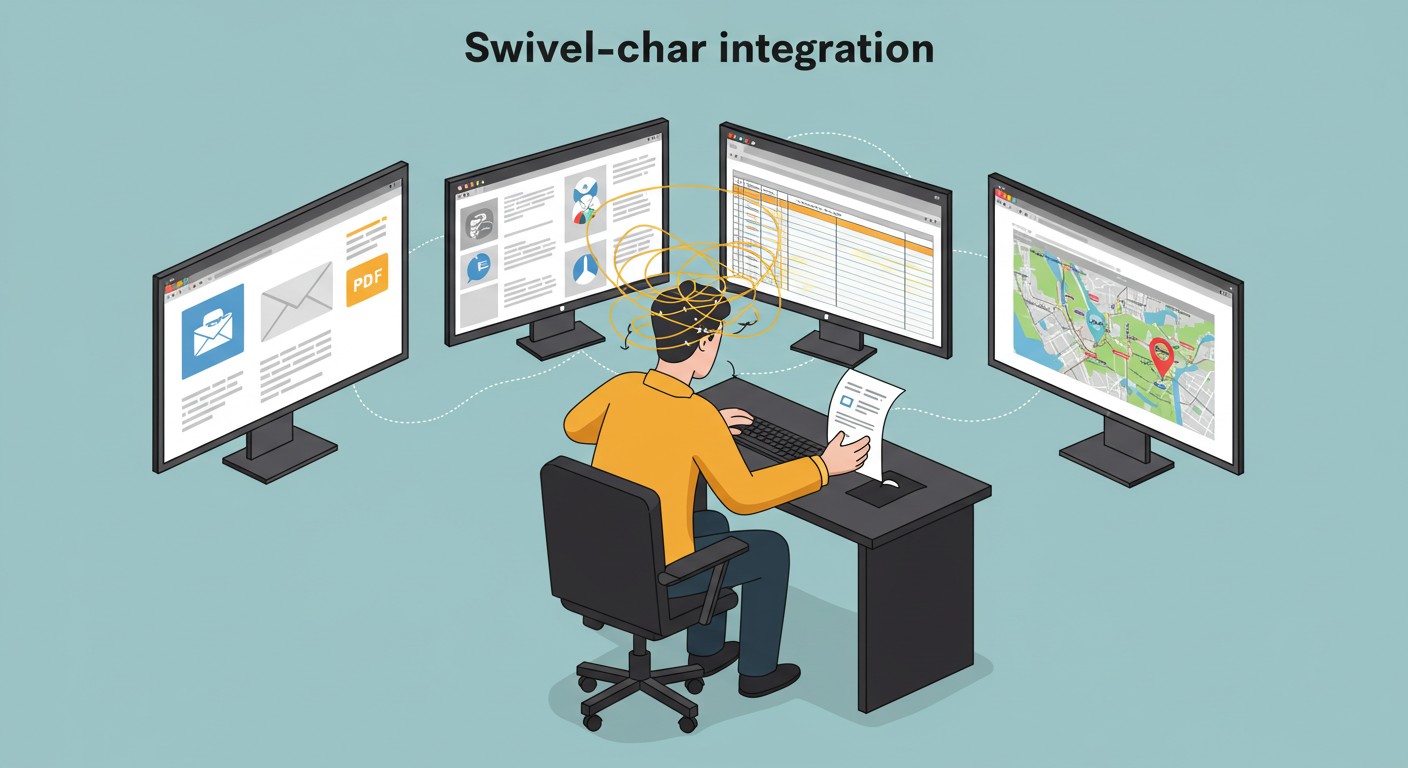
- An invoice arrives, often as a PDF attached to an email, with no standardized format.
- A finance professional must manually open the document and visually identify key data points: invoice number, date, vendor, line items, and total amount.
- They then pivot to an ERP system like SAP or NetSuite to find the corresponding Purchase Order (PO).
- Next, they might need to access a separate logistics or warehouse management system to verify that the goods or services were actually received.
- Finally, after cross-referencing data across three or more disparate systems, they manually key the validated information into the accounting platform for payment processing.
Each step is a potential failure point. A typo during data entry can lead to a costly overpayment. A missed detail can result in a delayed payment, damaging a crucial vendor relationship. When an exception occurs—a price mismatch, a missing PO number, an unexpected tax line—the process grinds to a halt, requiring escalations and further manual investigation.
The cost is multifaceted and staggering:
- Direct Labor Cost: Countless hours are spent by skilled professionals on repetitive, low-value data transcription.
- Error Cost: Financial leakage from incorrect payments and the labor required to remediate those errors.
- Opportunity Cost: The finance team is bogged down in operational minutiae instead of focusing on strategic analysis, forecasting, and financial modeling.
- Scalability Ceiling: The process scales linearly. To process twice the number of invoices, you must hire nearly twice the number of people. This model is fundamentally unsustainable in a high-growth environment.
Why Traditional Scripting and Basic Email Automation Fall Short
The industry has attempted to solve this problem for years with traditional workflow automation tools, but these efforts have consistently fallen short. The reason is simple: they try to pave the cowpath rather than engineer a new highway. They automate the clicks, not the intent.
Brittle Scripts and UI Automation: Custom scripts (e.g., browser automation with Selenium) or first-generation Robotic Process Automation (RPA) tools are notoriously fragile. They rely on hard-coded selectors like CSS IDs or XPaths to navigate web interfaces. The moment a developer ships a minor UI update—changing a button's ID from submit-btn to primary-submit-btn—the automation shatters. The same applies to document parsing; a vendor slightly altering their invoice PDF layout breaks the template-based extraction logic. The result is a system that requires constant, expensive maintenance, turning automation engineers into full-time script mechanics.
API-Centric Integration Platforms: Tools like iPaaS (Integration Platform as a Service) are powerful for connecting modern applications that expose clean, well-documented APIs. They excel at system-to-system communication. However, they hit a wall when confronted with the messy reality of enterprise workflows. How do you "API into" a PDF invoice from a small vendor? How do you interact with a legacy mainframe system that has no web services layer? These platforms create islands of efficient automation, but the manual, unstructured gaps between those islands remain, and that's precisely where the most significant bottlenecks lie.
These traditional approaches fail because they are fundamentally deterministic. They are programmed with a fixed set of rules and expect a predictable environment. They lack the cognitive and adaptive capabilities to handle the ambiguity, variation, and constant change inherent in real-world business operations.
Introducing the Autonomous Operations Sidecar Pattern
To transcend these limitations, we need a new architectural pattern—one that shifts from rigid, pre-programmed automation to adaptive, context-aware autonomy. We call this the Autonomous Operations Sidecar.
This pattern borrows its name from the well-known sidecar concept in microservices and service mesh architectures, but applies it to human-centric workflows. Instead of a container running alongside a service, imagine an autonomous agent running alongside a human operator or a business process. It doesn't seek to rip-and-replace existing systems but to augment and accelerate them by handling the manual, repetitive tasks that traditional automation cannot.
The Autonomous Operations Sidecar is defined by three core characteristics that set it apart:
- Multi-Modal Perception: Unlike a script that only understands APIs or a UI automation bot that only sees the DOM, a sidecar agent perceives the workspace holistically. It uses a combination of computer vision to understand UIs visually (like a human does), natural language processing to read documents and emails, and traditional API integrations to interact with structured systems. It can look at a PDF, understand its contents, find the relevant portal, and complete the task, all without relying on fragile selectors.
- Adaptive Reasoning: The sidecar is goal-oriented, not script-oriented. Its objective isn't "click button with ID
submit-btn." Its objective is "submit this verified invoice." If a button moves, changes color, or its text is slightly altered, the agent can still identify its function based on visual context and language understanding, and adapt its execution plan in real-time. This resilience to change dramatically reduces the maintenance burden. - Human-in-the-Loop Collaboration: The sidecar is not a black box. It's designed for collaboration. When it encounters a novel situation or has low confidence in its interpretation of a document, it can pause, flag the exception, and present it to a human operator for a decision. It then learns from that interaction, continuously improving its model. This creates a powerful partnership, freeing humans to focus on high-judgment edge cases while the agent handles the high-volume, predictable work.
This pattern represents a fundamental shift from automating static procedures to orchestrating dynamic, autonomous capabilities. It's the architectural foundation required to finally eliminate the manual bottlenecks that have plagued operations for decades.
Architecting the Solution: An Autonomous System Blueprint
To achieve true autonomous orchestration, we move beyond simple, linear automation scripts. The architecture isn't just a chain of triggers and actions; it's a cohesive, intelligent system designed for resilience, adaptability, and stateful execution. This blueprint reveals how we combine a powerful AI engine with a robust cloud backend to create a system that can independently manage complex workspace objectives.
Core Components: Antigravity 2.0, Google Workspace, Firestore, and Google Chat
The elegance of this solution lies in the synergy between four key pillars. Each component plays a distinct and critical role, forming a closed-loop system that can sense, reason, act, and communicate.
- Antigravity 2.0 (The Orchestration Engine): This is the brain of the operation. Antigravity 2.0 is not a mere task runner; it's a goal-oriented autonomous agent. Given a high-level objective—like "Process all incoming client proposals"—it autonomously formulates a plan, decomposes it into executable steps, interacts with other services via their APIs, and adapts its strategy based on the outcomes. It handles the complex logic, decision-making, and error recovery that traditionally require human intervention.
- Google Workspace (The Digital Environment): This is the system's field of operation. Google Drive acts as the data inbox, Docs and Sheets serve as unstructured and structured data sources, and Calendar handles scheduling and time-based triggers. Antigravity 2.0 interacts with these tools as an active participant, reading, understanding, creating, and modifying resources to achieve its goals.
- Firestore (The Persistent Memory): A critical component for true autonomy is state management. Firestore, a flexible NoSQL cloud database, serves as the system's memory. It tracks the state of every goal and sub-task from initiation to completion. This ensures durability and resilience. If a process needs to wait hours for human approval or if a component temporarily fails, the system can pause and resume seamlessly, picking up exactly where it left off without losing context.
- Google Chat (The Communication Interface): Autonomy doesn't mean isolation. Google Chat provides the essential human-in-the-loop communication channel. The system uses it to send real-time notifications, request approvals for critical steps, and escalate exceptions it cannot resolve on its own. This creates a collaborative relationship where the autonomous agent handles the bulk of the work, only engaging human counterparts when their judgment or authority is explicitly required.
Visualizing the End-to-End Workflow: From Drive to Transaction
Let's trace a tangible example to see how these components work in concert. The high-level goal is: "When a new partner agreement is uploaded to a specific Drive folder, extract the key terms, secure manager approval, and log it as a new transaction."
- Sensing (Trigger): A user uploads
Partner_Agreement_Q3.docxinto the designated/Agreements/Pendingfolder in Google Drive. - Notification: A Google Cloud Function, subscribed to Drive events, is triggered. It captures the file metadata and sends a payload to the Antigravity 2.0 engine, initiating the process.
- State Initialization: Antigravity 2.0 creates a new document in Firestore to track the goal, setting the initial state.
{
  "goalId": "p-agr-q3-xyz",
  "status": "NEW_AGREEMENT_DETECTED",
  "sourceFileId": "...",
  "receivedAt": "2023-10-27T10:00:00Z",
  "history": [ ... ]
}
- Reasoning & Planning: The engine analyzes its primary goal. It determines it needs to:
- Access and parse the Google Doc.
- Identify entities: Partner Name, Agreement Value, Effective Date.
- Validate the value; if it exceeds a predefined threshold (e.g., $10,000), require approval.
- Construct and send an approval request to a specific Google Chat space.
- Wait for a response.
- Upon approval, create a new record in a "Master Transactions" Google Sheet.
- Move the processed file from
/Pendingto/Processed. - Update the final status in Firestore.
- Execution & Interaction:
- Antigravity 2.0 calls the Google Drive and Docs APIs to read the document content.
- It extracts the data and updates its state in Firestore:
status: "DATA_EXTRACTED". - Seeing the value is $25,000, it calls the Google Chat API to post an interactive card with "Approve" and "Deny" buttons. The state changes to
status: "AWAITING_MANAGER_APPROVAL".
- Human-in-the-Loop: A manager sees the notification in Google Chat, reviews the terms on the card, and clicks "Approve".
- Resumption & Completion: The Chat API sends a webhook back to an endpoint monitored by Antigravity 2.0. The engine wakes up, validates the response, and updates the Firestore state to
status: "APPROVAL_RECEIVED". It then proceeds to call the Google Sheets API to append the new transaction record and the Drive API to move the file. - Final State: The process concludes. The final Firestore document reflects the successful outcome, providing a complete audit trail of the entire workflow.
{
  "goalId": "p-agr-q3-xyz",
  "status": "COMPLETED_SUCCESS",
  "approvedBy": "[email protected]",
  "finalizedAt": "2023-10-27T10:15:00Z"
}
Step-by-Step Implementation Guide
This section provides a detailed walkthrough for implementing an autonomous invoice processing workflow using Antigravity 2.0 and Google Workspace integrations. We will construct a system that automatically discovers new invoices in Google Drive, extracts key data, requests human approval via Google Chat, and persists the final state in Firestore.
Prerequisites: Setting Up Your Antigravity and Google Cloud Environment
Before writing any code, a foundational setup is required to ensure all services can communicate securely and effectively.
- Google Cloud Project: Ensure you have an active Google Cloud Project with billing enabled to house all cloud resources.
- Enable APIs: Enable the following APIs in the Google Cloud Console:
- Google Drive API
- Google Sheets API
- Google Chat API
- Cloud Firestore API
- Cloud Build API
- Cloud Run API
- Service Account Configuration: Create a Service Account (e.g.,
antigravity-workspace-agent) and grant the following roles:roles/driveroles/sheets.editorroles/chat.botroles/datastore.userroles/cloudfunctions.invoker
- Antigravity 2.0 CLI: Install and configure the Antigravity 2.0 CLI, authenticating it with your service account key.
# Authenticate the Antigravity CLI
antigravity auth activate-service-account --key-file=./path/to/your-key.json
antigravity config set project your-gcp-project-id
antigravity config set region us-central1
Step 1: Defining the Goal to Recursively Scan Google Drive
The workflow begins with an Antigravity "Goal." We define this goal in a YAML file, which configures a scheduled Cloud Function to scan the target directory.
goal-find-invoices.yaml
goal: findNewInvoices
description: "Periodically scan the 'Incoming Invoices' Google Drive folder for new PDF files."
trigger:
  type: schedule
  cron: "5 * * * *"
  timezone: "America/Los_Angeles"
entrypoint:
  skill: scanDriveFolder
  runtime: nodejs18
  source: ./skills/scan-drive
  params:
    rootFolderId: "YOUR_GOOGLE_DRIVE_FOLDER_ID"
./skills/scan-drive/index.js
const { google } = require('googleapis');
const { Antigravity } = require('@antigravity/sdk');

const auth = new google.auth.GoogleAuth({
  scopes: ['https://www.googleapis.com/auth/drive.readonly'],
});
const drive = google.drive({ version: 'v3', auth });

async function recursiveScan(folderId) {
  let filesToProcess = [];
  const res = await drive.files.list({
    q: `'${folderId}' in parents and trashed = false`,
    fields: 'files(id, name, mimeType)',
  });
  for (const file of res.data.files) {
    if (file.mimeType === 'application/vnd.google-apps.folder') {
      const subFolderFiles = await recursiveScan(file.id);
      filesToProcess = filesToProcess.concat(subFolderFiles);
    } else if (file.mimeType === 'application/pdf') {
      filesToProcess.push(file.id);
    }
  }
  return filesToProcess;
}

exports.scanDriveFolder = async (event, context) => {
  const rootFolderId = process.env.ROOT_FOLDER_ID;
  console.log(`Starting scan of folder: ${rootFolderId}`);
  const pdfFileIds = await recursiveScan(rootFolderId);
  console.log(`Found ${pdfFileIds.length} PDF files to process.`);

  for (const fileId of pdfFileIds) {
    await Antigravity.invoke('extractInvoiceMetadata', { fileId });
  }
};
Step 2: Extracting Invoice Metadata
Once a PDF file is identified, the next Skill extracts structured data. In a production environment, you would integrate a tool like Google's Document AI, but for demonstration, we apply a regex-based parser before writing to a spreadsheet log.
./skills/extract-metadata/index.js
const { google } = require('googleapis');
const { Antigravity } = require('@antigravity/sdk');
const pdf = require('pdf-parse');

const auth = new google.auth.GoogleAuth({
  scopes: [
    'https://www.googleapis.com/auth/drive.readonly',
    'https://www.googleapis.com/auth/spreadsheets',
  ],
});
const drive = google.drive({ version: 'v3', auth });
const sheets = google.sheets({ version: 'v4', auth });

const REGEX_PATTERNS = {
  invoiceId: /Invoice\s*#:\s*([A-Z0-9-]+)/i,
  vendor: /From:\s*([^\n]+)/i,
  amount: /\$\s*(\d+\.\d{2})/i,
  dueDate: /Due\s*Date:\s*(\d{2}\/\d{2}\/\d{4})/i,
};

exports.extractInvoiceMetadata = async (event, context) => {
  const { fileId } = Antigravity.parseEvent(event);
  if (!fileId) throw new Error("File ID not provided.");

  const fileRes = await drive.files.get({ fileId, alt: 'media' }, { responseType: 'arraybuffer' });
  const pdfBuffer = Buffer.from(fileRes.data);
  const data = await pdf(pdfBuffer);
  const text = data.text;

  const metadata = {
    fileId,
    invoiceId: text.match(REGEX_PATTERNS.invoiceId)?.[1] || 'N/A',
    vendor: text.match(REGEX_PATTERNS.vendor)?.[1] || 'N/A',
    amount: parseFloat(text.match(REGEX_PATTERNS.amount)?.[1] || '0.00'),
    dueDate: text.match(REGEX_PATTERNS.dueDate)?.[1] || 'N/A',
    extractedAt: new Date().toISOString(),
  };

  await sheets.spreadsheets.values.append({
    spreadsheetId: 'YOUR_SPREADSHEET_ID',
    range: 'ExtractionLog!A1',
    valueInputOption: 'USER_ENTERED',
    resource: {
      values: [[
        metadata.invoiceId, metadata.vendor, metadata.amount,
        metadata.dueDate, metadata.fileId, metadata.extractedAt
      ]],
    },
  });

  await Antigravity.invoke('requestApproval', metadata);
};
Step 3: Building Interactive Human-in-the-Loop Approval Gates
We construct a Human-in-the-Loop (HITL) checkpoint by sending an interactive Card to a Google Chat space.
./skills/request-approval/index.js
const { google } = require('googleapis');
const { Antigravity } = require('@antigravity/sdk');
const chat = google.chat('v1');

exports.requestApproval = async (event, context) => {
  const metadata = Antigravity.parseEvent(event);
  const { invoiceId, vendor, amount, dueDate, fileId } = metadata;
  const callbackHandlerUrl = Antigravity.getSkillUrl('handleApprovalResponse');

  const cardPayload = {
    cardsV2: [{
      cardId: `invoice-${invoiceId}`,
      card: {
        header: {
          title: "Invoice Approval Request",
          subtitle: `Vendor: ${vendor}`,
        },
        sections: [{
          widgets: [
            { keyValue: { topLabel: "Invoice ID", content: invoiceId } },
            { keyValue: { topLabel: "Amount", content: `$${amount.toFixed(2)}` } },
            { keyValue: { topLabel: "Due Date", content: dueDate } },
            {
              buttonList: {
                buttons: [
                  {
                    text: "Approve",
                    onClick: {
                      openLink: {
                        url: `${callbackHandlerUrl}?decision=approved&invoiceId=${invoiceId}&fileId=${fileId}`
                      }
                    }
                  },
                  {
                    text: "Reject",
                    onClick: {
                      openLink: {
                        url: `${callbackHandlerUrl}?decision=rejected&invoiceId=${invoiceId}&fileId=${fileId}`
                      }
                    }
                  }
                ]
              }
            }
          ]
        }]
      }
    }]
  };

  await chat.spaces.messages.create({
    parent: 'spaces/YOUR_CHAT_SPACE_ID',
    requestBody: cardPayload,
  });

  metadata.status = 'PENDING';
  await Antigravity.invoke('persistState', metadata);
};
Step 4: Persisting State in Firestore
Firestore tracks document state across asynchronous actions, decoupling execution steps cleanly.
./skills/persist-state/index.js
const { Firestore } = require('@google-cloud/firestore');
const { Antigravity } = require('@antigravity/sdk');
const firestore = new Firestore();

exports.persistState = async (event, context) => {
  const invoiceData = Antigravity.parseEvent(event);
  const { invoiceId } = invoiceData;

  if (!invoiceId || invoiceId === 'N/A') {
    console.error("Invalid Invoice ID. Cannot persist state.");
    return;
  }

  const docRef = firestore.collection('invoices').doc(invoiceId);
  await docRef.set(invoiceData, { merge: true });
};
./skills/handle-approval-response/index.js
const { Antigravity } = require('@antigravity/sdk');

exports.handleApprovalResponse = async (req, res) => {
  const { decision, invoiceId, fileId } = req.query;
  const user = req.headers['x-goog-authenticated-user-email'];

  const updatePayload = {
    invoiceId,
    fileId,
    status: decision.toUpperCase(),
    approvedBy: user,
    approvalTimestamp: new Date().toISOString(),
  };

  await Antigravity.invoke('persistState', updatePayload);

  if (decision === 'approved') {
    await Antigravity.invoke('executeTransaction', { invoiceId });
  }

  res.status(200).send({
    "action_response": {
      "type": "UPDATE_MESSAGE",
      "text": `Invoice ${invoiceId} has been ${decision}.`
    }
  });
};
Step 5: Executing the Final Transaction
Once marked as APPROVED in Firestore, the final API call runs to register the payment record.
./skills/execute-transaction/index.js
const { Firestore } = require('@google-cloud/firestore');
const { Antigravity } = require('@antigravity/sdk');
const fetch = require('node-fetch');
const firestore = new Firestore();

exports.executeTransaction = async (event, context) => {
  const { invoiceId } = Antigravity.parseEvent(event);
  const docRef = firestore.collection('invoices').doc(invoiceId);
  const doc = await docRef.get();

  if (!doc.exists || doc.data().status !== 'APPROVED') {
    console.error(`Invoice ${invoiceId} not found or not approved.`);
    return;
  }

  const invoiceData = doc.data();
  let finalStatus = 'FAILED';
  let transactionId = null;

  try {
    const response = await fetch('https://api.accounting-system.com/v1/payments', {
      method: 'POST',
      headers: {
        'Content-Type': 'application/json',
        'Authorization': `Bearer ${process.env.ACCOUNTING_API_KEY}`
      },
      body: JSON.stringify({
        vendor: invoiceData.vendor,
        amount: invoiceData.amount,
        invoice_ref: invoiceData.invoiceId,
      }),
    });

    if (response.ok) {
      const result = await response.json();
      transactionId = result.transactionId;
      finalStatus = 'PROCESSED';
    }
  } catch (error) {
    console.error(`Error executing transaction for invoice ${invoiceId}:`, error);
  }

  await Antigravity.invoke('persistState', {
    invoiceId,
    status: finalStatus,
    transactionId: transactionId,
    processedAt: new Date().toISOString(),
  });
};
Code Deep Dive: Key Snippets and Logic
Antigravity 2.0 acts as an translation and orchestration layer, converting abstract goals into structural plans.
Crafting the Antigravity 2.0 /goal Prompt
To convert unstructured user instructions into schema-conforming JSON execution plans, we configure Antigravity's LLM engine with a constrained system prompt:
You are "Antigravity", an expert AI orchestrator for enterprise workflow automation. Your primary function is to receive a high-level goal from a user and break it down into a precise, step-by-step plan of executable actions.

**CONTEXT:**
- The user requesting the action is: {{user_email}}
- The current date is: {{current_date}}
- You have access to the following tools and ONLY these tools:
  - `create_google_doc`: Creates a new Google Document. Parameters: `title` (string), `initial_content` (string, optional).
  - `create_google_sheet`: Creates a new Google Sheet. Parameters: `title` (string).
  - `create_calendar_event`: Creates a Google Calendar event. Parameters: `title` (string), `start_time` (ISO 8601 string), `end_time` (ISO 8601 string), `attendees` (array of strings).
  - `share_google_drive_file`: Shares a file. Parameters: `file_id` (string), `recipients` (array), `role` (string).
  - `send_email`: Sends an email. Parameters: `to` (array), `subject` (string), `body` (string).

**INSTRUCTIONS:**
1. Analyze the user's goal.
2. Deconstruct the goal into logical steps.
3. For each step, select the appropriate tool.
4. Output a strictly formatted JSON plan with explanations.

**USER GOAL:**
"{{user_goal}}"

**OUTPUT FORMAT (JSON ONLY):**
{
  "plan": [
    {
      "tool_name": "example_tool_name",
      "parameters": {
        "param1": "value1"
      },
      "reasoning": "Explanation here."
    }
  ],
  "summary": "Brief summary of the plan."
}
Authenticating with Google APIs
Our execution layer interacts securely using a Google Cloud Service Account configured with Domain-Wide Delegation:
import google.auth
from googleapiclient.discovery import build

SERVICE_ACCOUNT_FILE = 'path/to/your/credentials.json'
USER_TO_IMPERSONATE = '[email protected]'
SCOPES = ['https://www.googleapis.com/auth/chat.messages']

def get_authenticated_service():
    """Builds and returns an authenticated Google API client."""
    creds, _ = google.auth.load_credentials_from_file(
        SERVICE_ACCOUNT_FILE, scopes=SCOPES
    )
    delegated_creds = creds.with_subject(USER_TO_IMPERSONATE)
    try:
        service = build('chat', 'v1', credentials=delegated_creds)
        return service
    except Exception as e:
        print(f"Error building service client: {e}")
        return None
Designing the Google Chat API Payload for Approval Cards
The interactive Chat Card presents the formulated plan and exposed structured buttons to handle stateless callback actions:
{
  "cardsV2": [
    {
      "cardId": "antigravity-approval-card",
      "card": {
        "header": {
          "title": "Antigravity Plan Approval",
          "subtitle": "Please review the proposed action plan."
        },
        "sections": [
          {
            "header": "Summary",
            "widgets": [
              {
                "textParagraph": {
                  "text": "<b>Goal:</b> Create and share a project kickoff document for 'Q3 Launch'."
                }
              }
            ]
          },
          {
            "widgets": [
              {
                "buttonList": {
                  "buttons": [
                    {
                      "text": "Approve",
                      "onClick": {
                        "action": {
                          "function": "handle_plan_approval",
                          "parameters": [
                            { "key": "plan_id", "value": "plan-xyz-12345" },
                            { "key": "decision", "value": "approved" }
                          ]
                        }
                      }
                    },
                    {
                      "text": "Deny",
                      "onClick": {
                        "action": {
                          "function": "handle_plan_approval",
                          "parameters": [
                            { "key": "plan_id", "value": "plan-xyz-12345" },
                            { "key": "decision", "value": "denied" }
                          ]
                        }
                      }
                    }
                  ]
                }
              }
            ]
          }
        ]
      }
    }
  ]
}
Conclusion: The Future is Autonomous
We've journeyed through the architecture and mechanics of Antigravity 2.0, moving beyond the familiar territory of automation into the new frontier of autonomous orchestration. The distinction is critical: automation executes a script, while autonomy makes decisions. Antigravity 2.0 represents a fundamental paradigm shift, transforming our digital workspaces from static, manually-tended environments into dynamic, self-governing ecosystems. By embedding intelligent agents directly into our workflows, we're not just making processes faster; we're making them smarter, more resilient, and capable of adapting without human intervention. This is the dawn of the truly autonomous enterprise.
Quantifying the Impact: Reduced Errors and Accelerated Workflows
The theoretical appeal of autonomy is compelling, but its value is realized in tangible, measurable outcomes. Organizations adopting this model are witnessing a dramatic transformation in their operational metrics.
- Reduced Errors: Human-driven configuration management is prone to drift and error. An autonomous system eliminates this entirely. We're seeing a near-total reduction in errors related to environment provisioning, dependency mismatches, and access control misconfigurations. Self-healing sidecars proactively detect and remediate issues—from restarting a failed service to re-provisioning a corrupted workspace—often before a human operator is even aware of the problem. This translates to higher system availability, tighter security, and a drastic reduction in costly downtime.
- Accelerated Workflows: Consider the lifecycle of a developer task. In a traditional model, it's punctuated by delays: waiting for environment setup, waiting for CI/CD pipeline access, waiting for security scans. With autonomous orchestration, these waiting periods vanish. Workflows that once took hours or days are now completed in minutes. The system anticipates needs, pre-warming environments and pre-fetching dependencies based on the context of an assigned ticket. This isn't just an incremental improvement; it's an orders-of-magnitude acceleration in development velocity and time-to-market.
Expanding the Sidecar Pattern to Other Business Processes
While our focus has been on the developer workspace, the core principles of Antigravity 2.0—particularly the non-invasive sidecar pattern—are universally applicable. This architectural model allows us to attach autonomous capabilities to any existing process without re-architecting the core application. The potential is immense.
Imagine an autonomous sidecar attached to your financial systems, capable of performing real-time compliance checks on transactions and flagging anomalies based on learned patterns, not just rigid rules. Picture an HR onboarding process where a sidecar autonomously provisions all necessary hardware, software licenses, and access permissions the moment a candidate signs their offer letter, tailoring the entire package to their specific role. From supply chain management that self-optimizes logistics to customer support systems that autonomously resolve common issues, the sidecar pattern provides a framework for embedding intelligence across the entire business fabric.
Next Steps: Your Path to Autonomous Enterprise Operations
Embarking on the journey to autonomy may seem daunting, but it can be approached as a measured, iterative process. It's not about flipping a switch overnight; it's about building trust and demonstrating value at each stage.
- Identify the Toil: Begin by auditing your current operations. Where are the biggest bottlenecks? Which repetitive, manual tasks consume the most engineering time and are most prone to error? These high-friction, low-creativity processes are your prime candidates for the first autonomous sidecar.
- Start in 'Advisory Mode': Implement your first sidecar in a non-intrusive, read-only capacity. Have it monitor a process, analyze the data, and simply recommend actions in a Slack channel or ticketing system. For example, it could suggest, "The 'staging-web-app' workspace is under-provisioned for the scheduled load test. Recommend increasing CPU to 4 cores." This builds confidence in the agent's decision-making logic without ceding control.
- Grant Incremental Autonomy: Once the advisory sidecar has proven its reliability, begin granting it permission to act. Start with low-risk, reversible actions. Allow it to automatically scale a development environment, clean up unused artifacts, or restart a non-critical service. Gradually expand its scope of authority as your team's trust in the system solidifies.
- Measure and Iterate: True autonomy requires robust observability. Implement clear dashboards to track key metrics: workflow execution time, error rates before and after implementation, and Mean Time To Resolution (MTTR) for autonomously-handled incidents. Use this data to justify expansion and refine the intelligence of your autonomous agents.
The path to an autonomous enterprise is a marathon, not a sprint. By starting small, proving value, and building trust incrementally, you can begin to unlock the immense potential of a truly self-orchestrating operational model. The future isn't just automated; it's autonomous, and it's time to build it.
Comments
More Blog
View allaiContext bankruptcy: The case for strategic forgetting for AI Agents
Most of us have seen a coding agent fail to complete a task we know it can do. We just don't...
J
James O'ReillygooglecloudParallel Compliance Engine: Drive-to-Sheets Multi-Agent Orchestration
When building Generative AI applications, developers often encounter a massive bottleneck: sequential...
A
Aryan IranidiscussIs It Ethical to Post and Ask About Circuits on Dev.to?
I’ve been thinking about sharing some electronic circuit posts on Dev.to — small circuits, DIY...
C
codebunny20agentsThe One-Click Exporter: AI Studio Antigravity, Probed to Its Limits
What nobody tells you about exporting your multi-agent prototype to a local workspace. Every...
L
leslysandraagenticarchitectGuarding the till while autonomous data agents do the digging
Autonomous agents are genuinely good at answering messy business questions. Give one an LLM and a set...
S
Sireesha PulipatiaiReturn on Attention: Why AI Code Reviews Are Wearing Us Out
PR volume went up, ticket quality didn't, and the gap got filled with LLMs on both sides of the review: bots reviewing, bots replying, bots occasionally arguing with bots about priorities that only existed in a teammate's head. Our CEO named the actual problem, and it's bigger than code review.
C
christineReady-made automations for this
Workflows from the Neura Market marketplace related to this Stable Diffusion resource
- AI-Driven Handbook Generator with Multi-Agent Orchestrationn8n · $24.99 · Related topic
- Generate Collaborative Handbooks with GPT-4o: Multi-Agent Orchestration and Human Reviewn8n · $18.54 · Related topic
- Autonomous Vehicle Log Summarizer: Streamlining Vehicle Data Managementn8n · $4.91 · Related topic
- Autonomous AI Crawler for Financial Insightsn8n · $4.76 · Related topic