
Back to Blog tutorial
 ai
ai googlecloud
 discuss
 agents
 agenticarchitect
 ai
ai
Protect Yourself, Mesh Yourself
Elliott July 2, 2026
0 views
In my last post, my SSH keys moved off disk and into 1Password. This one is about the network those...
In my last post, my SSH keys moved off disk and into 1Password. This one is about the network those keys travel over, and the foundation: Tailscale.
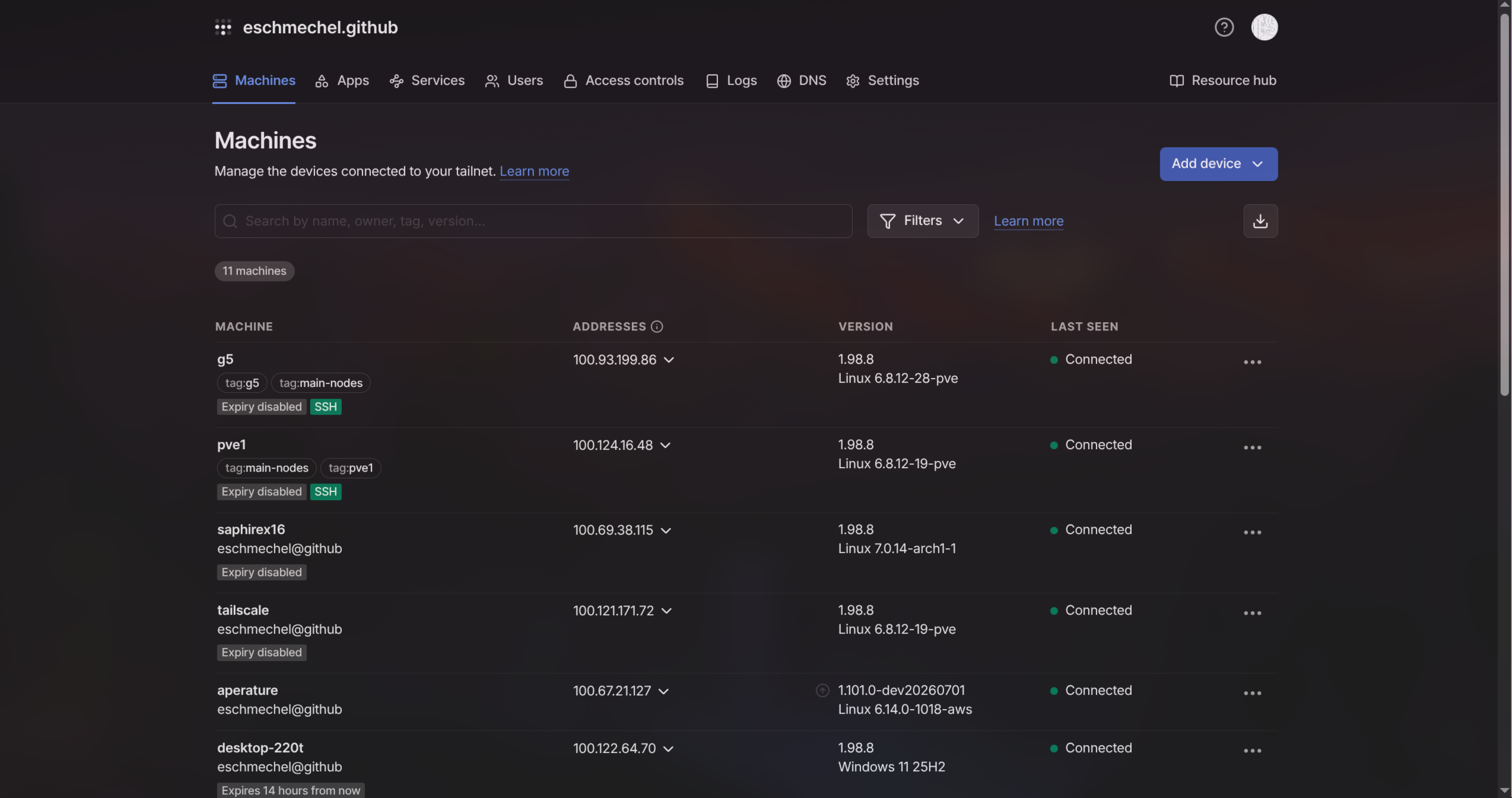
Here's the before, and it wasn't pretty. A homelab box behind my router. A VPS somewhere I'm still paying for. My laptop on some coffee shop WiFi, my phone on cellular, and a couple of machines stuck behind a CGNAT with no real public IP at all. Getting any of them to talk to each other meant port forwarding, firewall rules, a dynamic DNS record I'd always forget to update, and a spiral-bound notebook consisting of every IP address in my house. Reaching my homelab from outside the house was a small side quest every single time.
Tailscale deleted all of it. Every device I own now sits on one flat private network, addressable by name and reachable from anywhere, from my closet to the far side of the planet.
What it actually is
Tailscale is a mesh VPN built on WireGuard. You install the client on each device, sign in with an identity provider (Google, GitHub, whatever you already use), and the device joins your private network, your tailnet. It picks up a stable 100.x address and a name through MagicDNS, so instead of memorizing IP addresses I type the hostname like a civilized person.
The part that still feels like magic is that it punches through NAT on its own. No port forwarding, no holes poked in a firewall. Tailscale's coordination server brokers the key exchange, then your devices connect directly where they can and fall back to an encrypted relay when they can't. Traffic is end-to-end encrypted the whole way. For personal use, it's free, and not in a stingy way.
SSH without managing keys
The first post was all about hoarding SSH keys in 1Password. On my own Tailscale, I mostly don't need them.
Flip on Tailscale SSH for a machine:
tailscale up --ssh
Now ssh homelab works, and Tailscale handles the auth using the same identity that got the box onto the network in the first place. No public key to copy into authorized_keys, nothing to rotate when I add a machine, no key file to lose. Who's allowed to SSH where is a few lines in the Tailscale access policy instead of a graveyard of ~/.ssh/config entries. For anything I want to treat as sensitive, check mode forces a re-auth before the session opens.
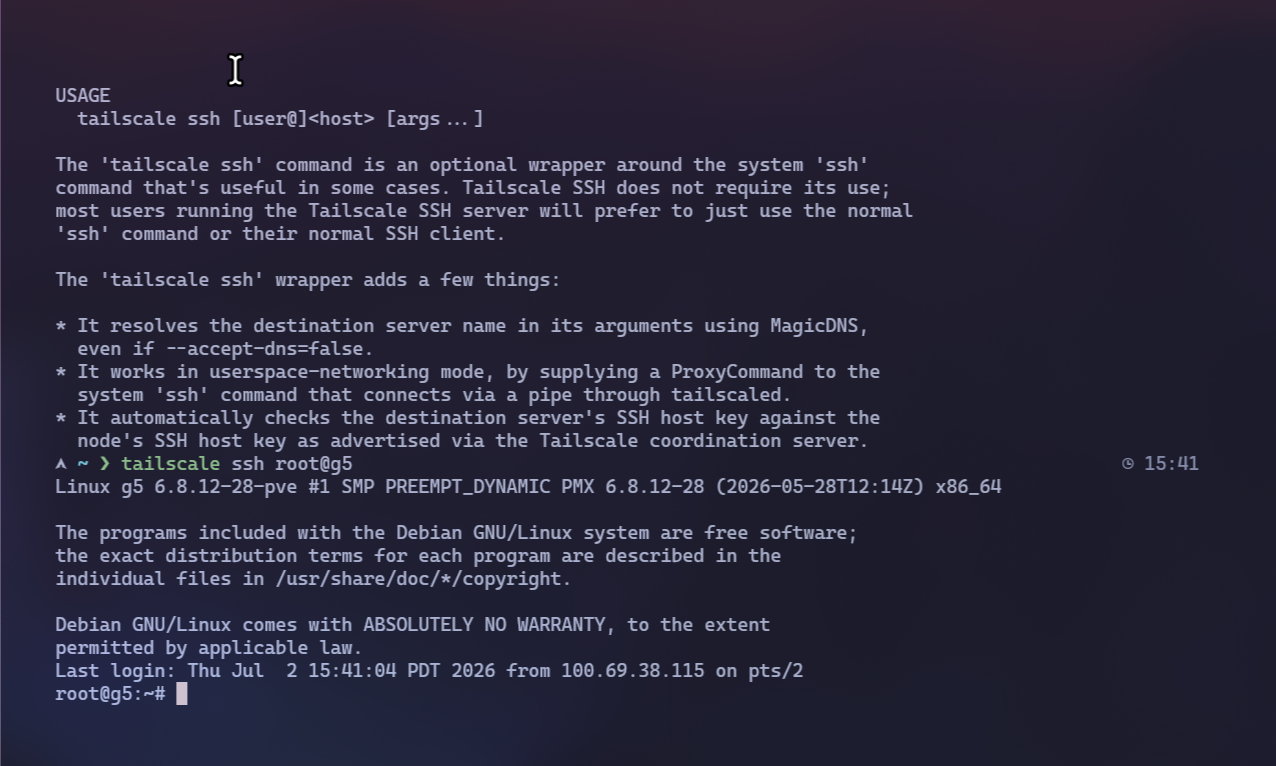
So the two tools split the job cleanly. Inside the tailnet, Tailscale is my SSH auth. Anywhere outside it, the 1Password agent still holds the keys. No overlap, no turf war.
Serving apps to an audience of one
A big chunk of my homelab is little self-hosted web apps and dashboards I want to reach from my phone or laptop wherever I happen to be, with precisely nobody else able to load them.
tailscale serve does that in one line:
tailscale serve 3000
That grabs whatever's running on localhost:3000 and publishes it at a stable HTTPS URL on my tailnet, something like notes.my-tailnet.ts.net, real TLS cert and all. Only my devices can open it. Nothing faces the public internet, so there's no login page to bolt on and no attack surface pointed at the world. Add --bg and it survives a reboot.
The only concern is that turning on HTTPS certs publishes your machine names to the public Certificate Transparency log. I just went with the random Tailscale name they gave me.
If I ever want something out on the open internet, tailscale funnel is the same trick pointed outward. I reach for it about once a year, but it's there.
Private egress with Mullvad exit nodes
Tailscale also has a Mullvad add-on, and it's the tidiest way I've found to push my traffic through a real privacy VPN. Five bucks a month gets you Mullvad's whole server fleet as exit nodes you pick right from the Tailscale client. Select one and my outbound traffic leaves through Mullvad instead of my home connection. No second Mullvad app running in the tray, and it lands on the same Tailscale bill.
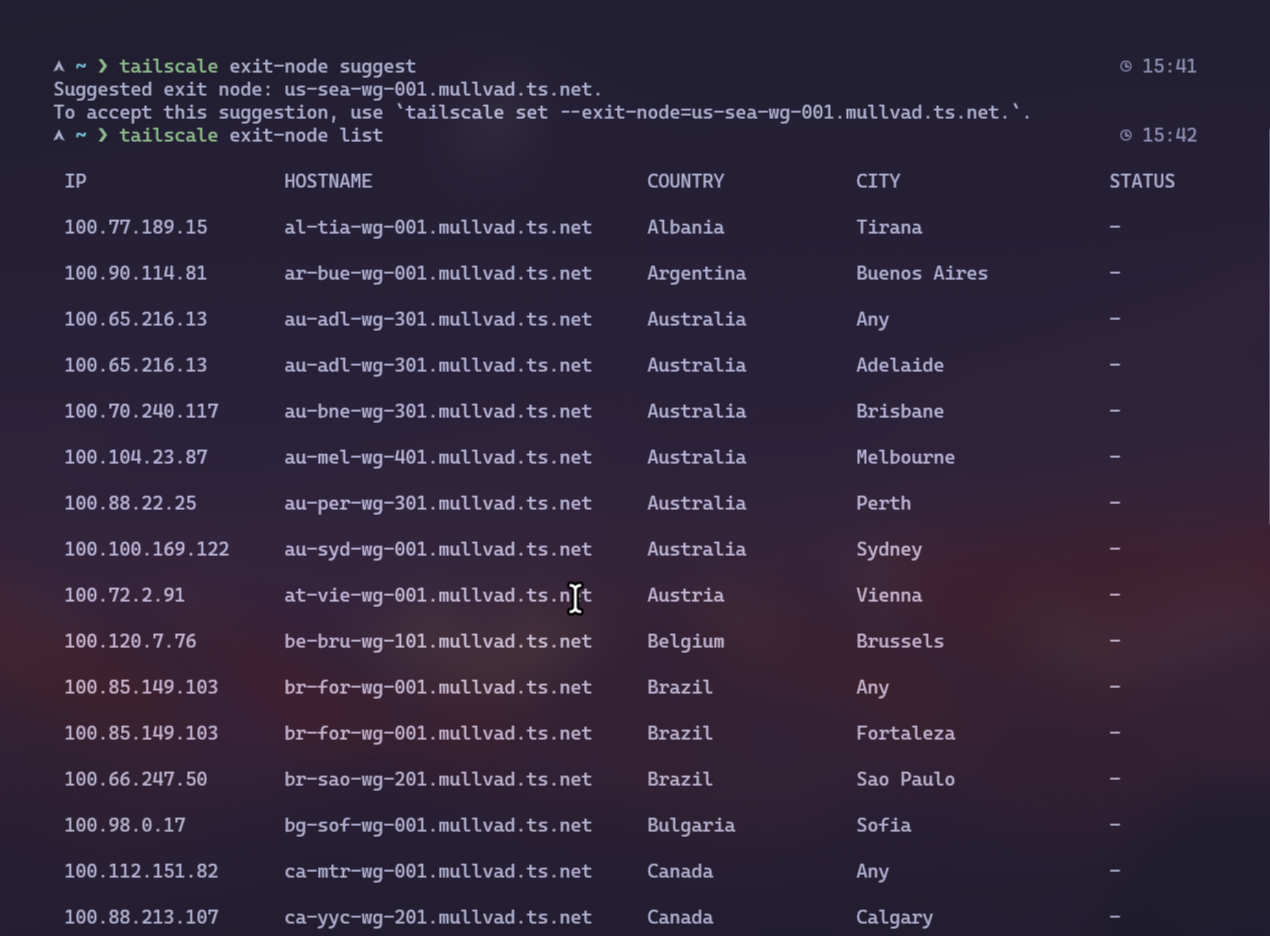
HOWEVER: This is not the anonymity you'd get walking cash up to Mullvad with a random account number. Tailscale is identity-aware by design (that's part of the whole trick that lets your devices recognize each other), so it knows exactly who you are, even though Mullvad doesn't. The traffic to Mullvad is end-to-end encrypted, but if you require real anonymity, buy Mullvad the anonymous way. For my everyday "don't hand my browsing to my ISP or the coffee shop," it's great.
What this lets me build
The real reason I lean on Tailscale is what it lets me stack on top of it. I run a little gateway called Aperture that all my apps and agents point at instead of hitting model providers directly. It listens only on the tailnet, pulls its keys from 1Password, and sends its traffic out through Mullvad. One private endpoint, one place to rotate keys and watch spend.
It routes all my agent calls through one unified mem-0 layer, serving all my agents from my phone, laptop, desktop, and my Hermes instance, so they all share the same context.
It allows me to run isolated sandbox environments without having to have port 22 open!!! (Not that huge of a brag but I still wanted to share)
That's the whole next post, so I'll leave it there. The point for now: none of it works without a private network that every device can reach, which is the boring job Tailscale does without me ever having to think about it.
The catch
Fair warning, Tailscale's coordination server is a hosted service you don't run. Your traffic is end-to-end encrypted and never touches it, but the thing that brokers connections and holds your network policy is Tailscale's, not yours. Headscale is an open-source implementation of that control server you can self-host, and the normal clients talk to it happily. On the to-do list, to migrate over to Headscale, but I keep seeming to add more projects to my list.
Keep yourself secure
Install it on two machines and run tailscale up --ssh on one. Then ssh into it by name from the other, from any network, no keys and no port forwarding. That's the moment it clicks, and everything else here is built on that one trick.
Set it up once, and you stop thinking about your network, which is about the highest praise I can give a piece of infrastructure.
Comments
More Blog
View allaiContext bankruptcy: The case for strategic forgetting for AI Agents
Most of us have seen a coding agent fail to complete a task we know it can do. We just don't...
J
James O'ReillygooglecloudParallel Compliance Engine: Drive-to-Sheets Multi-Agent Orchestration
When building Generative AI applications, developers often encounter a massive bottleneck: sequential...
A
Aryan IranidiscussIs It Ethical to Post and Ask About Circuits on Dev.to?
I’ve been thinking about sharing some electronic circuit posts on Dev.to — small circuits, DIY...
C
codebunny20agentsThe One-Click Exporter: AI Studio Antigravity, Probed to Its Limits
What nobody tells you about exporting your multi-agent prototype to a local workspace. Every...
L
leslysandraagenticarchitectGuarding the till while autonomous data agents do the digging
Autonomous agents are genuinely good at answering messy business questions. Give one an LLM and a set...
S
Sireesha PulipatiaiReturn on Attention: Why AI Code Reviews Are Wearing Us Out
PR volume went up, ticket quality didn't, and the gap got filled with LLMs on both sides of the review: bots reviewing, bots replying, bots occasionally arguing with bots about priorities that only existed in a teammate's head. Our CEO named the actual problem, and it's bigger than code review.
C
christineReady-made automations for this
Workflows from the Neura Market marketplace related to this Stable Diffusion resource
- Protect PDF with Password Using ConvertAPIn8n · $6.99 · Related topic
- Venafi TLS Protect MCP Server: All 7 Cert Operationsn8n · $24.99 · Related topic
- Venafi TLS Protect MCP Server: All 7 Cert Operations for AIn8n · $24.99 · Related topic
- Venafi TLS Protect Cloud MCP Server: All 8 Cert Operationsn8n · $24.99 · Related topic