 Stable Diffusion
Back to Blog kubernetes
 flutter
 googleappsscript
 flutter
 kubernetes
 ai
ai gemma
gemma
Accelerating JVM startup on GKE: How VPA CPU startup boost eliminates ongoing resource waste
Olivier Bourgeois August 29, 2026
0 views
Learn how GKE VerticalPodAutoscaler (VPA) CPU Startup Boost cuts JVM cold starts and eliminates ongoing CPU waste using in-place Pod resizing.
title: Accelerating JVM startup on GKE: How VPA CPU startup boost eliminates ongoing resource waste published: true description: Learn how GKE VerticalPodAutoscaler (VPA) CPU Startup Boost cuts JVM cold starts and eliminates ongoing CPU waste using in-place Pod resizing. tags: kubernetes, ai, gke, googlecloud cover_image: https://dev-to-uploads.s3.us-east-2.amazonaws.com/uploads/articles/6k5609jts5b2pf25u5iw.png
Use a ratio of 100:42 for best results.
published_at: 2026-08-29 04:54 +0000
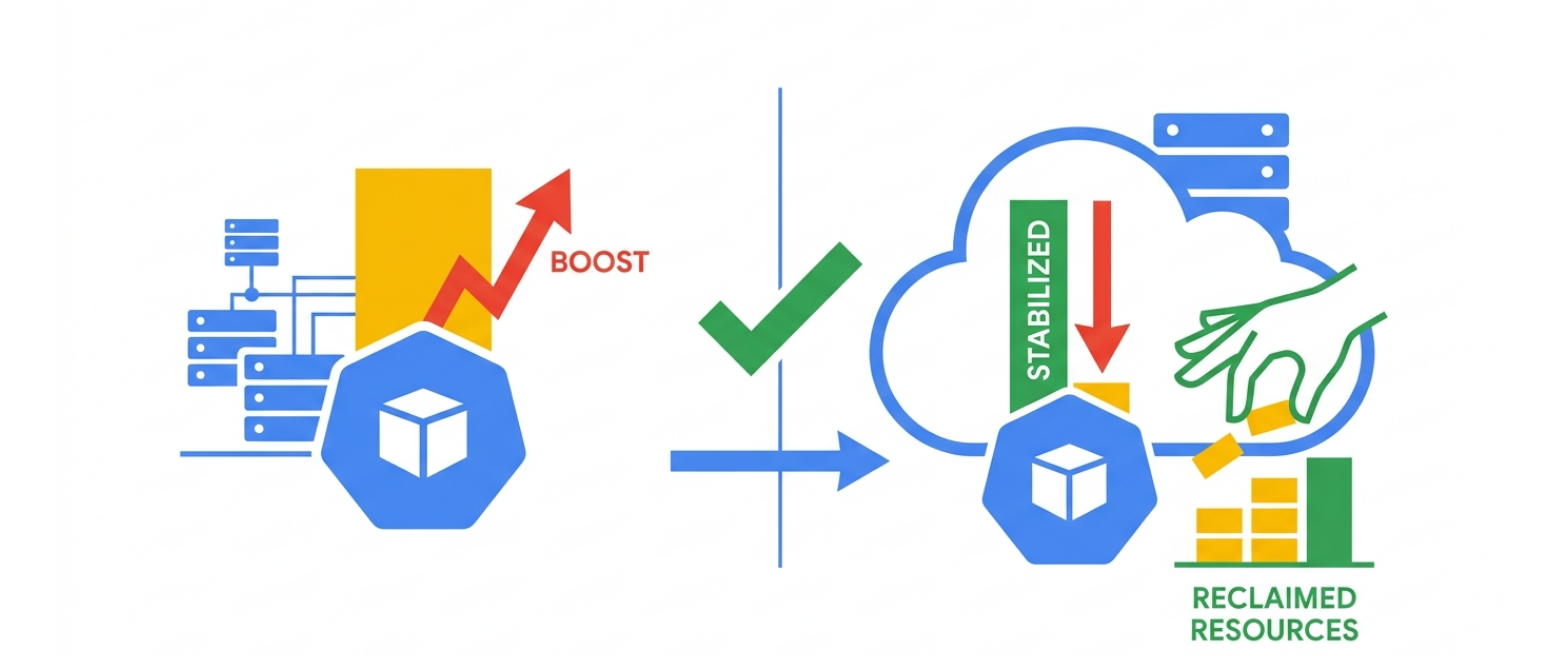
Running Java and other JVM-based workloads in Kubernetes has long presented an infrastructure sizing challenge. During initialization, JVM applications require substantial CPU capacity to perform class loading, bytecode verification, framework dependency injection, and Just-In-Time (JIT) compilation. Once this initialization phase finishes, steady-state CPU consumption frequently drops by 50% to 80%.
To avoid slow startups and ensure new Pods pass readiness probes quickly, platform teams have historically over-provisioned CPU requests permanently. This compromise introduces persistent CPU waste—unutilized allocations that inflate infrastructure spend and degrade workload packing density on worker nodes.
To resolve this trade-off, the GKE team launched the Public Preview of VerticalPodAutoscaler (VPA) CPU Startup Boost. Available on GKE clusters running version 1.36.0-gke.4447000 or newer in the Rapid Channel, this feature provides up to 2x faster startup latency while dynamically reclaiming CPU capacity once the application stabilizes.
In this article, I will explain how CPU startup boost operates under the hood, how it leverages Kubernetes In-Place Pod Resize (IPPR), and how to configure it effectively for your clusters.
The JVM startup and CPU waste dilemma
When configuring CPU requests for a container, Kubernetes uses that value for scheduling decisions and CPU bandwidth enforcement through CFS quotas. If you rightsize a Java container for its steady-state requirement—say, 500m CPU—the application may experience severe CPU throttling during boot, stretching startup times from seconds into minutes.
Slow startups create cascading operational challenges:
- Horizontal scaling lag: When traffic spikes occur, Horizontal Pod Autoscaler (HPA) creates new replicas, but those replicas take too long to start serving requests.
- Flapping readiness probes: Applications that exceed initial startup budgets can fail health checks, triggering unwanted container restarts.
- Resource waste: To avoid throttling, teams routinely allocate 2 to 4 vCPUs permanently. After the bootstrap window, those vCPUs sit idle across GKE Standard and Autopilot clusters.
CPU startup boost solves this by providing temporary CPU headroom during initialization, then reducing the allocation back to baseline without restarting the Pod.
How CPU startup boost works under the hood
The CPU startup boost lifecycle executes across three distinct phases:
- Admission phase: When a Pod is created, the GKE VPA mutating admission webhook intercepts the request. The webhook calculates the boosted CPU request based on your policy and injects both the elevated CPU values and a tracking annotation (
vpaCpuStartupBoost/<container-name>) before the scheduler places the Pod. - Startup phase: The container starts on a node with the higher CPU allocation, allowing JVM class loading and JIT compilation to run without CFS throttling.
- Unboosting phase: Once the Pod satisfies its readiness checks and reaches
Readystatus, the configureddurationSecondstimer begins. When the duration expires, the VPA Updater initiates an in-place resize back to baseline.
Because GKE utilizes Kubernetes In-Place Pod Resize (IPPR), this downscale happens live. The container is never terminated or restarted when the boost ends.
Configuring startup boost for your workloads
You configure CPU startup boost directly inside a standard VerticalPodAutoscaler Custom Resource. You can use VPA exclusively for startup boost or combine it with continuous autoscaling.
Using startup boost without continuous VPA actuation
If you manage steady-state resource requests manually in your Deployment manifest, set updateMode: "Off" in the VPA policy:
apiVersion: autoscaling.k8s.io/v1
kind: VerticalPodAutoscaler
metadata:
  name: java-app-startup-boost
spec:
  targetRef:
    apiVersion: apps/v1
    kind: Deployment
    name: customer-service
  updatePolicy:
    updateMode: "Off"
  startupBoost:
    cpu:
      type: Factor
      factor: 2
      durationSeconds: 10
In this manifest:
type: Factor: Multiplies the baseline CPU request (doubling 1 vCPU to 2 vCPUs during startup). You can also specifytype: Quantitywith a fixed addition likequantity: "2".durationSeconds: 10: Keeps boosted CPU active for 10 seconds after the Pod reachesReadystate before reclaiming the resource.
Container-level targeting and continuous autoscaling
For multi-container Pods containing sidecars, you can isolate the boost to the primary application container using containerPolicies:
apiVersion: autoscaling.k8s.io/v1
kind: VerticalPodAutoscaler
metadata:
  name: java-app-advanced-boost
spec:
  targetRef:
    apiVersion: apps/v1
    kind: Deployment
    name: payment-service
  updatePolicy:
    updateMode: InPlaceOrRecreate
  resourcePolicy:
    containerPolicies:
    - containerName: app-server
      mode: Auto
      startupBoost:
        cpu:
          type: Quantity
          quantity: "2"
          durationSeconds: 0
    - containerName: envoy-proxy
      mode: "Off"
      startupBoost:
        cpu:
          type: Factor
          factor: 1
Setting updateMode: InPlaceOrRecreate allows GKE to boost startup resources, return to baseline, and then continue evaluating ongoing usage to rightsize the workload over time.
Key architecture and operational considerations
When adopting CPU startup boost across your clusters, keep the following operational rules in mind:
- HPA integration: When pairing startup boost with HPA based on CPU utilization, always define a
readinessProbeand setdurationSeconds: 0. This configuration ensures the Pod unboosts immediately upon becoming ready, preventing startup CPU spikes from triggering false scale-out events. - GKE Autopilot resource rules: Autopilot validates compute ratios during Pod admission. Make sure your Pod's baseline memory allocation can support the boosted CPU ratio. Because the Scale-Out ComputeClass enforces a fixed 1:4 ratio, standard or performance compute classes are recommended.
- Node capacity and autoscaling: On GKE Standard, ensure worker nodes have sufficient allocatable CPU to schedule boosted Pods. If a node lacks capacity, GKE caps the boost to what the node can fit.
- Pod restart semantics: Startup boost triggers during initial Pod creation. If a container crashes and restarts within an existing Pod, the boost is not reapplied.
Verifying boost and in-place downscale
You can confirm that startup boost is active by inspecting Pod annotations and cluster events with kubectl:
# Check for the tracking annotation injected at admission
kubectl get pod <pod-name> -o jsonpath='{.metadata.annotations.vpaCpuStartupBoost/*}'

# Observe the in-place downscale event after readiness
kubectl get events --field-selector reason=InPlaceResizedByVPA
The InPlaceResizedByVPA event confirms that the container returned to baseline requests without a restart.
Next steps
VPA CPU Startup Boost eliminates a longstanding trade-off in Kubernetes workload sizing, helping Java microservices start faster while cutting idle resource costs.
To start testing startup boost on your GKE clusters, review the official GKE CPU startup boost documentation and explore Vertical Pod Autoscaling in GKE.
Comments
More Blog
View allflutterOvercoming Dart's Single Inheritance Wall: Composable CubitSignalMixin & BlocSignalMixin in Flutter
Discover how CubitSignalMixin and BlocSignalMixin allow any existing Flutter controller, domain repository, or enterprise class to gain full reactive state container capabilities without occupying its single inheritance slot.
R
Randal L. SchwartzgoogleappsscriptTaking Advantage of Gemini Managed Agents with Google Apps Script
Breaking the Limits of GAS with Direct Cloud-to-Cloud Streaming in Persistent Linux...
T
TanaikeflutterGrand Central Station: Why BLoC, Riverpod, and BlocSignal Are Now True Peers
Discover why Flutter state management is no longer an all-or-nothing choice. Explore how BlocSignal, Classic BLoC, and Riverpod now operate as first-class bidirectional peers at the Grand Central State Terminal.
R
Randal L. SchwartzkubernetesUnlocking workload rightsizing visibility on GKE: How VPA decision logs bring observability to autoscaling
Learn how to troubleshoot and audit GKE Vertical Pod Autoscaler actions with structured decision logs in Cloud Logging.
O
Olivier BourgeoisaiWhy AI Websites All Look the Same and How to Build Something Different
If you've built a website with AI recently, there is a good chance it looks familiar. Maybe you have...
M
Mfonobong UmondiagemmaGemma 4 in Pure JAX: What Ports from TPU to GPU, and What Doesn't
This article is about running a hand-written Gemma 4 port in pure JAX on three different...
X
xbillReady-made automations for this
Workflows from the Neura Market marketplace related to this Stable Diffusion resource
- Build AI Agents with Think-Plan-Act Architecture Using Llama-4 Reasoningn8n · $24.99 · Related topic
- AI-Powered Cold Call Machine with LinkedIn, OpenAI & Sales Navigatorn8n · $24.99 · Related topic
- Import Google Keep Notes to Google Sheets Using OpenAI and Google Driven8n · $14.99 · Related topic
- Learn n8n Expressions with an Interactive Step-by-Step Tutorial for Beginnersn8n · $14.99 · Related topic