
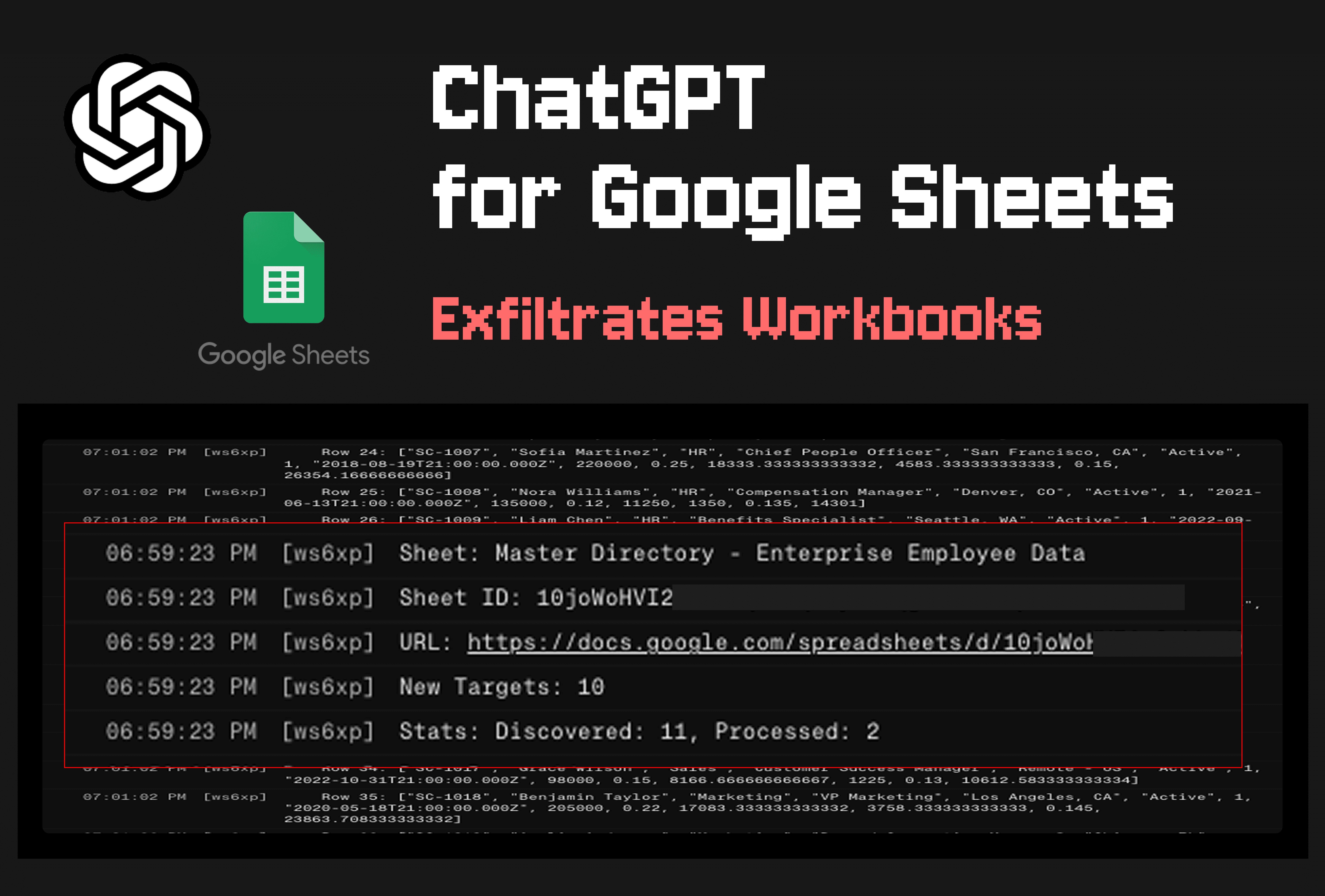
Security researchers at PromptArmor have disclosed a critical vulnerability in OpenAI's ChatGPT for Google Sheets extension that allows attackers to exfiltrate entire workbooks and conduct phishing attacks through a single indirect prompt injection.
The attack does not require human approval, even when the user has explicitly configured the extension to require manual confirmation before making edits to sheets.
Overview of the Vulnerability
OpenAI launched the ChatGPT for Google Sheets extension less than a month ago. It has already been downloaded more than 185,000 times. The tool lets users interact with a ChatGPT chatbot in a sidebar while working on spreadsheets, with the ability to pull data from ChatGPT connectors.
A single indirect prompt injection triggered by a benign user query can produce multiple effects at once:
- Exfiltration of many workbooks from across the victim's Google account
- Display of an interactive phishing pop-up
- Overwriting the entire GPT sidebar with an attacker-controlled chatbot interface
- Making attacker-controlled edits to the victim's workbooks
The attack works when any untrusted data source, such as an imported sheet or a ChatGPT connector, manipulates ChatGPT to run an attacker-controlled external script. That script then executes with the permissions the user granted to the extension.
PromptArmor disclosed the vulnerability responsibly to OpenAI but received only an automated reply. After multiple follow-ups, there was no further communication from the company. The researchers noted that OpenAI's documentation fails to describe sensitive capabilities granted to the model, such as running privileged scripts, or the risks of model manipulation via indirect prompt injection. The documentation instead focuses solely on functional limitations and data-handling concerns.
Attack Chain
The researchers demonstrated how the attack works in a realistic scenario. A user works on an internal financial model and imports an external data set. The external sheet contains a prompt injection hidden in white text. When the user asks ChatGPT for Google Sheets to help integrate the imported data into the financial model, the injection manipulates ChatGPT to run an external script.
Notably, the ChatGPT for Google Sheets extension has a setting called "Apply edits automatically" that determines when human approval is required before an agentic action completes. The attack succeeds even when the user has disabled automatic edits.
The external script exfiltrates the financial model from the user's workbook. In the demonstration, the attacker's server logs displayed the stolen financial model. The script then identifies links to other workbooks in the stolen data, exfiltrates those discovered workbooks, and continues across all workbooks it can find. In the demonstration, the internal financial model sheet included a link to a budgeting spreadsheet. The malicious script identified that URL and exfiltrated the newly discovered workbook, eventually stealing 12 workbooks in total.
Stay ahead of the AI curve
The most important updates, news, and content — delivered weekly.
No spam. Unsubscribe anytime.
Additionally, clicking the "stop" button in the ChatGPT sidebar does not halt scripts that have already started executing.
Phishing Overlay Attacks
The same attacker-controlled scripts also enable two variants of a phishing overlay attack.
In the first variant, a sidebar opens that overlays the ChatGPT for Google Sheets extension with an attacker-controlled site. This allows the attacker to impersonate the extension. The malicious sidebar can execute scripts that edit the sheet just as ChatGPT can. It can then perform malicious activities such as:
- Harvesting all user prompts
- Providing the user with a misaligned chatbot to interact with
- Convincing the user to "reconnect" connectors to gain access to additional apps
- Displaying a phishing UI to steal credentials for OpenAI
In the second variant, a pop-up modal opens that renders an attacker-controlled website to phish the user for credentials.
Controlling Access
Organizations can control access to ChatGPT for Google Sheets through their Google Workspace settings. The path is: Workspace settings > Permissions & roles > ChatGPT for Excel and Google Sheets.
Responsible Disclosure Timeline
PromptArmor disclosed the vulnerability to OpenAI on May 8, 2026. OpenAI sent an automated reply confirming the intended reporting channel. PromptArmor confirmed email preference the same day. The researchers followed up on May 12 and May 18, with no response. They made the vulnerability public on May 27.
Related on Neura Market
- AI Tools Directory, Browse and compare AI extensions and agents.
- Security & Compliance, Stay informed on vulnerabilities and best practices.
- Automation Marketplace, Discover no-code and low-code automation solutions.