AI Agent for Top n8n Creators Leaderboard Reporting
This workflow is designed to automate the process of reporting on the top creators and workflows in the n8n ecosystem. By leveraging the power of AI, it collects data from specified JSON files, aggregates the statistics, and presents them in a str...
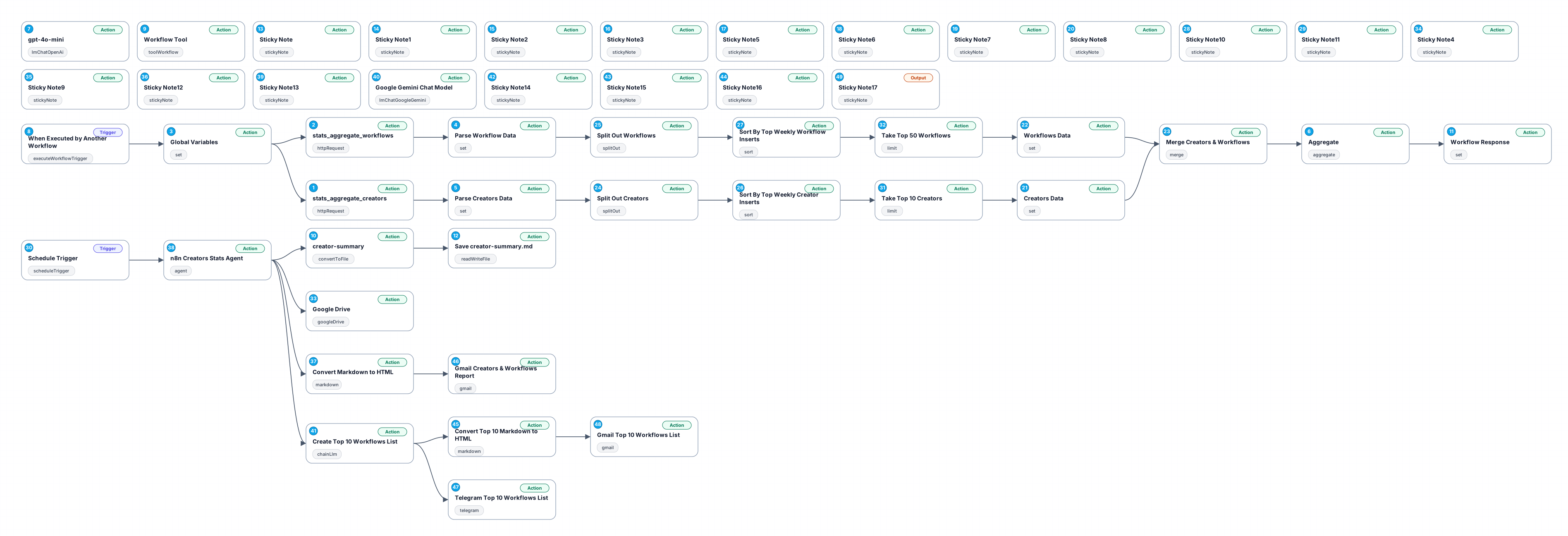
This workflow is designed to automate the process of reporting on the top creators and workflows in the n8n ecosystem. By leveraging the power of AI, it collects data from specified JSON files, aggregates the statistics, and presents them in a structured format. The workflow accesses data directly from a GitHub repository, ensuring that the information is always up-to-date. Users can easily adapt this workflow to suit their specific needs by modifying the parameters, making it versatile for different reporting requirements.
The benefits of using this AI agent are numerous. Firstly, it saves time by automating the data collection process, which would otherwise require manual intervention. Secondly, it minimizes the risk of human error in data reporting, ensuring accuracy and reliability. Lastly, the clear presentation of aggregated data allows users to quickly grasp insights into the performance of creators and workflows, facilitating informed decision-making.
Use cases for this workflow include generating weekly or monthly reports for team reviews, tracking the progress of creators over time, and identifying trends in workflow usage. Whether you're managing a team of developers or simply interested in monitoring n8n's community, this workflow provides the essential tools for effective oversight and analysis.
New buyers can create an account from the cart to unlock a controlled $10 first-purchase credit on eligible orders of $25+.
Related bundle
YouTube Creator Pipeline
8 hand-picked workflows for $39.00.
That is $4.88 each, vs $13.10 for this one alone.
View bundleSecure checkout powered by Stripe
Support
How to import this workflow into n8n
- 1Purchase or download the workflow to get the n8n workflow JSON file.
- 2In your n8n instance, open Workflows and choose "Import from File" (or paste the JSON with Ctrl+V on the canvas).
- 3Open each node marked with a credential warning and connect your own accounts and API keys.
- 4Run the workflow once manually to verify the data flow, then toggle it to Active.
Related Language Tools workflows
- Discover High-Value Articles on Reddit for AI Insights$19.99
- Generate Platform-Optimized Social Media Content with GPT-4o$19.99
- Claude 3.7 Extended Thinking AI Agent – Unlock Ultimate Intelligence$19.99
- AI-Powered Asana Task Prioritization with GPT-4 and Pinecone Memory$24.99
- Generate SEO Keyword Search Volume Data Using Google API$12.99
- Automated CV Screening with OpenAI Integration$18.4
More from Clara Hoffmann
Need this deployed? We'll set it up for you.
Our automation experts deploy this workflow in your stack, connect your accounts, and verify it works — or build a custom solution from scratch.