AI-Powered WhatsApp Auto-Responder
Turn your WhatsApp Business number into a smart, always-on assistant that actually understands your customers — not just their typed words. This n8n workflow listens to every incoming WhatsApp message and intelligently adapts to whatever format it arrives in: - 📝 Text messages - are sent straight to the AI for an instant, context-aware reply - 🖼️ Images - are analyzed by a vision-capable AI model, which describes what it sees so the assistant can respond naturally ("Nice sneakers! Are you looking for a similar pair?") - 🎙️ Voice notes - are automatically transcribed, so customers can just talk instead of type - 🎥 Videos - have their audio extracted and transcribed for full contextual understanding At the core sits a single AI Agent powered by GPT-4o, with per-customer conversation memory — so it remembers what each person said earlier and replies like a real assistant, not a stateless chatbot. It even ships with tool-calling support (e.g. a calculator) so it can be extended to take real actions, not just talk. A short human-like typing delay makes replies feel natural, and built-in error handling ensures customers always get a graceful response — even if something fails behind the scenes — instead of silence. Perfect for: - Customer support teams drowning in WhatsApp inquiries - E-commerce brands that get product photos and voice questions from buyers - Agencies who want to offer "AI WhatsApp assistant" as a service to clients - Anyone who wants a 24/7 responsive WhatsApp presence without hiring more staff Fully documented with sticky notes explaining every section, so it's easy to customize, extend, and hand off — plug in your WhatsApp Business and OpenAI credentials and you're live in minutes.

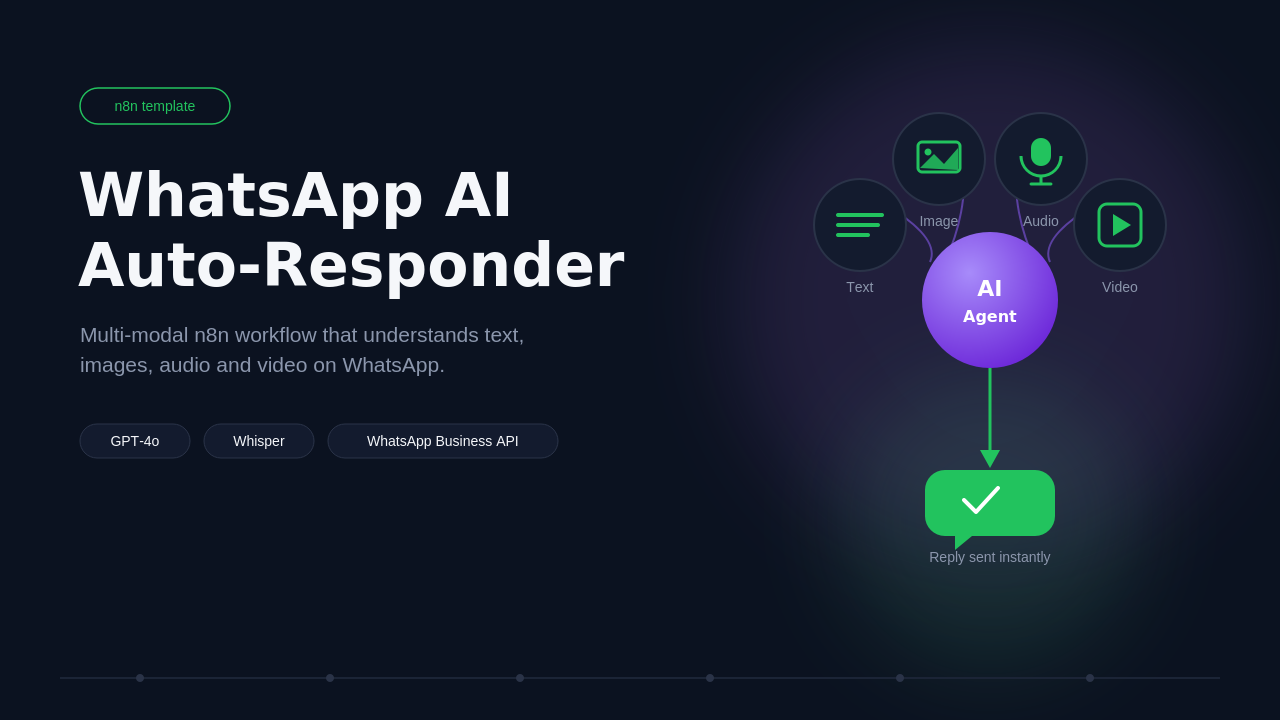
Turn your WhatsApp Business number into a smart, always-on assistant that actually understands your customers — not just their typed words.
This n8n workflow listens to every incoming WhatsApp message and intelligently adapts to whatever format it arrives in:
-
📝 Text messages - are sent straight to the AI for an instant, context-aware reply
-
🖼️ Images -
are analyzed by a vision-capable AI model, which describes what it sees so the assistant can respond naturally ("Nice sneakers! Are you looking for a similar pair?") -
🎙️ Voice notes - are automatically transcribed, so customers can just talk instead of type
-
🎥 Videos - have their audio extracted and transcribed for full contextual understanding
At the core sits a single AI Agent powered by GPT-4o, with per-customer conversation memory — so it remembers what each person said earlier and replies like a real assistant, not a stateless chatbot. It even ships with tool-calling support (e.g. a calculator) so it can be extended to take real actions, not just talk.
A short human-like typing delay makes replies feel natural, and built-in error handling ensures customers always get a graceful response — even if something fails behind the scenes — instead of silence.
Perfect for:
- Customer support teams drowning in WhatsApp inquiries
- E-commerce brands that get product photos and voice questions from buyers
- Agencies who want to offer "AI WhatsApp assistant" as a service to clients
- Anyone who wants a 24/7 responsive WhatsApp presence without hiring more staff
Fully documented with sticky notes explaining every section, so it's easy to customize, extend, and hand off — plug in your WhatsApp Business and OpenAI credentials and you're live in minutes.
New buyers can create an account from the cart to unlock a controlled $10 first-purchase credit on eligible orders of $25+.
Related bundle
WhatsApp Business Automation
7 hand-picked workflows for $39.00.
That is $5.57 each, vs $15.00 for this one alone.
View bundleSecure checkout powered by Stripe
Tags
Support
How to import this workflow into n8n
- 1Purchase or download the workflow to get the n8n workflow JSON file.
- 2In your n8n instance, open Workflows and choose "Import from File" (or paste the JSON with Ctrl+V on the canvas).
- 3Open each node marked with a credential warning and connect your own accounts and API keys.
- 4Run the workflow once manually to verify the data flow, then toggle it to Active.
Related workflows
- Automate Personal Life Management with Telegram and Google Services$14.99
- Launch Your First AI-Powered Chatbot with Actionable Tools$9.99
- Automate Multilingual Customer Support with AI Voice Agent and Calendar Integration$9.99
- Nutrition Tracker & Meal Logger with Telegram, Gemini AI, and Google Sheets$24.99
- Automate AI Video Creation and Social Media Publishing$24.99
- Automate AI-Generated Virtual Try-On Images for WooCommerce$14.99
More from Community
Need this deployed? We'll set it up for you.
Our automation experts deploy this workflow in your stack, connect your accounts, and verify it works — or build a custom solution from scratch.