Deploy Docker, InfluxDB, and API Backend for WHMCS/WISECP
## Overview The **Docker InfluxDB WHMCS module** uses a specially designed workflow for **n8n** to automate deployment processes. The workflow provides an API interface for the module, receives specific commands, and connects via SSH to a server with Docker installed to perform predefined actions. ## Prerequisites - You must have your own **n8n** server. - Alternatively, you can use the official **n8n** cloud installations available at: [n8n Official Site](https://n8n.partnerlinks.io/o692v7cg297k) ## Installation Steps ### Install the Required Workflow on n8n You have two options: #### **Option 1: Use the Latest Version from the n8n Marketplace** - The latest workflow templates for our modules are available on the official n8n marketplace. - Visit our profile: [PUQcloud on n8n](https://n8n.io/creators/puqcloud/) #### **Option 2: Manual Installation** - Each module version comes with a workflow template file. 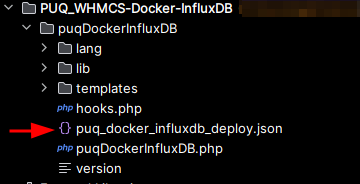 - You need to manually import this template into your n8n server. 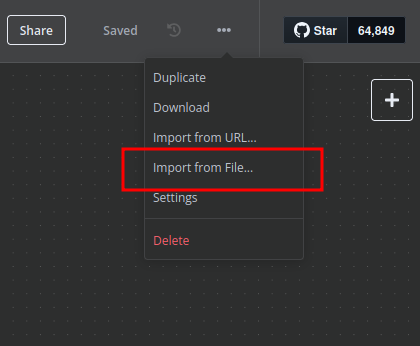 ## n8n Workflow API Backend Setup for WHMCS/WISECP ### 1. Configure API Webhook and SSH Access - Create a **Basic Auth Credential** for the Webhook API block in n8n. 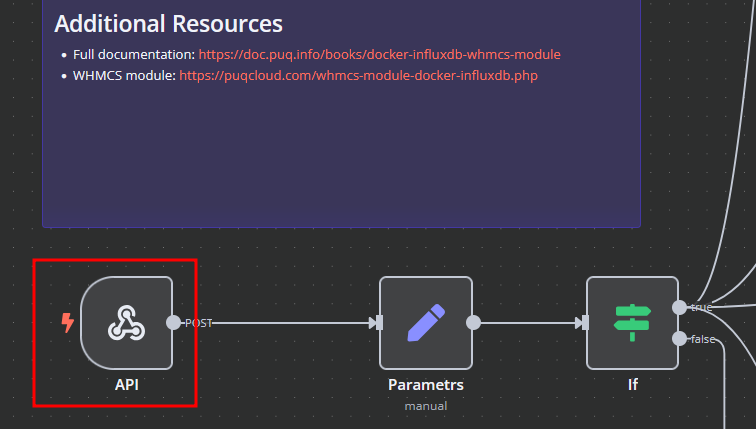 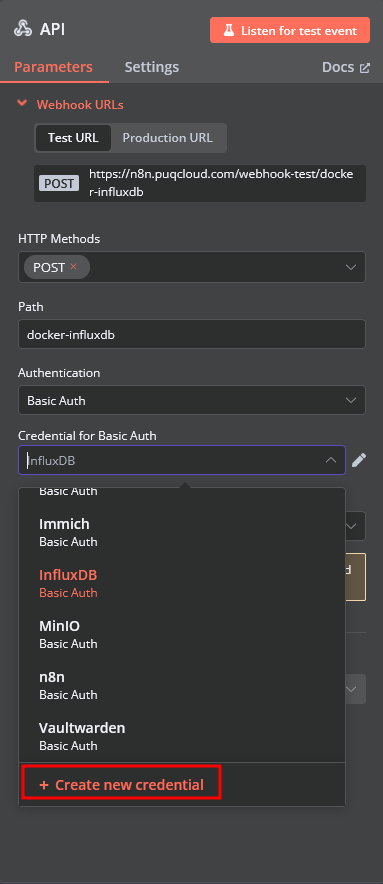 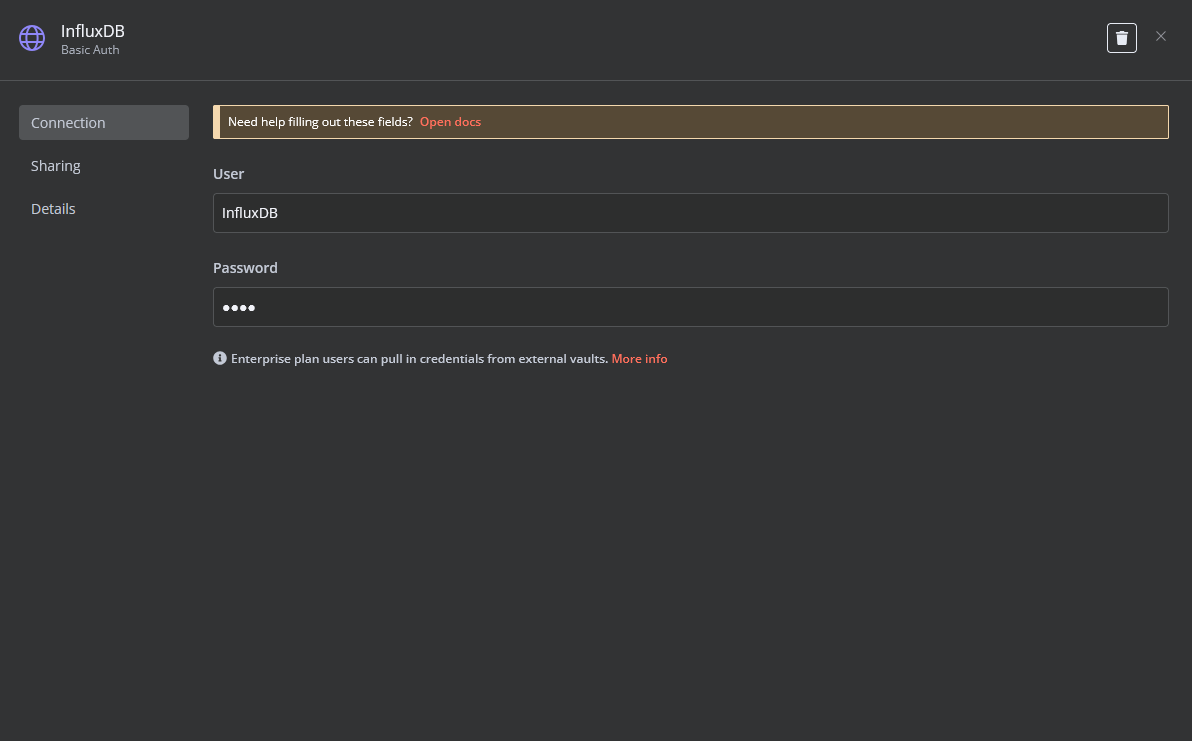 - Create an **SSH Credential** for accessing a server with Docker installed. 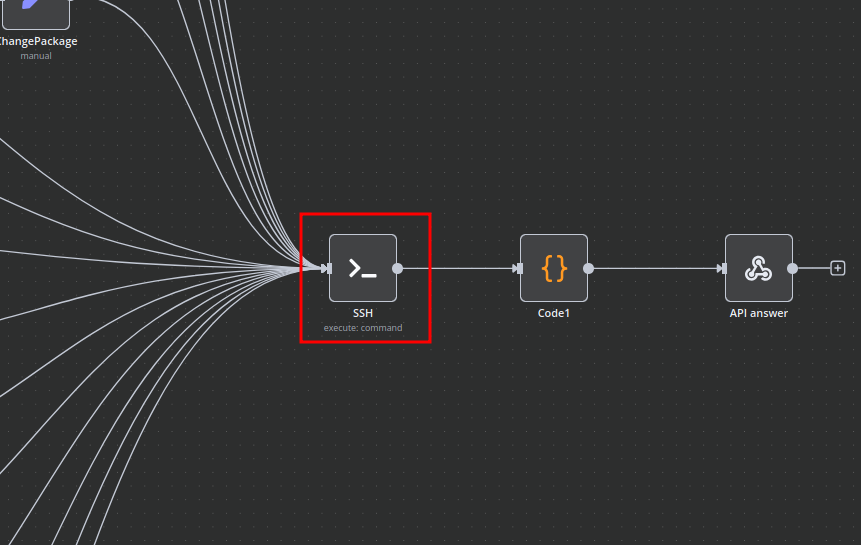 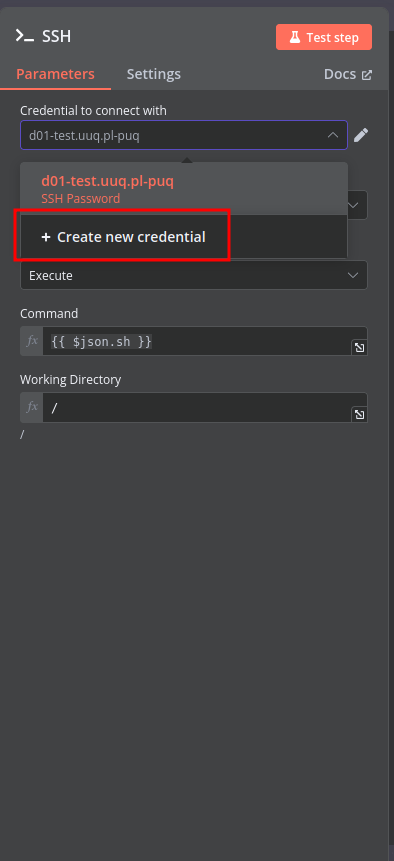 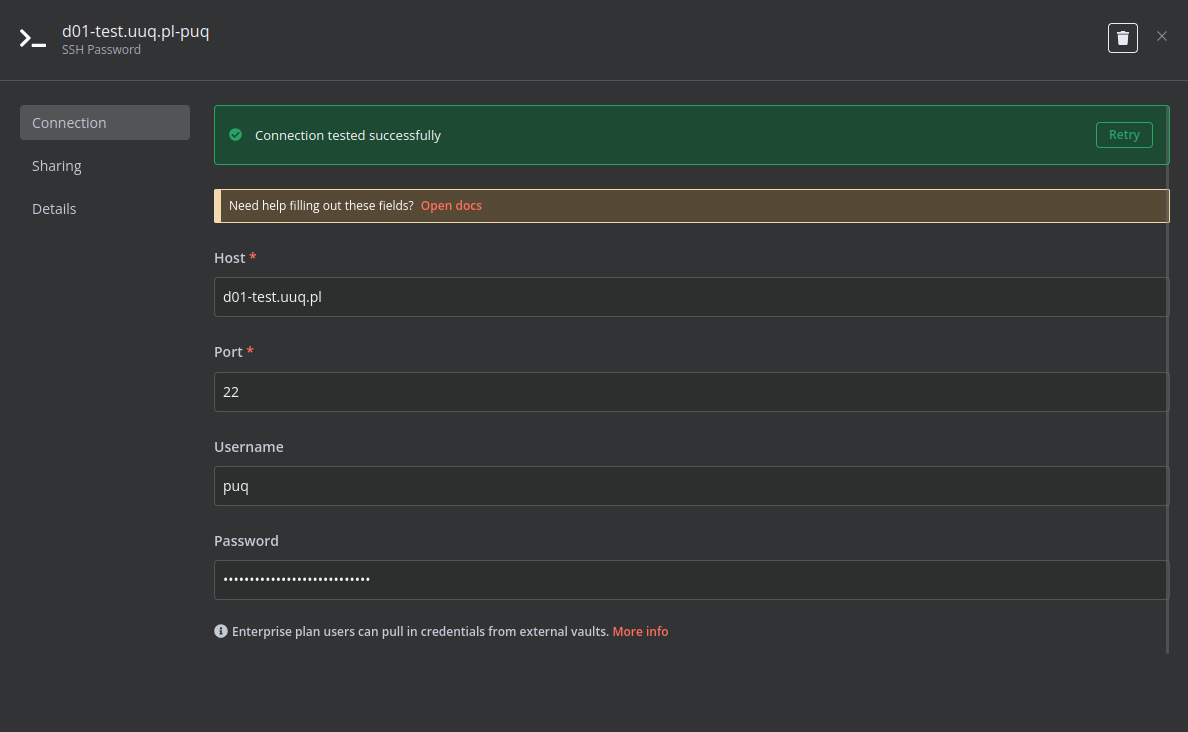 ### 2. Modify Template Parameters In the **Parameters** block of the template, update the following settings: 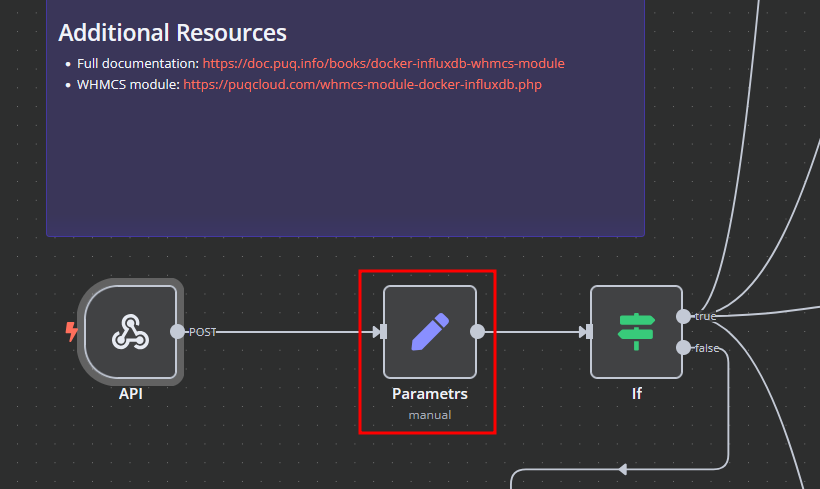 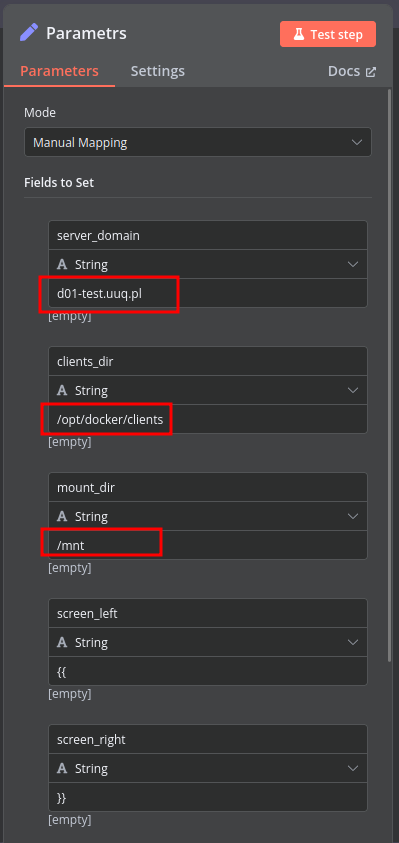 - `server_domain` - Must match the domain of the WHMCS/WISECP Docker server. - `clients_dir` - Directory where user data related to Docker and disks will be stored. - `mount_dir` - Default mount point for the container disk (recommended not to change). **Do not modify** the following technical parameters: - `screen_left` - `screen_right` ### **Deploy-docker-compose** In the **Deploy-docker-compose** element, you can modify the Docker Compose configuration. This is generated in the following scenarios: - When the service is created - When the service is unlocked - When the service is updated 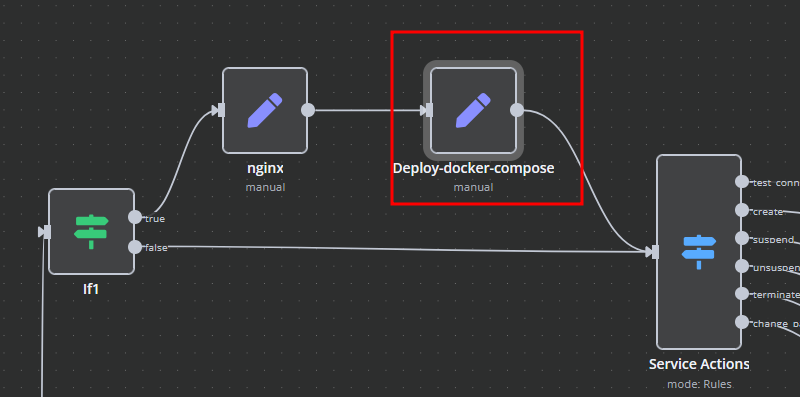 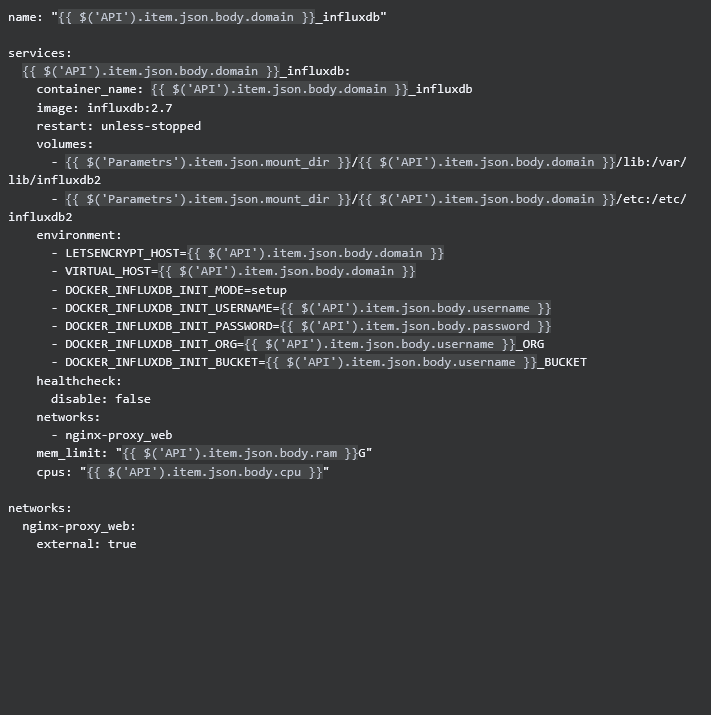 ### **nginx** In the **nginx** element, you can modify configuration parameters of the web interface proxy server. - The **main** section allows you to add custom parameters to the `server` block in the proxy server configuration file. - The **main_location** section contains settings that will be added to the `location /` block of the configuration. Here, you can define custom headers and parameters. 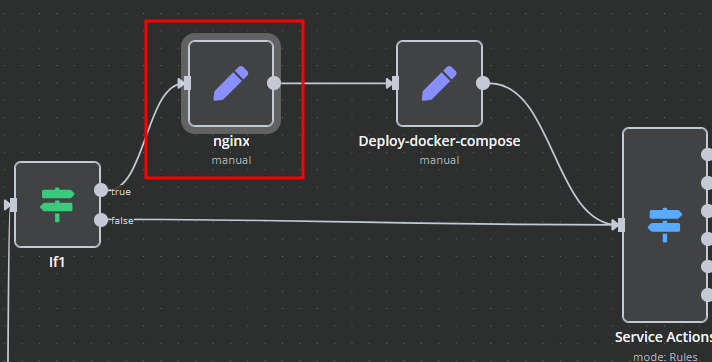 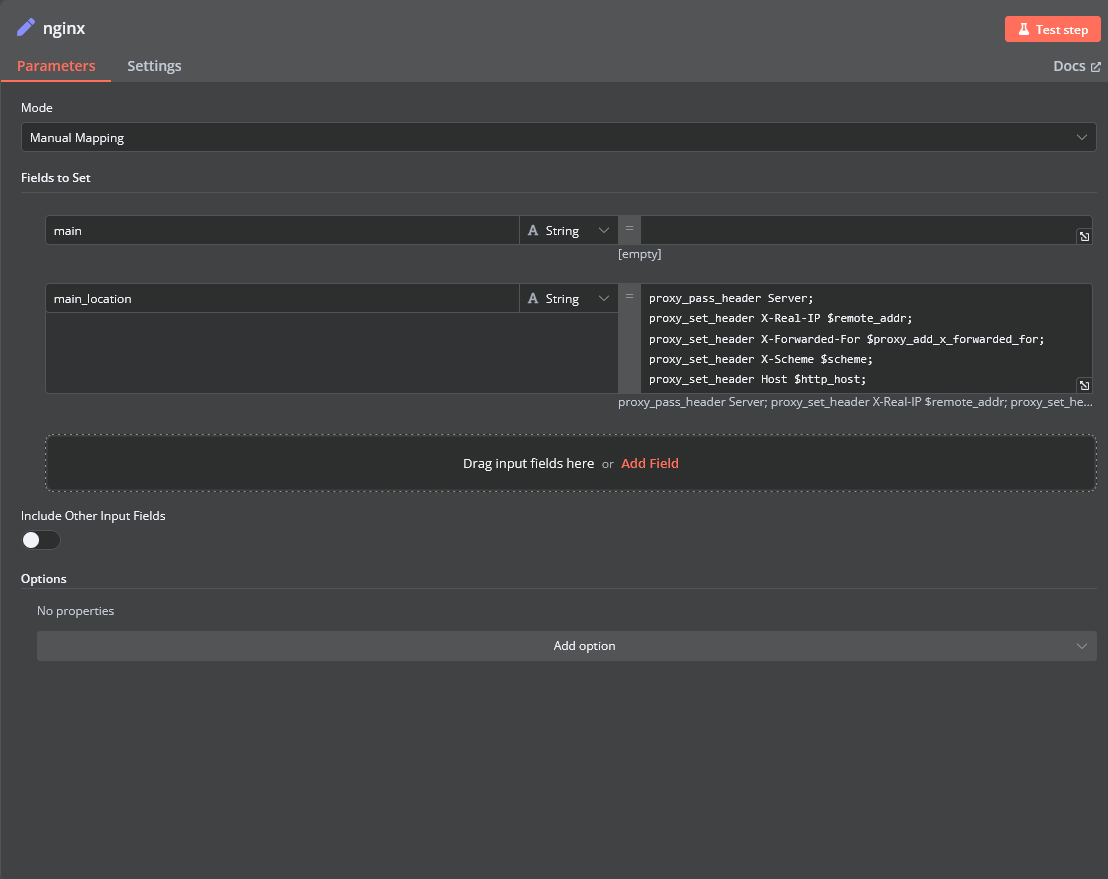 ### **Bash Scripts** Management of Docker containers and related procedures is done by executing Bash scripts generated in **n8n**. These scripts return either JSON or plain strings. - All scripts are located in elements directly connected to the **SSH** element. - You have full control over any script and can modify or execute it as needed. 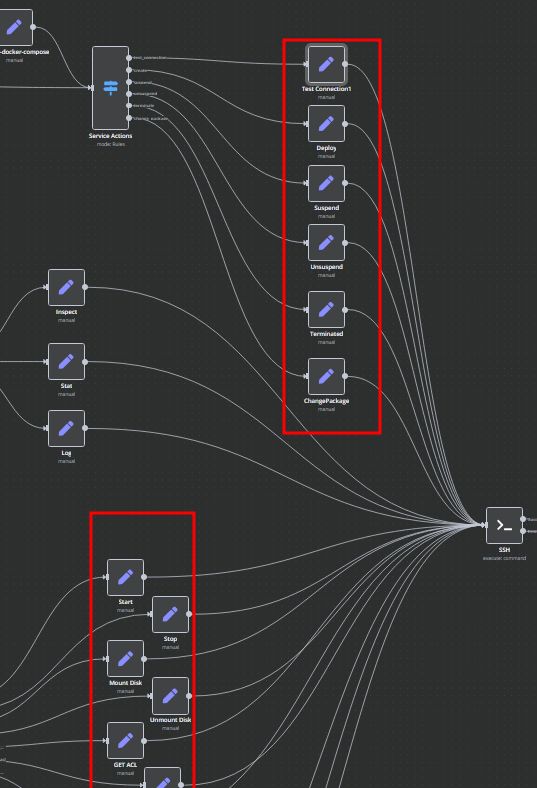
Overview
The Docker InfluxDB WHMCS module uses a specially designed workflow for n8n to automate deployment processes. The workflow provides an API interface for the module, receives specific commands, and connects via SSH to a server with Docker installed to perform predefined actions.
Prerequisites
- You must have your own n8n server.
- Alternatively, you can use the official n8n cloud installations available at: n8n Official Site
Installation Steps
Install the Required Workflow on n8n
You have two options:
Option 1: Use the Latest Version from the n8n Marketplace
- The latest workflow templates for our modules are available on the official n8n marketplace.
- Visit our profile: PUQcloud on n8n
Option 2: Manual Installation
- Each module version comes with a workflow template file.

- You need to manually import this template into your n8n server.

n8n Workflow API Backend Setup for WHMCS/WISECP
1. Configure API Webhook and SSH Access
-
Create a Basic Auth Credential for the Webhook API block in n8n.



-
Create an SSH Credential for accessing a server with Docker installed.



2. Modify Template Parameters
In the Parameters block of the template, update the following settings: 

server_domain- Must match the domain of the WHMCS/WISECP Docker server.clients_dir- Directory where user data related to Docker and disks will be stored.mount_dir- Default mount point for the container disk (recommended not to change).
Do not modify the following technical parameters:
screen_leftscreen_right
Deploy-docker-compose
In the Deploy-docker-compose element, you can modify the Docker Compose configuration. This is generated in the following scenarios:
- When the service is created
- When the service is unlocked
- When the service is updated


nginx
In the nginx element, you can modify configuration parameters of the web interface proxy server.
- The main section allows you to add custom parameters to the
serverblock in the proxy server configuration file. - The main_location section contains settings that will be added to the
location /block of the configuration. Here, you can define custom headers and parameters.


Bash Scripts
Management of Docker containers and related procedures is done by executing Bash scripts generated in n8n. These scripts return either JSON or plain strings.
- All scripts are located in elements directly connected to the SSH element.
- You have full control over any script and can modify or execute it as needed.

New buyers can create an account from the cart to unlock a controlled $10 first-purchase credit on eligible orders of $25+.
Related bundle
n8n Starter Kit
8 hand-picked workflows for $39.00.
That is $4.88 each, vs $24.99 for this one alone.
View bundleSecure checkout powered by Stripe
Support
How to import this workflow into n8n
- 1Purchase or download the workflow to get the n8n workflow JSON file.
- 2In your n8n instance, open Workflows and choose "Import from File" (or paste the JSON with Ctrl+V on the canvas).
- 3Open each node marked with a credential warning and connect your own accounts and API keys.
- 4Run the workflow once manually to verify the data flow, then toggle it to Active.
Related Development & IT workflows
- Create daily historical AI videos with Gemini, fal.ai, Telegram and YouTube$14.99
- Advanced multi-agent AI personal assistant with 250+ task capabilities (WhatsApp + GPT)$2.99
- Send Organized Security CVE Digests from NVD with AI-Polished Summaries to Gmail$4.99
- Learn n8n basics in 3 easy steps ✨$14.99
- Automated multi-platform sales agent with RAG, CRM & payment processing$2.99
- Version Control n8n Workflows in GitLab with Custom and Organization$14.99
More from PUQcloud
Need this deployed? We'll set it up for you.
Our automation experts deploy this workflow in your stack, connect your accounts, and verify it works — or build a custom solution from scratch.