Realtime Notion Todoist 2-Way Sync with Redis
## Purpose This solution enables you to manage all your Notion and Todoist tasks from different workspaces as well as your calendar events in a single place. All tasks can be managed in Todoist and additionally, Fantastical can be used to manage scheduled tasks & events all together. ## Demo & Explanation [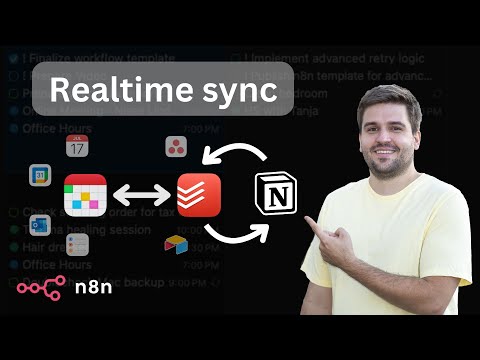](https://youtu.be/k66j6ZspjCg) ## How it works - The realtime sync consists of two workflows, both triggered by a registered webhook from either Notion or Todoist. - To avoid overwrites by lately arriving webhook calls, every time the current task is retrieved from both sides. - Redis is used to prevent endless loops, since an update in one system triggers another webhook call again. Using the ID of the task, the trigger is being locked down for 15 seconds. - Depending on the detected changes, the other side is updated accordingly. Generally, Notion is treated as the main source. Using an Obsolete Status, it is guaranteed that tasks never get deleted entirely by accident. - The Todoist ID is stored in the Notion task, so they stay linked together. - An additional full sync workflow daily fixes inconsistencies, if any of them occurred, since webhooks cannot be trusted entirely. - Since Todoist requires a more complex setup, a tiny workflow helps with activating the webhook. - Another tiny workflow helps generating a global config, which is used by all workflows for mapping purposes. ## Mapping (Notion >> Todoist) - Name: Task Name - Priority: Priority (1: do first, 2: urgent, 3: important, 4: unset) - Due: Date - Status: Section (Done: completed, Obsolete: deleted) - <page_link>: Description (read-only) - Todoist ID: <task_id> ## Current limitations - Changes on the same task cannot be made simultaneously in both systems within a 15-20 second time frame. - Subtasks are not linked automatically to their parent yet. - Recurring tasks are not supported yet. - Task names do not support URLs yet. ## Prerequisites ### Notion - A database must already exist (get a basic template [here](https://steadfast-banjo-d1f.notion.site/17682b476c848086b002de766879aa71)) with the following properties (case matters!): - Text: Name - Status: Status, containing at least the options Backlog, In progress, Done, Obsolete - Select: Priority, containing the options do first, urgent, important - Date: Due - Checkbox: Focus - Text: Todoist ID ### Todoist - A project must already exist with the same sections like defined as Status in Notion (except Done and Obsolete) ### Redis - Create a [Free Redis Cloud](https://redis.io/try-free/) instance or self-host ## Setup [](https://youtu.be/73jhyU0t4c4) The setup involves quite a lot of steps, yet many of them can be automated for business internal purposes. Just follow the video or do the following steps: - Setup credentials for Notion (access token), Todoist (access token), and Redis - you can also create empty credentials and populate these later during further setup. - Clone this workflow by clicking the Use workflow button and then choosing your n8n instance - otherwise, you need to map the credentials of many nodes. - Follow the instructions described within the bundle of sticky notes on the top left of the workflow. ## How to use - You can apply changes (create, update, delete) to tasks both in Notion and Todoist which then get synced over within a couple of seconds (this is handled by the differential realtime sync). - The daily running full sync resolves possible discrepancies in Todoist and sends a summary via email, if anything needed to be updated. In case that contains an unintended change, you can jump to the task from the email directly to fix it manually.
Purpose
This solution enables you to manage all your Notion and Todoist tasks from different workspaces as well as your calendar events in a single place.
All tasks can be managed in Todoist and additionally, Fantastical can be used to manage scheduled tasks & events all together.
Demo & Explanation

How it works
- The realtime sync consists of two workflows, both triggered by a registered webhook from either Notion or Todoist.
- To avoid overwrites by lately arriving webhook calls, every time the current task is retrieved from both sides.
- Redis is used to prevent endless loops, since an update in one system triggers another webhook call again. Using the ID of the task, the trigger is being locked down for 15 seconds.
- Depending on the detected changes, the other side is updated accordingly. Generally, Notion is treated as the main source. Using an Obsolete Status, it is guaranteed that tasks never get deleted entirely by accident.
- The Todoist ID is stored in the Notion task, so they stay linked together.
- An additional full sync workflow daily fixes inconsistencies, if any of them occurred, since webhooks cannot be trusted entirely.
- Since Todoist requires a more complex setup, a tiny workflow helps with activating the webhook.
- Another tiny workflow helps generating a global config, which is used by all workflows for mapping purposes.
Mapping (Notion >> Todoist)
- Name: Task Name
- Priority: Priority (1: do first, 2: urgent, 3: important, 4: unset)
- Due: Date
- Status: Section (Done: completed, Obsolete: deleted)
- <page_link>: Description (read-only)
- Todoist ID: <task_id>
Current limitations
- Changes on the same task cannot be made simultaneously in both systems within a 15-20 second time frame.
- Subtasks are not linked automatically to their parent yet.
- Recurring tasks are not supported yet.
- Task names do not support URLs yet.
Prerequisites
Notion
- A database must already exist (get a basic template here) with the following properties (case matters!):
- Text: Name
- Status: Status, containing at least the options Backlog, In progress, Done, Obsolete
- Select: Priority, containing the options do first, urgent, important
- Date: Due
- Checkbox: Focus
- Text: Todoist ID
Todoist
- A project must already exist with the same sections like defined as Status in Notion (except Done and Obsolete)
Redis
- Create a Free Redis Cloud instance or self-host
Setup

The setup involves quite a lot of steps, yet many of them can be automated for business internal purposes.
Just follow the video or do the following steps:
- Setup credentials for Notion (access token), Todoist (access token), and Redis - you can also create empty credentials and populate these later during further setup.
- Clone this workflow by clicking the Use workflow button and then choosing your n8n instance - otherwise, you need to map the credentials of many nodes.
- Follow the instructions described within the bundle of sticky notes on the top left of the workflow.
How to use
- You can apply changes (create, update, delete) to tasks both in Notion and Todoist which then get synced over within a couple of seconds (this is handled by the differential realtime sync).
- The daily running full sync resolves possible discrepancies in Todoist and sends a summary via email, if anything needed to be updated. In case that contains an unintended change, you can jump to the task from the email directly to fix it manually.
New buyers can create an account from the cart to unlock a controlled $10 first-purchase credit on eligible orders of $25+.
Secure checkout powered by Stripe
Support
How to import this workflow into n8n
- 1Purchase or download the workflow to get the n8n workflow JSON file.
- 2In your n8n instance, open Workflows and choose "Import from File" (or paste the JSON with Ctrl+V on the canvas).
- 3Open each node marked with a credential warning and connect your own accounts and API keys.
- 4Run the workflow once manually to verify the data flow, then toggle it to Active.
Related Productivity workflows
- Automate Personal Life Management with Telegram and Google Services$14.99
- Automate Google Sheets Cleanup by Removing Duplicates via Profile URLs$4.99
- Automate Google Sheets with AI-Driven Text Generation in n8n$9.99
- Automated Daily Briefing for Executive Communication Management$14.99
- Automate Salon Bookings with AI, Google Calendar, and Email Confirmations$14.99
- Automate Meeting Scheduling with AI via Telegram$9.99
More from Mario
Need this deployed? We'll set it up for you.
Our automation experts deploy this workflow in your stack, connect your accounts, and verify it works — or build a custom solution from scratch.