UI Screenshot UX Audit with PDF Report
An n8n workflow template for reviewing one UI screenshot against its audience and task, then returning a downloadable PDF report. ## Requirements - An n8n workspace that supports the HTML to PDF integration. - An OpenAI API credential with available API balance. - The installed community package n8n-nodes-htmlcsstopdf. - A PDFMunk credential with available conversion allowance. The purchase covers the template, not third-party accounts, subscriptions, API usage, or hosted audit access. Buyers enter their own keys securely in n8n. ## Start Install the PDF integration, import workflow.json, connect your OpenAI and HTML to PDF account credentials, then execute the complete workflow using its Test URL. Follow Setup-and-Troubleshooting-Guide.pdf for exact settings. ## Report scope Information hierarchy and grouping, visible heuristics, typography, color, UX copy, visual theme, prioritized fixes, limitations, and validation steps. Screenshot review does not verify full-site architecture, live interactions, conversion impact, or WCAG compliance. Figma frames can be exported as screenshots; direct Figma links are not supported. ## Data flow Screenshot and context are processed by OpenAI. Generated report HTML is processed by PDFMunk. Review Privacy-and-Usage.md before using confidential material. ## Release information Includes the supplied seven-node workflow as a cleaned inactive export and the original four-page sample audit. See RELEASE-RECORD.md for inspection limits. Reconnect your own credentials after import. The original input screenshot is not included. A clean-import test and final seller support terms still need confirmation.
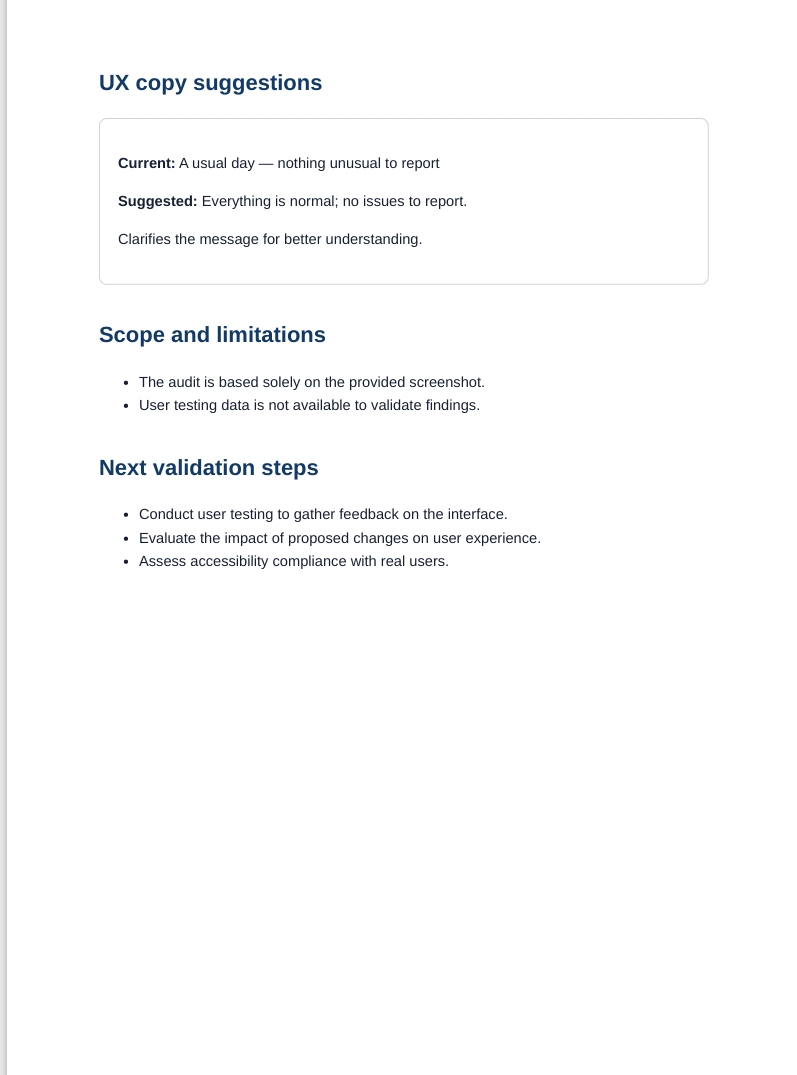
An n8n workflow template for reviewing one UI screenshot against its audience and task, then returning a downloadable PDF report.
Requirements
- An n8n workspace that supports the HTML to PDF integration.
- An OpenAI API credential with available API balance.
- The installed community package n8n-nodes-htmlcsstopdf.
- A PDFMunk credential with available conversion allowance.
The purchase covers the template, not third-party accounts, subscriptions, API usage, or hosted audit access. Buyers enter their own keys securely in n8n.
Start
Install the PDF integration, import workflow.json, connect your OpenAI and HTML to PDF account credentials, then execute the complete workflow using its Test URL. Follow Setup-and-Troubleshooting-Guide.pdf for exact settings.
Report scope
Information hierarchy and grouping, visible heuristics, typography, color, UX copy, visual theme, prioritized fixes, limitations, and validation steps. Screenshot review does not verify full-site architecture, live interactions, conversion impact, or WCAG compliance. Figma frames can be exported as screenshots; direct Figma links are not supported.
Data flow
Screenshot and context are processed by OpenAI. Generated report HTML is processed by PDFMunk. Review Privacy-and-Usage.md before using confidential material.
Release information
Includes the supplied seven-node workflow as a cleaned inactive export and the original four-page sample audit. See RELEASE-RECORD.md for inspection limits. Reconnect your own credentials after import. The original input screenshot is not included. A clean-import test and final seller support terms still need confirmation.
New buyers can create an account from the cart to unlock a controlled $10 first-purchase credit on eligible orders of $25+.
Related bundle
WhatsApp Business Automation
7 hand-picked workflows for $39.00.
That is $5.57 each, vs $15.00 for this one alone.
View bundleSecure checkout powered by Stripe
Support
How to import this workflow into n8n
- 1Purchase or download the workflow to get the n8n workflow JSON file.
- 2In your n8n instance, open Workflows and choose "Import from File" (or paste the JSON with Ctrl+V on the canvas).
- 3Open each node marked with a credential warning and connect your own accounts and API keys.
- 4Run the workflow once manually to verify the data flow, then toggle it to Active.
Related workflows
- Automate Personal Life Management with Telegram and Google Services$14.99
- Launch Your First AI-Powered Chatbot with Actionable Tools$9.99
- Automate Multilingual Customer Support with AI Voice Agent and Calendar Integration$9.99
- Nutrition Tracker & Meal Logger with Telegram, Gemini AI, and Google Sheets$24.99
- Automate AI Video Creation and Social Media Publishing$24.99
- Automate AI-Generated Virtual Try-On Images for WooCommerce$14.99
More from Community
Need this deployed? We'll set it up for you.
Our automation experts deploy this workflow in your stack, connect your accounts, and verify it works — or build a custom solution from scratch.