
OpenClaw Complete Documentation Guide: Setup, Configuration, and Skills

This guide covers the full OpenClaw gateway: installation, channel setup, access control, automation, credential management, and the agent runtime architecture. It is for developers and power users who want a self-hosted AI assistant they can message from any chat app.
What You Need
Before you start, gather these prerequisites from the official documentation:
- Node.js: Version 24.15+ is recommended. Node 22 LTS (22.22.3+) works for compatibility. Node 25.9+ is also supported. The Gateway requires a modern Node runtime.
- An API key from your chosen model provider (for example, OpenAI, Anthropic, or any provider listed in the model providers documentation).
- 5 minutes for the basic install and onboarding. Full channel setup may take longer depending on the channel.
- A machine to run the Gateway. It can be your local development machine, a server, or a container. The Gateway is self-hosted.
- Optional but recommended: A Telegram account for the fastest channel setup (simple bot token, no plugin install).
Installation and First Run
Install OpenClaw
Install the package globally via npm:
npm install -g openclaw@latest
This installs the openclaw CLI and all core dependencies. The core install includes iMessage, Telegram, and the WebChat UI.
Onboard and Install the Service
Run the guided setup:
openclaw onboard --install-daemon
The --install-daemon flag sets up the Gateway as a background service (daemon) so it starts automatically on system boot. If you prefer to run the Gateway manually, omit this flag and start it later with openclaw gateway start.
Start Chatting
Open the browser-based Control UI:
openclaw dashboard
This opens the WebChat UI at http://127.0.0.1:18789/ by default. From there you can send messages to the agent. For remote access, the documentation mentions Web surfaces and Tailscale.
Alternatively, connect a messaging channel (Telegram is fastest) and chat from your phone.
Configuration Basics
Configuration lives at ~/.openclaw/openclaw.json. If you do nothing, OpenClaw uses the bundled agent runtime. Direct messages share the agent's main session, and each group chat gets its own session.
A minimal configuration example from the overview page:
{
  channels: {
    whatsapp: {
      allowFrom: ["+15555550123"],
      groups: {
        "*": {
          requireMention: true
        }
      }
    }
  },
  messages: {
    groupChat: {
      mentionPatterns: ["@openclaw"]
    }
  }
}
This locks down WhatsApp to a single phone number and requires the bot to be mentioned in groups. The mentionPatterns setting tells the agent to listen for "@openclaw" in group messages.
Channels: Connecting Your Chat Apps
OpenClaw can talk to you on any chat app you already use. Each channel connects via the Gateway. Text is supported everywhere; media and reactions vary by channel.
Supported Channels
The official documentation lists these channels:
- Discord: Discord Bot API + Gateway; supports servers, channels, and DMs (official plugin).
- Feishu: Feishu/Lark bot via WebSocket (official plugin).
- Google Chat: Google Chat API app via HTTP webhook (official plugin).
- iMessage: Included in core. Native macOS integration via the
imsgbridge on a signed-in Mac (or SSH wrapper when the Gateway runs elsewhere), including private API actions for replies, tapbacks, effects, attachments, and group management. - IRC: Classic IRC servers; channels + DMs with pairing/allowlist controls (official plugin).
- LINE: LINE Messaging API bot (official plugin).
- Matrix: Matrix protocol (official plugin).
- Mattermost: Bot API + WebSocket; channels, groups, DMs (official plugin).
- Microsoft Teams: Bot Framework; enterprise support (official plugin).
- Nextcloud Talk: Self-hosted chat via Nextcloud Talk (official plugin).
- Nostr: Decentralized DMs via NIP-04 (official plugin).
- QQ Bot: QQ Bot API; private chat, group chat, and rich media (official plugin).
- Reef: Guarded, end-to-end-encrypted claw-to-claw messaging between OpenClaw agents of different people (bundled plugin).
- Raft: Raft CLI wake bridge for human and agent collaboration (official plugin).
- Signal: signal-cli; privacy-focused (official plugin).
- Slack: Bolt SDK; workspace apps (official plugin).
- SMS: Twilio-backed SMS through the Gateway webhook (official plugin).
- Synology Chat: Synology NAS Chat via outgoing+incoming webhooks (official plugin).
- Telegram: Included in core. Bot API via grammY; supports groups.
- Tlon: Urbit-based messenger (official plugin).
- Twitch: Twitch chat via IRC connection (official plugin).
- Voice Call: Telephony via Plivo, Telnyx, or Twilio (official plugin).
- WebChat: Included in core. Gateway WebChat UI over WebSocket.
- WeChat: Tencent iLink bot via QR login; private chats only (external plugin).
- WhatsApp: Most popular; uses Baileys and requires QR pairing (official plugin).
- Yuanbao: Tencent Yuanbao bot (external plugin).
- Zalo: Zalo Bot API; Vietnam's popular messenger (official plugin).
- Zalo ClawBot: Personal Zalo assistant via QR login; owner-bound (external plugin).
- Zalo Personal: Zalo personal account via QR login (official plugin).
Channels marked "official plugin" install with one command (openclaw plugins install @openclaw/<channel-name>) or on demand during openclaw onboard / openclaw channels add, then need a Gateway restart. "External plugin" channels are maintained outside the OpenClaw repo.
Channel Delivery Notes
- Telegram replies that contain markdown image syntax, such as
, are converted into media replies on the final outbound path when possible. - Slack multi-person DMs route as group chats, so group policy, mention behavior, and group-session rules apply to MPIM conversations.
- WhatsApp setup is install-on-demand: onboarding can show the setup flow before the plugin package is installed, and the Gateway loads the external ClawHub/npm plugin only when the channel is actually active.
- Channels that accept bot-authored inbound messages can use shared bot loop protection to prevent bot pairs from replying to each other indefinitely.
- Supported always-on rooms can use ambient room events so unmentioned room chatter becomes quiet context unless the agent sends with the
messagetool.
Fastest Setup: Telegram
Telegram is the fastest channel to set up because it requires only a simple bot token and no plugin install. Create a bot via BotFather, get the token, and add it to your config.
WhatsApp requires QR pairing and stores more state on disk. Group behavior varies by channel; see the Groups documentation.
Access Groups: Managing Sender Permissions
Access groups are named sender lists you define once under accessGroups and reference from channel allowlists with accessGroup: <name>. Use them when the same people should be allowed across several message channels, or when one trusted set should apply to both DMs and group sender authorization.
A group grants nothing by itself. It only matters where an allowlist field references it.
Static Message Sender Groups
Static sender groups use type: "message.senders". The members object is keyed by message-channel id, plus "*" for entries shared by every channel:
{
  accessGroups: {
    operators: {
      type: "message.senders",
      members: {
        "*": ["global-owner-id"],
        discord: ["discord:123456789012345678"],
        telegram: ["987654321"],
        whatsapp: ["+15551234567"],
      },
    },
  },
}
Key meanings:
"*": Shared entries checked for every message channel that references the group.discord,telegram, etc.: Entries checked only for that channel's allowlist matching.
Entries are matched with the destination channel's normal allowFrom rules. OpenClaw does not translate sender ids between channels: if Alice has a Telegram id and a Discord id, list both ids under the matching channel keys.
Reference Groups from Allowlists
Reference a group with accessGroup: <name> anywhere the message channel path supports sender allowlists.
DM allowlist example:
{
  accessGroups: {
    operators: {
      type: "message.senders",
      members: {
        discord: ["discord:123456789012345678"],
        telegram: ["987654321"],
      },
    },
  },
  channels: {
    discord: {
      dmPolicy: "allowlist",
      allowFrom: ["accessGroup:operators"],
    },
    telegram: {
      dmPolicy: "allowlist",
      allowFrom: ["accessGroup:operators"],
    },
  },
}
Group sender allowlist example:
{
  accessGroups: {
    oncall: {
      type: "message.senders",
      members: {
        whatsapp: ["+15551234567"],
        googlechat: ["users/1234567890"],
      },
    },
  },
  channels: {
    whatsapp: {
      groupPolicy: "allowlist",
      groupAllowFrom: ["accessGroup:oncall"],
    },
    googlechat: {
      groups: {
        "spaces/AAA": {
          users: ["accessGroup:oncall"],
        },
      },
    },
  },
}
You can mix groups and direct entries:
{
  channels: {
    discord: {
      dmPolicy: "allowlist",
      allowFrom: ["accessGroup:operators", "discord:123456789012345678"],
    },
  },
}
Supported Message-Channel Paths
Access groups work in these shared message-channel authorization paths:
- DM sender allowlists such as
channels.<channel>.allowFrom - group sender allowlists such as
channels.<channel>.groupAllowFrom - channel-specific per-room sender allowlists that use the same sender matching rules (for example Google Chat
groups.<id>.users) - command authorization paths that reuse message-channel sender allowlists
Current bundled support includes ClickClack, Discord, Feishu, Google Chat, iMessage, IRC, LINE, Mattermost, Microsoft Teams, Nextcloud Talk, Nostr, QQ Bot, Signal, Slack, SMS, Telegram, WhatsApp, Zalo, and Zalo Personal.
Discord Channel Audiences
Discord also supports a dynamic access group type:
{
  accessGroups: {
    maintainers: {
      type: "discord.channelAudience",
      guildId: "1456350064065904867",
      channelId: "1456744319972282449",
      membership: "canViewChannel",
    },
  },
  channels: {
    discord: {
      dmPolicy: "allowlist",
      allowFrom: ["accessGroup:maintainers"],
    },
  },
}
discord.channelAudience means "allow Discord DM senders who can currently view this guild channel." OpenClaw resolves the sender through Discord at authorization time and applies Discord ViewChannel permission rules. membership is optional and defaults to canViewChannel. Use this when a Discord channel is already the source of truth for a team, such as #maintainers or #on-call.
Requirements and failure behavior:
- The bot needs access to the guild and channel.
- The bot needs the Discord Developer Portal Server Members Intent.
- The access group fails closed when Discord returns
Missing Access, the sender cannot be resolved as a guild member, or the channel belongs to another guild.
Plugin Diagnostics
Plugin authors can inspect structured access-group state without expanding it back into a flat allowlist:
const state = await resolveAccessGroupAllowFromState({
  accessGroups: cfg.accessGroups,
  allowFrom: channelConfig.allowFrom,
  channel: "my-channel",
  accountId: "default",
  senderId,
  isSenderAllowed,
});
The result reports referenced, matched, missing, unsupported, and failed groups. Use it for diagnostics or conformance tests. Use expandAllowFromWithAccessGroups(...) only for compatibility paths that still expect a flat allowFrom array.
Security Notes
- Access groups are allowlist aliases, not roles. They do not create owners, approve pairing requests, or grant tool permissions by themselves.
dmPolicy: "open"still requires"*"in the effective DM allowlist. Referencing an access group is not the same as public access.- Missing group names fail closed. If
allowFromcontainsaccessGroup:operatorsandaccessGroups.operatorsis absent, that entry authorizes nobody. - Keep channel ids stable. Prefer numeric/user ids over display names when the channel supports both.
Troubleshooting Access Groups
If a sender should match but is blocked:
- Confirm the allowlist field contains the exact
accessGroup: <name>reference. - Confirm
accessGroups.<name>.typeis correct. - Confirm the sender id is listed under the matching channel key, or under
"*". - Confirm the entry uses that channel's normal allowlist syntax.
- For Discord channel audiences, confirm the bot can see the guild channel and has Server Members Intent enabled.
Run openclaw doctor after editing access-control config. It catches many invalid allowlist and policy combinations before runtime.
Ambient Room Events: Silent Listening in Groups
Ambient room events let OpenClaw process unmentioned group or channel chatter as quiet context. The agent can update memory and session state, but the room stays silent unless the agent explicitly calls the message tool.
For always-on group chats, combine messages.groupChat.unmentionedInbound: "room_event" with messages.groupChat.visibleReplies: "message_tool". The agent listens, decides when a reply is useful, and never needs the old prompt pattern of answering NO_REPLY.
Supported today: Discord guild channels, Slack channels and private channels, Slack multi-person DMs, and Telegram groups or supergroups. Other group channels keep their existing group behavior unless their channel page says they support ambient room events.
Recommended Setup
Set the global group-chat behavior:
{
  messages: {
    groupChat: {
      unmentionedInbound: "room_event",
      visibleReplies: "message_tool",
      historyLimit: 50,
    },
  },
}
Then make the room always-on by disabling mention gating for that room. The room must still pass its normal groupPolicy, room allowlist, and sender allowlist. After saving the config, the Gateway hot-applies messages settings. Restart only when file watching or config reload is disabled (gateway.reload.mode: "off").
What Changes
With messages.groupChat.unmentionedInbound: "room_event":
- unmentioned allowed group or channel messages become quiet room events
- mentioned messages stay user requests
- text control commands and native commands stay user requests
- abort or stop requests stay user requests
- direct messages stay user requests
Room events use strict visible delivery. Final assistant text is private. The agent must call message(action=send) to post in the room. Typing and lifecycle status reactions stay suppressed for room events. The one explicit receipt exception is messages.ackReactionScope: "all", which sends the configured ack reaction; use any narrower scope or "off" when the room must remain completely silent.
Discord Example
{
  messages: {
    groupChat: {
      unmentionedInbound: "room_event",
      visibleReplies: "message_tool",
      historyLimit: 50,
    },
  },
  channels: {
    discord: {
      groupPolicy: "allowlist",
      guilds: {
        "<DISCORD_SERVER_ID>": {
          requireMention: false,
          users: ["<YOUR_DISCORD_USER_ID>"],
        },
      },
    },
  },
}
Use per-channel Discord config when only one channel should be ambient. Under groupPolicy: "allowlist", listing the channel is what allows it (enabled: false disables an entry):
{
  channels: {
    discord: {
      groupPolicy: "allowlist",
      guilds: {
        "<DISCORD_SERVER_ID>": {
          channels: {
            "<DISCORD_CHANNEL_ID_OR_NAME>": {
              requireMention: false,
            },
          },
        },
      },
    },
  },
}
Slack Example
Slack channel allowlists are ID-first. Use channel IDs such as C12345678, not #channel-name. Listing the channel under channels.slack.channels is what allows it (enabled: false disables an entry):
{
  messages: {
    groupChat: {
      unmentionedInbound: "room_event",
      visibleReplies: "message_tool",
      historyLimit: 50,
    },
  },
  channels: {
    slack: {
      groupPolicy: "allowlist",
      channels: {
        "<SLACK_CHANNEL_ID>": {
          requireMention: false,
        },
      },
    },
  },
}
Telegram Example
For Telegram groups, the bot must be able to see normal group messages. If requireMention: false, disable BotFather privacy mode or use another Telegram setup that delivers full group traffic to the bot.
{
  messages: {
    groupChat: {
      unmentionedInbound: "room_event",
      visibleReplies: "message_tool",
      historyLimit: 50,
    },
  },
  channels: {
    telegram: {
      groups: {
        "<TELEGRAM_GROUP_CHAT_ID>": {
          groupPolicy: "open",
          requireMention: false,
        },
      },
    },
  },
}
Telegram group IDs are usually negative numbers such as -1001234567890. Read chat.id from openclaw logs --follow, forward a group message to an ID helper bot, or inspect Bot API getUpdates.
Agent Specific Policy
Use an agent override when several agents share the same room but only one should treat unmentioned chatter as ambient context:
{
  messages: {
    groupChat: {
      visibleReplies: "message_tool",
    },
  },
  agents: {
    list: [
      {
        id: "main",
        groupChat: {
          unmentionedInbound: "room_event",
          mentionPatterns: ["@openclaw", "openclaw"],
        },
      },
    ],
  },
}
The agent-specific agents.entries.*.groupChat.unmentionedInbound value overrides messages.groupChat.unmentionedInbound for that agent.
Visible Reply Modes
messages.groupChat.visibleReplies defaults to "automatic" for normal group/channel user requests. Keep that default when final assistant text should post visibly without an explicit message-tool call. For ambient always-on rooms, messages.groupChat.visibleReplies: "message_tool" is still recommended, especially with latest-generation, tool-reliable models such as GPT-5.6 Sol. It lets the agent decide when to speak by calling the message tool. If the model returns final text without calling the tool, OpenClaw keeps that final text private and logs suppressed-delivery metadata.
Room events stay strict even when other group requests use automatic replies. Unmentioned ambient room events always require message(action=send) for visible output.
History
messages.groupChat.historyLimit sets the global group history default (50 when unset; must be a positive integer). Channels can override it with channels.<channel>.historyLimit, and some channels also support per-account history limits. Set the channel-level historyLimit: 0 to disable group history context for that channel.
Supported room-event channels keep recent ambient room messages as context. Telegram keeps an always-on rolling per-group window bounded by historyLimit; user-request turns select entries after the bot's last recorded reply, while room-event turns receive the full recent window so the model can see its own recent posts. The retired Telegram includeGroupHistoryContext mode key is removed by openclaw doctor --fix.
Troubleshooting Ambient Rooms
If the room shows typing or token usage but no visible message:
- Confirm the room is allowed by the channel allowlist and sender allowlist.
- Confirm
requireMention: falseis set at the room level you expect. - Check whether
messages.groupChat.unmentionedInboundor the agent override is"room_event". - Inspect logs for suppressed final payload metadata or
didSendViaMessagingTool: false. - For normal group requests, keep or restore
messages.groupChat.visibleReplies: "automatic"if you want final replies posted automatically. For ambient rooms usingmessage_tool, use a model/runtime that reliably calls tools. - If Telegram ambient rooms do not trigger at all, check BotFather privacy mode and verify the Gateway is receiving normal group messages.
- If Slack ambient rooms do not trigger, verify the channel key is the Slack channel ID and the app has the history scope for that room type:
channels:history(public),groups:history(private), ormpim:history(multi-person DMs).
Bot Loop Protection
OpenClaw can accept messages written by other bots on channels that support allowBots. When that path is enabled, pair loop protection prevents two bot identities from replying to each other indefinitely. The guard is enforced by the core inbound reply runner.
Each supporting channel maps its inbound event into generic facts: account or scope, conversation id, sender bot id, and receiver bot id. Core tracks the participant pair in both directions (A to B and B to A count as the same pair), applies a sliding-window budget, and suppresses the pair during a cooldown after the budget is exceeded.
Defaults
Pair loop protection is active whenever a channel lets bot-authored messages reach dispatch. Built-in defaults:
| Key | Default | Meaning |
|---|---|---|
enabled | true | Guard active for channels that support it. |
maxEventsPerWindow | 20 | Events a bot pair can exchange within the window. |
windowSeconds | 60 | Sliding window length. |
cooldownSeconds | 60 | Suppression time after the pair exceeds the budget. |
The guard does not affect human-authored messages, single-bot deployments, self-message filtering, or bot replies that stay under the budget.
Configure Shared Defaults
Set channels.defaults.botLoopProtection once to give every supporting channel the same baseline. Channels may also expose narrower overrides; Feishu intentionally uses only this shared baseline.
{
  channels: {
    defaults: {
      botLoopProtection: {
        maxEventsPerWindow: 20,
        windowSeconds: 60,
        cooldownSeconds: 60,
      },
    },
  },
}
Set enabled: false only when your channel policy intentionally allows bot-to-bot conversations without automatic suppression.
Override Per Channel, Account, or Room
Supporting channels layer their own config over the shared default, key by key. Precedence, narrowest first:
channels.<channel>.<account>.<room>.botLoopProtection, when the channel supports per-conversation overrideschannels.<channel>.accounts.<account>.botLoopProtection, when the channel supports accountschannels.<channel>.botLoopProtection, when the channel supports top-level defaultschannels.defaults.botLoopProtection- built-in defaults
Automation: Running Background Work
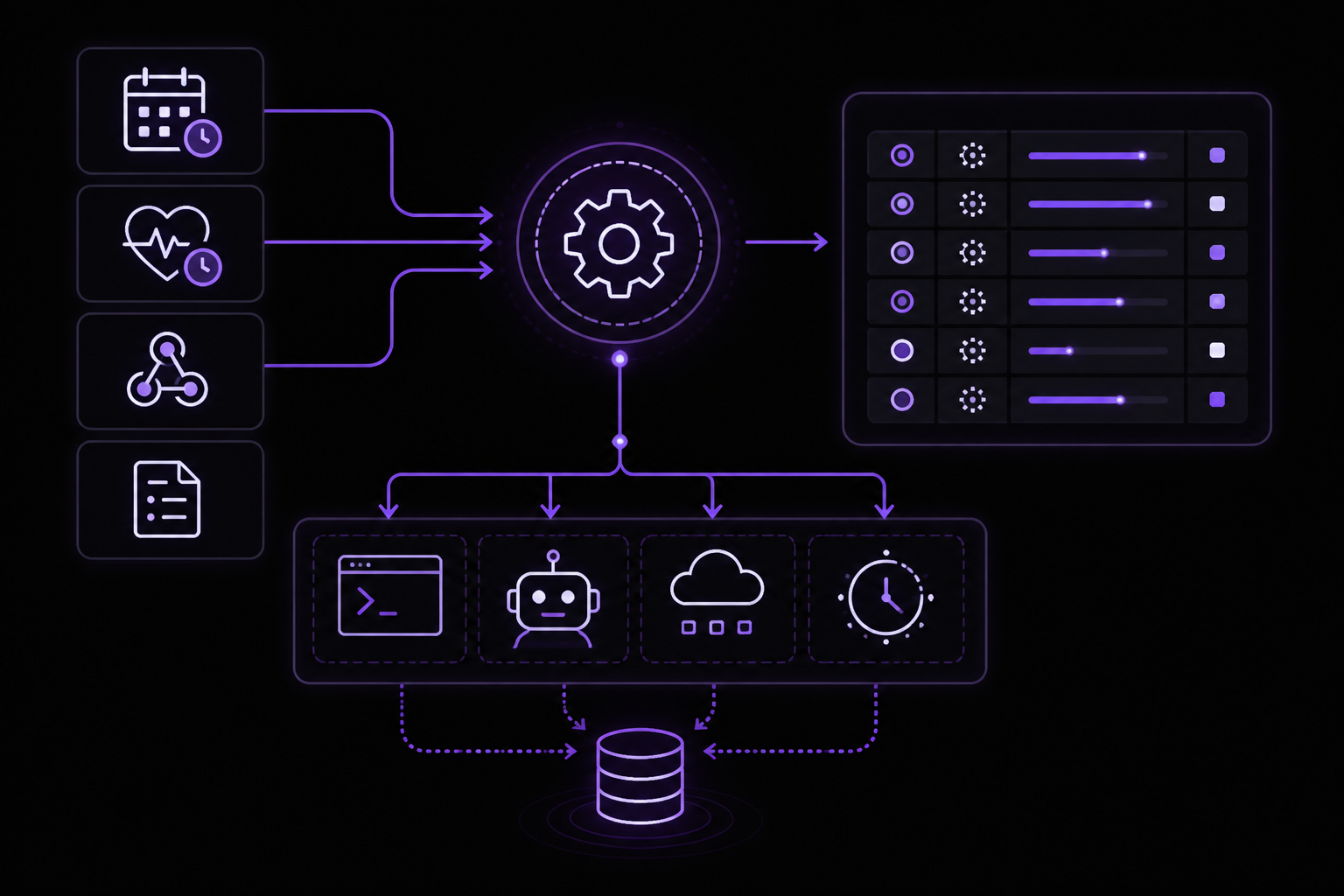
OpenClaw runs work in the background through tasks, scheduled jobs, event hooks, and standing instructions. The automation page provides a quick decision guide:
- Scheduled Tasks (Cron): For exact timing (cron expressions, one-shot). Creates task records. Best for reports, reminders, background jobs.
- Heartbeat: For approximate timing (default every 30 minutes). Full main-session context. No task records. Best for inbox checks, calendar, notifications.
- Background Tasks: The task ledger tracks all detached work: ACP runs, subagent spawns, isolated cron executions, CLI operations. Use
openclaw tasks listandopenclaw tasks auditto inspect them. - Task Flow: Durable multi-step flow orchestration with revision tracking. Use
openclaw tasks flow list|show|cancelfor inspection. - Standing Orders: Persistent agent instructions injected into every session. Live in workspace files (typically
AGENTS.md). Combine with cron for time-based enforcement. - Hooks: Event-driven scripts triggered by agent lifecycle events (
/new,/reset,/stop), session compaction, gateway startup, and message flow. Managed withopenclaw hooks. For in-process tool-call interception, use Plugin hooks. - Heartbeat: Periodic main-session turn (default every 30 minutes). Batches multiple checks in one agent turn. Use
HEARTBEAT.mdfor a small checklist, or atasks:block for due-only periodic checks. Empty heartbeat files skip asempty-heartbeat-file; due-only task mode skips asno-tasks-due. Heartbeats defer while cron work is active or queued.
Scheduled Tasks (Cron)
Cron is the Gateway's built-in scheduler. It persists jobs, wakes the agent at the right time, and can deliver output to a chat channel, a webhook, or nowhere.
Quick Start
Add a one-shot reminder:
openclaw cron create "2027-02-01T16:00:00Z" \
  --name "Reminder" \
  --session main \
  --system-event "Reminder: check the cron docs draft" \
  --wake now \
  --delete-after-run
Check your jobs:
openclaw cron list
openclaw cron get <id>
openclaw cron show <id>
See run history:
openclaw cron runs -- <id>
How Cron Works
- Cron runs inside the Gateway process, not inside the model. The Gateway must be running for schedules to fire.
- Job definitions, runtime state, and run history persist in OpenClaw's shared SQLite state database, so restarts do not lose schedules.
- Every cron execution creates a background task record.
- One-shot jobs (
--at) auto-delete after success by default; pass--keep-after-runto keep them. - Per-run wall-clock budget:
--timeout-secondswhen set. Otherwise, isolated/detached agent-turn jobs are bounded by cron's own 60-minute watchdog before the underlying agent-turn timeout (agents.defaults.timeoutSeconds, default 48 hours) would ever apply; command jobs default to 10 minutes, and script payloads default to 5 minutes. - On Gateway startup, overdue isolated agent-turn jobs are rescheduled instead of replayed immediately, keeping model/tool bootstrap work out of the channel-connect window.
- If you drive
openclaw agentfrom system cron or another external scheduler, wrap it with a hard-kill escalation even though the CLI already handlesSIGTERM/SIGINT. Gateway-backed runs ask the Gateway to abort accepted runs;--localruns get the same abort signal. For GNUtimeout, prefertimeout -k 60 600 openclaw agent ...over plaintimeout 600 ..., the-kvalue is the backstop if the process cannot drain in time. For systemd units, use aSIGTERMstop signal with a grace window (TimeoutStopSec) before the final kill. - Reusing a
--run-idwhile the original Gateway run is still active reports the duplicate as in-flight instead of starting a second run.
Schedule Types
| Kind | CLI flag | Description |
|---|---|---|
at | --at | One-shot timestamp (ISO 8601 or relative like 20m) |
every | --every | Fixed interval (10m, 1h, 1d) |
cron | --cron | 5-field or 6-field cron expression with optional --tz |
on-exit | --on-exit | Fire once when a watched command exits (event trigger; survives turn teardown; optional --on-exit-cwd) |
stream | --stream-command | Fire from batched lines produced by a supervised long-lived command |
Timestamps without a timezone are treated as UTC. Add --tz America/New_York to interpret an offset-less --at datetime, or to evaluate a cron expression, in that IANA timezone. Cron expressions without --tz use the Gateway host timezone. --tz is not valid with --every or --on-exit.
Recurring top-of-hour expressions (minute 0 with a wildcard hour field) are automatically staggered by up to 5 minutes to reduce load spikes. Use --exact to force precise timing, or --stagger 30s for an explicit window (cron schedules only).
Stream Sources
A stream schedule keeps an operator-authored argv command running under the Gateway and fires the job from its stdout and stderr lines. Stream schedules are event-driven, never time-due, and require cron.triggers.enabled: true because the long-lived command has the same unattended trust class as trigger scripts. Disabling or removing the job stops the process; Gateway shutdown waits for process-tree teardown. Fast failures restart with cron's built-in error backoff. Five consecutive runs shorter than 60 seconds leave the job in an error state and use the normal failure-alert path; manually re-enable the job to clear the restart cap.
openclaw cron add \
  --name "Build event stream" \
  --stream-command '["node","scripts/build-events.mjs"]' \
  --stream-mode match \
  --stream-match '^(failed|recovered):' \
  --stream-batch-ms 250 \
  --session isolated \
  --message "Investigate these build events."
mode: "line" (the default) accepts every line. mode: "match" accepts only lines matching the compiled match regex. A batch closes after batchMs of quiet (default 250 ms, clamped to 50, 5000) or at maxBatchBytes (default 16384, clamped to 1024, 65536). At the byte cap the batch ends with [truncated]. Match mode always evaluates complete lines against their full text, even past maxBatchBytes (only the delivered batch is truncated); a line cut at the bounded raw-intake limit is only a prefix, so it is treated as unmatched rather than letting an end-anchored pattern fire on the cut.
The batch is appended to the system-event text or agent-turn message. Command payloads are rejected for stream schedules because the source command and payload command would have ambiguous process ownership. Only one payload fire and one bounded pending batch are retained per job. Lines arriving while a payload runs, or before the built-in 30-second trigger interval has elapsed, coalesce into that pending batch rather than building an unbounded queue. One serialized owner records gate drops, payload errors, and not-running dispatches in streamDroppedBatches; bounded merges increment streamCoalescedBatches. Failed payloads are not retried because they may not be idempotent.
A logical source identity remains stable across supervised child restarts, but rotates when the source is disabled, removed, or replaced, so queued batches from the retired source cannot fire even after an A-to-B-to-A edit. After a stop completes, late callbacks from an old child are inert. V1 does not include a native WebSocket source; bridge one with an argv command such as websocat wss://example.invalid/events.
When a stream job also has trigger.script, the gate runs once per closed batch. The current batch is available as the deeply frozen trigger.streamBatch string alongside trigger.state. fire: false drops that batch after persisting gate state. fire: true keeps existing trigger message semantics, then appends the batch to the resulting payload. A stream job may instead use a script payload without a condition gate; that script receives the batch through the same trigger.streamBatch value. Combining a script payload with a condition gate is rejected because both would own the persisted trigger.state slot.
Dynamic Cadence (Pacing)
Recurring jobs can set pacing.min and/or pacing.max to duration strings such as 15m or 4h; at least one bound is required. Use --pacing-min and --pacing-max with cron add|edit (--clear-pacing removes both bounds). During an isolated run, a paced job can call the cron tool with action: "next_check" and in: "30m". The proposal applies only to that currently running job and is measured from successful run completion. OpenClaw silently clamps it to the configured bounds. Pacing without a proposal leaves the normal schedule unchanged. Failed, timed-out, and skipped runs discard the proposal, so existing retry and error-backoff behavior takes precedence. Manually forcing a recurring job is out-of-band and preserves its pending natural or paced slot. For condition-triggered jobs, the built-in minimum interval remains a lower bound even when a proposal requests an earlier check.
Day-of-Month and Day-of-Week Use OR Logic
Cron expressions are parsed by croner. When both the day-of-month and day-of-week fields are non-wildcard, croner matches when either field matches, not both. This is standard Vixie cron behavior.
# Intended: "9 AM on the 15th, only if it's a Monday"
# Actual: "9 AM on every 15th, AND 9 AM on every Monday"
0 9 15 * 1
This fires roughly 5-6 times a month instead of 0-1 times a month. To require both conditions, use croner's + day-of-week modifier (0 9 15 * +1), or schedule on one field and guard the other in your job's prompt or command.
Event Triggers (Condition Watchers)
An event trigger adds a headless condition script to an every, cron, or stream schedule. Time schedules evaluate it when due; stream schedules evaluate it for each closed batch. Cron runs the normal payload only when the script returns fire: true:
{
  schedule: {
    kind: "every",
    everyMs: 30000
  },
  trigger: {
    // Fires only when the observed status differs from the last evaluation.
    script: "const res = await tools.call('exec', { command: 'gh pr checks 123 --json state -q \'.[].state\' | sort -u' }); const status = String(res?.result?.details?.aggregated ?? '').trim(); json({ fire: status !== trigger.state?.status, message: `PR 123 CI: ${trigger.state?.status ?? 'unknown'} -> ${status}`, state: { status } });",
    once: false,
  },
  payload: {
    kind: "agentTurn",
    message: "Investigate the CI status change."
  },
}
The script must return { fire, message?, state? }. The previous JSON state is available as the deeply frozen trigger.state; stream gates also receive the current batch as trigger.streamBatch. Return a new state value to persist it. State is capped at 16 KB. When a firing result includes message, cron appends it to the system-event text or agent-turn message before execution. once: true disables the job after its first successful fired payload. fire: false persists evaluation state and counters, then reschedules without creating run history. If a fired payload run fails, the returned state is not persisted, the next evaluation sees the previous state and can fire again, so write scripts as read-only checks and keep actions in the payload.
Trigger schedules have a built-in minimum interval of 30 seconds. Each evaluation has a 30-second wall-clock budget and up to 5 tool calls. Author watchers around actionable state, not only success: a watcher that goes quiet when its check fails or times out looks healthy while broken. Compare the observation with trigger.state and return fresh state to deduplicate; do not rely on model or process memory. When firing, make message self-contained because it becomes the fired run's complete event context.
Create a watcher from a local script file (- reads the script from stdin):
openclaw cron add \
  --name "PR CI watcher" \
  --every 30s \
  --trigger-script ./watch-pr-ci.js \
  --message "Respond to the CI status change" \
  --session isolated
Payloads
Every job carries exactly one payload kind, chosen by flag:
| Payload Flag | Runs |
|---|---|
--system-event <text> | Enqueued into the main session, no model call by itself |
--message <text> | A model-backed agent turn |
--command <shell> or --command-argv <json> | A shell/process on the Gateway host, no model call |
--script <code> | A headless code-mode script using the owning agent's tools |
One additional payload kind, heartbeat, is system-owned: the gateway converges one heartbeat monitor job per heartbeat-enabled agent. It appears in cron list --all but cannot be created manually.
Auth Credential Semantics
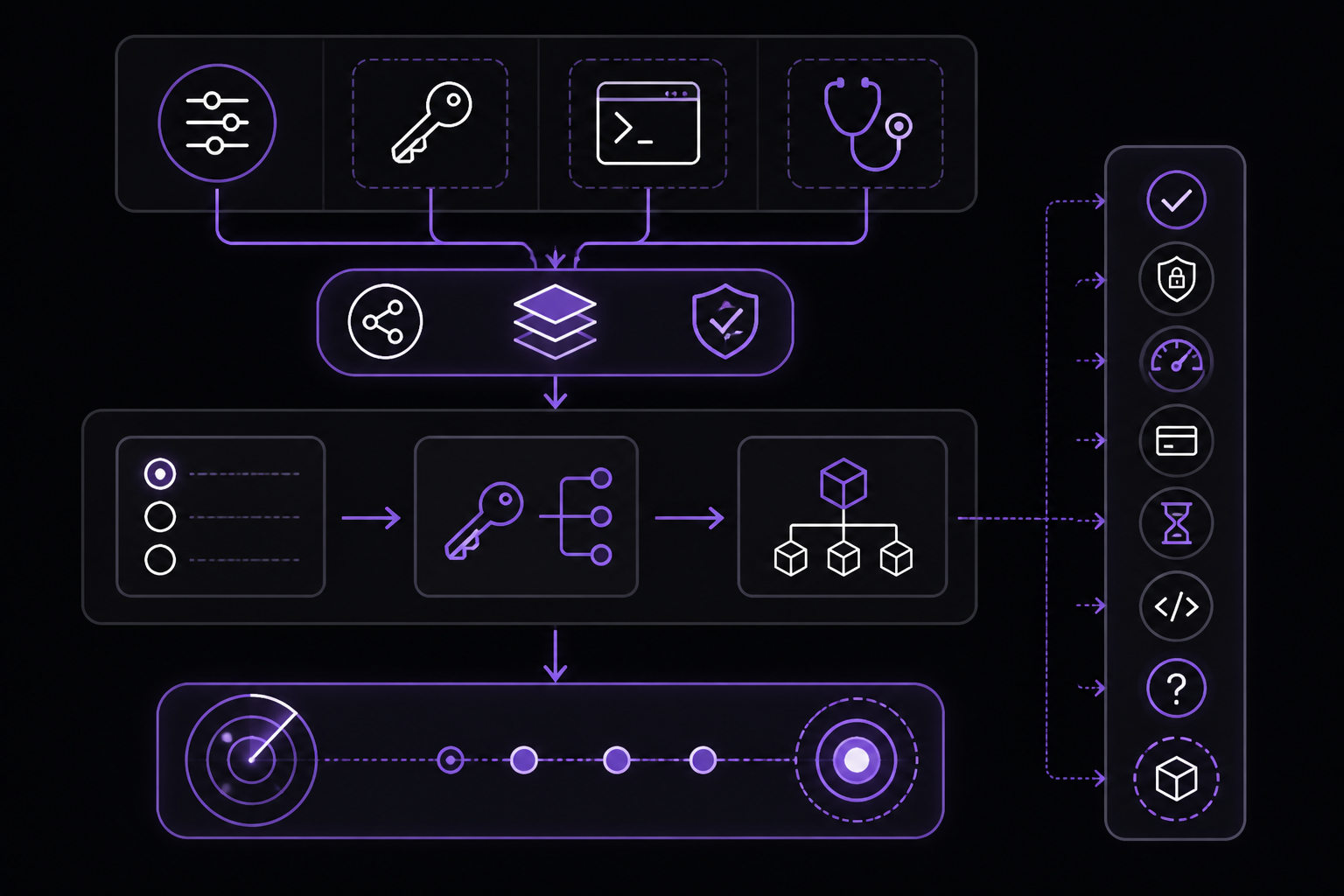
Auth credential semantics keep selection-time and runtime auth behavior aligned. They are shared by:
resolveAuthProfileOrder(profile ordering)resolveApiKeyForProfile(runtime credential resolution)openclaw models status --probeopenclaw doctorauth checks (doctor-auth)
Stable Probe Reason Codes
Probe results carry a status bucket (ok, auth, rate_limit, billing, timeout, format, unknown, no_model) plus a stable reasonCode when the probe never reached a model call:
reasonCode | Meaning |
|---|---|
excluded_by_auth_order | Profile omitted from the explicit auth order for its provider. |
missing_credential | No inline credential or SecretRef is configured. |
expired | Token expires is in the past. |
invalid_expires | expires is not a valid positive Unix ms timestamp. |
unresolved_ref | Configured SecretRef could not be resolved. |
ineligible_profile | Profile is incompatible with provider config (includes malformed key input). |
no_model | Credentials exist but no probeable model candidate resolved. |
Eligibility checks report ok as the reason code for usable credentials.
Token Credentials
Token credentials (type: "token") support inline token and/or tokenRef.
Eligibility Rules
- A token profile is ineligible when both
tokenandtokenRefare absent (missing_credential). expiresis optional. When present it must be a finite number of Unix epoch milliseconds greater than0and no larger than the maximum JavaScriptDatetimestamp (8640000000000000).- If
expiresis invalid (wrong type,NaN,0, negative, non-finite, or beyond that maximum), the profile is ineligible withinvalid_expires. - If
expiresis in the past, the profile is ineligible withexpired. tokenRefdoes not bypassexpiresvalidation.
Resolution Rules
- Resolver semantics match eligibility semantics for
expires. - For eligible profiles, token material may be resolved from the inline value or
tokenRef. - Unresolvable refs produce
unresolved_refinmodels status --probeoutput.
Agent Copy Portability
Agent auth inheritance is read-through. When an agent has no local profile, it resolves profiles from the default/main agent store at runtime without copying secret material into its own credential store (agents/<id>/agent/openclaw-agent.sqlite).
Explicit copy flows, such as openclaw agents add, use this portability policy:
api_keyandtokenprofiles are portable unlesscopyToAgents: false.oauthprofiles are not portable by default because refresh tokens can be single-use or rotation-sensitive.- Provider-owned OAuth flows may opt in with
copyToAgents: trueonly when copying refresh material across agents is known safe; the opt-in only applies when the profile carries inline access/refresh material.
Non-portable profiles remain available through read-through inheritance unless the target agent signs in separately and creates its own local profile.
Config-Only Auth Routes
auth.profiles entries with mode: "aws-sdk" are routing metadata, not stored credentials. They are valid when the target provider uses models.providers.<provider>.auth: "aws-sdk", the route the plugin-owned Amazon Bedrock setup writes. These profile ids may appear in auth.order and session overrides even when no matching entry exists in the credential store.
Do not write type: "aws-sdk" into the credential store; stored credentials are only api_key, token, or oauth. If a legacy auth-profiles.json has such a marker, openclaw doctor --fix moves it to auth.profiles and removes the marker from the store.
Explicit Auth Order Filtering
- When
auth.order.<provider>or the auth-store order override is set for a provider,models status --probeonly probes profile ids that remain in the resolved auth order for that provider. The stored override wins overauth.orderconfig. - A stored profile for that provider that is omitted from the explicit order is not silently tried later. Probe output reports it with
reasonCode: excluded_by_auth_orderand the detailExcluded by auth.order for this provider.
Probe Target Resolution
- Probe targets can come from auth profiles, environment credentials, or
models.json(resultsource:profile,env,models.json). - If a provider has credentials but OpenClaw cannot resolve a probeable model candidate for it,
models status --probereportsstatus: no_modelwithreasonCode: no_model.
External CLI Credential Discovery
- Runtime-only credentials owned by external CLIs (Claude CLI for
claude-cli, Codex CLI foropenai, MiniMax CLI forminimax-portal) are discovered only when the provider, runtime, or auth profile is in scope for the current operation, or when a stored local profile for that external source already exists. - Auth-store callers choose an explicit external-CLI discovery mode:
nonefor persisted/plugin auth only,existingfor refreshing already stored external CLI profiles, orscopedfor a concrete provider/profile set. - Read-only/status paths pass
allowKeychainPrompt: false; they use file-backed external CLI credentials only and do not read or reuse macOS Keychain results.
OAuth SecretRef Policy Guard
SecretRef input is for static credentials only. OAuth credentials are runtime-mutable (refresh flows persist rotated tokens), so SecretRef-backed OAuth material would split mutable state across stores.
- If a profile credential is
type: "oauth", SecretRef objects are rejected for any credential material field on that profile. - If
auth.profiles.<profile>.modeis"oauth", SecretRef-backedkeyRef/tokenRefinput for that profile is rejected. - Violations are hard failures (thrown errors) in startup/reload secret preparation and profile resolution paths.
Legacy-Compatible Messaging
For script compatibility, probe errors keep this first line unchanged:
Auth profile credentials are missing or expired.
Human-friendly detail and the stable reason code follow on subsequent lines in the form ↳ Auth reason [code]: ....
Agent Runtime Architecture
OpenClaw owns the built-in agent runtime. Runtime code lives under src/agents/, model/provider transport lives under src/llm/, and plugin-facing contracts are exposed through openclaw/plugin-sdk/* barrels.
Runtime Layout
| Path | Owns |
|---|---|
src/agents/embedded-agent-runner/ | Built-in attempt loop (run.ts, run/), model selection and provider normalization (model*.ts), per-provider request params (extra-params.*), compaction, transcript and session wiring. |
src/agents/sessions/ | Session persistence (session-manager.ts), resource discovery (package-manager.ts, resource-loader.ts), in-session extensions loading, prompt templates, skills, themes, and TUI-backed tool renderers (tools/). |
packages/agent-core/ | Reusable agent core (@openclaw/agent-core): agent loop, harness types, messages, compaction helpers, prompt templates, skills, and session storage contracts. |
src/agents/runtime/ | OpenClaw facade that wires @openclaw/agent-core to the plugin SDK LLM runtime and re-exports it plus local proxy utilities. |
src/agents/agent-tools*.ts | OpenClaw-owned tool definitions, parameter schemas, tool policy, before/after tool-call adapters, and host/sandbox edit tools. |
src/agents/agent-hooks/ | Built-in runtime hooks: compaction safeguard, compaction instructions, context pruning. |
src/agents/harness/ | Harness registry, selection policy, and lifecycle for the built-in and plugin-registered harnesses. |
src/llm/ | Model/provider registry, transport helpers, and provider-specific stream implementations (src/llm/providers/). |
Boundaries
Core calls the built-in runtime through OpenClaw modules and SDK barrels; no external agent framework packages remain. Plugins use documented openclaw/plugin-sdk/* entrypoints and do not import src/** internals.
@earendil-works/pi-tui remains a third-party dependency: a terminal component toolkit used by the local TUI and session tool renderers. Internalizing it would be a separate vendoring effort.
Manifests
Resource packages declare OpenClaw resources in package.json metadata. Entries are file paths or globs relative to the package root:
{
  "openclaw": {
    "extensions": ["extensions/index.ts"],
    "skills": ["skills/*.md"],
    "prompts": ["prompts/*.md"],
    "themes": ["themes/*.json"]
  }
}
Resource types not listed in a manifest fall back to discovery of conventional extensions/, skills/, prompts/, and themes/ directories.
Runtime Selection
- The built-in runtime id is
openclaw. The legacy aliaspinormalizes toopenclaw;codex-app-servernormalizes tocodex. - Plugin harnesses register additional runtime ids (for example
codex). - Runtime policy is model/provider-scoped
agentRuntime.idconfig (model entry wins over provider entry). Unset ordefaultresolves toauto. autoselects a registered plugin harness that supports the effective provider route, otherwise the built-in OpenClaw runtime. A provider or model prefix alone never selects a harness.- OpenAI may select
codeximplicitly only for an exact official HTTPS Platform Responses or ChatGPT Responses route with no authored request override. Completions adapters, custom endpoints, and routes with authored request behavior stay onopenclaw; plaintext official HTTP endpoints are rejected. See OpenAI implicit agent runtime.
Model Runtime Generations
Gateway startup and config, plugin, or auth publication build one prepared model runtime generation per configured agent. Each generation owns the discovered auth template, model registry, and projected model catalog as one atomic snapshot. Agent runs fork mutable auth and registry stores from that snapshot; browse, status, cron, doctor, TUI, PDF, and image paths read the published catalog instead of repeating filesystem discovery.
Standalone embedded runtimes publish the same snapshot shape at their activation boundary. A failed or stale generation is never served alongside a newer partial generation; the lifecycle owner must publish a complete replacement first.
Troubleshooting
General Gateway Diagnostics
Run openclaw doctor after editing access-control config or auth settings. It catches many invalid allowlist and policy combinations before runtime. For auth-specific checks, use openclaw doctor --auth or doctor-auth.
Channel Troubleshooting
- If a channel does not connect, check that the Gateway is running and the channel plugin is installed. For official plugins, run
openclaw plugins install @openclaw/<channel-name>. - For Telegram, ensure the bot token is correct and the bot is not in privacy mode if you need ambient room events.
- For Slack, verify the channel ID (not the name) and that the app has the required scopes (
channels:history,groups:history,mpim:history). - For Discord, confirm the bot has the Server Members Intent enabled for channel audience access groups.
Ambient Room Troubleshooting
If the room shows typing or token usage but no visible message:
- Confirm the room is allowed by the channel allowlist and sender allowlist.
- Confirm
requireMention: falseis set at the room level you expect. - Check whether
messages.groupChat.unmentionedInboundor the agent override is"room_event". - Inspect logs for suppressed final payload metadata or
didSendViaMessagingTool: false. - For normal group requests, keep or restore
messages.groupChat.visibleReplies: "automatic"if you want final replies posted automatically. For ambient rooms usingmessage_tool, use a model/runtime that reliably calls tools. - If Telegram ambient rooms do not trigger at all, check BotFather privacy mode and verify the Gateway is receiving normal group messages.
- If Slack ambient rooms do not trigger, verify the channel key is the Slack channel ID and the app has the history scope for that room type.
Cron Troubleshooting
- If a cron job does not fire, confirm the Gateway is running. Cron runs inside the Gateway process.
- Check
openclaw cron listto see if the job exists and is enabled. - Check
openclaw cron runs -- <id>for run history and errors. - For stream schedules, verify the source command is correct and the Gateway has
cron.triggers.enabled: true. - For event triggers, check the script output and ensure it returns
fire: truewhen conditions are met. - If a job times out, adjust
--timeout-secondsor check the agent'stimeoutSecondsconfig.
Auth Troubleshooting
- Run
openclaw models status --probeto check credential health. Look forreasonCodevalues likemissing_credential,expired, orunresolved_ref. - If a profile is excluded, check
auth.orderfor that provider. - If a SecretRef is unresolved, verify the secret exists and is accessible.
- For OAuth issues, ensure the refresh flow is working and the profile is not using SecretRef (which is rejected for OAuth).
Going Further
Now that you have the Gateway running and channels connected, explore these next steps from the documentation:
- Multi-agent routing: Set up isolated sessions per agent, workspace, or sender. See the Agents documentation.
- Standing Orders: Give the agent persistent instructions and authority boundaries using
AGENTS.mdfiles. Combine with cron for time-based enforcement. - Task Flow: Orchestrate durable multi-step flows above individual tasks. Use
openclaw tasks flow list|show|cancelfor inspection. - Plugin Development: Build your own channel plugins or harnesses using the
openclaw/plugin-sdk/*entrypoints. See the Plugin SDK documentation. - Security Hardening: Lock down channels with allowlists, access groups, and mention rules. Review the Security documentation.
- Remote Access: Set up SSH or Tailscale to access the Control UI from anywhere. See the Remote Access documentation.
- Mobile Nodes: Pair iOS and Android nodes for Canvas, camera, and voice-enabled workflows. See the Nodes documentation.
- ClawHub: Browse the plugin marketplace for community-maintained channels and tools. See the ClawHub documentation.
The #1 AI Newsletter
The most important ai updates, guides, and fixes — one weekly email.
No spam, unsubscribe anytime. Privacy policy