
OpenClaw Guide: Setup, Hosting, Costs, and Everything You Need to Know
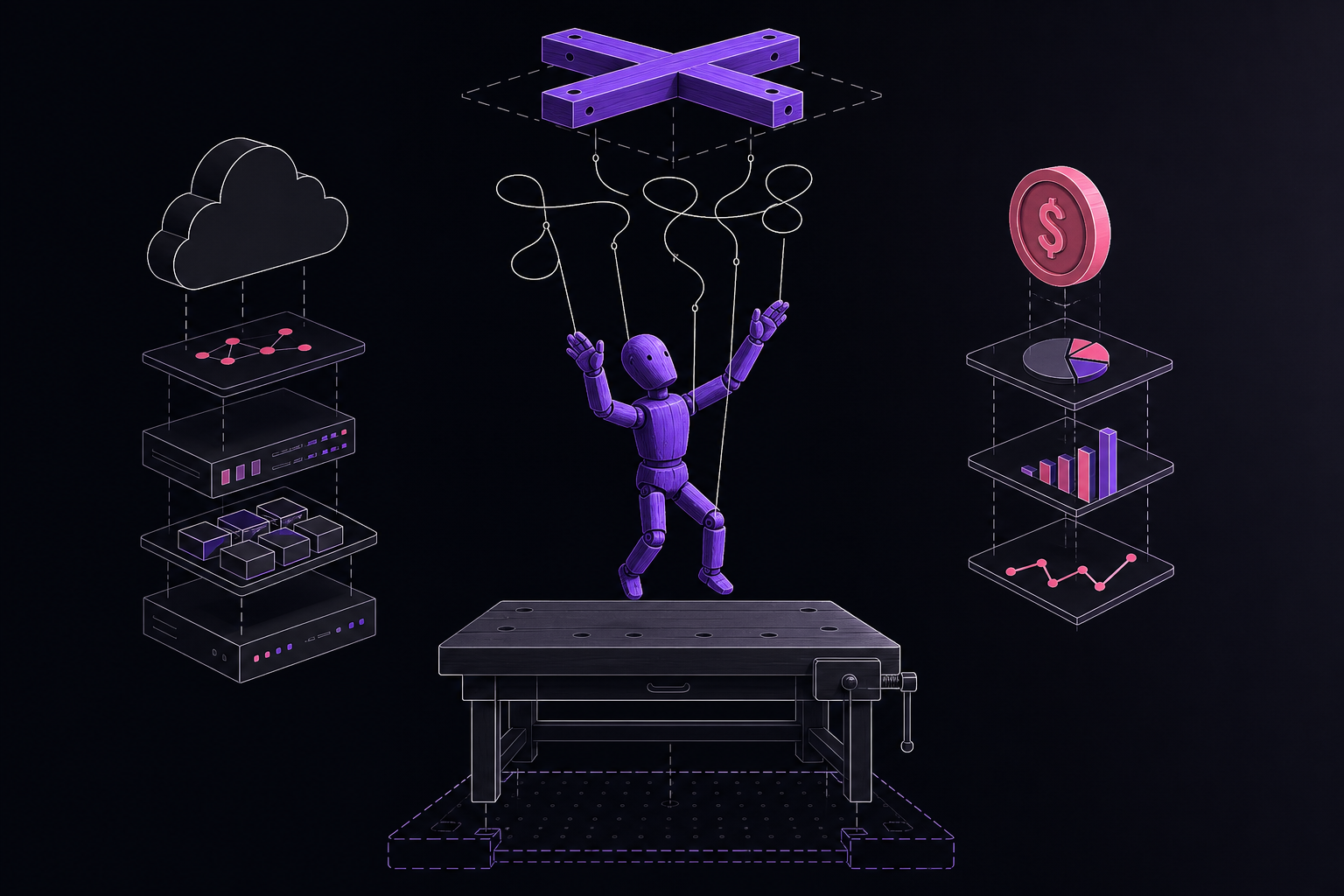
This guide covers everything you need to know about OpenClaw, a free, open-source autonomous AI agent. It is written for developers, hobbyists, and anyone who wants to run their own AI assistant 24/7 on their own hardware. You will learn what OpenClaw is, how to set it up, where to host it, what it costs, and how to use its advanced features.
What You Need
Before you start, you need a few things. The official documentation lists the following minimum system requirements.
Minimum Requirements
- OS: macOS 11+, Ubuntu 22.04+, or Windows with WSL2.
- Runtime: Node.js 22 or later.
- RAM: 2 GB. The documentation warns that the system may crash during the onboarding process with only this much memory.
- CPU: 2 cores.
- Storage: 10 GB of SSD space.
- Network: A stable internet connection.
Recommended Requirements
For a smoother experience, the documentation recommends these specifications.
- RAM: 4-8 GB if you are using cloud-based AI models. If you plan to run local LLMs, you will need 16-24 GB.
- CPU: 2-4 cores.
- Storage: 30-50 GB of SSD space.
- GPU: 12-24 GB of VRAM, but only if you are running local model inference.
Accounts and API Keys
You will need at least one API key from an AI model provider. OpenClaw supports Anthropic, OpenAI, Google, OpenRouter, DeepSeek, and local LLMs. You will also need accounts for any messaging platforms you want to connect, such as Telegram, WhatsApp, Discord, or Slack.
What Is OpenClaw?
OpenClaw is an agentic AI interface. It is free and open-source software created by Peter Steinberger. It runs on your own hardware, connects to over 10 messaging platforms simultaneously, and orchestrates AI agent workflows. It has persistent memory, meaning it remembers context across sessions, and it can operate 24/7 without human intervention.
Core Architecture (6 Layers)
The official documentation describes OpenClaw as having six layers.
- Gateway: This is the central control plane. It handles message routing, sessions, plugins, and tool execution policy.
- Channels: These are adapters that normalize messages from different platforms like Telegram, WhatsApp, and Discord into a standard format.
- Routing and Sessions: This layer determines which agent handles a specific conversation.
- Agent Runtime: This processes context, calls model providers, streams responses, and requests tools.
- Tools: These are the capabilities OpenClaw can use, such as web fetching, browser control, command execution, and device pairing.
- Surfaces: These are the interaction points, including chat apps, a web dashboard, a macOS menu bar, and Live Canvas.
Name History
OpenClaw has been renamed twice. The original name was Clawdbot when it launched in November 2025. On January 27, 2026, it was renamed to Moltbot after a trademark complaint from Anthropic, who claimed the name was too similar to their product "Claude." Three days later, on January 30, 2026, the community voted to rename it to OpenClaw, which is the current name. The documentation notes that when the team dropped the @clawdbot Twitter handle to transition to @moltbot, professional "handle snipers" immediately grabbed it. Scammers used the hijacked account to launch a fake CLAWD token on Solana.
Quick Start (1 Minute)
The official documentation provides a one-minute quick start for developers who already have Node.js installed.
npm install -g openclaw@latest
openclaw onboard --install-daemon
openclaw gateway --port 18789 --verbose
This installs OpenClaw globally, runs an onboarding wizard that walks you through API key setup, channel configuration, and security settings, and then starts the gateway on port 18789 with verbose logging.
Setup Methods (1-10 Minutes)
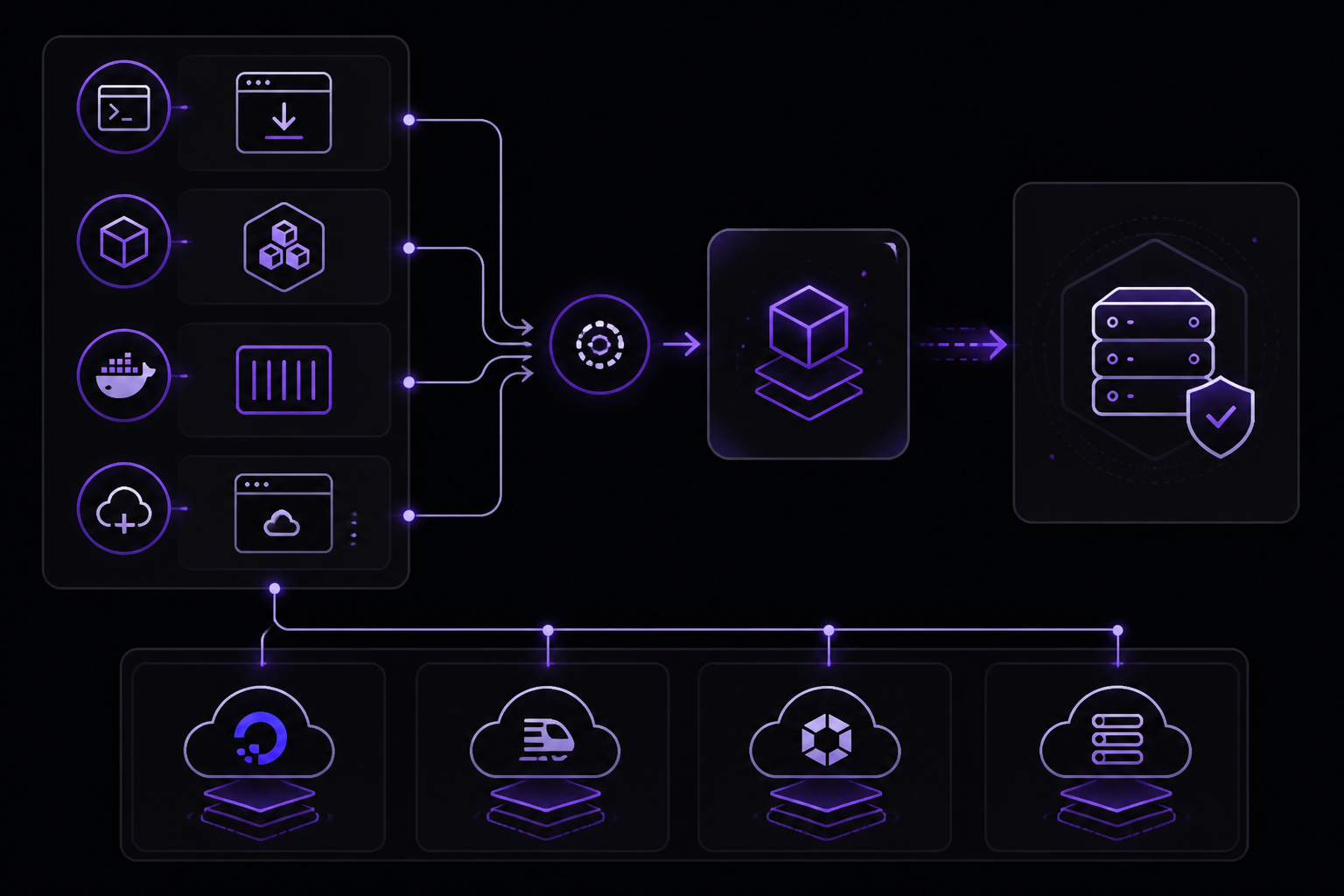
OpenClaw offers many setup methods, ranging from 30-second managed services to manual VPS setups. The official documentation lists them all.
Method 1: Official Installer Script
curl -fsSL https://openclaw.ai/install.sh | bash
openclaw onboard --install-daemon
Method 2: npm or pnpm
npm install -g openclaw@latest
# or
pnpm add -g openclaw@latest
Method 3: Docker
git clone https://github.com/openclaw/openclaw.git
cd openclaw
./docker-setup.sh
Method 4: One-Click Cloud Deploys
The documentation lists many one-click deployment options.
- DigitalOcean: A 1-Click Deploy from the DigitalOcean Marketplace. It is security-hardened and pre-configured.
- Railway: A template that includes a web-based setup wizard.
- Render: Uses a render.yaml file for Infrastructure as Code.
- SimpleClaw: Deploys in under one minute.
- Zeabur: A one-click Docker deploy.
- Northflank: A stack that requires no server-side terminal.
- Lightning.AI: A browser-based environment that requires no local hardware.
- Coolify: A template for self-hosted PaaS.
- Elestio: Fully managed and deploys in under three minutes.
Managed Hosting Services
For users who do not want to touch a terminal, several managed services handle everything. The documentation provides a detailed table.
- Clawdy: $24 per month (was $49). Setup takes under 60 seconds. It includes multi-provider support (Claude, GPT, Gemini, Kimi), a custom subdomain, SSL, auth, firewall, and reverse proxy. It promises 99.9% uptime. The price is locked at $24 per month for early subscribers.
- Agent37: $0.99 to $3.99 per month. Setup takes 30 seconds. It provides an isolated instance with a full UI, terminal, and SSL.
- MyClaw.ai: $9 per month (was $29). Setup is instant. It includes 2 vCPU, 4 GB RAM, 40 GB SSD, auto-updates, backups, and a web terminal. Early bird pricing offers 69-76% off.
- get-open-claw.com: $9 to $49 per month. Setup takes under one minute. It includes daily backups and health monitoring. The Pro plan includes $10 in AI credits.
- ClawBob: $29 to $219 per month. Setup takes three minutes. It includes a fully configured agent with email, browser, 600+ LLMs, 140+ one-click OAuth integrations, image and video generation, PDF extraction, and EU hosting. It comes with $10 in AI credits on signup.
- EasyClaw: $10+ per month. Setup takes 60 seconds. It supports multiple models and platforms with zero maintenance.
- ClawSimple: $8.25 to $29.08 per month. Setup takes two to three minutes. It offers secure cloud hosting with one-click updates. Use code LAUNCH20 for 20% off.
- xCloud: $24 per month. Setup takes five minutes. It has Telegram and WhatsApp pre-configured and encrypted backups. It comes with a 7-day guarantee.
- OneClickClaw: €14.99 per month (€10.42 annually). Setup takes five minutes. It provides a dedicated EU VPS with your own AI assistant on Telegram, WhatsApp, and Discord. It uses BYOK (bring your own key) with no markup, managed updates and backups, and is hardened by default with EU/GDPR data residency.
- OctoClaw: $19 to $59 per month. Setup takes minutes. It runs on Hetzner in Germany, is GDPR-compliant, includes a pre-provisioned phone number, and an AI starter budget. It uses BYOK.
- ClawCloud: $29 to $129 per month. Setup takes under one minute. It supports all AI models with BYOK, auto-updates, and daily backups. Use code EARLYBIRD70 for 70% off.
- SimpleClaw: Pricing is TBD. Setup takes under one minute. It is a one-click deploy with model selection.
- OpenClaw Cloud: Beta pricing. Setup takes five minutes. It includes all AI tokens and promises 99.9% uptime with no hidden fees. The waitlist is open.
- OpenClawd.ai: Free and premium tiers. Setup takes minutes. It launched on February 10 and offers fully managed hosting with one-click deploy and built-in security.
- Kimi Claw: Part of the Allegretto+ plan. Setup is instant and browser-native. It includes 5,000+ ClawHub skills, 40 GB of cloud storage, Yahoo Finance search, and BYOC (Bring Your Own Claw). The beta is open.
- Kilo Claw: Pay-as-you-go. Setup takes under 60 seconds. It offers 500+ models, 50+ platforms, SSO, and audit logs. It includes 7 days of free compute.
- OpenClaw Hosting: $29+ per month. Setup takes five minutes. It has Solo, Team, and Business tiers. Annual billing saves 20%.
- Myclawhost: $9 to $39 per month. Setup is instant. It has Lite ($9), Pro ($19), and Max ($39) tiers with full lifecycle management.
- Contabo OpenClaw: $4.95+ per month. Setup takes minutes. It offers unlimited workflows and full data ownership with predictable pricing.
- Molty by Finna: $19 to $99 per month. Setup takes 30 seconds. It provides VM-isolated instances on Fly.io, multiple Molties per account, Mission Control for multi-agent coordination, GitHub backup sync, browser automation, and auto-updates. It includes a 3-day free trial.
- KinthAI: $24.90 per month. Setup is instant. It offers persistent per-user memory, multi-agent group chat (221 agents tested), an agent marketplace, and a built-in token budget. A free tier is available.
- OpenClaw Launch: $20+ per month. Setup takes under one minute. It includes a management UI and multi-instance support.
- RapidClaw: $29+ per month. Setup takes minutes. It is built for non-technical operators with opinionated defaults and no Docker setup.
- ClawLaunch: Free for 30 days, then $9.49 per month. Setup takes 60 seconds. It includes AI credits, a hardened sandbox via gVisor, and free TTS pre-installed (Whisper). It has a 50% revshare affiliate program.
- Lobsterland: $6.90+ per month. Setup takes about two minutes. It offers full UI instance management for LLM providers, env vars, workspace and memory, support for Telegram, Slack, and WhatsApp, encrypted credentials, allowlist access control, and per-model usage analytics. Use code AWESOMEOPENCLAWSETUP for 50% off first-time customers.
- Vessel: $35 per month. Setup takes about five minutes. It provides a dedicated VM with VM-level isolation, tunnel-based networking (no exposed ports), and automated security updates.
- 1ClickClaw: $49 per month. Setup takes under one minute. It provides 2 vCPU and 2 GB RAM for Telegram, Discord, and WhatsApp bot deployments.
Setup-as-a-Service (Freelancers)
If you want someone else to set it up for you, the documentation lists GetClawHelp, which charges $119 to $229 depending on the plan.
Hosting Providers Comparison
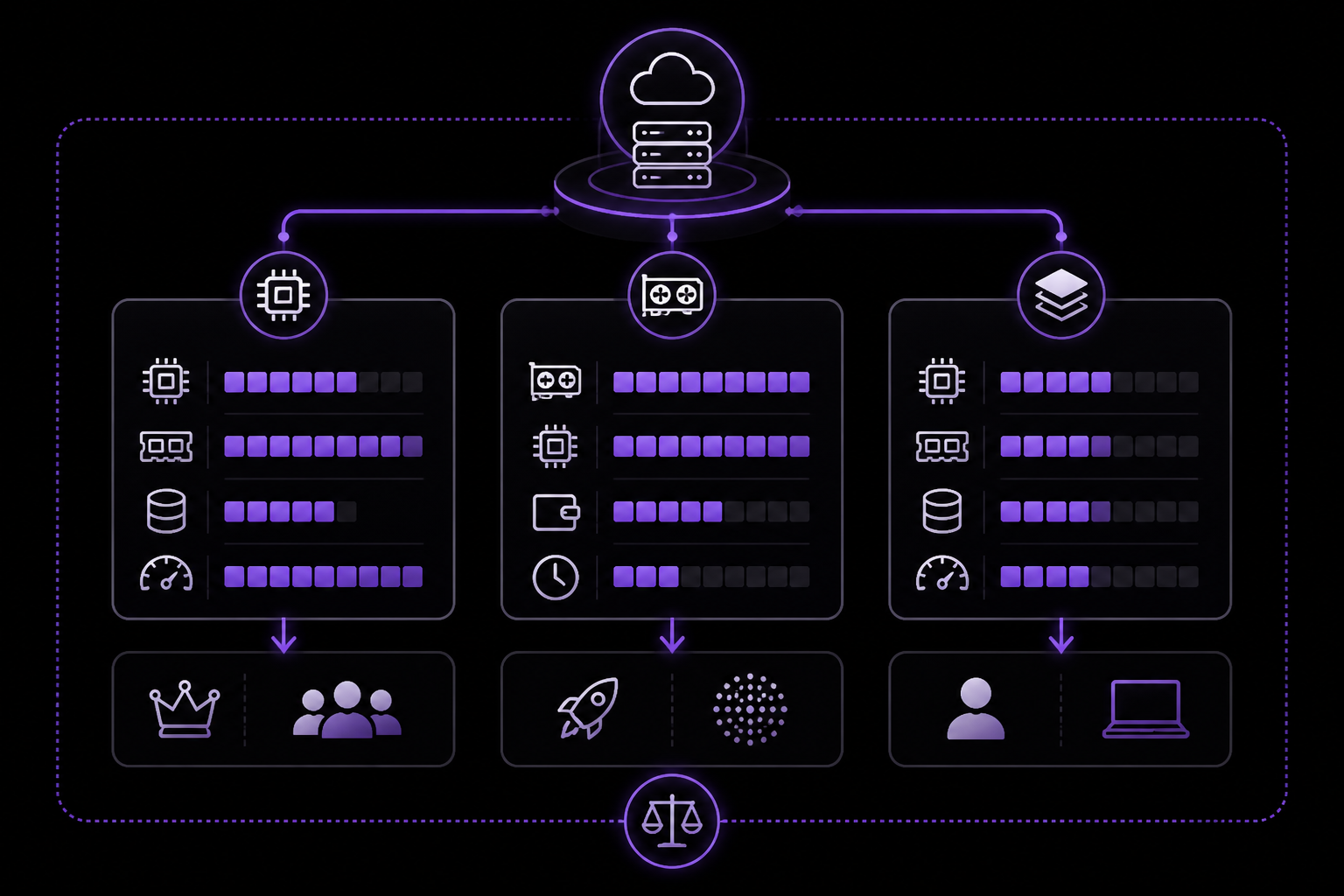
The official documentation includes an extensive comparison of hosting providers, broken down by price tier.
Free Tier ($0 per month)
- Oracle Cloud: Provides 4 ARM CPUs, 24 GB RAM, 200 GB storage, and 10 TB per month of bandwidth. It is permanent (forever free). Setup takes about three hours. It is best for power users who want free hosting.
- AMD Developer Cloud: Provides an MI300X GPU with 192 GB of memory and $100 in credits. The credits are good for about 50 hours of compute. It is not permanent. Setup takes 30 minutes. It is best for GPU-accelerated local LLMs.
- Google Cloud Run: Provides 180K vCPU-seconds, 360K GiB-seconds, and 2 million requests per month. It has cold starts and is stateless. It is permanent. Setup takes 30 minutes. It is best for serverless testing.
- Azure Container Apps: Same limits as Google Cloud Run. It has cold starts. It is permanent. Setup takes 30 minutes. It is best for enterprise users.
- Render: Provides a web service that spins down after 15 minutes of inactivity. Wake-up takes about 60 seconds. It is permanent. Setup takes 5 minutes. It is best for testing only.
- AWS Free Tier: Provides a t2.micro instance (1 vCPU, 1 GB RAM). It is only free for 12 months. Setup takes 15 minutes. It is best for users already familiar with AWS.
- Railway: Provides a $5 one-time credit. It is a 30-day trial. Setup takes 2 minutes. It is best for quick testing.
Budget VPS ($2 to $8 per month)
The documentation lists many budget VPS options.
- LumaDock: Basic plan at $1.99 per month. 1 vCPU, 1 GB RAM, 20 GB SSD, 1 TB bandwidth. US and EU regions.
- Vultr: Regular Cloud plan at $2.50 per month. 1 vCPU, 512 MB RAM, 10 GB storage, 0.5 TB bandwidth. 32 locations.
- Vultr: Standard plan at $3.50 per month. 1 vCPU, 1 GB RAM, 25 GB NVMe, 1 TB bandwidth. 32 locations.
- Hetzner: CX22 plan at €3.79 per month (about $4.15). 2 vCPU, 4 GB RAM, 40 GB SSD, 20 TB bandwidth. EU regions (Germany and Finland).
- Alibaba Cloud: Simple App Server at $4 per month. 1 vCPU, 1 GB RAM. 19 regions.
- Contabo: Cloud VPS S at $4.95 per month. 4 vCPU, 8 GB RAM, 50 GB SSD, unlimited bandwidth. US, EU, and Asia regions.
- Hostinger: KVM 1 plan at $4.99 per month. 1 vCPU, 4 GB RAM, 50 GB NVMe, 4 TB bandwidth. Global regions.
- Linode: Shared 1GB plan at $5 per month. 1 vCPU, 1 GB RAM, 25 GB storage, 1 TB bandwidth. Global regions.
- Vultr: High-Performance plan at $6 per month. 1 vCPU, 1 GB RAM, 25 GB NVMe, 2 TB bandwidth. 32 locations.
- DigitalOcean: Basic Droplet at $6 per month. 1 vCPU, 1 GB RAM, 25 GB storage, 1 TB bandwidth. Global regions.
- Hetzner: CX32 plan at €6.80 per month (about $7.45). 4 vCPU, 8 GB RAM, 80 GB SSD, 20 TB bandwidth. EU regions.
- Contabo: Cloud VPS M at $7.95 per month. 4 vCPU, 8 GB RAM, 200 GB SSD, unlimited bandwidth. US, EU, and Asia regions.
- Kamatera: Custom pricing starting at $4+ per month. Custom CPU, RAM, and storage. Pay-as-you-go. Global regions.
- Zap-Hosting: Varies. EU regions.
- BoostedHost: Varies. Global regions.
- EQVPS: Micro (NAT) plan at $5 per month. 1 vCPU, 2 GB RAM, 25 GB NVMe, unmetered bandwidth. EU (Germany).
Mid-Range ($5 to $25 per month)
- DigitalOcean: Premium Droplet at $7 per month. 1 vCPU, 1 GB RAM, 25 GB NVMe. 1-Click Deploy available.
- DigitalOcean: Standard 2GB Droplet at $12 per month. 1 vCPU, 2 GB RAM, 50 GB storage. Recommended for OpenClaw.
- Hostinger: KVM 2 plan at $6.99 per month. 2 vCPU, 8 GB RAM, 100 GB NVMe. Best Hostinger value.
- GCP: e2-medium at about $12 per month. 2 vCPU, 4 GB RAM, 30 GB SSD. Includes $300 in free credits for 90 days.
- Azure: B1ms VM at about $15 per month. 1 vCPU, 2 GB RAM, 32 GB storage. Enterprise compliance.
- Linode: Dedicated 4GB plan at $36 per month. 2 dedicated vCPU, 4 GB RAM, 40 GB storage. Consistent performance.
Serverless and PaaS
- Cloudflare Workers: $5 per month for the paid plan. The free tier includes 100,000 requests per day. Persistent storage via R2 at $0.015 per GB per month. Auto-scaling is supported. The documentation mentions a Moltworker proof of concept.
- Railway: $5 per month for the Hobby plan. The free tier is a $5 credit trial. Persistent storage via volumes. Auto-scaling is supported. The documentation calls it the best PaaS UX.
- Render: $7 per month for a web service. The free tier has limits. Persistent storage via disks. Auto-scaling is supported. It uses YAML for Infrastructure as Code.
- Fly.io: Pay-as-you-go. No free tier. Persistent storage via volumes. Auto-scaling is supported. It runs on the global edge.
- AWS Lightsail: $3.50 per month. No free tier. Persistent storage is included. No auto-scaling. It is a simple AWS VPS.
- Northflank: Pricing varies. A limited free tier is available. Persistent storage is supported. Auto-scaling is supported. It uses stack templates.
- Zeabur: Pricing varies. A limited free tier is available. Persistent storage is supported. Auto-scaling is supported. It offers one-click Docker deployment.
- Elestio: Pricing varies. No free tier. Persistent storage is supported. Auto-scaling is supported. It is fully managed open source.
- Coolify: Self-hosted and free. Persistent storage is supported. No auto-scaling. It is an open-source PaaS.
- openclaw-azure-template: Azure usage costs. No free tier. Persistent storage via Azure Files. No auto-scaling. It is an Azure Container Instance template with Telegram, Azure OpenAI or Foundry, and runbook docs.
- openclaw-cloudrun: GCP usage costs. No free tier. Persistent storage via PVC or cloud storage. No auto-scaling. It is a Terraform example for sandboxed deployments on Google Cloud.
- 1Panel: Self-hosted and free. Persistent storage via VPS storage. No auto-scaling. It is an open-source VPS control panel with Docker management and an app marketplace.
AI Model API Costs
The documentation does not provide specific API costs, but it notes that OpenClaw works with multiple AI providers, including Anthropic, OpenAI, Google, OpenRouter, DeepSeek, and local LLMs. The cost of running OpenClaw depends heavily on which model you use and how many requests you make. Local LLMs have no API costs but require more powerful hardware.
Security and Hardening
The official documentation includes a section on security and hardening. It does not provide specific steps in the excerpt, but it is listed as a major section. Users are advised to follow security best practices for their chosen hosting platform, such as using firewalls, keeping software updated, and using strong authentication.
Configuration
OpenClaw has extensive configuration options. The documentation lists several major categories.
Model Providers
You can configure which AI model provider OpenClaw uses. The supported providers are Anthropic, OpenAI, Google, OpenRouter, DeepSeek, and local LLMs. You can also configure multiple providers and switch between them.
Messaging Channels
OpenClaw can connect to over 10 messaging platforms simultaneously. The documented channels include WhatsApp, Telegram, Slack, Discord, Signal, iMessage, Google Chat, Microsoft Teams, Matrix, and Zalo. Each channel requires its own setup and authentication.
Local LLM Integration
If you have a powerful enough machine, you can run a local LLM instead of using a cloud API. This eliminates API costs but requires a GPU with 12-24 GB of VRAM and 16-24 GB of system RAM.
MCP Server Integration
OpenClaw supports the Model Context Protocol (MCP) for integrating with external tools and services. This allows OpenClaw to interact with databases, APIs, and other systems.
Integrations and Features
OpenClaw includes many built-in integrations and features.
Voice Assistant
OpenClaw can function as a voice assistant. The documentation mentions that free TTS (text-to-speech) is pre-installed via Whisper in some managed hosting plans.
Home Automation
OpenClaw can be integrated with home automation systems. The documentation lists this as a feature but does not provide specific details in the excerpt.
Email and Calendar
OpenClaw can manage email and calendar events. This integration allows it to send emails, schedule meetings, and check your calendar.
Google Workspace
OpenClaw integrates with Google Workspace, allowing it to access Google Drive, Gmail, Google Calendar, and other Google services.
Webhooks and Cron Jobs
OpenClaw supports webhooks for receiving external events and cron jobs for scheduling recurring tasks. This allows it to run automated workflows on a timer or in response to external triggers.
Live Canvas
Live Canvas is a real-time collaborative workspace where OpenClaw can display its reasoning, plans, and results. It is one of the interaction surfaces mentioned in the architecture.
Multi-Agent Setup
OpenClaw supports multi-agent setups, where multiple OpenClaw instances can communicate and coordinate with each other. The managed service Molty by Finna includes a feature called Mission Control for this purpose.
Companion Apps
There are companion apps for interacting with OpenClaw. The documentation mentions a macOS menu bar app.
Monitoring and Dashboards
You can monitor OpenClaw's performance and activity through dashboards. Some managed services include per-model usage analytics.
Backup and Restore
OpenClaw supports backup and restore. Many managed services include daily backups. The documentation also mentions backup import and export flows in some deployment templates.
Performance Benchmarks
The documentation includes a section on performance benchmarks. The excerpt does not contain the benchmark data, but it is listed as a major section. Users can refer to the official documentation for specific performance numbers.
OpenClaw vs Claude Code
The documentation includes a comparison between OpenClaw and Claude Code. The excerpt does not contain the comparison details, but it is listed as a major section.
Alternatives and Competitors
The documentation lists several alternatives and competitors. The excerpt does not contain the full list, but it is a major section.
Skills and Plugins
OpenClaw has a community-driven skills system called ClawHub. The documentation states that there are over 5,700 community-built skills available. These skills extend OpenClaw's capabilities, allowing it to perform specialized tasks.
Browser Automation
OpenClaw includes browser automation capabilities. This allows it to navigate websites, fill out forms, and extract data. The managed service ClawBob includes browser automation as a built-in feature.
Real-World Use Cases
The documentation lists several real-world use cases for OpenClaw.
- Personal Assistant: Managing email, calendar, and tasks.
- Customer Support: Handling inquiries on multiple messaging platforms.
- Home Automation: Controlling smart home devices.
- Data Extraction: Scraping websites and processing data.
- Content Creation: Generating text, images, and videos.
- Monitoring: Watching for specific events and sending alerts.
Current OpenClaw Operating Patterns
The documentation includes a section on current operating patterns. The excerpt does not contain the details, but it is listed as a major section.
Tutorials and Guides
The documentation lists many tutorials and guides. These cover topics like setting up OpenClaw on specific platforms, configuring integrations, and building custom skills.
Video Tutorials
There are video tutorials available for visual learners. The documentation lists these as a separate section.
Community
OpenClaw has an active community. The documentation lists a Discord server and a GitHub repository as the primary community hubs.
Media Coverage
The documentation includes a section on media coverage. The excerpt does not contain the specific articles, but it is listed as a major section.
Common Issues and Troubleshooting
The documentation includes a section on common issues and troubleshooting. The excerpt does not contain the specific issues, but it is listed as a major section.
Cost Calculator and Optimization
The documentation includes a cost calculator and optimization guide. This helps users estimate their monthly costs and find ways to reduce them.
Key Contributors
The documentation lists key contributors to the OpenClaw project. The excerpt does not contain the full list, but it is a major section.
Related Repositories
The documentation lists several related repositories.
- PicoClaw: An ultra-lightweight RISC-V implementation that runs as a single Go binary using only 10 MB of RAM on a $10 RISC-V board.
- ZeroClaw: A Rust implementation that produces a 3.4 MB binary with sub-10ms startup time and support for 22+ providers.
- TinyClaw: A shell-based implementation with 400 lines of code that uses Claude Code and tmux, with self-healing capabilities.
- Autobot: A Crystal implementation that produces a 2 MB binary using about 5 MB of RAM with sub-10ms startup time.
- MimiClaw: An ESP32-S3 embedded implementation written in pure C with no operating system. It runs on $5 hardware.
- ClawHost: A Kubernetes-native platform for creating, deploying, and managing OpenClaw bot instances.
- Coolify OpenClaw: A deployment template for the Coolify self-hosted PaaS.
- coollabsio/openclaw: An automated Docker image with environment-based web UI and gateway configuration.
- phioranex/openclaw-docker: A pre-built Docker image and install scripts for running OpenClaw without building from source.
- docker-gentkit-openclaw: A Docker image and scripts for running OpenClaw with persistent host-mounted state.
- Carapace: A hardened Docker Compose wrapper with a read-only root filesystem, dropped capabilities, and an optional isolated browser container.
- Railway Community Template: A Railway deployment template with a setup wizard, persistent volume paths, Basic auth protection, and backup import and export flows.
Kubernetes and Helm Charts
The documentation includes a section on Kubernetes and Helm charts for deploying OpenClaw at scale.
PicoClaw (RISC-V / Ultra-Lightweight)
PicoClaw is a separate project that implements a lightweight version of OpenClaw for RISC-V architecture. It is designed for low-power, low-cost hardware.
Courses and Learning Platforms
The documentation lists courses and learning platforms where you can learn more about OpenClaw.
Enterprise Considerations
The documentation includes a section on enterprise considerations, covering topics like compliance, security, and scalability.
China and Global Adoption
The documentation notes that OpenClaw has been adopted in China and globally. The managed service Kimi Claw is browser-native and available on kimi.com.
Latest Releases
The documentation includes a section on the latest releases. Users should check the GitHub repository for the most up-to-date version information.
Troubleshooting
While the full troubleshooting section is not included in the excerpt, the documentation does list a section on common issues. Based on the system requirements, a common failure mode is running out of RAM. The documentation explicitly warns that 2 GB of RAM may cause crashes during onboarding. If you encounter crashes, the first step should be to increase your RAM to at least 4 GB. Another common issue is API key misconfiguration. The onboarding wizard should catch this, but if your agent is not responding, double-check that your API keys are correct and that you have sufficient credits.
Going Further
After you have OpenClaw running, the next steps are to explore its integrations and skills. The documentation lists over 5,700 community-built skills on ClawHub. You can also set up multi-agent coordination, connect it to your home automation system, or build your own custom skills. The community Discord server and GitHub repository are the best places to ask questions and share what you build.
The #1 AI Newsletter
The most important ai updates, guides, and fixes — one weekly email.
No spam, unsubscribe anytime. Privacy policy