
Back to Blog devchallenge
 githubcopilot
 agents
 githubcopilot
 agents
 jetson
 ai
ai
ASCII Whisper: Local P2P Chat with Sound FX and Battleship
Anna Villarreal February 8, 2026
0 views
This is a group submission for the GitHub Copilot CLI Challenge What We Built...
*This is a group submission for the [GitHub Copilot CLI Challenge](https://dev.to/challenges/github-2026-01-21)*
## What We Built 🧙🏼♂️💁🏼♀️
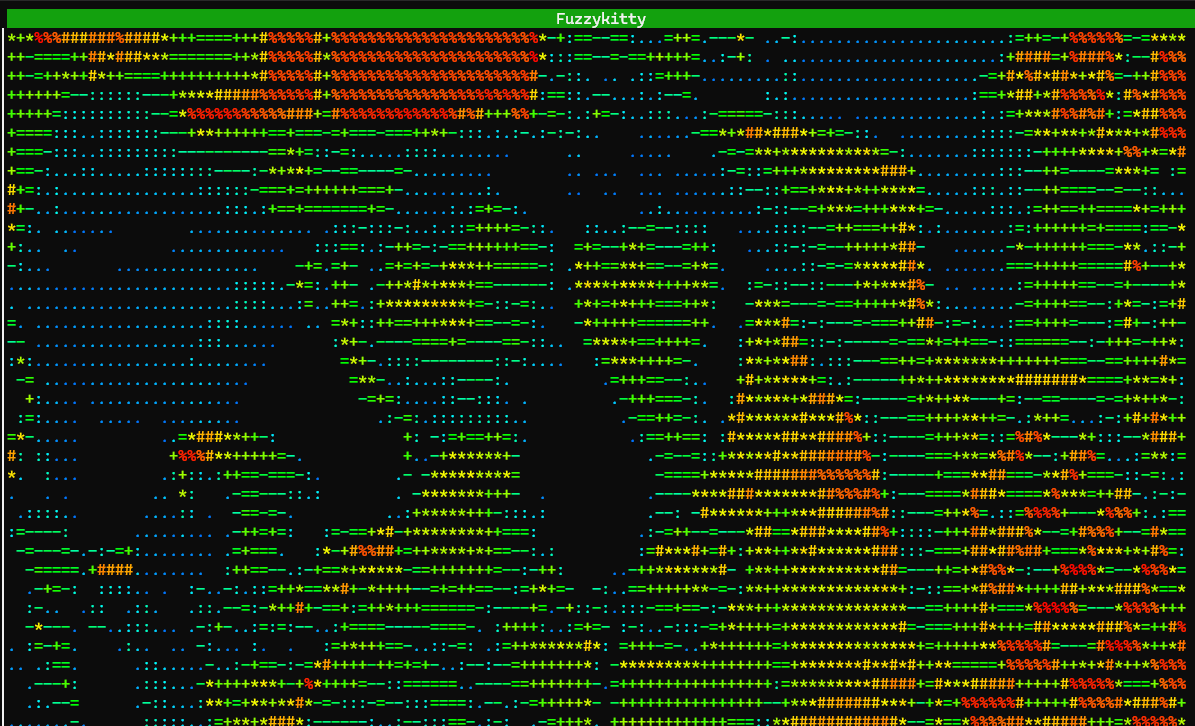
We created a P2P chat that runs on your local network. We enabled a “video feed” capability in the terminal by translating the image from your device camera into low resolution ascii with a certain number of “frames per second”. Python reads camera data and translates it into approximate values. This is then displayed in the “video” stream. This is how we have video in the terminal without fancy packages.
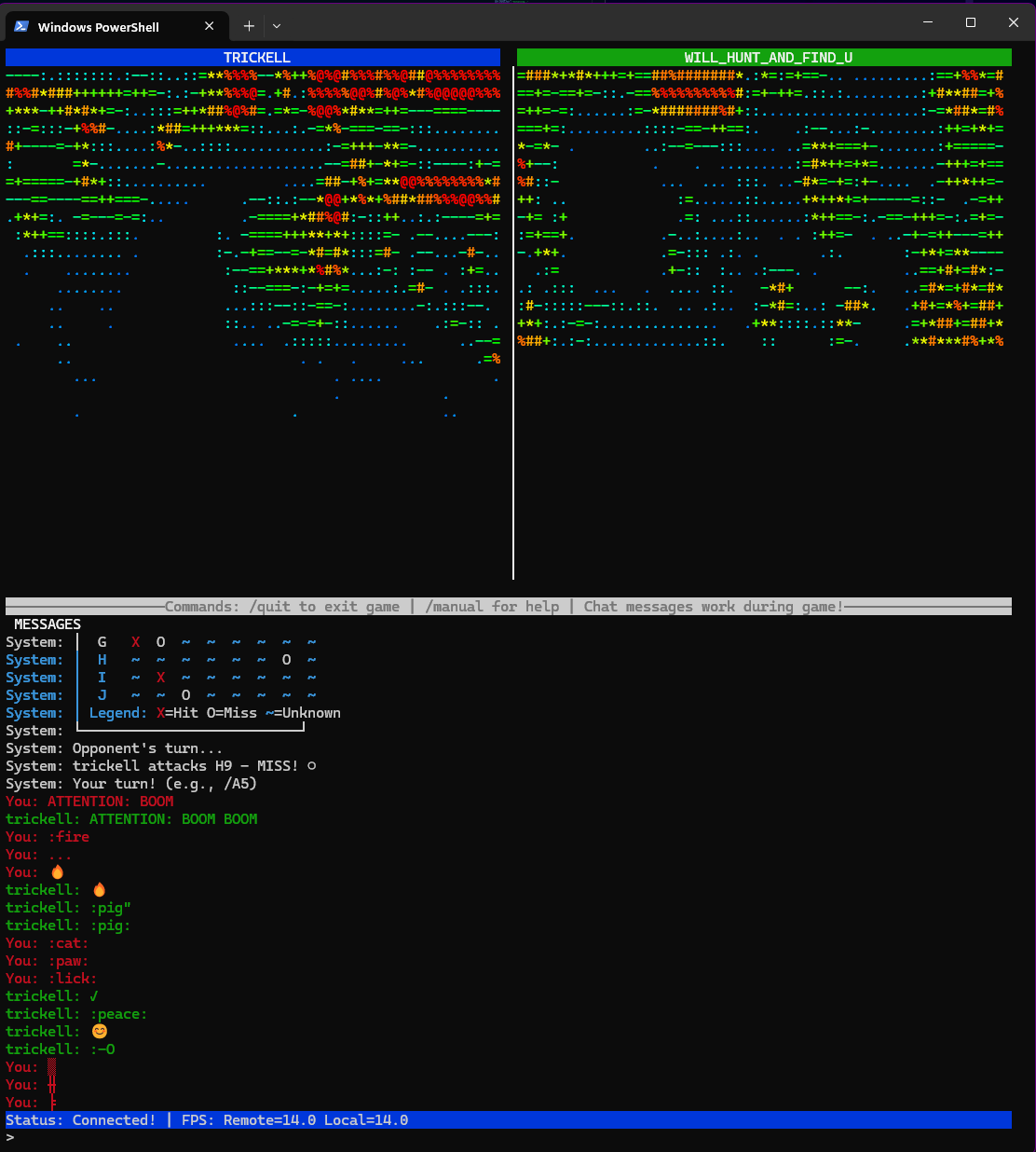
ASCII Whisper is:
- Simple
- Effective
- Fast
- Secure
- Fun for all ages!
### Contributors:
@trickell 🦑 John
@annavi11arrea1 🦄 Anna
### Tools used:
<ul>
<li>Github Copilot CLI</li>
<li>Ollama</li>
<li>Python</li>
<li>Pillow</li>
<li>Rich</li>
</ul>
You are welcome to take a tour of the code on <a href="https://github.com/AnnaVi11arrea1/live_ascii_video">Github</a>. We had SO much fun making this project. There were many gut-busting laughs during development, especially when making sounds. 🤣 John managed the implementation of chat sounds and in-game sound effects. This was done using Python.
🦄 I specifically remember going under my desk in the basement for better sound recording on my cell phone, and trying to artistically whisper “ascii” into the phone. I haven’t done too much work with custom sounds, so my recording studio consists of my cell phone and desk. John proceeded to gaze with amusement. The energy was returned when I saw him positioned under a blanket next to a wall whispering repeatedly “whisper” into his phone. I could not stop laughing, it was extremely entertaining to say the least. 😂
When you open the app, you will hear our hand crafted intro: “a-s-c-i-i w-h-i-s-p-e-rrrr” 🍃
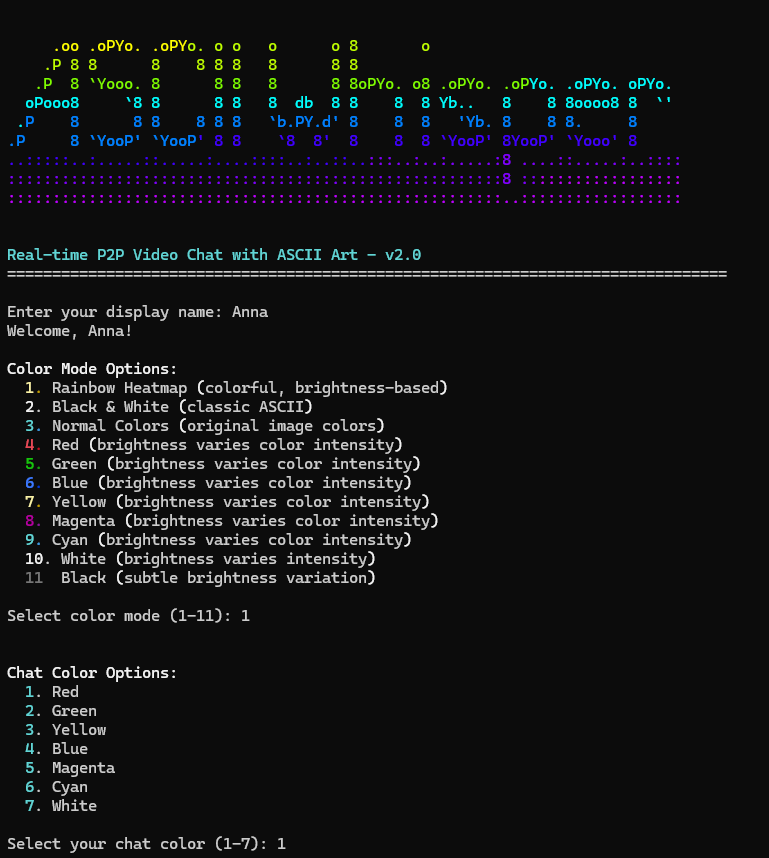
<figcaption>What you see when you launch Ascii Whisper</figcaption>
---
You enter a user name, select some color options, and then wait for the other person to connect. You will see a preview of your video feed momentarily while you wait for the other person to connect.
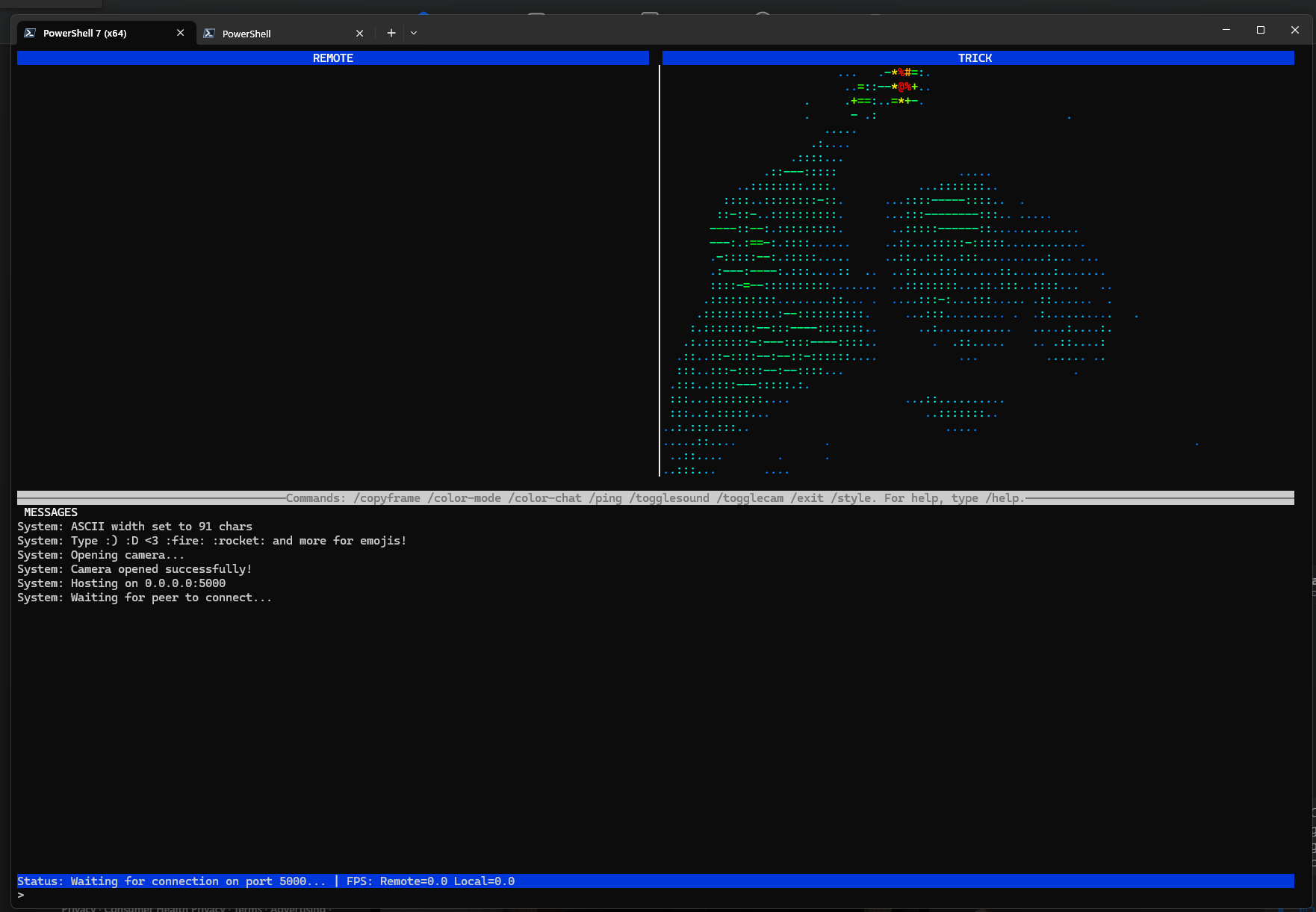
<figcaption>Waiting for the other person to connect</figcaption>
<hr>
## Demo
{% youtube Zw_jS2C2NIU %}
While creating the demo video, the excitement and ridiculousness nearly brought us to tears from laughing.
<hr>
### Contributions
🦑 John added useful in-chat commands.
Commands include:
/help
/ping <message> (John cannot stop laughing, that is my voice)
/battleship
/manual
/togglecamera
/theme <color>
/togglesound
(Yes that’s right, you saw battleship!)
🦑 John also worked on sounds and display layout, polishing up the camera display and adding color themes to choose from. Copilot was used to create basic methods for using sounds, from which John was able to add additional sounds by analyzing the structure in place.
---
> @trickell (John Here!) I just wanted to chime in about the sounds and how much fun I had making these work in the code. So sound_manager.py is using **subprocess** for mac sounds and **winsound ** for windows to play the sounds and threads to keep them actively going as the application is running. In a previous time in my life, I was a sound engineer so getting to create and play with the sound design for the game with Anna, I found that we had a lot of laughs in the creation of quirky and fun sounds using words and throwing some effects on it.
<code>
def play_battleship_start(self):
"""Play sound for battleship game start."""
if not self.muted:
thread = threading.Thread(target=self._play_sound, args=(self.battleship_start_sound,), daemon=True)
thread.start()
def _play_sound(self, sound_path):
"""Play a sound file using OS-specific methods."""
if not os.path.exists(sound_path):
# Sound file not found, silently skip
return
try:
system = platform.system()
if system == 'Windows':
self._play_sound_windows(sound_path)
elif system == 'Darwin': # macOS
self._play_sound_macos(sound_path)
else: # Linux
self._play_sound_linux(sound_path)
except Exception as e:
# Silently fail - don't interrupt application if sound fails
pass
</code>
> I also wanted to touch on the commands. I'm someone who when using applications like vim, nano, github copilot, love the ability to run commands while in the application. When that was missing, I knew something was off about the app because the first thing I wanted the ability to do was alert someone, mute sounds, and exit without having to ctrl-c out of the app. Thus commands happened, and several were born. It makes being inside the app more user friendly.
---
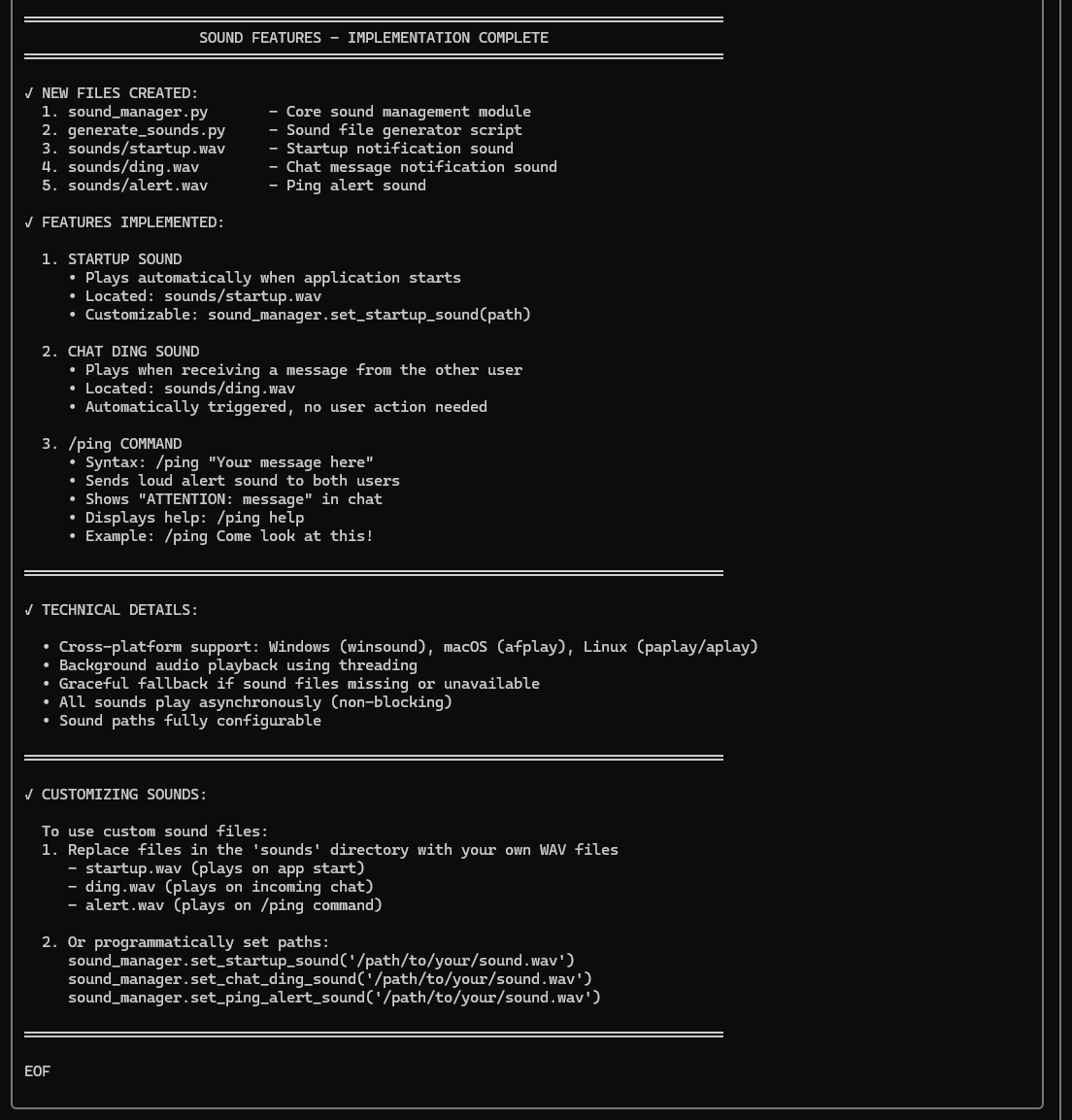
<figcaption>Copilot helps set up the sound manager.</figcaption>
<hr>
<figcaption>Debugging video stream with new color themes</figcaption>
<hr>
🦄 I spent a lot of time getting the “video feed” to work locally, the battleship game complete with trash-talking ai, and user manual. We both contributed to the “voice acting” 100% original noises for your amusement.
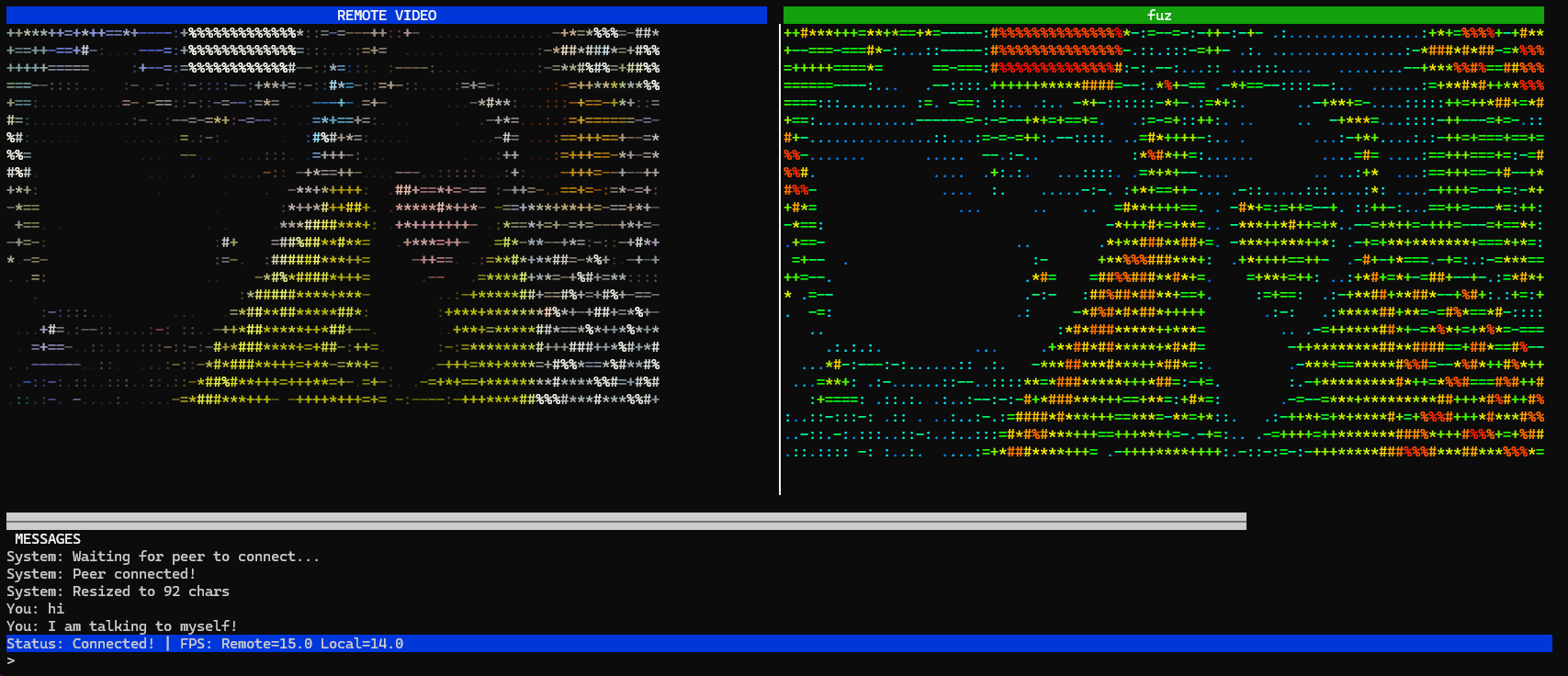
<figcaption>Testing on one device</figcaption>
---
You can test Ascii Whisper on a single machine. Once you have it downloaded or a copy of the project, open two terminals. Then navigate to the project folder.
Start the host with: <code>python main.py –host –device <ID></code>
You may or may not need to include the device id depending on your setup.
Start the client with: <code>python main.py –connect localhost –device <ID></code>
If you are starting the client on a different device on the same network:
<code>python main.py –connect <ip address of host> –device <ID></code>
<hr>
### Battleship Game
🦄 When you type the /battleship command, it starts a game of battleship in the chat. Each player places their ships and the game begins. The player that goes first is determined by a dice roll.
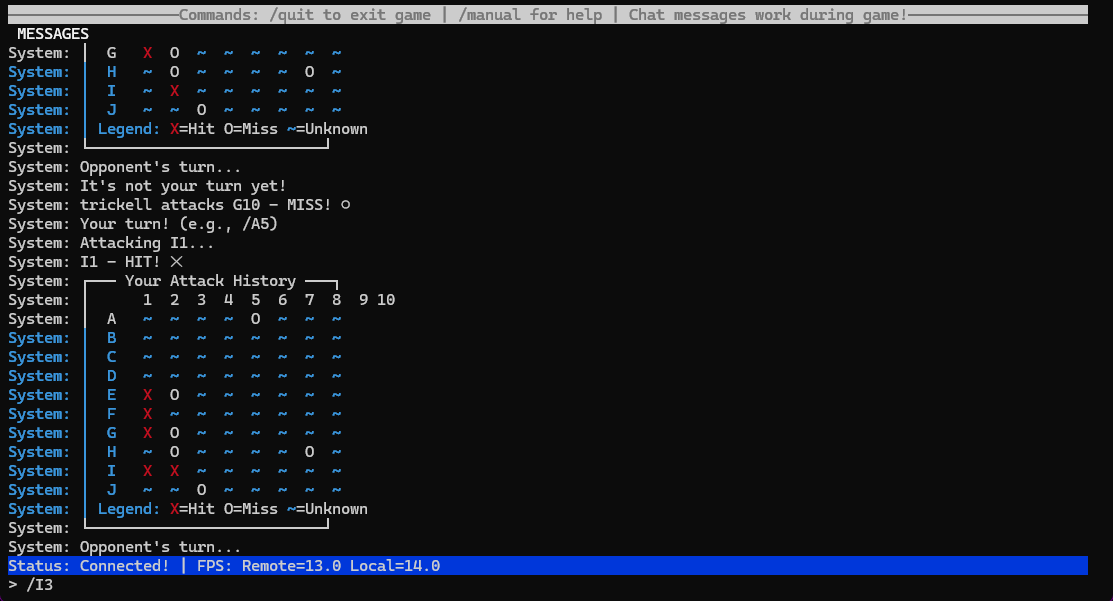
<figcaption>Example of battleship game play.</figcaption>
---
After every turn, the game board is updated and displayed in the chat to help you plan your next move. If there are many lines of chat and the map has disappeared, you can use the /map command to display it once again. If you are feeling very lost, the /manual command will pop open a simple .txt file with instructions in a separate terminal. This way you can keep it open while you play.
Here is a preview of the manual:
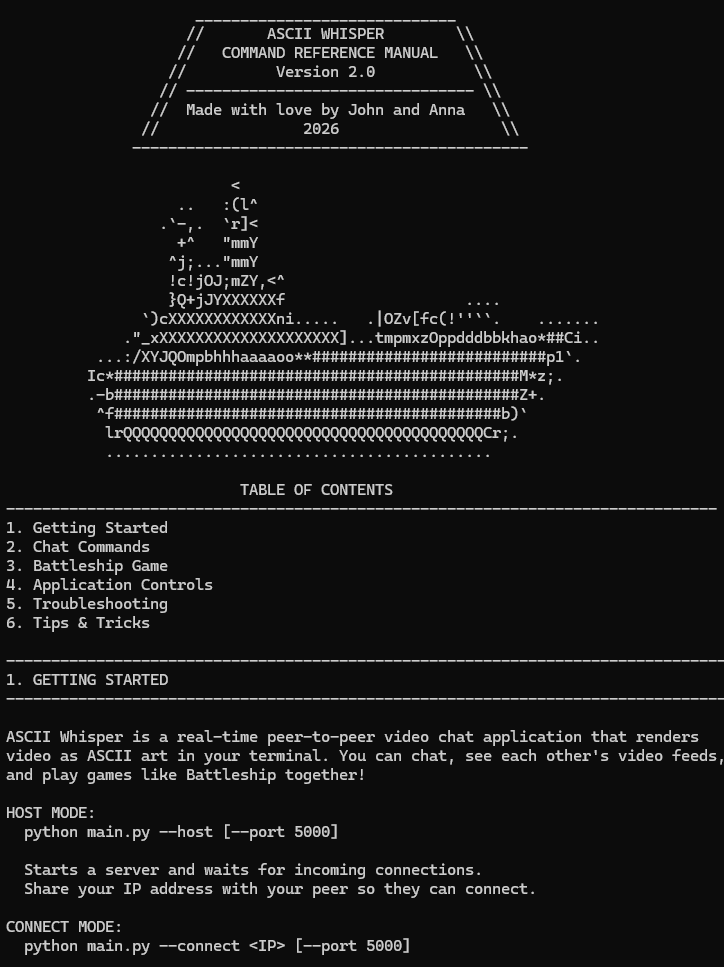
<figcaption>Detailed user manual for Ascii Whisper included!</figcaption>
<hr>
## Our Experience with GitHub Copilot CLI 👾
Github Copilot CLI was an amazing tool for helping us develop our plan. When you have an idea, it can be a large task getting something minimal up and running. We were able to get a minimally working version in a short period of time. We knew what we wanted, and Github Copilot CLI got us started on the right foot. This is a very large project to completely write out by hand. But we were able to accomplish a lot in a short period of time. When we ran into issues, Copilot was often helpful at writing out tests for debugging.
🦄 For example, when I was suddenly running into issues with my camera being detected, I asked Copilot why my camera was not displaying anything. I learned from copilot that I may need to provide a device id, and that this is a simple configuration step depending on a user's setup. Cool! I simply started using –device <ID> after finding out what device I should be using.
🦑 Copilot was also very helpful when John was adding custom sounds into the battleship game. The sounds were “nested” in the game in the wrong place and Copilot helped him relocate the code to the correct places. This was a bug that occurred after I had added the ai trash-talker.
<hr>
### Links:
Repo: <a href="https://github.com/AnnaVi11arrea1/live_ascii_video">Ascii Whisper</a>
_We would love to hear your feedback! Thank you so much for reading!_
Comments
More Blog
View allgithubcopilotSteer GitHub Copilot CLI Sessions Remotely from Any Device
Start a Copilot CLI session on your workstation, then monitor and steer it from the browser or your phone.
M
Marcel.LagentsThe Rise of the Fleet: Scaling My Engineering Workflow with Github Copilot Agents
In this post, I’ll walk you through how I use Copilot and my personal preferences for different...
I
Ivelin (Ivo)githubcopilotGet started with GitHub Copilot SDK, part 1
This article explains what GitHub Copilot SDK is and why use it
C
Chris NoringagentsI Run a Solo Company with AI Agent Departments
I built 8 AI agent departments using GitHub Copilot custom agents — CEO, CFO, COO, Lawyer, Accountant, Marketing, CTO, and an Improver. They share memory, consult each other, and self-improve. Here's how it works.
J
João Pedro Silva SetasjetsonHow GPU-Powered Coding Agents Can Assist in Development of GPU-Accelerated Software
This blog post chronicles how VS Code equipped with GitHub Copilot powered by Claude Opus 4.6 was used to port the open-source whisper-asr-webservice project to NVIDIA Jetson hardware with full GPU acceleration — navigating over 15 build iterations, compiling CTranslate2 from source for aarch64 CUDA, working around Poetry resolver conflicts and pip wheel priority bugs, creating runtime compatibility shims for torchaudio, torch.load, and huggingface_hub API changes, testing all three ASR engines with self-generated speech audio, and ultimately forking the repo, opening a detailed pull request, and pushing a pre-built container image to Docker Hub — all driven by natural-language prompts — demonstrating how GPU-powered AI coding agents can come full circle by building GPU-accelerated software for edge devices like the Jetson Orin, unlocking practical automations such as automatic subtitle generation for Plex media libraries via Bazarr integration.
P
Paul DeCarloai38 Issues: Code Review Agent Showdown between BugBot, Copilot and Claude
AI code review tools promise to catch what human reviewers miss. But which one actually delivers? I...
T
Terence Tham