
Back to Blog gcpbilling
 ai
ai rag
rag ai
ai ai
ai devchallenge
 ai
ai
Finally — Hard Caps to Limit Your Google Cloud Spend
Darren "Dazbo" Lester July 29, 2026
0 views
TL;DR For years, Google Cloud budget alerts were purely informational. They sent an email...
title: "Finally — Hard Caps to Limit Your Google Cloud Spend" published: true date: "2026-07-29 09:49:50 UTC" tags: gcpbilling, finops, killswitch, hardcap canonical_url: "https://medium.com/google-cloud/finally-hard-caps-to-limit-your-google-cloud-spend-29b2e658ed73" cover_image: "https://cdn-images-1.medium.com/max/515/0*iVRnfe5fulaoeeCu"
TL;DR
For years, Google Cloud budget alerts were purely informational. They sent an email while your project quietly burned through your savings.
I built my own Pub/Sub Killswitch to sleep peacefully at night, but it requires a bit of plumbing to install. What we really wanted was an easy option in the Google Cloud Console.
Good news! Google has finally introduced native Cloud Spend Caps (currently in Public Preview). You can now hard-cap spend per service so an unexpected API leak or runaway script hits a 403 Permission Denied wall instead of creating a $10,000 bill.
Here is how it works, how fast it triggers, and what you need to know…
What’s the Problem?
Over the last couple of years I’ve read weekly horror stories about individuals getting hit for thousands, or even tens of thousands of dollars of unexpected costs from Google Cloud.
Do a quick Google search, and you’ll find examples like…
- “Google Cloud customer wakes up to $18,000+ bill despite $7 budget, thanks to forgotten API key in published project — attacker put in 60,000+ requests and blasted through $1,400 spending cap” — Tom’s Hardware, April 2026
- Got hit with a $65,000 bill overnight from GCS due to a spike in list object calls — Reddit, December 2025
- Google Cloud billed me ~$19,000 USD (~R$105,000 BRL) after an API key breach — and the charges keep growing even after I deleted everything — Reddit, May 2026
The big problem that most folks don’t understand is this:
GOOGLE BUDGET ALERTS WERE NOT HARD LIMITS. THEY DID NOT PREVENT YOU FROM SPENDING MORE THAN YOUR BUDGET.
Most of the examples I see follow the same pattern…
- A user follows Google best practice and sets a budget alert on their project. Say, $50 dollars per month.
- They go to bed.
- They wake up owing thousands.
Reading these stories was causing me so much distress. Both for the many people getting caught out, but also because the same thing happening to me felt like an inevitable ticking time bomb.
In theory, I know more about Google Cloud than the average punter. I’m supposed to be a Google Developer Expert (GDE) and Google Ambassador, after all!
But still I was terrified! And I know at least a couple of fellow GDEs that have been hit with this. Which just goes to show: even if you know a lot about Google Cloud and think you’re doing everything right, it’s still possible to get caught out.
And since Google didn’t offer any hard limit (aka hard cap) mechanism, there was literally no off-the-shelf solution.
So I Built My Own Killswitch
I built a mechanism that responds to budget alerts by detaching billing from whatever project(s) is/are associated with that alert. Sure, you can still get billing alert delays, but this mechanism typically stops any offending project inside of an hour of costs exceeding your budget. And this could be the difference that turns a £10,000 unexpected bill into a $100 unexpected bill. My solution is free and easy to install. And I blogged about it here.
Using it requires a bit of setup…
- You need to create your budget alerts, of course.
- You need those alerts to be sent to a Pub/Sub topic that you create.
- You need to deploy a Cloud Run Function that does the actual work of responding to the alert and disconnecting a project.
- You need to wire-up that Cloud Run Function such that it is triggered by events on the Pub/Sub topic.
- You need pay careful attention to the roles you assign to the service account that runs this Cloud Run project — particularly if you happen to have many different Google Cloud projects.
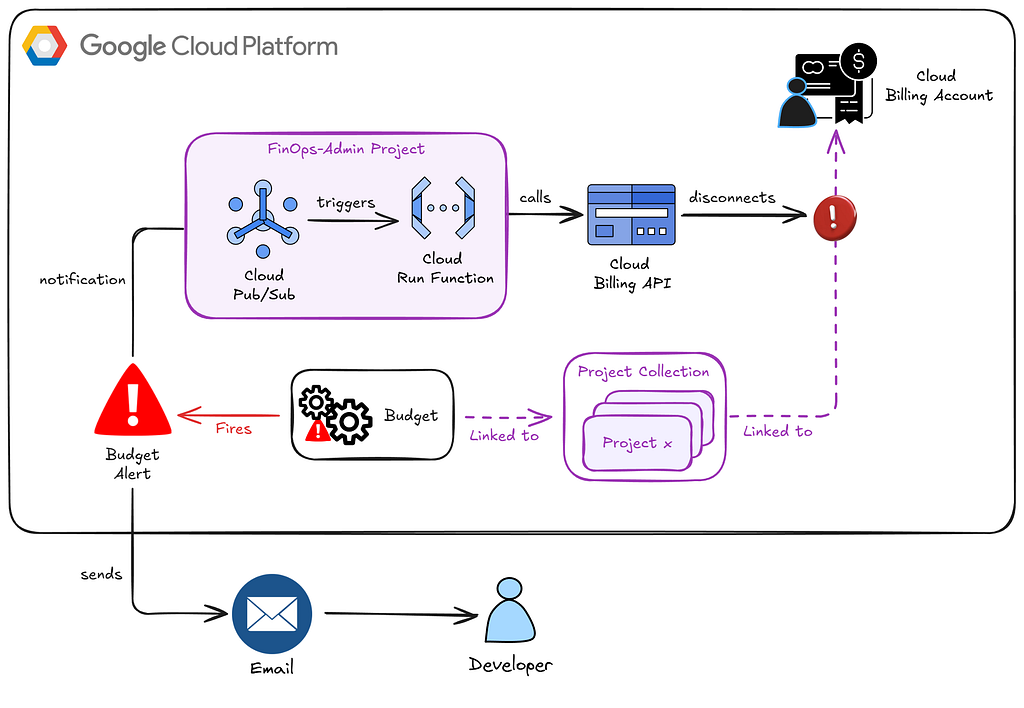
Even though the solution is well-documented and all of the above is scripted, it’s still a fair bit of work. It can be daunting for many.
I spoke to Google about this. A lot.
Google Introduced Cloud Spend Caps!
They delivered!
I tested this out in Private Preview over the last couple of weeks, but it went public today! So now y’all can use it too.
Setting Up a Spend Cap
First, create a Budget in the Google Cloud Console. Same place as before…
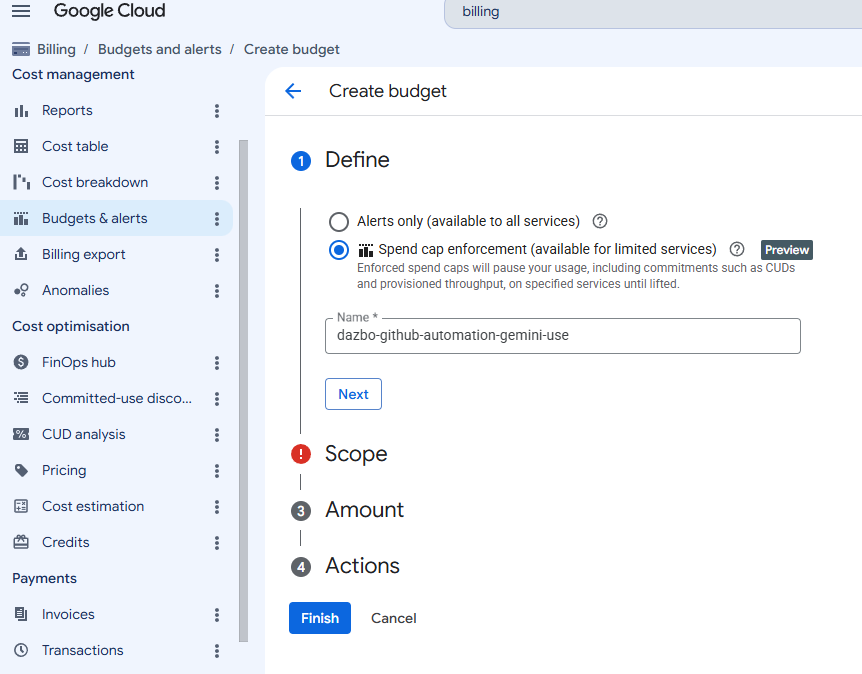
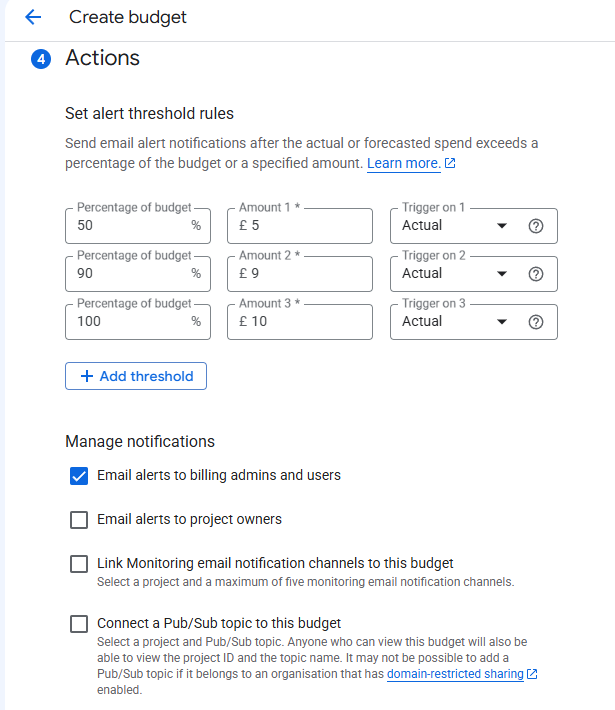
Traditionally, you would then set the amounts and then you’d see these available actions…
But NOW you have the option to select “Spend cap enforcement” when you create the budget.
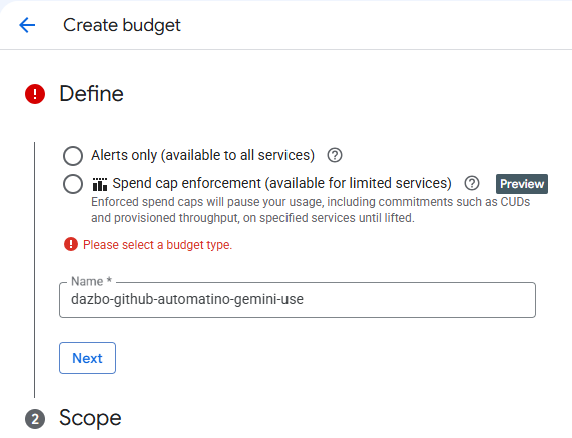
If you select this, you MUST then specify a service. (Currently you can only select one.)
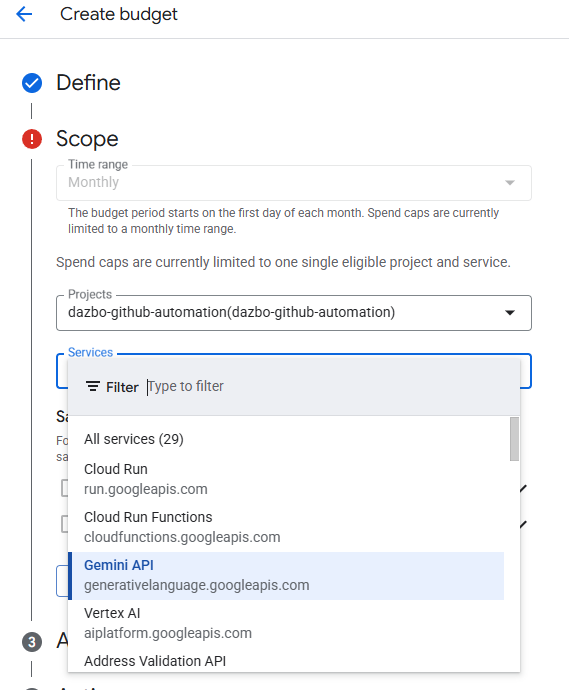
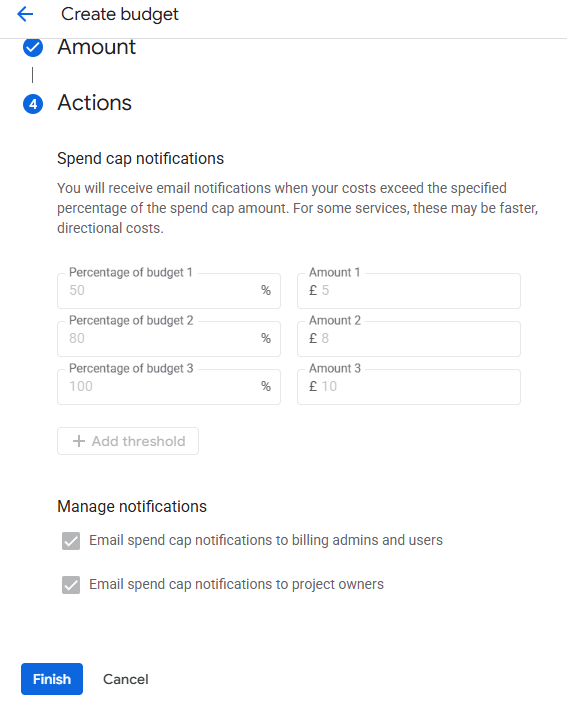
Note that if you use the “Spend cap” type, you can no longer select the option to publish to Pub/Sub:
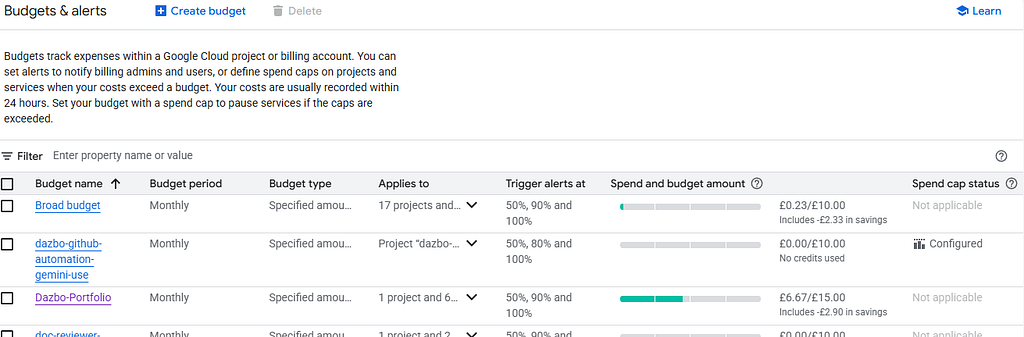
Once created, the new budget alert looks like this. Note how this new alert says “Spend cap status: Configured”.
Trying It Out
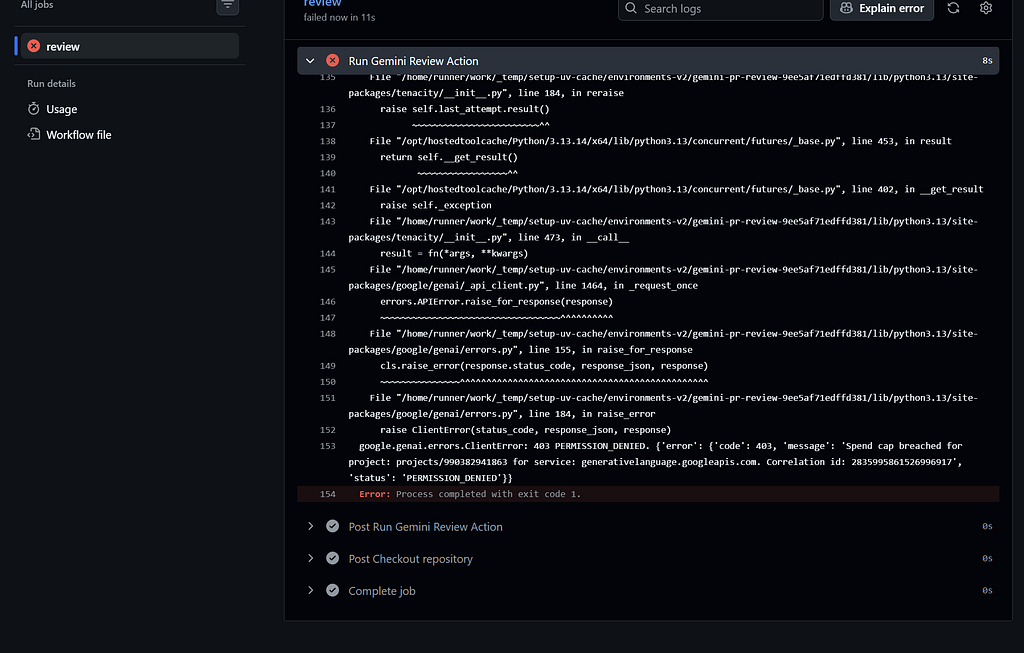
I started running up some cost on my Gemini API inside this project.
Ooh, look! Inside my CI/CD pipeline I can see it’s hit a “403 — permission denied”.
And I got this email, almost immediately.
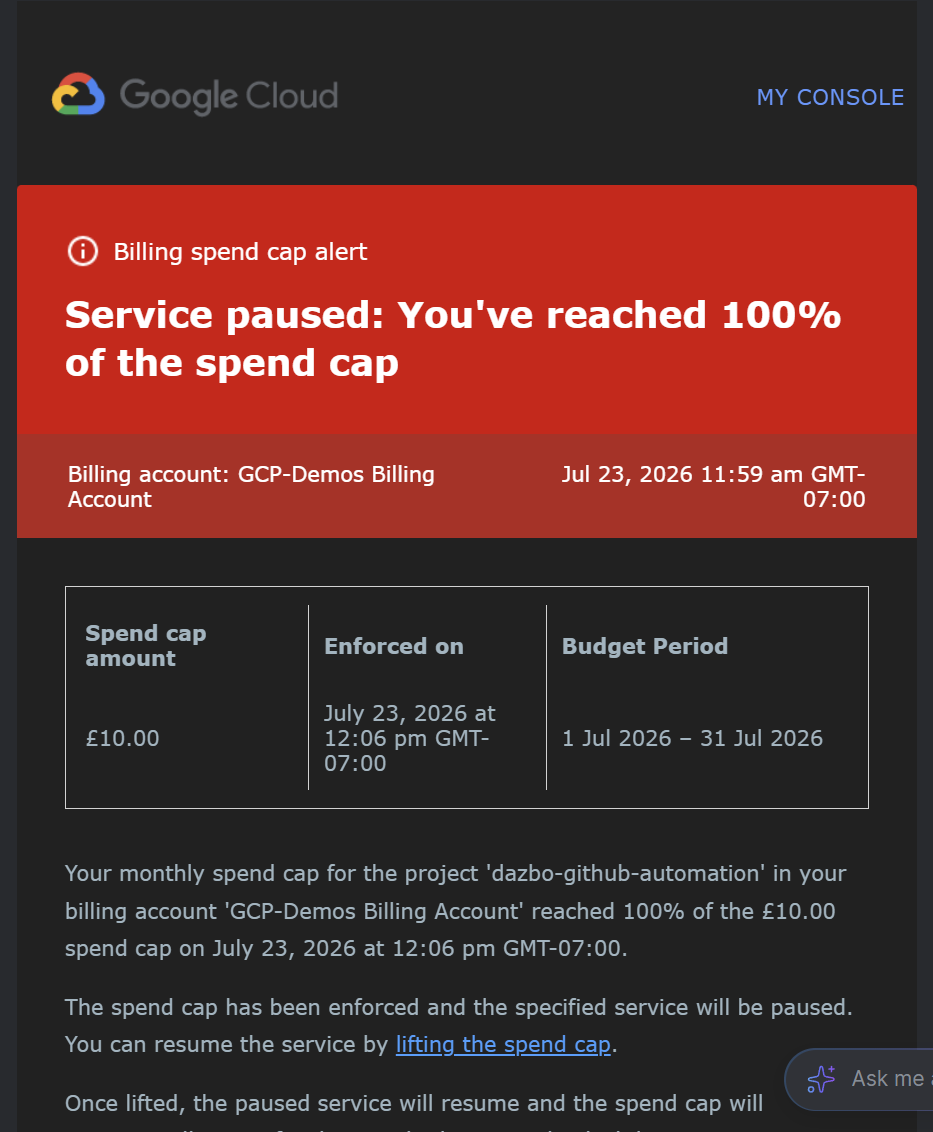
It’s not too subtle! You’re gonna struggle to miss this in your inbox!!
We can take a look in Cloud Console to see more information:
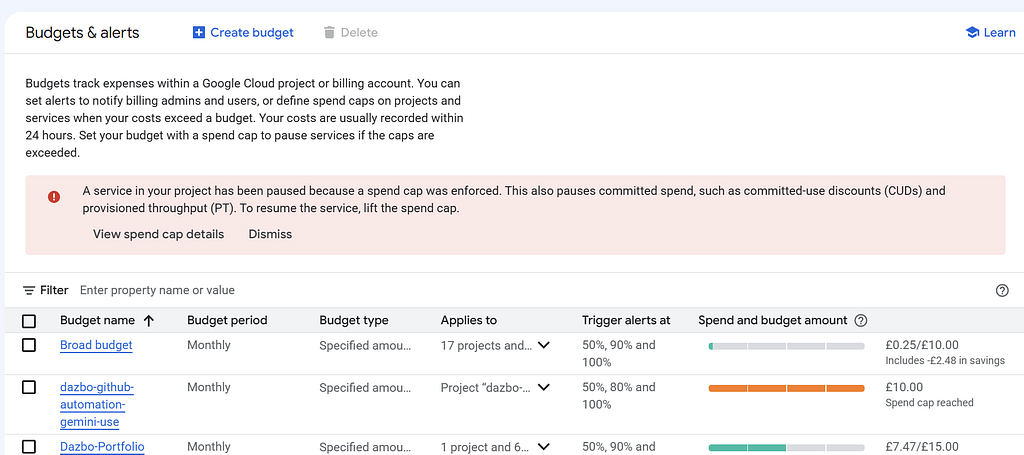
Okay, successful test! It worked exactly as we wanted it to.
How to Lift the Cap?
What if we want to continue working with our service? In that case, we just need to lift the spend cap.
Open your budget and then click on “Lift spend cap” in the Console:
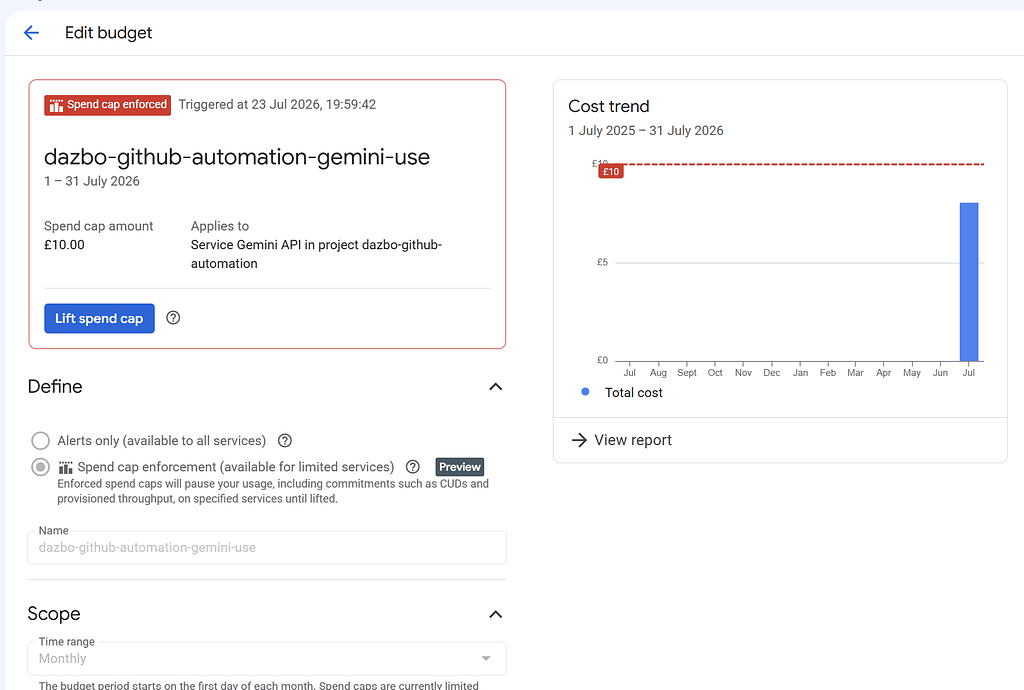
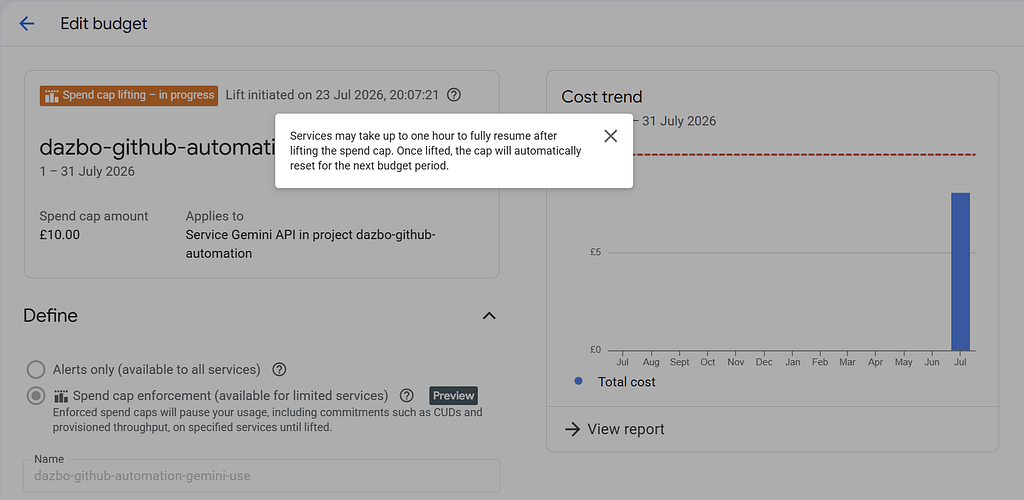
You’ll see this message:
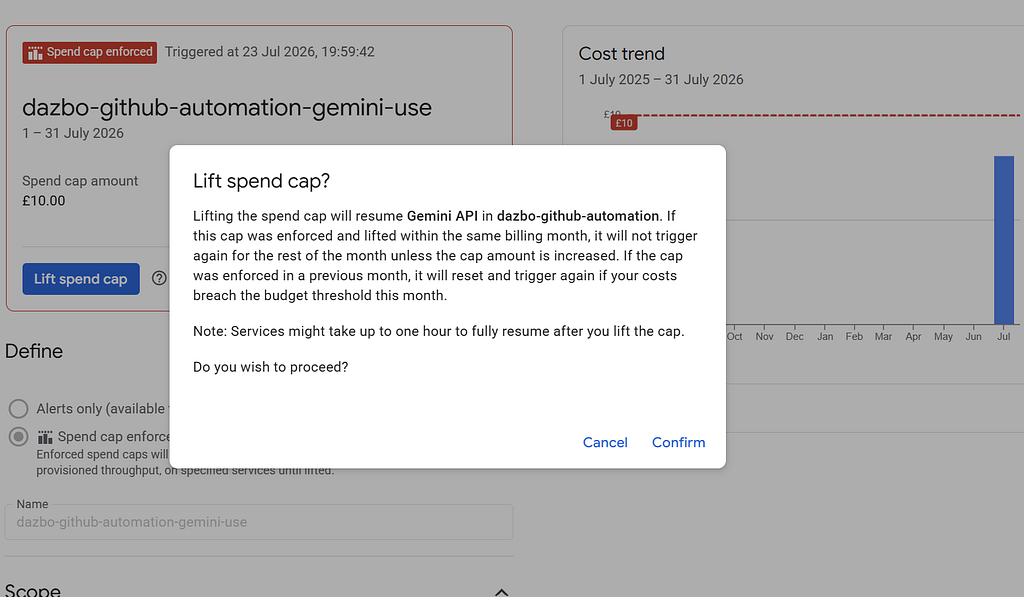
Now you need to specify a new, higher amount:
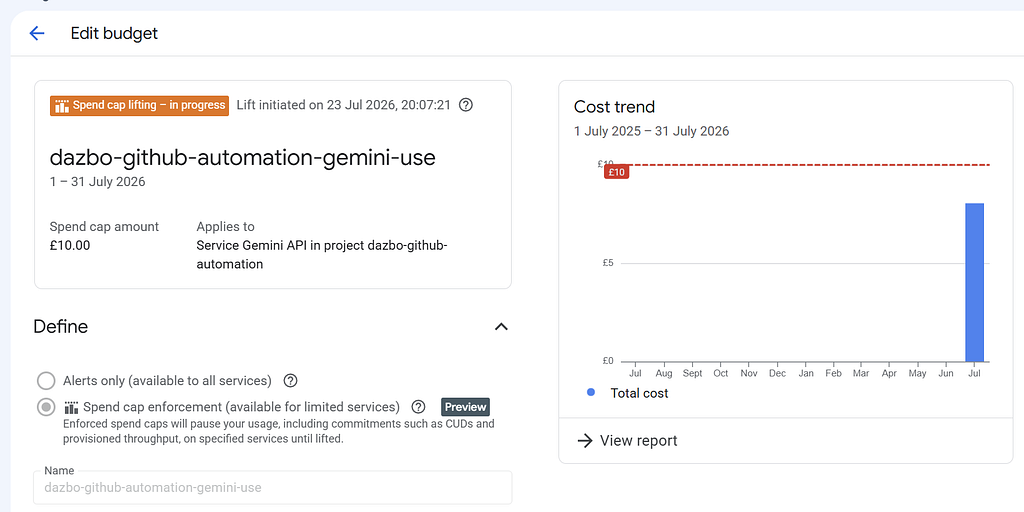
You get a warning that it might take an hour to lift the cap. But for me, it took about 2 minutes:
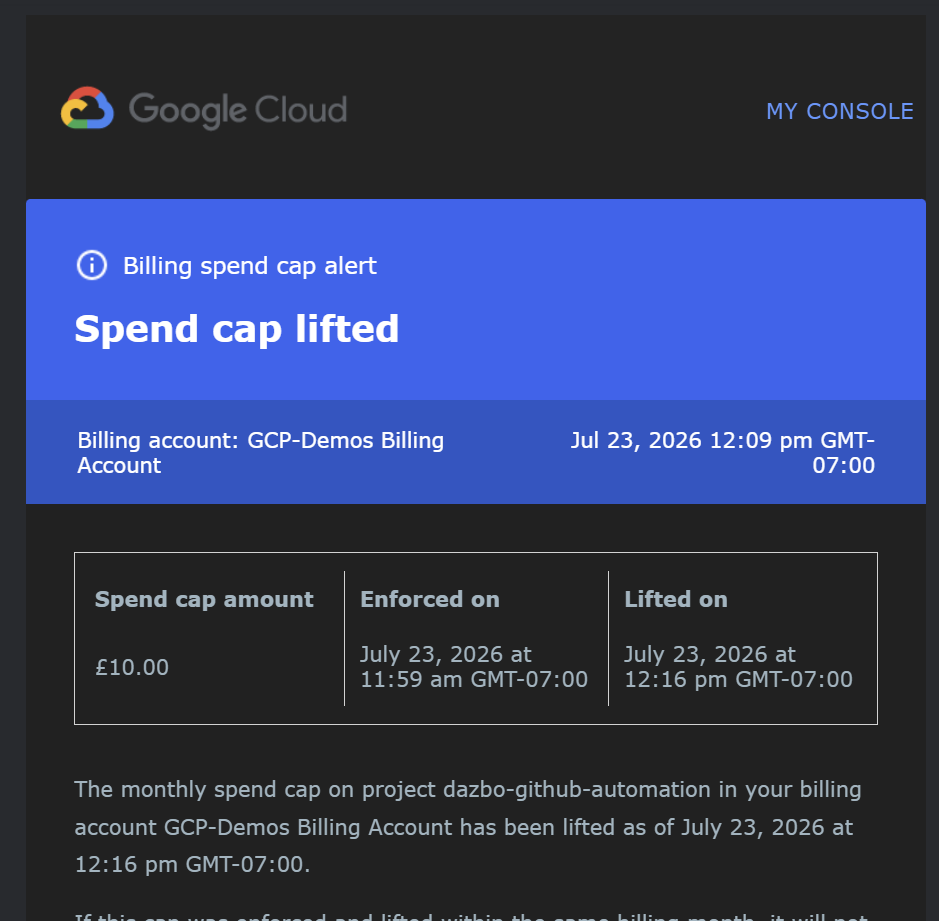
Then I received these two emails, nearly immediately:
Spend cap updated:
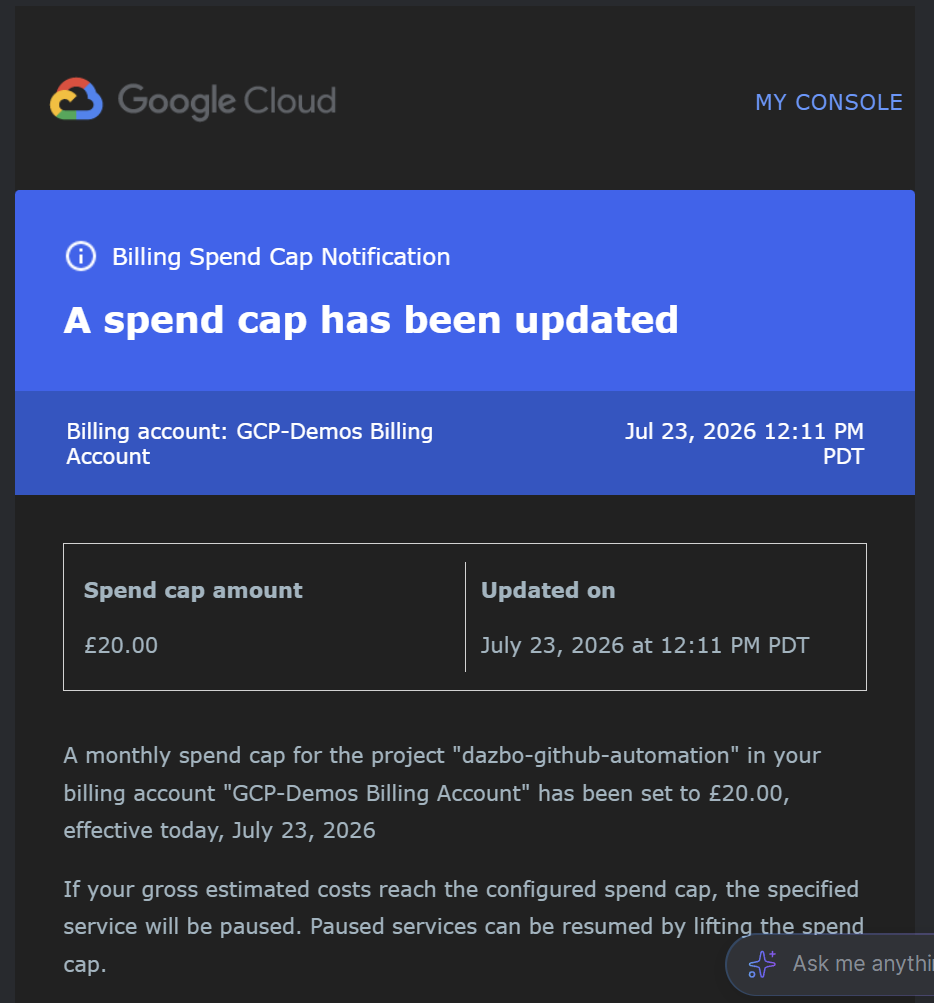
So when you’re working with spend caps, you always know exactly what’s going on.
How Does This Differ From Spend Caps in AI Studio?
It works the same way. But AI Studio only lets you set spend caps associated with Gemini API keys.
The Most Frequently Asked Question…
One of the biggest historical problems with budget alerts, and anything that leverages them (like my Billing Killswitch) is that the alerts are only triggered after billing cycle reconciliation. This results in a delay between your actual spend, and billing alerts firing. This delay could be hours. A lot of damage can be done to your credit card in a few hours!
With the new spend capping feature, Google promises that “near real-time enforcement”, with the caps triggering within minutes of actual spend thresholds being met. In my testing, it triggered within a couple of minutes.
Two minutes rather than two hours? I’ll take it!
Maybe, in the near future, we might expect some closer integration with the new Anomaly Detection feature. Wouldn’t it be nice if we had a toggle to enable capping to trigger based on the prediction of a spend cap being hit in the next few minutes or hours? (For the SREs out there… This would be a similar approach to setting alerts based on the rate of error budget consumption.)
Anyway, that’s my prediction. Let’s see!
Spend Cap Limitations?
Just a couple that I noticed.
- At the moment, you have to set these caps one service at a time. It would be better if we could pick multiple services. So for now, I’ll still be using my Killswitch mechanism when I want to limit billing across the whole project or collections of projects.
- At the moment, you can’t have a cap and ALSO send a message to Pub/Sub. That might be useful for some.
Wrapping Up
Native Cloud Spend Caps are an absolute game-changer. They provide the one thing cloud engineers have been begging for: actual, deterministic spend boundaries. If you’re building with high-throughput APIs like Gemini, get this configured immediately.
Good architecture isn’t just about high availability — it’s about keeping your wallet intact!
Before You Go
- Please share this with anyone that you think will be interested. It might help them, and it really helps me!
- Please give me loads of claps! (Just hold down the clap button.)
- Please leave a comment 💬. Interaction is good!
- Add a star on the repo!
- Follow and subscribe, so you don’t miss my content.
Useful Links and References
Comments
More Blog
View allaiHow to Build a Local AI Workspace Like PewDiePie's Odysseus: Hardware, Models, and Cost
A practical, source-backed guide to building a local AI workspace like PewDiePie's Odysseus, including VRAM tiers, realistic budgets, model runtimes, installation steps, and security advice.
J
Jenuel Oras GanawedragYour RAG copilot can't count — stop letting it try
Your RAG copilot can't count — stop letting it try A user asked our document-search...
R
Rodrigo DiegoaiInside the Virtual R&D Lab: How Human Imagination and AI Multi-Agents Shape the Future of Science
System Enforces Order, AI Accelerates Logic: Driving Next-Generation R&D Through...
T
TanaikeaiThe memory layer that never calls an LLM: what that buys, and what it costs
Part 4 of **The Answerability Problem, and the one that isn't about abstention. Parts 1–3 argued that...
G
Giulio D'ErmedevchallengeCongrats to the DEV Weekend Challenge: Passion Edition Winners!
We are excited to announce the winners of our DEV Weekend Challenge: Passion Edition! The prompt was...
J
Jess LeeaiSkills vs MCP: How AI tools have evolved
Eighteen months ago, MCP was the thing. Every demo and chatbot connector was running on MCP under the...
T
Tilde A. ThuriumReady-made automations for this
Workflows from the Neura Market marketplace related to this Perplexity resource
- Track Student Arrival with iOS Automation, Google Sheets & Email Alertsn8n · $9.99 · Related topic
- AI-Generated LinkedIn Posts with OpenAI, Google Sheets, & Email Approval Workflown8n · $14.99 · Related topic
- Automate Personalized Email Campaigns with Google Docs, Sheets, and SMTPn8n · $14.99 · Related topic
- Talk to Your Google Sheets Using ChatGPT-5n8n · $9.99 · Related topic