Answer Code of Conduct Questions in Slack with GPT-4 & RAGE Technology
# Code of Conduct Q&A Slack Chatbot with RAG Powered [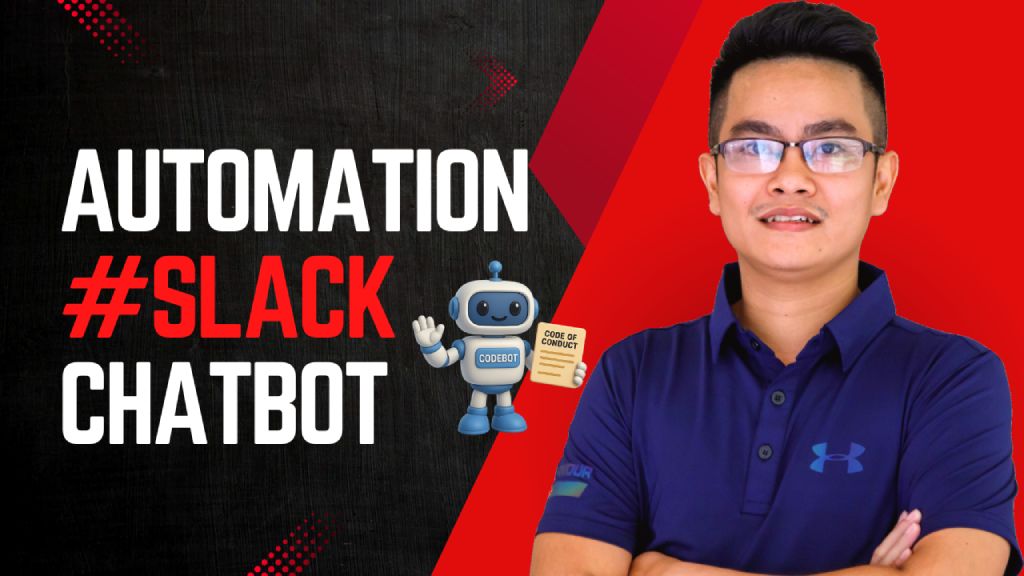](https://www.youtube.com/watch?v=2EWgC5UKiBQ) > Empower employees to instantly access and understand the company's Code of Conduct via a Slack chatbot, powered by Retrieval-Augmented Generation (RAG) and LLMs. ## Who's it for This workflow is designed for: - **HR and compliance teams** to automate policy-related inquiries - **Employees** who want quick answers to Code of Conduct questions directly inside Slack - **Startups or enterprises** that need internal compliance self-service tools powered by AI ## How it works / What it does This RAG-powered Slack chatbot answers user questions based on your uploaded **Code of Conduct PDF** using GPT-4 and embedded document chunks. Here's the flow: 1. **Receive Message from Slack:** A webhook triggers when a message is posted in Slack. 2. **Check if it's a valid query:** Filters out non-user messages (e.g., bot mentions). 3. **Run Agent with RAG:** - Uses GPT-4 with `Query Data Tool` to retrieve relevant document chunks. - Returns a well-formatted, context-aware answer. 4. **Send Response to Slack:** Fetches user info and posts the answer back in the same channel. 5. **Document Upload Flow:** - HR can upload the PDF Code of Conduct file. - It's parsed, chunked, embedded using OpenAI, and stored for future query retrieval. - A backup copy is saved to Google Drive. ## How to set up 1. **Prepare your environment:** - Slack Bot token & webhook configured (Sample slack app manifest: https://wisestackai.s3.ap-southeast-1.amazonaws.com/slack_bot_manifest.json) - OpenAI API key (for GPT-4 & embedding) - Google Drive credentials (optional for backup) 2. **Upload the Code of Conduct PDF:** - Use the designated node to upload your document (Sample file: https://wisestackai.s3.ap-southeast-1.amazonaws.com/20220419-ingrs-code-of-conduct-policy-en.pdf) - This triggers chunking, embedding, and data store. 3. **Deploy the chatbot:** - Host the webhook and connect it to your Slack app. - Share the command format with employees (e.g., `@CodeBot Can I accept gifts from partners?`) 4. **Monitor and iterate:** - Improve chunk size or embed model if queries aren't accurate. - Review unanswered queries to enhance coverage. ## Requirements - n8n (Self-hosted or Cloud) - Slack App (with `chat:write`, `users:read`, `commands`) - OpenAI account (embedding + GPT-4 access) - Google Drive integration (for backups) - Uploaded Code of Conduct in PDF format ## How to customize the workflow | What to Customize | How to Do It | |-------------------------|--------------------------------------------------------------------------------| | **Prompt style** | Edit the System & User prompts inside the `Code Of Conduct Agent` node | | **Document types** | Upload additional policy PDFs and tag them differently in metadata | | **Agent behavior** | Tune GPT temperature or replace with different LLM | | **Slack interaction** | Customize message formats or trigger phrases | | **Data Store engine** | Swap to Pinecone, Weaviate, Supabase, etc. depending on use case | | **Multilingual support**| Preprocess text and support locale detection via Slack metadata |
Code of Conduct Q&A Slack Chatbot with RAG Powered

Empower employees to instantly access and understand the company's Code of Conduct via a Slack chatbot, powered by Retrieval-Augmented Generation (RAG) and LLMs.
Who's it for
This workflow is designed for:
- HR and compliance teams to automate policy-related inquiries
- Employees who want quick answers to Code of Conduct questions directly inside Slack
- Startups or enterprises that need internal compliance self-service tools powered by AI
How it works / What it does
This RAG-powered Slack chatbot answers user questions based on your uploaded Code of Conduct PDF using GPT-4 and embedded document chunks. Here's the flow:
- Receive Message from Slack: A webhook triggers when a message is posted in Slack.
- Check if it's a valid query: Filters out non-user messages (e.g., bot mentions).
- Run Agent with RAG: - Uses GPT-4 with
Query Data Toolto retrieve relevant document chunks. - Returns a well-formatted, context-aware answer. - Send Response to Slack: Fetches user info and posts the answer back in the same channel.
- Document Upload Flow: - HR can upload the PDF Code of Conduct file. - It's parsed, chunked, embedded using OpenAI, and stored for future query retrieval. - A backup copy is saved to Google Drive.
How to set up
-
Prepare your environment: - Slack Bot token & webhook configured (Sample slack app manifest: https://wisestackai.s3.ap-southeast-1.amazonaws.com/slack_bot_manifest.json) - OpenAI API key (for GPT-4 & embedding) - Google Drive credentials (optional for backup)
-
Upload the Code of Conduct PDF: - Use the designated node to upload your document (Sample file: https://wisestackai.s3.ap-southeast-1.amazonaws.com/20220419-ingrs-code-of-conduct-policy-en.pdf) - This triggers chunking, embedding, and data store.
-
Deploy the chatbot: - Host the webhook and connect it to your Slack app. - Share the command format with employees (e.g.,
@CodeBot Can I accept gifts from partners?) -
Monitor and iterate: - Improve chunk size or embed model if queries aren't accurate. - Review unanswered queries to enhance coverage.
Requirements
- n8n (Self-hosted or Cloud)
- Slack App (with
chat:write,users:read,commands) - OpenAI account (embedding + GPT-4 access)
- Google Drive integration (for backups)
- Uploaded Code of Conduct in PDF format
How to customize the workflow
| What to Customize | How to Do It |
|---|---|
| Prompt style | Edit the System & User prompts inside the Code Of Conduct Agent node |
| Document types | Upload additional policy PDFs and tag them differently in metadata |
| Agent behavior | Tune GPT temperature or replace with different LLM |
| Slack interaction | Customize message formats or trigger phrases |
| Data Store engine | Swap to Pinecone, Weaviate, Supabase, etc. depending on use case |
| Multilingual support | Preprocess text and support locale detection via Slack metadata |
New buyers can create an account from the cart to unlock a controlled $10 first-purchase credit on eligible orders of $25+.
Related bundle
Customer Support Automation Suite
8 hand-picked workflows for $39.00.
That is $4.88 each, vs $14.99 for this one alone.
View bundleSecure checkout powered by Stripe
Support
How to import this workflow into n8n
- 1Purchase or download the workflow to get the n8n workflow JSON file.
- 2In your n8n instance, open Workflows and choose "Import from File" (or paste the JSON with Ctrl+V on the canvas).
- 3Open each node marked with a credential warning and connect your own accounts and API keys.
- 4Run the workflow once manually to verify the data flow, then toggle it to Active.
Related Communication workflows
- Automate Outbound Calls with Ultravox AI and Twilio$4.99
- Automate Intelligent Email Classification with AI in Gmail$4.99
- Generate AI videos and carousels with Blotato for Instagram and TikTok$9.99
- Automating WhatsApp Replies Using GoHighLevel with Redis and Anthropic$24.99
- Automate Gmail Email Labeling with AI for Enhanced Organization$14.99
- Automate Email Summarization and Logging with AI and Google Sheets$9.99
More from Trung Tran
Need this deployed? We'll set it up for you.
Our automation experts deploy this workflow in your stack, connect your accounts, and verify it works — or build a custom solution from scratch.