Automate Email Alerts for New Google Forms Responses
Automatically send email notifications when new responses are submitted in Google Forms. This workflow ensures you stay informed without manual checks.
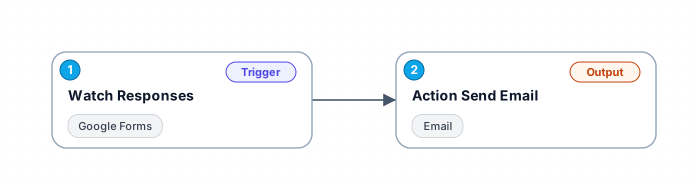
This workflow connects Google Forms and email services to automate the process of sending notifications. When a new response is detected in a specified Google Form, an email alert is triggered and sent to designated recipients. This setup is ideal for educators, event organizers, or businesses that need immediate updates on form submissions.
New buyers can create an account from the cart to unlock a controlled $10 first-purchase credit on eligible orders of $25+.
Secure checkout powered by Stripe
Support
How to import this workflow into Make
- 1Purchase or download the workflow to get the Make blueprint JSON file.
- 2In Make, create a new scenario, click the three-dots menu, and choose "Import Blueprint".
- 3Reconnect each module to your own app connections when prompted.
- 4Run the scenario once to verify it, then set your schedule and turn it on.
Related Communication workflows
- Automate Outbound Calls with Ultravox AI and Twilio$4.99
- Automate Intelligent Email Classification with AI in Gmail$4.99
- Generate AI videos and carousels with Blotato for Instagram and TikTok$9.99
- Automating WhatsApp Replies Using GoHighLevel with Redis and Anthropic$24.99
- Automate Gmail Email Labeling with AI for Enhanced Organization$14.99
- Automate Email Summarization and Logging with AI and Google Sheets$9.99
More from Talia Andersen
Need this deployed? We'll set it up for you.
Our automation experts deploy this workflow in your stack, connect your accounts, and verify it works — or build a custom solution from scratch.