Automate Record Search and Deletion in Knack Database
Efficiently manage your Knack database by automating the search and deletion of specific records. This workflow streamlines data maintenance by using filters to identify records and remove them automatically.
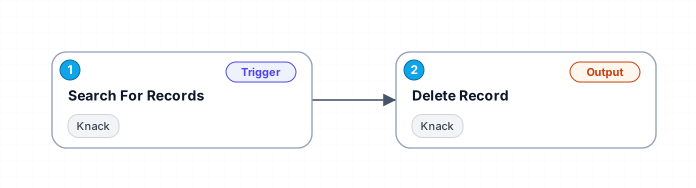
This workflow utilizes two primary modules: one for searching records in the Knack database with specific filters and another for deleting the identified records. It allows you to set conditions such as matching filters and sorting fields to refine your search, ensuring precise data management.
New buyers can create an account from the cart to unlock a controlled $10 first-purchase credit on eligible orders of $25+.
Secure checkout powered by Stripe
Support
How to import this workflow into Make
- 1Purchase or download the workflow to get the Make blueprint JSON file.
- 2In Make, create a new scenario, click the three-dots menu, and choose "Import Blueprint".
- 3Reconnect each module to your own app connections when prompted.
- 4Run the scenario once to verify it, then set your schedule and turn it on.
Related Data & Analytics workflows
- Generate AI viral videos with VEO 3 and upload to TikTok$14.99
- Generate a daily multi-asset market report with TwelveData, Groq and Google Sheets$14.99
- Build an OpenAI RAG system with document upload, semantic search and caching$24.99
- Automate Website Content Scraping and SEO Keyword Extraction with GPT-4o-mini and Airtable$14.99
- Process Contact Form Submissions with Validation and MongoDB Storage$14.99
- Add webhook data to a Google Sheet$2.99
More from Iris Ceylan
Need this deployed? We'll set it up for you.
Our automation experts deploy this workflow in your stack, connect your accounts, and verify it works — or build a custom solution from scratch.