Slack Automation Workflows
1,718 ready-made Slack workflows for n8n, Make, Zapier, Activepieces, and Pipedream. Notifications, alerts, approval flows, and chat-ops that keep your team in the loop automatically.
Answer Code of Conduct Questions in Slack with GPT-4 & RAGE Technology
# Code of Conduct Q&A Slack Chatbot with RAG Powered [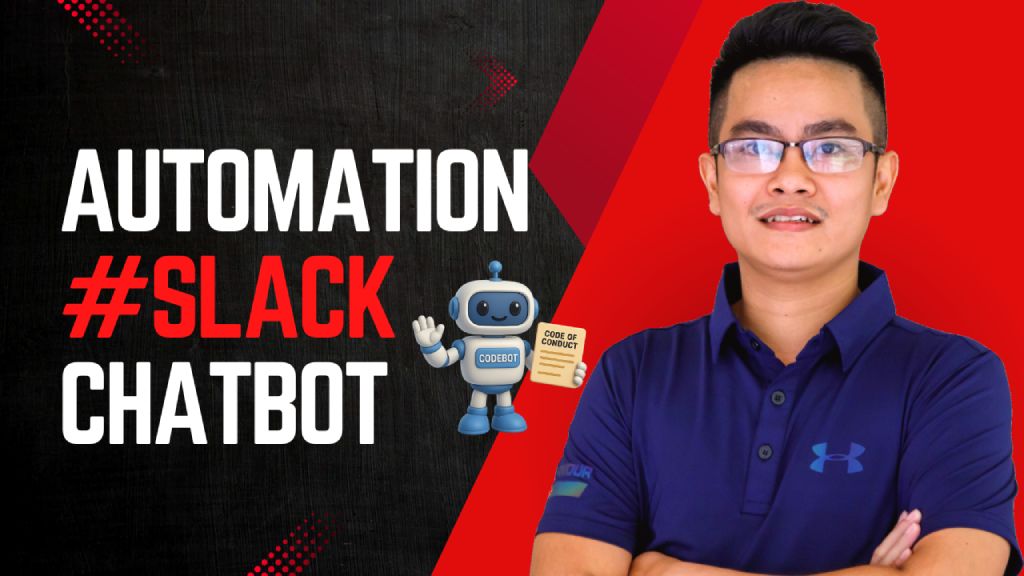](https://www.youtube.com/watch?v=2EWgC5UKiBQ) > Empower employees to instantly access and understand the company's Code of Conduct via a Slack chatbot, powered by Retrieval-Augmented Generation (RAG) and LLMs. ## Who's it for This workflow is designed for: - **HR and compliance teams** to automate policy-related inquiries - **Employees** who want quick answers to Code of Conduct questions directly inside Slack - **Startups or enterprises** that need internal compliance self-service tools powered by AI ## How it works / What it does This RAG-powered Slack chatbot answers user questions based on your uploaded **Code of Conduct PDF** using GPT-4 and embedded document chunks. Here's the flow: 1. **Receive Message from Slack:** A webhook triggers when a message is posted in Slack. 2. **Check if it's a valid query:** Filters out non-user messages (e.g., bot mentions). 3. **Run Agent with RAG:** - Uses GPT-4 with `Query Data Tool` to retrieve relevant document chunks. - Returns a well-formatted, context-aware answer. 4. **Send Response to Slack:** Fetches user info and posts the answer back in the same channel. 5. **Document Upload Flow:** - HR can upload the PDF Code of Conduct file. - It's parsed, chunked, embedded using OpenAI, and stored for future query retrieval. - A backup copy is saved to Google Drive. ## How to set up 1. **Prepare your environment:** - Slack Bot token & webhook configured (Sample slack app manifest: https://wisestackai.s3.ap-southeast-1.amazonaws.com/slack_bot_manifest.json) - OpenAI API key (for GPT-4 & embedding) - Google Drive credentials (optional for backup) 2. **Upload the Code of Conduct PDF:** - Use the designated node to upload your document (Sample file: https://wisestackai.s3.ap-southeast-1.amazonaws.com/20220419-ingrs-code-of-conduct-policy-en.pdf) - This triggers chunking, embedding, and data store. 3. **Deploy the chatbot:** - Host the webhook and connect it to your Slack app. - Share the command format with employees (e.g., `@CodeBot Can I accept gifts from partners?`) 4. **Monitor and iterate:** - Improve chunk size or embed model if queries aren't accurate. - Review unanswered queries to enhance coverage. ## Requirements - n8n (Self-hosted or Cloud) - Slack App (with `chat:write`, `users:read`, `commands`) - OpenAI account (embedding + GPT-4 access) - Google Drive integration (for backups) - Uploaded Code of Conduct in PDF format ## How to customize the workflow | What to Customize | How to Do It | |-------------------------|--------------------------------------------------------------------------------| | **Prompt style** | Edit the System & User prompts inside the `Code Of Conduct Agent` node | | **Document types** | Upload additional policy PDFs and tag them differently in metadata | | **Agent behavior** | Tune GPT temperature or replace with different LLM | | **Slack interaction** | Customize message formats or trigger phrases | | **Data Store engine** | Swap to Pinecone, Weaviate, Supabase, etc. depending on use case | | **Multilingual support**| Preprocess text and support locale detection via Slack metadata |
n8n$14.99Automate Remote Server File Integrity Checks with Slack Alerts
This workflow automates the process of monitoring file integrity on a remote server and sends alerts via Slack if discrepancies are detected. It ensures that any unauthorized changes to critical files are promptly reported.
n8n$4.99Qualify and Enrich Leads with Octave's Contextual Insights and Slack Alerts
This workflow contains community nodes that are only compatible with the self-hosted version of n8n. # Qualify and enrich inbound leads with contextual insights and Slack alerts ## Who is this for? Sales teams, account executives, and RevOps professionals who need more than just basic lead scoring. Built for teams that want deep contextual insights about qualified prospects to enable truly relevant conversations from the first touchpoint. ## What problem does this solve? Most qualification stops at good fit or bad fit - but that leaves sales teams flying blind when it comes to actually engaging the prospect. You know they're qualified, but what are their specific pain points? What value propositions resonate? Which reference customers should you mention? This workflow uses Octave's context engine to not only qualify leads but enrich them with actionable insights that turn cold outreach into warm, contextualized conversations. ## What this workflow does **Inbound Lead Processing:** - Receives lead information via webhook (firstName, companyName, companyDomain, profileURL, jobTitle) - Processes leads from website forms, demo requests, content downloads, or trial signups - Validates and structures lead data for intelligent qualification and enrichment **Contextualized Lead Qualification:** - Leverages Octave's context engine to score leads against your specific ICP - Analyzes company fit, role relevance, and timing indicators - Generates qualification scores (1-10) with detailed rationale - Filters out low-scoring leads (configurable threshold - default >5) **Deep Lead Enrichment:** - Uses Octave's enrichment engine to generate contextual insights about qualified leads - Identifies primary responsibilities, pain points, and relevant value propositions - Suggests appropriate reference customers and use cases to mention - Provides sales teams with conversation starters grounded in your business context **Enhanced Sales Alerts:** - Sends enriched Slack alerts with qualification score plus actionable insights - Includes suggested talking points, pain points, and reference customers - Enables sales teams to have contextualized conversations from first contact ## Setup **Required Credentials:** - Octave API key and workspace access - Slack OAuth credentials with channel access - Access to your lead source system (website forms, CRM, etc.) **Step-by-Step Configuration:** 1. **Set up Octave Qualification Agent:** - Add your Octave API credentials in n8n - Replace `your-octave-qualification-agent-id` with your actual qualification agent ID - Configure your qualification agent with your ICP criteria and business context 2. **Set up Octave Enrichment Agent:** - Replace `your-octave-enrichment-agent-id` with your actual enrichment agent ID - Configure enrichment outputs based on the insights most valuable to your sales process - Test enrichment quality with sample leads from your target market 3. **Configure Slack Integration:** - Add your Slack OAuth credentials to n8n - Replace `your-slack-channel-id` with the channel for enriched lead alerts - Customize the Slack message template with the enrichment fields most useful for your sales team 4. **Set up Lead Source:** - Replace `your-webhook-path-here` with a unique, secure path - Configure your website forms, CRM, or lead source to send data to the webhook - Ensure consistent data formatting across lead sources 5. **Customize Qualification Filter:** - Adjust the Filter node threshold (default: score > 5) - Modify based on your lead volume and qualification standards - Test with sample leads to calibrate scoring **Required Webhook Payload Format:** ```json { "body": { "firstName": "Sarah", "lastName": "Johnson", "companyName": "ScaleUp Technologies", "companyDomain": "scaleuptech.com", "profileURL": "https://linkedin.com/in/sarahjohnson", "jobTitle": "VP of Engineering" } } ``` ## How to customize **Qualification Criteria:** Customize scoring in your Octave qualification agent: - **Product Level:** Define good fit and bad fit questions that determine if someone needs your core offering - **Persona Level:** Set criteria for specific buyer personas and their unique qualification factors - **Segment Level:** Configure qualification logic for different market segments or use cases - **Multi-Level Qualification:** Qualify against Product + Persona, Product + Segment, or all three levels combined **Enrichment Insights:** Configure your Octave enrichment agent to surface the most valuable insights: - **Primary Responsibilities:** What this person actually does day-to-day - **Pain Points:** Specific challenges they face that your solution addresses - **Value Propositions:** Which benefits resonate most with their role and situation - **Reference Customers:** Similar companies/roles that have succeeded with your solution - **Conversation Starters:** Contextual talking points
n8n$9.99Automate YouTube Video Summaries to Discord with AI and Slack Approval
This n8n workflow automates the process of summarizing YouTube videos using AI, sending them for approval via Slack, and distributing approved summaries to Discord, while logging all data in Google Sheets.
n8n$9.99Automate Supply Chain Risk Monitoring with AI Alerts via Slack and Email
This workflow automates the monitoring of supply chain risks by using AI to analyze supplier health and industry news, providing real-time alerts and daily reports to procurement teams via Slack and email.
n8n$14.99Automate Critical Error Alerts with Slack and Jira Integration
This workflow automates the detection and handling of critical errors in production environments by sending real-time alerts to Slack and creating Jira tickets for immediate resolution.
n8n$4.99Automate LinkedIn Post Creation from Web Pages with AI and Slack Review
Transform any web page into a LinkedIn-ready post using AI, with a streamlined review process via Slack. Ideal for efficiently sharing blog posts, case studies, or product updates.
n8n$9.99Automate Power BI Dataset Refresh and Notify via Slack
This workflow automatically refreshes your Microsoft Power BI datasets at specified intervals and sends a notification message to a designated Slack channel.
Make$2.99Slack Alerts for AWS IAM Access Keys Older Than 365 Days
Automatically scans AWS IAM users for access keys older than 365 days and sends detailed alerts to Slack for prompt rotation and security compliance.
n8n$14.99Slack Notifications for WooCommerce Refunds Over $100
This workflow automates notifications for significant WooCommerce refunds by listening for order update events. When an order status changes to 'refunded' and the total value is $100 or more, it sends a formatted Slack message including order ID, ...
n8n$7.99Monitor Supply Chain Risks with ScrapeGraphAI Alerts via Slack & Email
Automates daily supplier health monitoring and risk analysis using ScrapeGraphAI, delivering real-time Slack alerts and email reports to procurement teams.
n8n$24.99AI-Powered Topic Monitoring: OpenAI, Sheets, Jina AI & Slack
Automates RSS feed monitoring for relevant articles, uses AI to score relevance, scrape content, generate summaries, and posts to Slack while tracking in Google Sheets.
n8n$24.99Send a translated version of a message in Slack to yourself
Translate every/filtered received message from Slack to target language and send it to selected channel in Slack.
Make$3.99Enrich New Discourse Members with Clearbit & Slack Alerts
Triggers on new Discourse members, enriches data via Clearbit to identify high-value leads, and notifies Sales/CS teams in Slack with quick actions.
n8n$13.99Send Slack messages when tasks are created or updated in ClickUp
A ready-to-use Make workflow that connects Clickup, Slack. Send Slack messages when tasks are created or updated in ClickUp. Customize and deploy in minutes.
Make$2.99Stay Informed: Zendesk to Salesforce and Slack Notifications
This Zap automates the process of managing customer support tickets by integrating Zendesk with Salesforce and Slack. When a new ticket is created in Zendesk, it finds the corresponding record in Salesforce, creates a new record if necessary, and sends a notification to a Slack channel. This ensures that your support team is always updated on ticket statuses and can respond promptly, improving customer satisfaction and team collaboration.
Zapier$3.99Automate Daily Birthday Alerts from Google Contacts to Slack
Never miss a birthday again with this automated workflow. It fetches birthdays from Google Contacts and sends personalized reminders to a Slack channel daily.
n8n$4.99Get Slack Notifications for New WooCommerce Products
This workflow is designed to enhance your e-commerce operations by automating notifications for new product listings on your WooCommerce store. Whenever a new product is created, this workflow triggers an event that checks if the product URL conta...
n8n$4.99Venafi Slack Cert Bot: Secure CSR Requests & Auto-Approvals
Automates certificate signing requests via Slack with VirusTotal scans, AI reports, and auto/manual approvals for streamlined SecOps.
n8n$24.99Automate Slack Notifications for Salesflare Opportunity Stage Updates
Automatically send a Slack message whenever a Salesflare opportunity reaches the 'Proposal made' stage, ensuring your team stays informed.
MakeFreeAutomate Revolut Draft Payments and Slack Notifications for New WooCommerce Orders
Streamline your workflow by automatically creating a Revolut draft payment for shipping and sending a Slack notification whenever a new WooCommerce order is placed.
Make$4.99AI-Summarized Unread Gmail Alerts to Slack via GPT-4o
Automatically detects unread Gmail emails, generates concise AI summaries with GPT-4o, and sends alerts to Slack every minute to save time and reduce inbox overload.
n8n$12.99ServiceNow Incident Notifications to Slack
Automates real-time notifications of new ServiceNow incidents to a Slack channel every 5 minutes, enhancing IT team response times and collaboration.
n8n$12.99Automated Error Notifications via Slack for N8N Workflows
The '0447ErrorSlackSendTriggered' workflow is designed to provide immediate alerts on workflow failures within N8N, ensuring that teams can respond promptly to issues. By integrating with Slack, this workflow enhances team collaboration and reduce...
n8n$5.58
More integrations
Custom AI Systems & Services
Our team of experienced AI builders will help build custom AI systems, workflows, and solutions.
Request Custom Work